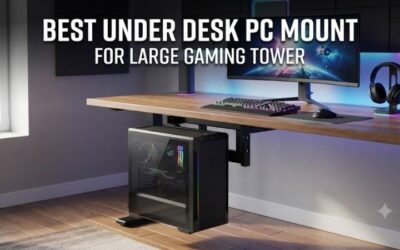
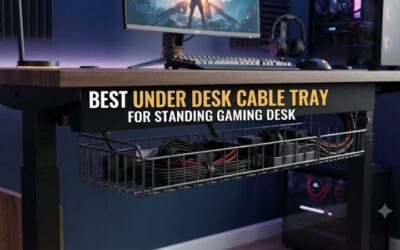
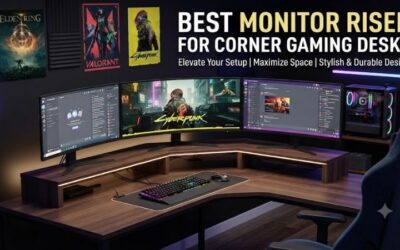
Scroll through any gaming subreddit and the desk debate never ends, but a few recurring favorites keep earning genuine praise from real users. The community tends to reward sturdy builds, smart cable management, and shapes that maximize monitor and peripheral space, rather than flashy gimmicks that wobble under a mug of coffee.
- Watch: Best Gaming Desk Reddit — Video Review
- How to Choose a Gaming Desk
- The Best Gaming Desks Reviewed
- How the Top Guides Compare Gaming Desks
- Sizing and Compatibility Checklist
- Setup and Care: Getting the Desk Right on Day One
- Who Should Skip a Gaming-Branded Desk
- Common Mistakes When Buying a Gaming Desk
- More Picks Worth Considering
- Related Guides
- Frequently Asked Questions
- Final Thoughts
- Related Articles
We gathered the desks that consistently draw positive community feedback, evaluating stability, surface size, ergonomics, and value. Here are the picks worth adding to your battlestation.


As an Amazon Associate we earn from qualifying purchases at no extra cost to you.


🎮 Get More From Your Setup — Free
Prime Gaming gives you free PC games every month, in-game loot, and a free Twitch channel sub — plus fast free shipping on all the gear above. New members get a 30-day free trial.
Watch: Best Gaming Desk Reddit — Video Review
How to Choose a Gaming Desk
- Surface size and shape: Z-shaped and L-shaped desks add usable space for multi-monitor setups and peripherals.
- Stability: A solid steel frame and anti-tip design prevent wobble during intense gaming or typing.
- Cable management: Built-in grommets, trays, or hooks keep your setup tidy and reduce clutter.
- Extras: Headphone hooks, cup holders, and LED lighting add convenience and personality.
- Ergonomics: Ensure the height suits your chair so wrists and posture stay comfortable over long sessions.
The Best Gaming Desks Reviewed
Bestier 42-Inch L-Shaped Desk
A community favorite combining an L-shape layout with built-in charging and LED lighting, offering plenty of space and a rustic, stylish finish.
BestOffice 47″ R-Shaped Desk
Its wide curved surface and sturdy frame give ample room for large monitors, a frequent recommendation for value-focused builders.
HLDIRECT 63-Inch Z-Shaped Desk
A spacious carbon-fiber-textured desk with LED lighting, praised for its generous width that easily hosts a dual-monitor setup.
BestOffice 39″ Z-Shaped Desk
A compact, ergonomic Z-frame with a headphone hook, ideal for smaller rooms without sacrificing gaming aesthetics.
BestOffice 35.4″ Z-Shaped Desk
A budget-friendly ergonomic workstation with a headphone hook and stable build, a popular entry point for new setups.
How the Top Guides Compare Gaming Desks
The strongest competing guides do something this article does not yet do: they put every desk side by side in one comparison table before reviewing anything. Readers who arrive from a search already know roughly what they want, and a table lets them eliminate the wrong shapes in seconds instead of reading five separate reviews. The table below covers the four desk shapes that come up most often in community discussions, so a buyer can match a shape to a setup before falling in love with a finish or a light strip.
| Desk shape | Typical width | Typical depth | Height adjustable | Best for |
|---|---|---|---|---|
| Straight fixed-height desk | 47 to 63 inches | 24 to 30 inches | No | Single or dual monitors against one wall |
| L-shaped corner desk | 55 to 63 inches per wing | 20 to 24 inches | No | Corner rooms and separate gaming and work zones |
| Electric standing desk | 48 to 72 inches | 24 to 30 inches | Yes, motorized | Long sessions and shared work and gaming use |
| Curved ultrawide desk | 53 to 63 inches | 30 to 33 inches | No, manual leveling only | One large ultrawide or curved monitor |
Two patterns stand out. First, depth matters as much as width. A desk that is only 20 inches deep forces the monitor close to the face and leaves no room for a keyboard in front of it, which is why the curved and standing options tend to run deeper. Second, height adjustment is the single biggest dividing line in the category. Fixed desks win on simplicity and a lower build cost, while electric standing frames win on posture over long days. Neither is better in the abstract. The right choice depends on how many hours a day the desk is used and whether it also serves as a work desk.
Sizing and Compatibility Checklist
Competitor guides that rank well all include a sizing section, and for good reason: the most common regret in desk buying is ordering the wrong size. Work through this checklist before ordering anything.
Measure the wall first, then the desk. Leave at least 30 inches of clearance behind the chair so it can roll back and swivel without hitting a wall or a bed. Measure doorways and stair turns too, since a 63-inch desktop arrives in a long box that does not bend around a tight hallway.
Count the monitors and measure them. A single 27-inch monitor needs about 24 inches of width. Two 27-inch monitors side by side need roughly 48 inches before a keyboard, speakers, or a headset stand are added. Three monitors, an ultrawide, or a streaming setup with a second screen for chat usually needs 60 inches or more, or an L-shaped layout.
Check the depth against viewing distance. Screens should sit about an arm’s length away, roughly 20 to 28 inches from the eyes. On a shallow desk the monitor ends up too close, and the only fix is a monitor arm that pushes the screen back, which needs a desk edge thick enough to clamp onto.
Check the chair against the desk height. A fixed desk around 29 to 30 inches high suits most adults, but taller or shorter users should confirm that their elbows rest near a right angle while typing. If the chair has armrests, confirm the armrests slide under the desktop or the chair will sit too far back.
Check the monitor arm and the tower. Clamp-style monitor arms need a flat, unobstructed desk edge and a top thick enough to grip. A tower PC belongs on the floor or on a dedicated stand, not on the desktop, unless the desk’s weight rating clearly covers it plus the monitors.
Check the power situation. Count every device that needs an outlet: monitors, PC, speakers, charger, lamp, and any lighting. A desk with built-in outlets helps, but a power strip mounted under the desk with a cable tray does the same job on any desk.
Setup and Care: Getting the Desk Right on Day One
A gaming desk is a piece of furniture that gets assembled once and lived with for years, so the first hour matters more than the unboxing photos suggest. Start by assembling the desk in the room where it will live, not in a hallway, because a fully built L-shaped desk is awkward to carry through a doorframe. Keep the desktop face down on a blanket or cardboard so the surface does not pick up scratches from the floor during assembly.
Tighten bolts in stages rather than fully tightening each one as you go. Frames square up better when every bolt is snug first and then tightened in turn, and that small habit prevents the wobble that many owners blame on the desk itself. Once the desk stands, adjust the feet before loading anything onto it. Uneven feet are the most common cause of rocking on hard floors, and a desk that rocks empty will only feel worse under a monitor arm.
Route cables before placing the monitors. Mount a cable tray or adhesive channel under the rear edge, run power bricks into the tray, and leave a little slack at every connection so a monitor arm can move without tugging a plug loose. Headphone hooks and cup holders belong on the side of the desk, not the front edge, where a knee or an elbow will catch them.
Care is simple but worth doing. Wipe a carbon-fiber textured top with a dry or slightly damp cloth and avoid harsh solvents that can dull the finish. A full-surface mouse pad can be lifted and shaken out, and a washable mat should be washed on its own so lint does not transfer to the desk surface. Keep drinks in the cup holder rather than on the desktop, and keep the tower off carpet so its intake vents stay clear. Check the bolts again after the first month, since new frames settle slightly under load.
Who Should Skip a Gaming-Branded Desk
Not every setup needs a desk marketed for gaming, and saying so honestly helps readers more than pushing the category. Skip a gaming-branded desk if the setup is a single laptop on a small table, because a plain writing desk with a monitor riser does the same job for less bulk. Skip the LED lighting and carbon-fiber styling if the room is a shared living space where a neutral desk will age better and match other furniture.
Skip a wide fixed gaming desk if the room is a dorm or a small bedroom under ten feet wide, since a 63-inch desk leaves no space for a chair to move. A compact desk with a monitor arm is the better answer there. Skip a heavy steel-frame desk if the setup moves often, for example between apartments each year, because flat-pack desks are far easier to disassemble and transport. Skip an electric standing desk if the budget is tight and the desk will only be used for evening gaming sessions, since a sturdy fixed desk plus a good chair delivers more comfort for the same money. Finally, skip any desk whose weight rating does not cover the real load. A tower, two monitors, a monitor arm, and speakers add up faster than most buyers expect, and an overloaded desk sags in the middle over time.
Common Mistakes When Buying a Gaming Desk
The competing guides that cover this topic all warn about the same handful of errors, and community threads repeat them constantly. The first is buying on looks alone. LED strips, racing styling, and a carbon-fiber print photograph well, but none of them fix a wobbly frame or a desktop that is too small. Stability and size should be decided before styling.
The second is underestimating width. Buyers measure the monitor and forget the keyboard, mouse pad, speakers, and headset stand that share the same surface. Adding six inches of width at purchase is far cheaper than replacing the desk a year later.
The third is ignoring weight capacity. A desk rated for light office use can bow under a tower and two monitors, especially in the middle of a long span with no center support. Check the rated capacity against the real gear, and favor steel frames and cross-bracing for heavy loads.
The fourth is skipping cable management entirely. A desk with no tray, grommet, or channel looks clean on day one and becomes a tangle within a week. Planning cable routes during assembly takes ten minutes and saves hours of untangling later.
The fifth is forgetting the room. A desk that blocks a closet door, covers a power outlet, or leaves no space for the chair to roll back will annoy its owner every day. Tape the footprint on the floor before ordering, and walk around it. The sixth is assuming every desk fits a monitor arm. Thin tops, glass tops, and desks with a rear modesty panel can all reject a clamp, so confirm the edge and thickness before buying the arm.
More Picks Worth Considering
Eureka Ergonomic GIP 60-Inch Gaming Desk

The Eureka Ergonomic GIP is the dedicated fixed-height gaming desk that the top competing guides keep recommending, and it fills a gap in the original list: a wide, purpose-built gaming surface without a sit-stand motor. Its 60-inch top ships with a full-surface mouse pad, so the desktop becomes one smooth tracking area, which suits low-sensitivity players who sweep across a pad. A steel frame supports heavy multi-monitor loads, and the package includes a cable management tray, a cup holder, a dual headset hook, and a controller rack with charging ports. It fits dual and triple monitor setups, streaming rigs, and anyone who wants the gaming-desk look. It does not fit small rooms, since 60 inches of width needs a real wall to live against, and it does not fit buyers who want to alternate between sitting and standing, because the height is fixed.
SEDETA White Gaming Desk 55-Inch with LED Lights and Storage Shelves

The SEDETA white gaming desk is the storage-first option this article was missing. Its 55-inch desktop pairs with a monitor stand, storage shelving, a keyboard tray, and a drawer, so controllers, headsets, and accessories have a home instead of piling up on the surface. Power outlets and LED lighting keep charging and ambiance handled without accessories cluttering the desktop, and a cup holder and headphone hook round out the gaming touches. The white finish suits rooms and bedrooms where a black desk would dominate the space. It fits gamers who want storage built in, renters who need one piece of furniture to do jobs, and anyone setting up in a bedroom. It does not fit minimalists who want a bare slab, and it does not fit triple-monitor battlestations, since the shelving and hutch eat into the usable width.
Mr IRONSTONE L Shaped Desk 59-Inch

The Mr IRONSTONE L-shaped desk is the corner-layout pick that rounds out the list for readers whose rooms have a free corner and no free wall. Its two 59-inch wings create two zones, so monitors can live on one side while a console, notebook, or streaming gear occupies the other, and the metal frame keeps the spans stable. A monitor stand lifts the screen to eye level and frees the surface underneath, and assembly uses the included tools. It fits corner setups, hybrid gaming and work rooms, and anyone who wants maximum surface without a 63-inch slab. It does not fit small bedrooms or dorms, since an L-shape claims floor space in two directions, and this listing is the bright yellow finish, so it does not fit buyers who want a neutral black or wood-tone desk to blend into a shared living room.
Related Guides
Frequently Asked Questions
Is an L-shaped desk better for gaming?
It offers more surface area and lets you separate your gaming and work zones, which many redditors appreciate for multitasking.
Do I need a gaming-branded desk?
Not necessarily. Many users find a sturdy standard desk works fine; gaming desks simply add features like cable trays and hooks.
How much desk space do I need?
Aim for at least 40 inches of width for a single monitor and full keyboard-and-mouse swing; more if you run dual displays.
Are LED desks worth it?
They’re purely cosmetic but add ambiance. Prioritize stability and size first, then treat lighting as a bonus.
Final Thoughts
For the best overall setup, the Bestier L-shaped desk earns the most community love, while the HLDIRECT 63-inch wins for spacious dual-monitor builds. Budget shoppers should look at the dependable BestOffice Z-shaped options.