
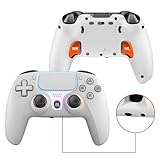
- Top Pick: Wireless Controller for PS5, Compatible with PlayStation 5 /PS5 Pro/Slim/PC, with Hall Effect Joysticks, Back Paddles & Macro, Bluetooth 5.0, Turbo, Dual Vibration, 6-Axis Gyro, RGB Ring, 1000mAh, 3.5mm Audio Jack, PS5 Pro Controller Gamepad with Speaker
- Best Value: DualShock 4 Wireless Controller for PlayStation 4 – Jet Black (Renewed)
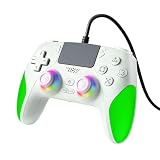
- Premium Choice: AKalyptra RGB Wired Controller for PS-5/PC, Hall Effect Gaming Controller Support Programmable/Remap/Turbo Functions, Dual Vibration, 3.5MM Audio Jack, Motion Control, Compatible with PS-5/PS-4/PC/MAC/IOS/Android/Steam Deck(Green, 87inch)
Upgrading to a PS5 does not mean your old pads become e-waste. A common question for new console owners is whether the DualShock 4 still has a place in the setup, and the answer is more nuanced than a simple yes or no.
In this 2026 guide we explain exactly how a PS4 controller works on PS5, what it can and cannot do, and which accessories help you get the most from your existing hardware.
As an Amazon Associate we earn from qualifying purchases at no extra cost to you. Product prices and availability are accurate as of the date shown and are subject to change.



![Gamrombo Wired Controller for PS5, Compatible with PlayStation 5/PS4, PC/Steam, Support Turbo, Macro, Dual Vibration, Multi-Touch Pad & 3.5mm Audio Jack [playstation_5]](https://m.media-amazon.com/images/I/31FtJ-cPz6L._SL160_.jpg)
As an Amazon Associate I earn from qualifying purchases.
🛒 Best Price Today on Amazon
Prime members get fast, free shipping on everything above, plus member-only deals. New members get a 30-day free trial — cancel anytime.
Does a PS4 Controller Work on PS5?
Yes, a PS4 controller works on PS5, but only for playing backward-compatible PS4 games, browsing menus, and using media apps. Sony deliberately blocks the DualShock 4 from launching native PS5 titles because those games depend on the DualSense adaptive triggers and haptic feedback. So the DualShock 4 remains a fully functional second pad for the huge PS4 library, yet you will always need at least one DualSense for exclusives like Astro’s Playroom or the latest first-party releases. Understanding this split is the key to planning your controller lineup.
How to Get a PS4 Controller Working on PS5
Setting up the pad is quick. Follow these steps to get a PS4 controller working on PS5:
- Power on the console and connect the DualShock 4 with a micro-USB data cable.
- Press the PlayStation button and select your user profile.
- To go wireless, hold SHARE and PlayStation until the light bar flashes, then add it under Settings, Accessories, Bluetooth Accessories.
- Launch any PS4 game and the pad will control it normally.
If the pad ever stops responding, try a different cable first, then consult our controller connection troubleshooting guide for deeper fixes.
What a PS4 Controller Can and Cannot Do on PS5
When a PS4 controller works on PS5, it retains its full button layout, touchpad, light bar, and rumble in backward-compatible games. What it loses is any PS5-specific feature, because the hardware simply does not have adaptive triggers or advanced haptics. It also cannot be used as any player’s controller in a native PS5 game, even in local co-op, and it cannot wake the console from rest mode reliably in every scenario. Knowing these boundaries prevents frustration during a gaming session and helps you decide when to reach for a DualSense instead.
Best Accessories When a PS4 Controller Works on PS5
These five accessories keep your DualShock 4 charged, comfortable, and organized so it stays a useful part of your PS5 setup.
| Product | Best For | Standout Feature | Rating |
|---|---|---|---|
| Sony DualShock 4 Wireless Controller | Backward-compatible PS4 games | Guaranteed official compatibility | 4.8/5 |
| Dual Controller Charging Dock | Keeping two pads topped up | Simultaneous fast charging | 4.6/5 |
| Thumb Grip Cap Set | Improved aim and comfort | Anti-slip precision caps | 4.5/5 |
| Braided Micro-USB Data Cable | Wired play and pairing | Reliable data transfer | 4.7/5 |
| Controller Wall Mount Holder | Space-saving storage | Displays pads neatly by the TV | 4.4/5 |
Why a PS4 Controller Will Not Launch PS5 Games
Many players are surprised that a PS4 controller works on PS5 for old games but not new ones. The reason is technical rather than arbitrary. Native PS5 titles are built to use the DualSense’s resistance-based triggers and localized vibration, and Sony chose not to let games run without those inputs to preserve a consistent experience. If you try to open a PS5 game with only a DualShock 4 connected, the console prompts you to use a DualSense. To understand the differences in feel, read our DualSense features explained article and our comparison of the best controllers for PS5 shooters.
Getting More Value From an Old PS4 Controller
Even with its limits, a DualShock 4 that works on PS5 has plenty of life left. Use it as a guest pad for local multiplayer in PS4 games, as a Remote Play controller on your phone, or as a Bluetooth gamepad for PC titles. This flexibility makes it worth keeping charged and ready. Pair it with the accessories above and consider our roundup of cross-platform gaming accessories to extend its usefulness. Households that already own several DualShock 4 pads can save money by reserving them for backward-compatible sessions while buying just one or two DualSense controllers for exclusives.
When to Upgrade to a DualSense
If you play mostly native PS5 games, upgrading to a DualSense should be a priority because a PS4 controller simply will not work for those titles. The DualSense delivers immersive feedback that many exclusives are designed around, and it also charges over USB-C for faster top-ups. Keep your DualShock 4 as a backup and hand it to visitors for older co-op games. Our guide to the best PS5 controller charging stations helps you keep both types powered so you always have a ready pad within reach.
Frequently Asked Questions
Does a PS4 controller work on PS5 for all games?
No, a PS4 controller works on PS5 only for backward-compatible PS4 games, media apps, and menu navigation. Native PS5 games require a DualSense, so the console will not let you launch them with a DualShock 4 even though the pad is otherwise fully functional.
Can I charge a PS4 controller on the PS5?
Yes, you can charge a DualShock 4 by connecting it to the PS5’s USB ports with a micro-USB cable while the console is on or in rest mode with USB power enabled. A dedicated charging dock is a tidier option for keeping multiple pads ready.
Will using a PS4 controller on PS5 affect performance?
No, a DualShock 4 performs normally in PS4 games on PS5, with the same responsiveness it had on the original console. You simply miss the DualSense-specific features because the hardware lacks them. Input latency and reliability remain solid as long as the battery is charged and Bluetooth interference is minimal.
Can I use a PS4 controller and DualSense at the same time?
Yes, you can pair both controllers to a PS5 simultaneously. For backward-compatible PS4 games, either pad can act as a player. For native PS5 games, only the DualSense will function, so mixed local multiplayer requires everyone to hold a DualSense for those specific titles.
Ready to decide? Our #1 pick for 2026 is the Sony DualShock 4 Wireless Controller.
Live price & availability on Amazon.
