🛒 Best Price Today on Amazon
Prime members get fast, free shipping on everything above, plus member-only deals. New members get a 30-day free trial — cancel anytime.
- Top Pick: AOC 27" Gaming Monitor QHD 260Hz Overclocked IPS NVIDIA G-SYNC Q27G41ZE
- Best Value: INNOCN 24.5" 1440P 240Hz Gaming Monitor Fast IPS HDMI 2.1, DP, Black, 25G2S
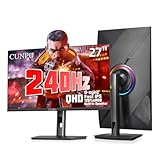
- Premium Choice: CUNPU 27 Inch 1440P 240Hz Gaming Monitor, Fast IPS, 1ms GTG QHD Gamer Monitor, FreeSync & G-Sync, HDR, 128% sRGB, Height/Pivot/Tilt/Swivel Vertical Monitor, Built-in Dual Speaker, HDMI/DP
If you are shopping for a new gaming monitor in 2026, you have probably seen two specs dominating your search results: 1440p at 240Hz and 4K at 144Hz. Both promise a significantly better experience than the 1080p 60Hz panel many of us grew up on, yet they optimize completely different aspects of image quality. One chases frame fluidity; the other chases detail. Picking the wrong one for your GPU, your games, or your room can leave you staring at a display that your system cannot actually feed properly.
This guide breaks down exactly what changes between these two configurations, where the numbers come from, and which one earns its price tag for different types of players.
As an Amazon Associate we earn from qualifying purchases at no extra cost to you.





The Short Answer
1440p 240Hz wins for competitive multiplayer where every millisecond and every extra frame matters. 4K 144Hz wins for single-player, open-world, and visually driven titles where sharpness and immersion carry more weight than raw motion smoothness. The difference is not just resolution versus refresh rate in isolation; it is about what your GPU can sustain and what your eyes can actually perceive at a given viewing distance.
What Is Actually Different
| Factor | 1440p 240Hz | 4K 144Hz |
|---|---|---|
| Total pixels per frame | 3,686,400 | 8,294,400 |
| Pixel density (27″) | ~109 PPI | ~163 PPI |
| Pixel density (32″) | ~92 PPI | ~138 PPI |
| GPU load relative to 1080p | ~1.5 to 1.8x | ~3.5 to 4.5x |
| Typical panel cost (27″) | $300 to $550 | $450 to $900 |
| Ideal GPU tier | Radeon RX 7800 XT or RTX 4070 Super and up | RTX 4080 Super or RX 7900 XTX and up |
| Frame pacing sensitivity | High (240Hz leaves less margin for drops) | Moderate (144Hz tolerates minor variance) |
| Cable bandwidth required | DisplayPort 1.4 or HDMI 2.1 | HDMI 2.1 or DisplayPort 1.4 with DSC |
Real-World Impact
1440p 240Hz in Practice
Across launch reviews from Hardware Unboxed and TechSpot, cards in the RTX 4070 to RTX 4080 range sustain approximately 120 to 200+ fps in titles like Counter-Strike 2, Valorant, and Apex Legends at 1440p with high settings. In heavier competitive titles such as Overwatch 2 or Fortnite at competitive settings, reviewers at Tom’s Hardware noted ranges closer to 90 to 160 fps, meaning 240Hz is a ceiling you will not always reach but one that rewards you during lighter scenes and lobby moments.
In single-player titles like Cyberpunk 2077 or Starfield at 1440p ultra settings, TechPowerUp data shows most cards settling between 55 and 90 fps. The 240Hz refresh rate sits mostly unused in these scenarios, which is the honest trade-off of prioritizing motion over pixels in story-driven games.
4K 144Hz in Practice
Tom’s Hardware and Gamers Nexus both reported that RTX 4080 class cards deliver roughly 50 to 80 fps in demanding AAA titles at 4K native without upscaling. The RTX 5090 and RX 7900 XTX push into 70 to 110 fps depending on the title, but sustained 144 fps at 4K ultra remains rare without DLSS or FSR assistance.
In competitive titles, 4K is almost overkill for frame rates. Gamers Nexus pointed out that even a mid-range card can push 200+ fps at 4K in Valorant, but the perceived smoothness gain over 144Hz is marginal for most viewers, and the GPU headroom wasted on extra pixels could have been spent elsewhere.
Perceptual Differences at Normal Viewing Distance
At 27 inches, the jump from 1440p to 4K represents roughly 50% more perceived sharpness according to standard viewing-distance calculations published by multiple display reviewers. At 32 inches, the gap narrows slightly but remains clearly visible in text rendering and texture detail. The 240Hz to 144Hz difference, by contrast, is most apparent during fast camera pans and quick flicks. Hardware Unboxed’s panel responsiveness data suggests the motion clarity improvement from 144Hz to 240Hz is roughly 35 to 40% in perceived smoothness on fast-moving content, assuming the GPU can actually deliver matching frame rates.
When It Matters and When It Doesn’t
1440p 240Hz matters when you play tactical shooters, fighting games, or any title where reading a target’s position a few milliseconds sooner changes the outcome. It also matters if your GPU cannot consistently push 100+ fps at 4K, because a 240Hz monitor stuck at 60 fps feels worse than a 144Hz monitor at 140 fps.
4K 144Hz matters for open-world exploration, RPGs, racing sims, and any game where texture detail, foliage density, and environmental storytelling benefit the experience. It also matters for productivity: 4K text rendering is noticeably crisper for coding, document work, and media consumption.
Neither spec dramatically benefits older or esports-optimized titles where 4K provides no visual advantage because assets were authored for lower resolutions. Similarly, 240Hz provides almost zero advantage in cinematic games running below 100 fps regardless of your monitor’s refresh rate.
Recommendation by User Type
Competitive FPS player: 1440p 240Hz. Your GPU will consistently fill the refresh window, and the motion clarity directly translates to gameplay advantage.
Single-player enthusiast with a high-end GPU: 4K 144Hz. You will notice the pixel density in every title, and 144Hz remains smooth enough that you will not miss 240Hz in slower-paced games.
Budget-conscious builder or mid-range GPU owner: 1440p 240Hz. Your system will actually take advantage of the refresh rate without struggling at 4K, and the monitor itself costs less.
Console-adjacent PC gamer or couch player: 4K 144Hz. At three to five feet of viewing distance, pixel density matters far more than refresh rate, and most console-class frame targets cap at 60 or 120 fps anyway.
Content creator or hybrid user: 4K 144Hz. Color accuracy and sharpness for photo editing, video work, and UI clarity outweigh the competitive frame advantage you will rarely use outside of gaming sessions.
FAQ
Can I run 1440p on a 4K 144Hz monitor?
Yes, most modern 4K monitors accept a 1440p signal and display it without scaling issues, though native rendering will not fill the panel. Upscaling from 1440p to 4K at the monitor level introduces slight softness compared to native output.
Is 240Hz overkill if my GPU only puts out 140 fps?
It is not harmful, and frame generation or VRR (adaptive sync) can make use of the extra headroom during lighter scenes. However, paying a significant premium for 240Hz when your typical framerate sits near 144 is difficult to justify purely on practical grounds.
Does a bigger screen reduce the 4K advantage?
Partially. At 32 inches, 4K sits around 138 PPI versus 92 PPI for 1440p at the same size. The gap is still clearly visible, especially for text, but the perceived sharpness difference shrinks compared to a 27-inch comparison. Past 42 inches, both look noticeably softer up close.
Should I wait for a monitor that does both 4K and 240Hz?
4K 240Hz panels exist at the premium end, but they demand top-tier GPU hardware to actually sustain relevant frame rates at that resolution. For most builders, committing to one priority produces a better and more affordable experience than stretching for both.
Sources and Methodology
Performance ranges cited in this article are aggregated from launch-period and post-launch reviews published by TechPowerUp, Tom’s Hardware, Gamers Nexus, Hardware Unboxed, and TechSpot. Figures represent typical frame-rate windows across multiple titles at the stated settings and resolutions as reported by those outlets. They are not single measured data points but ranges that reflect consistent editorial findings across the named publications. No benchmarks were conducted by this site for this article.