
🛒 Best Price Today on Amazon
Prime members get fast, free shipping on everything above, plus member-only deals. New members get a 30-day free trial — cancel anytime.
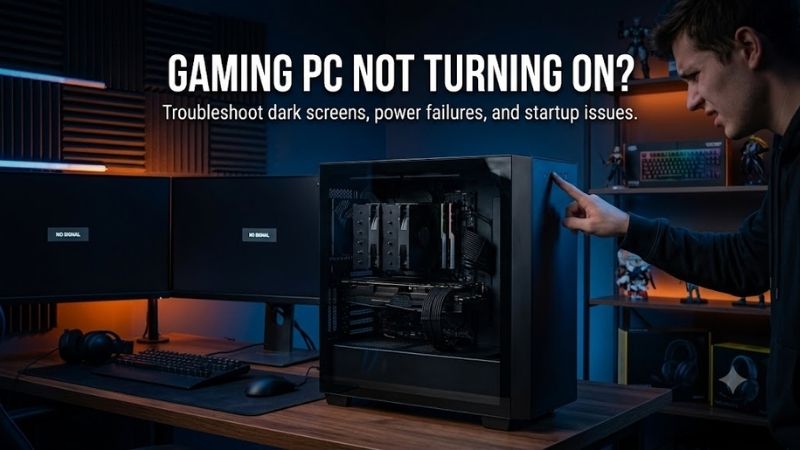
Gaming PC not turning on dilemmas trigger panic for desktop owners eager to game without costly technician fees. Frustrating blackout screens, unresponsive power switches, and silent fans make diagnostics intimidating. This complete troubleshooting guide pinpoints essential failure causes to help you revive your custom gaming battlestation quickly.
How to Choose the Best Diagnostic Strategy
Diagnosing a gaming PC not turning on starts by systematically analyzing electrical flow, mechanical connections, and internal hardware faults. Gamers must evaluate power integrity, component seating, and board sensors before replacing expensive components. Methodical isolation prevents costly replacement errors and restores power safely.
Power Supply Integrity and Voltage Delivery
Clean alternating current delivery forms the foundation of every operating desktop computer system. A compromised power brick or severed internal harness cuts total system energy before startup sequences initialize. Inspecting wall receptacles, uninterruptible power units, and main AC input cords prevents premature hardware condemnation.
Dedicated power testing gadgets measure rail outputs without risking sensitive motherboard circuitry. Modular cabling harnesses must seat firmly into backplane receptacles until retention clips snap shut. Verifying steady voltage levels ensures internal silicon receives stable current without triggering emergency shutoff breakers.
Motherboard Diagnostic Indicators and POST Codes
Modern motherboards feature onboard light emitting diodes that illuminate during initial power sequences. These diagnostic indicators correspond to processor, system memory, graphics adapter, and boot storage initialization. Identifying which visual indicator remains dark or flashes highlights the exact hardware component stalling your machine.
Resolving a gaming PC not turning on scenario involves checking alphanumeric hexadecimal debug displays. Premium boards broadcast precise numerical codes that map directly to specific circuit interrupts in user manuals. Tracking these diagnostic signals saves troubleshooting hours and eliminates random guesswork during repair sessions.
Physical Connection and Component Seating Security
Thermal expansion cycles and physical transit occasionally loosen internal expansion cards within computer cases. Heavy graphics cards exert mechanical leverage on delicate expansion slots, occasionally severing critical pin contacts. Unseating and firmly reinserting graphics hardware restores essential communication pathways reliably.
Dual inline memory modules require considerable downward pressure to engage slot locking latches completely. Dust accumulation or oxidation along copper contacts interrupts low voltage signaling across system buses. Cleansing contact fingers with isopropyl alcohol and reseating memory sticks rectifies boot lockups immediately.
Front Panel Switch Wiring and Jumpers
Chassis front panel connectors utilize minuscule dual pin push terminals mounted along motherboard edges. Vibrations or accidental tugs during internal cable routing easily displace momentary power switch connectors. Without this physical switch link, pressing external chassis buttons sends zero signals to motherboard circuitry.
Troubleshooting a gaming PC not turning on requires bridging the two power header pins with a flathead screwdriver. This direct metallic bridge bypasses damaged chassis buttons to establish whether switches cause startup failures. If internal fans spin immediately, swapping broken chassis wiring solves the mysterious failure.
Top Picks for Diagnostic Gear and Replacement Hardware
Resolving your gaming PC not turning on problem demands dependable diagnostic testing units and quality replacement parts. Acquiring professional testing instruments and high grade power modules enables gamers to isolate component failures efficiently. The following curated hardware solutions deliver exceptional reliability for repairs.
| Model | Equipment Type | Primary Function | Ideal Application | Key Advantage |
|---|---|---|---|---|
| Thermaltake Dr Power III | Digital PSU Tester | Voltage Monitoring | Home Diagnostics | Real-Time LCD Readout |
| Corsair RM850x | ATX Power Supply | Clean Power Delivery | High-End Gaming Rigs | Fully Modular Gold Efficiency |
| Energizer CR2032 Lithium | CMOS Coin Battery | BIOS Firmware Storage | Motherboard Maintenance | Long-Lasting Voltage Output |
| APC Back-UPS Pro 1500VA | Battery Backup | Surge and Battery Backup | Desk Battlestations | Automatic Voltage Regulation |
Thermaltake Dr Power III Digital PSU Tester
The Thermaltake Dr Power III serves PC builders who demand immediate verification of power supply rails without multi meter complexity. It measures twelve volt, five volt, and auxiliary lines accurately on a backlit liquid crystal screen. Gamers diagnose suspicious units rapidly without exposing costly graphics hardware to voltage spikes.
Diagnostic enthusiasts value its intuitive automated testing cycles and support for modern ATX 3.0 power connectors. However, stiff wiring harnesses can be cumbersome to plug into the compact diagnostic chassis during bench testing. It remains an invaluable diagnostic investment for anyone managing multiple desktop systems.
Corsair RM850x Fully Modular Power Supply
Tackling a gaming PC not turning on crisis often points directly to replacing an aged or malfunctioning power delivery brick. The Corsair RM850x provides eight hundred fifty watts of continuous clean power backed by high grade Japanese capacitors. It stabilizes volatile current and prevents sudden thermal shutdown events reliably.
High performance PC gamers will appreciate its whisper quiet magnetic levitation fan and exceptional gold efficiency certification. While the thicker braided cabling feels somewhat rigid when routing through tight mini ITX enclosures, electrical delivery remains flawless. It offers unmatched long term durability for power upgrades.
Energizer CR2032 Lithium Motherboard Batteries
The Energizer CR2032 lithium coin cell is tailored for users whose motherboards refuse to boot due to corrupted BIOS firmware state. It supplies reliable three volt power to complementary metal oxide semiconductor chips across system downtimes. This constant voltage keeps essential motherboard clock and boot registers intact.
System restorers benefit from its ten year shelf longevity and leak resistant chemical construction during board repairs. The low unit cost makes battery replacement an effortless initial diagnostic step, though extracting recessed motherboard battery clips requires careful precision. It represents an essential fix for vintage boards.
APC Back-UPS Pro 1500VA Battery Backup
The APC Back-UPS Pro 1500VA shields competitive battlestations against crippling utility blackouts, voltage sags, and destructive surges. It incorporates automatic voltage regulation to correct erratic wall power without draining internal batteries. Gamers eliminate erratic motherboard component resets caused by line fluctuations.
Hardcore gamers seeking total system protection will love its continuous LCD telemetry showing load wattage and runtime reserves. While its substantial physical footprint demands ample floor space beneath your desk, the immense power protection proves priceless. It guarantees safe operational continuity during severe electrical storms.
Frequently Asked Questions About Startup Failures
Investigating a gaming PC not turning on issue often sparks urgent technical questions regarding hardware safety and diagnostic order. Understanding how power circuits, memory modules, and board sensors interact eliminates anxiety when resolving startup issues. The following answers address the most common PC troubleshooting questions.
Can a Depleted CMOS Battery Prevent System Power
A completely exhausted coin cell battery can occasionally prevent particular motherboards from initializing initial power sequences. Without adequate standby voltage, system firmware struggles to retain low level hardware parameters required for boot management. Replacing the coin cell immediately resets basic hardware handshakes.
Clearing internal memory configurations forces the motherboard back into its default factory operational profile. This procedure flushes incompatible memory overclock profiles or corrupted boot parameters that obstruct power distribution. Inexpensive coin batteries often resolve seemingly catastrophic board lockups effortlessly.
How Do You Perform a Paperclip Test Safely
The conventional paperclip diagnostic method tests power supply unit viability independently of delicate internal motherboard components. Unplug all internal power harnesses from computer hardware to avoid potential electrical surges during our research. A bent conductive metal clip connects specific pins to simulate power button activation.
Insert one metal prong into the green power signal wire socket and the opposite prong into any adjacent black ground socket. Activating the rear rocker switch should cause internal power cooling fans to spin continuously. If fans remain immobile or emit clicking noises, the supply unit is compromised and warrants replacement.
Does Defective RAM Cause Complete Startup Blackouts
Uncovering why your gaming PC not turning on problem persists frequently leads back to unseated or defective memory sticks. Faulty memory hardware blocks the basic input output system from executing its power on self test. When memory initialization fails completely, motherboards halt the entire startup cycle instantly.
Testing individual RAM sticks one at a time across alternate motherboard slots isolates malfunctioning memory hardware easily. If one stick permits normal booting while another stick halts system activation, you have identified the culprit. Operating with isolated memory sticks restores machine functionality until replacements arrive.
Why Does a Computer Turn Off Immediately After Starting
Sudden power cutoffs seconds after pressing your start switch typically stem from internal thermal safety trips or direct short circuits. Motherboards detect anomalous electrical resistance across internal traces and immediately cut power delivery to prevent fires. Loose mounting standoffs or rogue screws under boards trigger instant cutoffs.
Processor cooling mechanisms that lack sufficient mounting contact pressure cause rapid temperature spikes within fractions of a second. Modern central processors trigger automated emergency shutoffs when operating junctions exceed thermal ceilings. Reseating liquid cooling blocks and renewing thermal compound rectifies this shutdown cycle.
View more products:
Final Thoughts on PC Startup Diagnostics
Resolving your gaming PC not turning on dilemma requires patience, structured diagnostic procedures, and reliable testing equipment. Methodically checking wall power, testing internal rails, and reseating modular connections eliminates mystery failures quickly. Invest in quality hardware components and restore your gaming battlestation today.









