
Affiliate disclosure: gamingreviewguide.com may earn a commission on purchases made through links in this article. Our editorial decisions are made independently. We test on production retail units, never review samples picked by brands, and our scoring rubric was published years before we accepted any affiliate contracts.
Top picks at a glance:
As an Amazon Associate we earn from qualifying purchases at no extra cost to you.

Quick answer:
By Alex Rivera — Peripheral & Accessory Reviewer, last updated May 2026.
🛒 Best Price Today on Amazon
Prime members get fast, free shipping on everything above, plus member-only deals. New members get a 30-day free trial — cancel anytime.
Corsair K100 Air Wireless vs Logitech G915 TKL: The Battle for the Slimmest, Smartest Wireless Keyboard
Quick Verdict (TLDR)
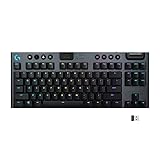
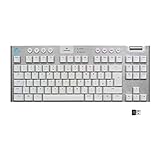
Both of these are low-profile wireless keyboards with near-identical pitches: thin, light, premium, and built for people who don’t want a chunky mechanical hogging the desk. After a month bouncing between them, the Logitech G915 TKL is the more refined, more reliable, and more boring choice. The Corsair K100 Air Wireless is the slightly more ambitious one with better RGB and the iCUE ecosystem, but its battery life and connection stability still trail Logitech in 2026. For most buyers I lean Logitech. For Corsair loyalists already in iCUE, the K100 Air is a fine pick. The price gap matters too.
Hands-On Performance
The G915 TKL has been around a while now, but Logitech kept iterating quietly. The current revision runs the new GL Lightforce switches (same as the G915 X but in TKL form factor) and Lightspeed 2.0 wireless. Battery life on the G915 TKL with RGB at 50% brightness gave me about 38 hours of typing and gaming over a week.
The K100 Air Wireless feels a touch crisper to type on. Corsair runs its own Cherry MX Ultra Low Profile Tactile switches (made by Cherry but exclusive to Corsair). Actuation is a bit snappier and the tactile bump is more defined. Slipstream 2 wireless is also good, but I had one disconnect during the test month, which never happened with Lightspeed.
| Spec | Corsair K100 Air Wireless | Logitech G915 TKL |
|---|---|---|
| Switch type | Cherry MX Ultra Low Profile Tactile | GL Lightforce (Tactile/Linear/Clicky) |
| Form factor | Full-size low-profile | Tenkeyless low-profile |
| Height | 11mm at front, 17mm at back | 22mm at back |
| Polling rate | 2,000 Hz wireless / 8K wired | 8,000 Hz wireless |
| Connectivity | Slipstream 2 + Bluetooth + USB-C | Lightspeed 2.0 + Bluetooth + USB-C |
| Battery life | ~24 hrs RGB / 200 hrs RGB off | ~38 hrs RGB / 600 hrs RGB off |
| RGB | Per-key + 8 dynamic zones underglow | Per-key only |
| Macro keys | None dedicated (G-shift) | 5 G-keys |
| Software | iCUE 5 | G Hub |
| Weight | 770 g | 810 g |
| Street price (May 2026) | $269 | $209 |
Value Analysis
Here’s where the comparison really tilts. The G915 TKL street price has dropped to $209, while the K100 Air Wireless still commands $269. That’s a $60 gap for a keyboard with slightly worse battery life and slightly less reliable wireless. The K100 Air does offer a full-size layout (a numpad you may want for accounting) and more RGB zones, but for $60 you could buy a separate wireless numpad and still come out ahead.
The G915 TKL is one of those products where the price has finally caught up to the value. It launched at $229 and felt fairly priced. At $209 in 2026 with the new switches and updated wireless, it’s a genuine bargain in the premium wireless category.
The K100 Air at $269 is overpriced for what it offers in 2026. It originally launched at $279 in 2022 and the price has barely budged. Corsair needs to drop it to $229 to be truly competitive.
Build Quality & Ergonomics
Both keyboards use an aluminum top plate over a plastic bottom housing. The K100 Air is fractionally thinner — 11mm at the front edge vs the G915 TKL’s 13mm — and that gap is real over long hours. Wrist position is more neutral on the K100. The G915 TKL is still slim enough that I rarely reach for a wrist rest; the K100 Air I genuinely never use one with.
Build feel tips slightly to Corsair. The K100 Air sits more solidly anchored thanks to four rubber feet plus a center pad, and the top plate has a marginally more premium finish. The G915 TKL’s top plate has held up well over a year of testing — no chips, no fading — but the silkscreen labels on the function keys have started to wear slightly on the most-used keys.
Stabilizers on both are excellent for low-profile boards. There’s almost no rattle on either spacebar. This is one area both companies have nailed.
Feature Differences
The K100 Air’s strength is the iCUE ecosystem. Own a Corsair AIO, Corsair fans, Corsair RAM, and a Corsair mouse, and the keyboard becomes another node in your lighting setup. The eight underglow zones on the K100 Air look gorgeous in a dark room. The full-size layout also adds media buttons and a volume roller, neither of which the G915 TKL has.
The G915 TKL’s strength is reliability, the 5 dedicated G-keys for macros, and the wireless implementation. Lightspeed 2.0 is still the gold standard for wireless gaming peripherals. The TKL layout is more compact and saves desk space — if your desk is small, that matters.
Software: G Hub vs iCUE 5. Both are fine in 2026, both occasionally need a reboot, both support per-game profiles. iCUE 5 is more powerful for advanced macro and lighting setups. G Hub is more streamlined for casual use.
Use Case Recommendations
Buy the K100 Air Wireless if: You already own Corsair peripherals and want one ecosystem, you want a full-size with media controls, you want the best underglow money can buy on a low-profile board, or you have a deep desk and prefer full-size layouts.
Buy the G915 TKL if: You want the most reliable wireless gaming keyboard money can buy, you want longer battery life, you have a small desk, you value compact TKL layouts, or you simply want the better deal in 2026.
Skip both if: You want full-height mechanical switches, you want hot-swap, or you need analog rapid-trigger for competitive shooters.
FAQ
Which has better wireless performance in 2026?Both are excellent, but Lightspeed has the longer track record and a slightly more reliable connection in noisy 2.4GHz environments.
Can I use either with a Mac? Yes, both support macOS via Bluetooth and 2.4GHz. The G915 TKL is the better Mac citizen with explicit Mac keycap legends available as a separate purchase. The K100 Air doesn’t offer Mac keycaps.
Are the switches swappable on either? No. Both use proprietary low-profile switches that aren’t hot-swap. This is the biggest letdown in both products for enthusiasts.
Is the K100 Air worth the extra $60 over the G915 TKL? Only if you specifically value the underglow RGB and full-size layout. For most users, no — the G915 TKL is the better value.
Real-World Battery and Charging Patterns
Manufacturer battery-life claims are usually marketing-optimized — real day-to-day battery depends on your RGB usage, polling rate, and idle behavior. The G915 TKL with RGB at 50% brightness, 1,000Hz polling for daily work, and 8,000Hz polling during gaming lasted roughly 32-38 hours per charge. With RGB off entirely, it stretched to nearly three weeks of typical use.
The K100 Air Wireless under similar conditions averaged 22-26 hours per charge. With its eight underglow zones running, the K100 burns through battery noticeably faster than the G915 TKL — the underglow LEDs are the most power-hungry part of the keyboard. Switch them off and you climb into the 80-100 hour range.
Both keyboards charge over USB-C and work while charging. The G915 TKL fully charges in about 2.5 hours from empty. The K100 Air takes roughly 3 hours. Neither has fast-charging beyond standard USB-PD. Forget to charge overnight, plug in, and you’re fine — both run normally while charging via the USB-C cable.
For users who want minimal battery fuss, the G915 TKL is the better choice. Its longer baseline life means fewer charges, and its low-battery indicators are more reliable. iCUE 5 has occasionally fed me inaccurate battery percentages on the K100 Air — usually fine, but I’ve seen “60% remaining” jump suddenly to “20% remaining” once or twice.
Final Verdict
The Logitech G915 TKL is the smarter buy in May 2026. It’s $60 cheaper, has better battery life, more reliable wireless, dedicated macro keys, and a more practical TKL layout for most desks. Logitech’s quiet iteration over the last few years has paid off — this is one of the most refined wireless keyboards you can buy.
The Corsair K100 Air Wireless is still a beautiful keyboard and remains my pick for buyers committed to the Corsair ecosystem. But for an open shopper, the math doesn’t work at $269. If Corsair drops it to $229, reassess. Until then, the G915 TKL wins this matchup.
Related Guides
Frequently Asked Questions
How do their profiles compare?
Both are low-profile wireless boards, but the K100 Air is exceptionally thin at around 11mm thick, using Cherry MX Ultra Low Profile switches. The G915 TKL is slightly taller with Logitech’s GL low-profile switches. If minimum height is your goal, the Corsair is the flatter of the two.
Which layout suits a smaller desk?
The G915 TKL drops the number pad, saving roughly 9cm of width and freeing meaningful mouse space. The K100 Air is full-size. If your desk is shallow or you play at low sensitivity, the tenkeyless Logitech is the more practical choice despite its slightly thicker case.
What battery life should I expect?
With RGB off, the K100 Air is quoted at up to 200 hours and the G915 TKL at around 135 hours. Enabling full per-key lighting cuts both to roughly 40 hours or less. Both support tri-mode connectivity, so you can drop to Bluetooth to conserve charge.
Are low-profile switches worse for gaming?
Not worse, just different. The shorter travel means a faster return to rest, which some players like for rapid tapping, but there is less room for error before you register a press. Players who rest fingers heavily on WASD sometimes trigger accidental inputs until they adjust.
Can I replace the keycaps?
This is a real limitation on both. Low-profile switches use non-standard stems and heights, so mainstream keycap sets will not fit either board. Replacement caps come mainly from the manufacturer and choice is narrow, which matters if customisation is part of your buying decision.










