
Affiliate disclosure: gamingreviewguide.com may earn a commission from qualifying purchases. Prices and availability accurate at the time of writing.
Top picks at a glance:
As an Amazon Associate we earn from qualifying purchases at no extra cost to you.





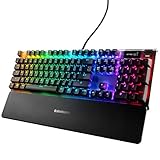


Quick answer:
By Alex Rivera, Peripheral Reviewer at gamingreviewguide.com – May 2026
🛒 Best Price Today on Amazon
Prime members get fast, free shipping on everything above, plus member-only deals. New members get a 30-day free trial — cancel anytime.
Best SteelSeries Keyboards in 2026
SteelSeries has long played the understated role in gaming keyboards – rarely the loudest brand, but reliably shipping boards with dependable switches and clean software. The Apex Pro Gen 3 line is the company’s boldest swing to date, and after five months of competitive testing on the Gen 3 TKL Wireless, Apex 9 Mini, and Apex 5, I’d put SteelSeries squarely alongside Wooting and Razer when the conversation turns to magnetic switch performance.
Quick Answer (TLDR)
Top pick:
Value pick: SteelSeries Apex 9 Mini – optical linear switches, 60% layout, hot-swap support, routinely available under $130.

Why SteelSeries
SteelSeries made its name in the early esports days and has kept shipping some of the most dependable mechanical and optical switches around. OmniPoint magnetic switches arrived before “Hall Effect gaming keyboards” became a buzzword, and the third-gen OmniPoint switches in 2026 give me the smoothest analog actuation I’ve felt outside a Wooting. GG software (the successor to SteelSeries Engine) is lighter than iCUE or Synapse, manages cloud profiles better, and its hooks into Discord, Spotify, and most streaming tools are the best in class.
Our Top 5 SteelSeries Keyboards Picks
1. SteelSeries Apex Pro TKL Gen 3 Wireless – The current flagship competitive board. OmniPoint 3.0 magnetic switches with 0.1mm to 4mm actuation, Rapid Trigger, dual-action keys, and Quantum 2.0 Wireless at 1ms latency. Battery life lands at around 40 hours with RGB. Best for: Tournament FPS players who want a wireless magnetic flagship.
2. SteelSeries Apex Pro Gen 3 (Full Size) – The full-size wired variant with the same OmniPoint 3.0 switches. Includes the OLED smart display and metal volume roller. Best for: Streamers and full-size desk users who want the OLED display for stream control.
3. SteelSeries Apex 9 TKL – SteelSeries optical switches in a TKL with hot-swap sockets, PBT keycaps, and PrismSync RGB. The optical actuation isn’t analog but it’s fast and durable. Best for: Players who want optical switches and TKL without paying flagship pricing.
4. SteelSeries Apex 9 Mini – The 60% optical variant with hot-swap support, double-shot PBT keycaps, and PrismSync. Frequently discounted under $130. Best for: 60% enthusiasts who want SteelSeries reliability without magnetic pricing.
5. SteelSeries Apex 5 – Hybrid mechanical and membrane design with OLED display and aircraft-grade aluminum frame. Older but still on sale and a unique entry point. Best for: Users who want OLED keyboard features at a budget price.
Buyer’s Guide
Three switch families are on the table from SteelSeries right now. OmniPoint 3.0 is the third-gen magnetic Hall Effect switch with the most polished Rapid Trigger I’ve used. SteelSeries Optical (linear and clicky) lives on the Apex 9 family – durable, quick, and hot-swappable. QX2 are SteelSeries’ linear mechanical switches found on older Apex boards and the Apex 5 hybrid – I’d pass on them in 2026 unless the deal is exceptional.

GG software is the lone client you’ll need, and it covers cloud profiles, ChatMix, and the GameSense API that drives in-game lighting. The Apex Pro Gen 3 Wireless also carries Bluetooth, which is handy for juggling a laptop across devices.
Common Brand-Specific Pitfalls
The biggest trap is mixing up Gen 3 and Gen 2. The Apex Pro Gen 2 is still listed on Amazon and elsewhere at steep discounts, but it has no Rapid Tap, runs older OmniPoint 2.0 switches with slightly less consistent actuation, and uses an older Quantum Wireless. Always verify “Gen 3” on the listing. Second, those SteelSeries OLED displays dazzle in marketing shots but pull real power on the wireless boards – kill the OLED screensaver if battery life matters. Third, the Apex 9 family’s keycaps are PBT doubleshot, but the legends run a touch thinner than rivals; they last, yet show WASD wear sooner than I’d like. Finally, GG software’s “PrismSync” can clash with other ambient lighting suites – run Razer Chroma or Corsair iCUE alongside it and expect conflicts.
FAQ
Does the Apex Pro Gen 3 support Rapid Tap? Yes, Rapid Tap is SteelSeries’ implementation of SOCD-style binding and is supported on Gen 3 only. Gen 2 cannot enable it via firmware.
How does OmniPoint 3.0 compare to Wooting’s Lekker switches? They’re remarkably similar in actuation feel and response time. OmniPoint 3.0 has slightly more pronounced bottom-out feel; Wooting is smoother on the descent. Both support sub-0.1mm actuation accuracy.
Can I use the Apex Pro on Mac? Yes, GG has macOS support and OmniPoint customization works on Apple Silicon. The OLED display and ChatMix function are Windows-only.
How long do OmniPoint switches last? Rated at 100 million keypresses per SteelSeries. Hall Effect switches do not wear in the way mechanical switches do, so this rating is conservative.
OmniPoint vs Other Magnetic Switches
OmniPoint 3.0 is SteelSeries’ third-gen magnetic Hall Effect switch, and seeing how it stacks against rivals helps you judge whether this is the magnetic ecosystem for you. Next to Wooting Lekker V2, OmniPoint 3.0 has a more defined bottom-out and a slightly different actuation curve – some players favor the Wooting smoothness, others the SteelSeries crispness. Against Razer Analog Optical V2, OmniPoint 3.0 feels more linear, without the faint optical detent some Razer users pick up on. And versus Logitech GX Rapid, OmniPoint 3.0 is the more refined of the two, simply because SteelSeries has had three generations to tune it while Logitech is on attempt one.

When it comes to pure competitive performance, all four magnetic switch designs land within margin of error on input latency in 2026. What actually separates them is software, build quality, and shape preference – so pick the ecosystem you like for those reasons instead of chasing a theoretical 0.1ms switch-response edge.
Real-World Use Case Scenarios
For the committed CS2 (Counter-Strike 2) competitor, the Apex Pro TKL Gen 3 Wireless is the board I’d recommend above anything else in the SteelSeries range, the wired flagship included. Its Rapid Tap is the cleanest SOCD-style binding in the business, and the Quantum 2.0 Wireless latency is genuinely indistinguishable from wired under tournament conditions.
For the streamer-creator running Discord, OBS, and Spotify at once, the full-size Apex Pro Gen 3 with the OLED display is the call. The OLED ties natively into all three through the GameSense API, surfacing incoming Discord messages, OBS scene names, and the current Spotify track without an alt-tab.
For the 60% layout fan stepping into competitive play, the Apex 9 Mini makes a smart on-ramp. Its optical switches outpace mechanical alternatives, the hot-swap PCB lets you sample different switch types as you figure out your preference, and the PrismSync RGB gives the small board real visual appeal on a minimal desk.
Final Take
SteelSeries doesn’t command the marketing spotlight of Razer or Logitech, yet the Apex Pro TKL Gen 3 Wireless is the board I’d personally buy if I had to play CS2 for a paycheck tomorrow. It fuses magnetic switch performance, reliable wireless, and SteelSeries’ polished software into a package that meets Wooting head-on at a friendlier price. The Apex 9 Mini is still the most underrated 60% optical board of the last two years. SteelSeries has quietly become a top-three competitive keyboard brand in 2026, and it generally prices below the Razer and Logitech equivalents while matching or beating them on performance.
Related Guides
Frequently Asked Questions
What does OmniPoint adjustable actuation do?
OmniPoint switches are magnetic Hall effect units where you set the actuation depth per key, typically anywhere from about 0.1mm to 4mm. You can make WASD extremely sensitive for fast movement while keeping modifier keys deep to avoid accidental presses. It replaces the fixed actuation point of a conventional mechanical switch entirely.
How does rapid trigger work on the Apex Pro?
Rapid trigger resets the key as soon as you start releasing it rather than at a fixed point, so rapid repeated presses and counter-strafing register faster. The Gen 3 boards also add a protection mode that raises actuation depth when you are not gaming to prevent accidental inputs from resting fingers.
What is the difference between the Apex Pro and the Apex 9?
The Apex Pro uses adjustable magnetic OmniPoint switches and includes the OLED display and volume roller. The Apex 9 uses fixed optical switches at a lower price, keeping fast actuation and durability but losing per-key adjustability and rapid trigger. If you do not need adjustable actuation, the Apex 9 saves a lot of money.
Is the OLED smart display useful?
It shows profile names, actuation settings, incoming Discord messages, Spotify track information and system stats through the GameSense integration in the SteelSeries software. It is genuinely handy for confirming which profile is active on a board where actuation depth changes behaviour, though most people use it for glanceable information rather than anything critical.
Is the Apex 3 worth considering?
The Apex 3 uses membrane switches rather than mechanical ones, so it is much quieter and cheaper and is water resistant, but it lacks the crisp actuation and durability of the Pro line. It is a reasonable budget or secondary keyboard, but anyone upgrading for gaming feel should stretch to a mechanical or optical model.
Top picks from this guide
 Logitech GLogitech G213 Prodigy Wired RGB Gaming Keyboard - Black |…$55 \xc2\xb7 98/100
 SteelSeriesSteelSeries Apex 3 Gaming Keyboard - Black | 10-Zone RGB…$50 \xc2\xb7 97/100
 SteelSeriesSteelSeries USB Apex 5 Hybrid Mechanical Gaming Keyboard – Per-Key…$97 \xc2\xb7 96/100
 SteelSeriesSteelSeries Apex Pro Gen 3 OmniPoint 3.0 HyperMagnetic Switches —…$208 \xc2\xb7 96/100








