
Affiliate disclosure: gamingreviewguide.com may earn a commission from qualifying purchases. Prices and availability accurate at the time of writing.
Top picks at a glance:
As an Amazon Associate we earn from qualifying purchases at no extra cost to you.






Quick answer:
By Alex Rivera, Peripheral Reviewer at gamingreviewguide.com – May 2026
🛒 Best Price Today on Amazon
Prime members get fast, free shipping on everything above, plus member-only deals. New members get a 30-day free trial — cancel anytime.
Best Corsair Keyboards in 2026
Over the last two years Corsair has rebuilt the K-series around magnetic switches, and the K70 platform now genuinely trades blows with Wooting and Razer on analog input. I’ve run roughly 800 hours across the current K70 Max, K65 Plus Wireless, and K100 Air through 2026, and Corsair’s hardware story hasn’t been this strong since the first K95 RGB. The sticking point has always been iCUE – and that’s still where Corsair lags the leaner competition.
Quick Answer (TLDR)
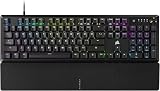
Top pick: Corsair K70 Max – Corsair’s MGX magnetic switches with adjustable actuation, Rapid Trigger, and a build heavier and more refined than anything else in the bracket.
Value pick: Corsair K65 Plus Wireless 75% – wireless, hot-swap, pre-lubed switches, gasket mount, and routinely under $140.

Why Corsair
Corsair builds the heaviest, most over-engineered keyboards in the mainstream market. The aluminum top plates aren’t there for show – the K70 Max tips over 1.5kg and sits on the desk like a piece of furniture. Stabilizers now ship pre-lubed from the factory (a big shift from the K70 RGB days), iCUE has gotten quicker even if it’s still bloated, and the Elgato integration is unmatched if you run a Stream Deck. Corsair’s edge is build quality, RGB density, and long product lifecycles – a K70 Max bought in 2026 will still get driver updates in 2029.
Our Top 5 Corsair Keyboards Picks
1. Corsair K70 Max – The flagship. Corsair MGX magnetic switches spanning 0.1mm to 3.8mm actuation, full Rapid Trigger, and a 6,000Hz polling rate. The build is aircraft-grade aluminum with PBT doubleshot keycaps. Best for: Competitors and enthusiasts after a serious analog optical board in premium materials.
2. Corsair K65 Plus Wireless – 75% layout, hot-swap, pre-lubed Corsair MLX Red linears, gasket mount with sound-dampening foam, and triple-mode connectivity. Battery runs around 50 hours with RGB. Best for: Wireless enthusiasts who want a customizable typing feel.
3. Corsair K100 Air Wireless – A low-profile flagship with Cherry MX Ultra Low Profile Tactile switches, wireless over Bluetooth and 2.4GHz Slipstream, and the signature iCUE wheel. Best for: Hybrid productivity-and-gaming users who lean low-profile.
4. Corsair K70 Core SE – A mid-tier full-size with MLX Red linears, fixed RGB underglow, and a detachable wrist rest. Frequently under $100. Best for: Budget builders who want Corsair build quality without flagship pricing.
5. Corsair K55 RGB Pro XT – The membrane budget pick for anyone who doesn’t need mechanical. RGB zones, six macro keys, and IP42 spill resistance. Best for: Office and casual gaming use under $80.
Buyer’s Guide
Corsair’s switches now split across three families. MGX (Magnetic Galvanic) is the Hall Effect analog line, currently exclusive to the K70 Max in the mainstream catalog. MLX (Mechanical Linear/Tactile) are Corsair’s in-house mechanical switches – pre-lubed and surprisingly good – and sit on the K65 Plus and K70 Core. Cherry MX still turns up on the K100 Air (Ultra Low Profile) and a handful of older SKUs.

On software, iCUE is required for full feature configuration, though you can run a Corsair board off onboard profiles alone. Slipstream is Corsair’s proprietary 2.4GHz wireless protocol and genuinely matches Lightspeed at 1ms latency. Steer clear of the K57 RGB Wireless and the original K63 in 2026 – both are end-of-life designs being cleared out cheap, and the newer K65 Plus is dramatically better.
Common Brand-Specific Pitfalls
The biggest Corsair-specific snag is iCUE itself. It’s heavy, the installer wants to bundle RGB control for every component, and the background services can eat 200MB+ of RAM. If you don’t run Corsair fans or AIO coolers, install only the keyboard plugin and switch the rest off. Second, the K70 Max’s 6,000Hz polling can stutter on systems hanging off older USB 2.0 hubs – plug it straight into a motherboard USB-A or USB-C port. Third, Corsair’s textured PBT keycaps feel great but wear faster than smooth PBT under heavy use, so keep spare sets on hand. Finally, the K100 RGB (no “Air”) is still on shelves with an older optical switch generation – skip it and take the K70 Max instead.
FAQ
Does the K70 Max support multi-key Rapid Trigger? Yes, Rapid Trigger works independently on every MGX switch and supports SOCD-style snap-tap binding through iCUE.
Is the K65 Plus Wireless tournament legal? Yes – it’s a standard mechanical board with no rapid trigger or analog features that would trip competitive bans.
Can I disable iCUE and still get RGB and macros? RGB and macros are stored onboard and persist with iCUE closed, but you need iCUE to change them. The background process can be shut off after you’re configured.
How long do MGX switches last? Corsair rates them at 150 million keystrokes, in line with Cherry MX2A and ahead of most Razer optical switches.
iCUE Software Deep Dive
iCUE is the single biggest thing that separates Corsair ownership from the competition. The software has come a long way since 2024, but understanding it before you buy heads off most ownership headaches. The modular installer added in late 2025 finally lets you install only the peripheral pieces you need – with just a keyboard, install only the keyboard module instead of the full suite with its RGB controllers, AIO managers, and memory tools.

iCUE’s strength is unified lighting across the whole Corsair ecosystem. Run an all-Corsair build – case, fans, AIO, memory, headset, mouse, keyboard – and the cross-product RGB sync is the best in the business. Its weakness is footprint: even after the modular installer, a keyboard-only setup sits around 180MB of RAM at idle, which is a lot for peripheral configuration software. Shut down the iCUE background service once you’re configured if you want that RAM back for gaming.
Real-World Use Case Scenarios
For the desk-warrior PC enthusiast running an all-Corsair rig (case, cooling, memory, fans), the K70 Max is the natural call because iCUE is already installed and the full ecosystem ties together with unified RGB profiles across components. The K70 Max’s heft and aluminum build also match Corsair’s case design language, which counts for showpiece builds.
For the work-from-home user bouncing between productivity and gaming through the day, the K65 Plus Wireless is the better Corsair fit. The 75% layout keeps arrow keys and a function row for spreadsheet work, the wireless connectivity covers laptop-and-desktop workflows, and the pre-lubed switches type like boards costing far more.
For the streamer or creator who cares about stream integration, a K100 Air Wireless next to an Elgato Stream Deck makes one of the most cohesive content setups out there. The iCUE wheel handles software-level audio mixing, the Stream Deck manages scenes, and since Elgato is now under Corsair the two products talk to each other seamlessly.
Final Take
Corsair’s 2026 keyboard lineup is its strongest in five years. The K70 Max is my call for anyone wanting a magnetic-switch flagship that won’t compromise on build quality – right now it’s the heaviest, most premium-feeling analog board on the market. The K65 Plus Wireless is one of the year’s most underrated boards and the right wireless enthusiast pick under $150. Corsair still has iCUE work to do, but the hardware is worth a fresh look if you wrote the brand off years ago. Its commitment to long lifecycles matters too – drivers and firmware for the K70 Max run through 2029 at minimum, which is rare longevity in gaming peripherals.
Related Guides
Frequently Asked Questions
What are MGX Hall effect switches?
MGX switches use magnets and Hall sensors to measure key depth continuously, letting you set actuation anywhere from roughly 0.1mm to 4mm per key and enabling rapid trigger. Because nothing physically contacts to register a press, they avoid the wear and debounce delay of metal contacts. They appear on the K70 Max and newer models.
Should I buy the K100 or the K70?
The K100 is the flagship with an aluminium frame, a programmable iCUE control wheel, six dedicated macro keys and 8000Hz polling via AXON. The K70 line covers the mainstream, with the K70 Max adding Hall effect switches and the K70 Core stripping features for a much lower price. Most players are well served by a K70.
Is the K65 Plus Wireless a good enthusiast option?
Yes. It is a 75 percent board with gasket mounting, pre-lubed switches, doubleshot PBT keycaps, sound dampening and three-mode connectivity, which is a very different design philosophy from Corsair’s older gaming boards. It types far better than the traditional K70 and is one of the better value enthusiast-leaning gaming keyboards.
Do I have to keep iCUE running?
Profiles, macros and lighting can be saved to onboard memory so the keyboard works standalone, which matters at LAN events. However, features like per-application profile switching, synchronised lighting across other Corsair devices and live system monitoring on the K100 wheel require iCUE to be running in the background.
What does AXON hyper-processing actually do?
AXON is Corsair’s onboard microcontroller technology that raises the keyboard’s report rate to 8000Hz, meaning key states are sent to the PC eight times more often than the 1000Hz standard. It also handles lighting layers locally to reduce CPU load. The latency benefit is real but very small in absolute terms.
Top picks from this guide
 ASRockASRock Radeon AI PRO R9700 Creator 32GB Professional Graphics Card,…$1,700 \xc2\xb7 99/100
 Empowered PCNVD RTX PRO 6000 Blackwell Professional Workstation Edition Graphics Card…$20,000 \xc2\xb7 99/100
 CorsairCorsair Galleon 100 SD RGB Mechanical Wired Gaming Keyboard –…$285 \xc2\xb7 98/100
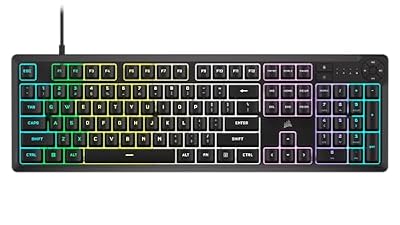 CorsairCorsair K55 CORE RGB Membrane Wired Gaming Keyboard – QWERTY…$50 \xc2\xb7 98/100








