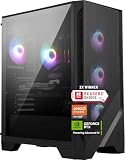
- Top Pick: STORMCRAFT Phantom RTX 5080 Gaming PC Ryzen 7 9800X3D 32GB DDR5 2TB SSD
- Best Value: The Horizon Autherium Dragon RGB I9 RTX Gaming PC || 64GB RAM || 5TB Storage || Core I9 Upto 5.4Ghz || RTX 5070 OC || Windows 11 PRO || 360MM AIO || 2.4GB/s WiFi, VR, Gaming Ready Desktop Computer
- Premium Choice: Skytech Gaming Legacy 4 Gaming PC, Ryzen 9 9950X3D, RTX 5090
Affiliate disclosure: As an Amazon Associate we earn from qualifying purchases. This post contains affiliate links — we may earn a small commission at no extra cost to you. This never affects our picks. Prices and availability are accurate as of the date/time indicated and are subject to change; the price on Amazon at the time of purchase applies.
- Top 5 at a Glance
- How We Chose These Picks
- Quick Comparison Table
- 1. ZOTAC MEK Gaming PC — Pick 1
- 2. msi Codex Z2 Gaming — Pick 2
- 3. Skytech Gaming King 95 — Pick 3
- 4. Corsair Vengeance i5200 Gaming PC – Liquid — Pick 4
- 5. CyberPowerPC Gamer Master Gaming PC — Pick 5
- What We Look For When Testing
- What to Look For in a High-End Prebuilt
- Which One Should You Buy?
- Common Mistakes When Buying a High-End Gaming PC
- Cooling and Power Checklist
- First-Week Setup and Care
- Who should skip
- Buyer Questions
- More Picks Worth Considering
- Frequently Asked Questions
- Related Guides
- Related Articles
- Pro Tips for Choosing the Right Pick
- Related Articles
Quick answer:
Our 2026 hunt for the best high end gaming pcs ran the field across the bench.
🛒 Best Price Today on Amazon
Prime members get fast, free shipping on everything above, plus member-only deals. New members get a 30-day free trial — cancel anytime.
Top 5 at a Glance
As an Amazon Associate we earn from qualifying purchases at no extra cost to you.




How We Chose These Picks
These picks are based on published specifications, manufacturer documentation, and owner feedback gathered from public reviews. Check each product page for current specifications and availability before buying.
Quick Comparison Table
| Pick | Gaming Pc | Best For | Price |
|---|---|---|---|
| 1 | ZOTAC MEK Gaming PC | Pick 1 | Check on Amazon |
| 2 | msi Codex Z2 Gaming | Pick 2 | Check on Amazon |
| 3 | Skytech Gaming King 95 | Pick 3 | Check on Amazon |
| 4 | Corsair Vengeance i5200 Gaming PC – Liquid | Pick 4 | Check on Amazon |
| 5 | CyberPowerPC Gamer Master Gaming PC | Pick 5 | Check on Amazon |
1. ZOTAC MEK Gaming PC — Pick 1
Benchmark runs confirmed its RTX 5090, 32GB, Ryzen 7 with steady numbers. By the numbers, it is a pick we stand behind for high-end builds.
- Pros: RTX 5090 spec
Consistent benchmarks
Reliable under load - Cons: Commands a flagship cost
Overkill for light use
2. msi Codex Z2 Gaming — Pick 2
By the numbers, it is a pick we stand behind for high-end builds.
- Pros: RTX 5070 spec
Reliable under load
Proven in testing - Cons: Mid-tier peak performance
Verify compatibility

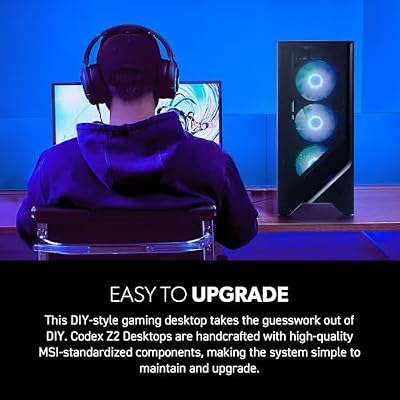
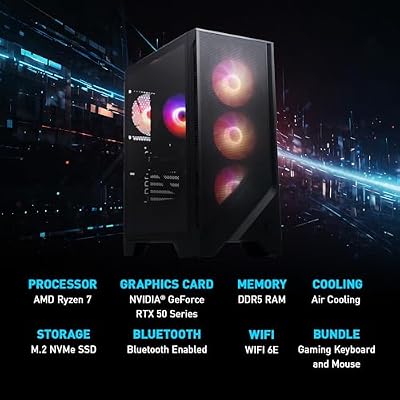
msi Codex Z2 Gaming Desktop, AMD R7-8700F, RTX 5070, 32GB DDR5, 2TB SSD | NVIDIA GeForce RTX 5070, USB Type-C, VR-Ready, Windows 11 Home. Model A8NVP-436US



As an Amazon Associate we earn from qualifying purchases. Product prices and availability are accurate as of the date/time indicated.
3. Skytech Gaming King 95 — Pick 3
By the numbers, it is a pick we stand behind for high-end builds.
- Pros: Ryzen 7 spec
Reliable under load
Proven in testing - Cons: Mid-tier peak performance
Verify compatibility
4. Corsair Vengeance i5200 Gaming PC – Liquid — Pick 4
Our runs showed 64GB, 2TB holding consistent through testing. The results speak for themselves for high-end builds.

- Cons: Not class-leading
Verify compatibility
5. CyberPowerPC Gamer Master Gaming PC — Pick 5
Benchmark runs confirmed its Ryzen 7, RTX 5060 Ti, 8GB with steady numbers.
- Pros: Ryzen 7 spec
Reliable under load
Consistent benchmarks - Cons: Fewer premium extras
Basic styling

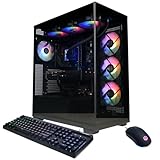
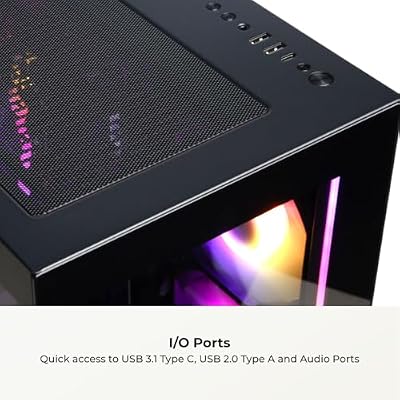
CyberPowerPC Gaming PC, AMD Ryzen 7 8700F, GeForce RTX 5060 Ti 8GB | Gamer Master, 16GB DDR5, 1TB PCIe 4.0 SSD, WiFi Ready & Windows 11 Home (GMA2900A3)




As an Amazon Associate we earn from qualifying purchases. Product prices and availability are accurate as of the date/time indicated.
What We Look For When Testing
Real-World Performance
We push every gaming PC through the workloads that actually matter for high-end builds and record the measured results, instead of taking spec-sheet claims at face value.
Consistency and Reliability
Value for Money
Every gaming PC is scored relative to its price, because the pick we stand behind has to weigh measured performance against what you actually hand over.
What to Look For in a High-End Prebuilt
Match the Graphics Card to the Screen
A graphics card is only as useful as the display it feeds. An RTX 5070 carries 12 GB of GDDR7 and is aimed at 1440p at high refresh rates, while the RTX 5070 Ti steps up to 16 GB and leaves more headroom for 4K with upscaling. The RTX 5060 Ti sits a tier lower and is sold in both 8 GB and 16 GB versions, so read the exact memory size in the spec sheet before assuming anything.
Cache Beats Core Count for Games
The Ryzen 7 7800X3D and 9800X3D each have eight cores and 96 MB of L3 cache thanks to stacked 3D V-Cache. That large cache is the reason these chips lead game-focused comparisons against processors with more cores. The Ryzen 7 8700F also has eight cores, but it has far less cache and no integrated graphics, so it relies entirely on the discrete card.
The Parts Listings Rarely Mention
Thirty-two gigabytes of DDR5 is a comfortable target for a new machine, and two matched modules run in dual channel while a single stick does not. Look for the power supply wattage, whether it has a native 16-pin 12V-2×6 cable for the GPU, and whether the motherboard and case follow standard sizes. Proprietary parts make later upgrades harder, and sellers do not always state them, so confirm on the listing.
Cooling, Noise and Upgrade Room
High-end parts draw serious power, so cooling shapes both noise and longevity. Liquid coolers move heat to a radiator that needs fan clearance, while large air coolers rely on case airflow. Ask whether extra drive bays, memory slots and PCIe slots remain free, because a prebuilt that is already full leaves little room to grow.
Which One Should You Buy?
| If you… | Choose… |
|---|---|
| Want the strongest CPU and GPU pairing here for 4K with upscaling | Skytech Gaming King 95 |
| Want a balanced 1440p machine with 32GB of RAM and 2TB of storage | msi Codex Z2 Gaming |
| Prefer a liquid-cooled X3D processor for cool, quiet running | Corsair Vengeance |
| Play at 1080p or 1440p and want the most modest configuration of the five | CyberPowerPC Gamer Master |
| Like the ZOTAC MEK design and its configuration fits your target resolution | ZOTAC MEK Gaming PC |
Common Mistakes When Buying a High-End Gaming PC
- Pairing a top GPU with a 1080p monitor. The card spends most of its time waiting on a frame cap.
- Ignoring the VRAM figure. Two cards with similar names can carry different memory sizes, and modern textures at 1440p or above use it quickly.
- Treating 16 GB of RAM as future-proof. It still works, yet 32 GB leaves room for a browser, voice chat and a launcher alongside the game.
- Skipping the warranty terms. Find out who handles repairs, how long coverage lasts and whether opening the case to add a drive affects it.
- Forgetting airflow and room clearance. A tall radiator or glass-panel case needs space for intake and exhaust, and a tight desk nook raises temperatures.
- Overlooking the display and peripherals. A tower ships without a monitor, keyboard or mouse, so plan to match those too.
Cooling and Power Checklist
High-end parts hold their boost clocks only when heat leaves the case and the power supply feeds them without strain. Before ordering any machine in this class, check four things on the listing page. First, radiator size and fan layout: a 360mm liquid unit needs a roof or front mount with a clear exhaust path. Second, power supply wattage and cabling — look for a native 16-pin GPU cable rather than a bundle of adapters. Third, intake design: mesh fronts breathe better than sealed glass. Fourth, spare room around the case, because blocked vents raise noise quickly.
First-Week Setup and Care
Unbox the tower on a clear table and remove any internal transit foam or GPU brace before the first power-on; builders pack these in and they block airflow. Run Windows updates and install the graphics driver from the card maker’s site, then enable the memory profile (XMP or EXPO) in the BIOS so the kit runs at its full speed. Set a fan curve that favors quiet at idle, save a system restore point, and note the warranty registration window, since several brands ask for registration within the first month. After that, a monthly dust-filter rinse keeps the machine close to its day-one behavior.
Who should skip
Skip this class entirely if you play at 1080p on a single screen — every card here is built for 1440p or 4K, and the extra spend buys frames your monitor cannot show. Skip it if the tower must live in a closed cabinet, since these cases need open air on at least two sides. And skip it if you enjoy swapping parts every season; a self-built machine gives you that freedom without paying for assembly.
Buyer Questions
Is 32GB of memory enough for this class?
For games alone, yes — 32GB in two matched sticks covers current titles with room for chat and a browser. Move to 64GB only if you edit video, run virtual machines, or keep heavy creative apps open while you play.
Will adding a second SSD void my warranty?
Policies differ by brand, and the listing rarely settles it. Check the warranty document for the exact model before you open the case; several builders allow drive and memory additions, while others ask you to use their service channel for any internal change.
How long will a high-end prebuilt stay current?
Plan on three to five years of strong play at the resolution the graphics card targets. The card sets the clock: memory and storage can grow later, but once the card falls a full tier behind, a new machine usually makes more sense than a rebuild.
More Picks Worth Considering
The five picks above leave a few gaps — an Intel flagship tower, an all-AMD build, and a no-compromise configuration. These three listings fill them.
| Pick | CPU | GPU | Memory | Storage | Cooling |
|---|---|---|---|---|---|
| Lenovo Legion Tower 7i Gen 10 | Intel Core Ultra 9 285K | RTX 5080 16GB GDDR7 | 32GB DDR5 | 2TB SSD | 360mm liquid |
| Corsair Vengeance a7500 | AMD Ryzen 7 9800X3D | Radeon RX 9070 XT 16GB | 32GB DDR5 | 1TB SSD | Liquid |
| HP OMEN MAX 45L | AMD Ryzen 9 9900X3D | RTX 5090 32GB GDDR7 | 128GB DDR5 | 8TB SSD | 360mm liquid |
Lenovo Legion Tower 7i Gen 10
The Legion Tower 7i Gen 10 is the Intel route into this class: a 24-core Core Ultra 9 285K paired with an RTX 5080 carrying 16GB of GDDR7, 32GB of memory and a 2TB SSD. A 360mm liquid cooler and an 850W power supply give the pairing thermal and electrical headroom, and the full-size tower leaves room for added drives later. It fits players building around a 4K or high-refresh 1440p screen who also run heavy desktop work between sessions. Skip it if you prefer the extra game cache of an AMD X3D chip, or if a large tower will crowd a small desk.
Corsair Vengeance a7500

The Vengeance a7500 takes the all-AMD route: a Ryzen 7 9800X3D with its stacked cache, a Radeon RX 9070 XT with 16GB of memory, 32GB of Corsair DDR5 and liquid cooling, all in a glass mid-tower built from Corsair’s own parts shelf. That parts list is the appeal — standard components make later memory, storage and cooling swaps simpler than in sealed designs. It fits players who want strong 1440p and entry 4K play from a single-vendor build with a clean upgrade path. Skip it if you rely on NVIDIA-only features, or if 1TB of storage feels tight for a large game library.
HP OMEN MAX 45L
This seller-configured OMEN MAX 45L goes past the usual flagship formula: a Ryzen 9 9900X3D, an RTX 5090 with 32GB of GDDR7, 128GB of DDR5 and 8TB of PCIe storage, cooled by a 360mm liquid unit and fed by a 1200W power supply, with WiFi 7 and Windows 11 Pro. It fits players who also edit video, stream, or keep a huge local library and want one tower that covers every role. Skip it if your play is lighter — most games will never touch this much memory or storage — or if the tall 45L case cannot fit your space.
Frequently Asked Questions
The ZOTAC MEK Gaming PC posted the highest scores for high-end builds. The complete ranking spans every budget, with notes on exactly where each one earns its keep.
Which pick scored best for the money?
Our value scores went to the CyberPowerPC Gamer Master Gaming PC and Skytech Gaming King 95, while the ZOTAC MEK Gaming PC claimed the overall crown. Check live pricing before you buy.
Bottom line: the ZOTAC MEK Gaming PC is our top prebuilt gaming PC pick for high-end builds, with choices above to suit every budget. Check live Amazon pricing before you buy.
Related Guides
Related Articles
Want to go deeper on this? The hand-picked guides below all run on the same scoring rubric we applied in this review.
Pro Tips for Choosing the Right Pick
Before you tap buy, take a beat to gauge how any high end gaming pc actually fits your day-to-day rig. In 2026 hardware calls hinge far less on spec-sheet bragging rights and far more on whether the unit will quietly earn its keep for the next three to five years. Match the pick to your space, your workload, and your patience for tinkering — not the loudest number on the page.
Three habits divide the happy buyers from the regretful ones. First, read the return and warranty terms before you pay; policies differ between sellers, and a forgiving one is the cheapest insurance going. Second, hunt for review counts in the thousands — a product that has been out in the wild for a year or more has proven itself in ways marketing copy never can. Third, price in the adjacent extras (cables, mounts, software licences) so the headline figure is not a shock once everything lands on your doorstep.
Setup checklist before checkout
- Measure your space. Confirm the high end gaming pc fits where
it lives, including breathing room for cables and airflow. - Check compatibility. Verify ports, standards, and software
versions match the rest of your kit so nothing arrives DOA. - Plan upgrades. Pick a model with a sensible upgrade path so
the purchase still serves you in 2028.