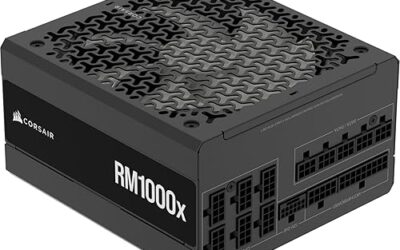
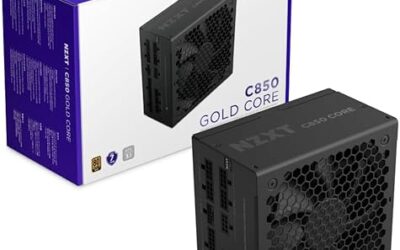
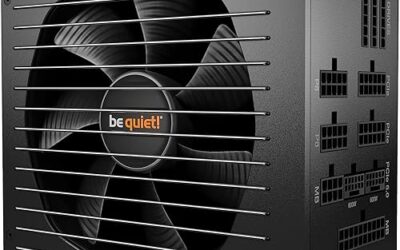
🛒 Best Price Today on Amazon
Prime members get fast, free shipping on everything above, plus member-only deals. New members get a 30-day free trial — cancel anytime.
The right power supply for a video-editing workstation depends on the computer it powers. Start with the exact CPU, graphics card, storage configuration and case, then choose a unit that meets their electrical and physical requirements. A large wattage number alone does not establish that a power supply is suitable for your build.
This guide explains how to compare power supplies for an editing workstation. It does not rank specific models or report hands-on test results.
Start with a complete parts list
Write down your processor and graphics card model numbers, motherboard, drives, expansion cards and cooling hardware. Include planned additions that you actually expect to install. A workstation with integrated graphics and one SSD has different requirements from a tower with a discrete graphics card, multiple disks and capture hardware.
Use a manufacturer calculator as a starting estimate, then compare the result with the graphics-card maker’s system power recommendation. The Seasonic wattage calculator accepts system components and supports configurations with multiple graphics cards. Enter the actual components rather than choosing an approximate category. Revisit the calculation when upgrading either the CPU or GPU.
Check the connectors before comparing prices
Make a connector checklist from the motherboard and graphics-card manuals. Check the required CPU power connections, the graphics card’s power connector, and the number of SATA-powered drives or accessories. Count the supplied cables as well as the sockets on the power supply: an available socket does not guarantee that the required cable is included in the box.
Follow the graphics-card and power-supply manufacturers’ instructions for the exact cable arrangement. Do not assume that a connector which fits mechanically is the correct cable for the job. For modular supplies, verify compatibility with the specific PSU model. Corsair explains that modular PSU cables are model-specific, and its cable compatibility chart distinguishes supported cable types. Check the equivalent documentation if purchasing another brand.
Confirm that the unit fits the case
Check the case’s supported PSU form factor and maximum power-supply length. Allow room for connectors and cable bends, particularly when a drive cage sits immediately in front of the PSU. A compact editing tower can have less usable space than its exterior dimensions suggest. Measure the available area before ordering and check whether installing all planned drives changes that clearance.
Consider cable routing at the same time. Identify where motherboard power sockets and drive connectors sit, and verify that the supplied cables can reach them along the intended route. This avoids choosing a unit that technically fits but makes assembly or later maintenance unnecessarily difficult.
Compare evidence for the exact model
Build a shortlist only after capacity, connectors and fit are established. Compare published specifications, warranty terms, local support and independent measurements for the exact model and revision. Keep efficiency, acoustic performance and electrical performance as separate questions; one attractive label should not substitute for checking the other characteristics.
For an editing desk used to record narration, look for acoustic measurements that explain the test conditions and operating load. For a workstation used for lengthy exports, look for a review that describes sustained-load testing. Prefer documented results over an unsupported assertion that a product is quiet, stable or professional-grade.
Questions to answer before checkout
- Does the selected capacity meet the requirements of the actual system and the graphics-card manufacturer’s guidance?
- Are all required cables supplied and explicitly compatible with this PSU?
- Will the case provide enough room for the unit, connectors and drives?
- Does the exact model have documentation and review evidence that address your workload?
- Are the seller, return arrangements and regional warranty clear?
Installing a replacement
Read the installation manual before changing the unit. Shut down the computer and disconnect it from AC power before working inside the case. Use the cables designated for the replacement power supply rather than leaving old modular leads connected by default. The Corsair installation manual provides an example of manufacturer instructions; use the manual supplied with your chosen unit for the actual installation.
Choosing for your editing workflow
There is no single wattage or model that fits every video editor. Select the capacity from your hardware requirements, verify compatibility, and use documented model-specific evidence to decide between the remaining options. That process produces a more useful shortlist than matching a power supply to a software name or buying the largest unit available.