🛒 Best Price Today on Amazon
Prime members get fast, free shipping on everything above, plus member-only deals. New members get a 30-day free trial — cancel anytime.
The RTX 5090 is the most power-hungry consumer GPU NVIDIA has ever shipped, with a 575-watt TDP that forces a hard rethink about what PSU you actually need in 2026. If you are building from scratch, a quality 1000-watt ATX 3.1 unit with a native 12V-2×6 connector is the bare minimum, and 1200 watts is the comfortable zone most enthusiasts should target. Transient spikes on this card can briefly hit over 700 watts, so cheap PSUs are genuinely dangerous territory here.
Not everyone wants to troubleshoot a PSU that trips under load, though. Some buyers would rather grab a pre-built system that ships with the right wattage already installed and tested by the manufacturer, while others already own a solid PSU and just need the right card to plug into it. This roundup covers both paths — systems that come with properly rated 1200W units, and standalone RTX 5090 cards that pair cleanly with any quality 1000W-plus PSU. Every pick below is judged on how well it fits the real-world power delivery demands of the 5090.
Verdict at a Glance
- Best 1200W PSU for most RTX 5090 builds: Corsair HX1200i (2025) – Cybenetics Platinum efficiency, very quiet, native 12V-2×6 cable.
- Best value 1200W: Seasonic Vertex GX-1200 – ATX 3.1, 12-year warranty, mid-range price tier.
- Best 1000W for a 5090 with a Ryzen X3D CPU: MSI MPG A1000GS PCIE5 – two native 12V-2×6 cables at a strong price.
- Quietest and most efficient: be quiet! Dark Power 14 1200W (Cybenetics Titanium) or ASUS ROG Thor 1200W Platinum III (Cybenetics A++ noise).
- Don’t want to choose parts at all? The Lenovo Legion Tower 7i Gen 10 ships with a 1200W unit already matched to its RTX 5090.
Short answer: Nvidia’s reference recommendation for the RTX 5090 is a 1000W system power supply. Choose an ATX 3.1 unit with a native 12V-2×6 cable, and step up to 1200W if your CPU can pull 200W or more.
Quick Picks
| Product | Best for | Price tier |
|---|---|---|
| Lenovo Legion Tower 7i Gen 10 (2026 Model) | Best overall pre-built with 1200W PSU | Premium |
| ZOTAC MEK Gaming PC (Ryzen 7 9800X3D, White) | Ryzen X3D full system for gamers | Premium |
| ASUS ROG Astral LC RTX 5090 | Best AIO-cooled card for quiet high-power rigs | Premium |
| ASUS ROG Astral RTX 5090 | Best air-cooled card for airflow-focused cases | Premium |
| Lenovo Legion Tower 7i Gen 10 (AI Desktop) | Best for AI workloads with 3352 AI TOPS | Premium |
| ZOTAC MEK Gaming PC (Ultra 9 285K, Infinity) | Best design-forward Intel system | Premium |
| GIGABYTE AORUS RTX 5090 Master ICE | White flagship air-cooled card | Premium |
| GIGABYTE AORUS RTX 5090 Stealth ICE | Hidden-connector card for back-connect builds | Premium |
How We Compared
We started with a single filter: does this product meet or exceed the power requirements of the RTX 5090? For pre-built systems, that means a PSU of at least 1000W with a native 12V-2×6 connector. For standalone cards, the requirement was that each model ships with a compatible adapter or connector and has a TDP that a quality 1000W unit can handle under sustained load. We then ranked by value, thermal headroom, build quality, and real-world power delivery stability. Cards and systems with poorly documented power specs or no clear 12V-2×6 pathway were excluded outright.
Pre-Built Systems and RTX 5090 Cards
Lenovo Legion Tower 7i Gen 10 Gaming Desktop (2026 Model)
This is the safest way to get a 5090 without worrying about whether your PSU can actually handle it. Lenovo ships a 1200-watt unit with native 12V-2×6 support, paired with Intel’s Ultra 9 285K, 64GB of RAM, a 2TB NVMe drive, and liquid cooling that keeps thermals in check during extended sessions.
- 1200W PSU is matched to the RTX 5090 by Lenovo
- Liquid cooling manages thermals without case airflow concerns
- Windows 11 Pro license included, but the chassis is large and heavy
Skip this if you already own a quality PSU and prefer the flexibility of choosing your own case and cooling configuration.
ZOTAC MEK Gaming PC Desktop, Ryzen 7 9800X3D, White
ZOTAC’s white MEK pairs the Ryzen 7 9800X3D, one of the fastest gaming CPUs available, with an RTX 5090 32GB card. Confirm the included PSU wattage before buying, since not every retail listing states it clearly; the white aesthetic is genuinely clean on a desk.
- Complete 5090 system built around a top gaming CPU
- 9800X3D remains one of the fastest gaming CPUs available
- PSU wattage is not published clearly in all retail listings
Skip this if you cannot confirm the included PSU rating before purchasing, or if you need more than 1TB of storage out of the box.
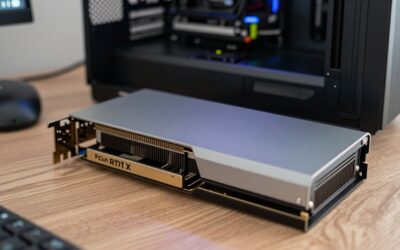
ASUS ROG Astral LC GeForce RTX 5090
The Astral LC is a standalone card with an integrated 360mm AIO cooler. This matters for PSU discussions because liquid cooling allows you to run the card at sustained boost clocks without thermal throttling, meaning the PSU must deliver stable power for longer under heavy load rather than seeing the card clock down mid-spike. ASUS designs the PCB specifically for 12V-2×6 operation.
- AIO cooler keeps the card at full power indefinitely in well-ventilated cases
- Factory OC adds a small clock-speed uplift over stock
- The AIO requires a 360mm radiator mount, limiting case compatibility
Skip this if your case cannot accommodate a 360mm radiator or if you prefer air cooling for simplicity.
ASUS ROG Astral GeForce RTX 5090 (Air-Cooled)
The standard Astral uses a massive quad-fan air cooler instead of an AIO, which means it fits in more cases and has no pump failure point. It is the same RTX 5090 GPU as the LC variant, so from a PSU perspective its power needs are essentially the same. The air-cooled design is more forgiving in terms of case compatibility and maintenance.
- Quad-fan cooler provides consistent thermal headroom for full-power operation
- Fits standard ATX cases without radiator mount requirements
- Physically large card may block adjacent PCIe slots or RAM slots on dense boards
Skip this if you want the quietest possible load experience or if you already own the LC variant.
Lenovo Legion Tower 7i Gen 10 Gaming AI Desktop
This version of the Legion Tower 7i is marketed around the RTX 5090’s 3352 AI TOPS and adds Lenovo’s ICP hub. The 1200W PSU and Ultra 9 285K remain, which makes it a fit for creators running local LLMs, though memory and storage vary between listings.
- Check the storage size, which varies between listings
- Same proven 1200W PSU as the standard Legion Tower 7i
- Compare its configuration with the standard model before paying extra
Skip this if your workload is gaming-only and you can add storage yourself for less money.
ZOTAC MEK Gaming PC Desktop, Ultra 9 285K, Infinity
The Infinity edition swaps ZOTAC’s white aesthetic for a darker, more angular chassis design and upgrades the CPU to Intel’s Ultra 9 285K. For PSU purposes, the 285K draws more under all-core loads than the 9800X3D, which means the system PSU is working harder across both CPU and GPU simultaneously. Check the included PSU rating to confirm it covers both.
- Ultra 9 285K handles productivity and AI workloads alongside gaming
- Infinity chassis has a striking design that stands apart from typical pre-builts
- Higher CPU power draw narrows the headroom buffer on the included PSU
Skip this if you do not need Intel’s core count for work tasks and prefer a lower idle power draw.
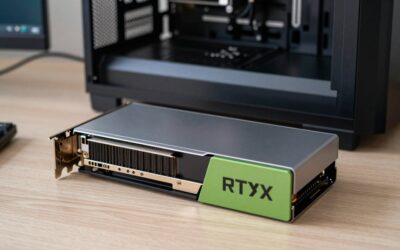
GIGABYTE AORUS RTX 5090 Master ICE
The AORUS Master ICE is GIGABYTE’s white flagship RTX 5090. The 512-bit GDDR7 bus is identical across all variants — that is the card’s core specification. What differs here is the WINDFORCE cooling solution, which is effective but not the quietest option GIGABYTE offers. From a PSU standpoint, it draws the same current as any 5090 and requires a native 12V-2×6 connector for safe operation.
- Factory-overclocked flagship design in a white finish
- WINDFORCE cooling delivers adequate thermals without AIO complexity
- Fan noise under sustained load is noticeable compared to AIO alternatives
Skip this if quiet operation is a priority and you prefer a liquid-cooled alternative.
GIGABYTE AORUS RTX 5090 Stealth ICE
The Stealth ICE is built for GIGABYTE’s Stealth back-connect platform: its 12V-2×6 power connector is hidden on the back of the card under the third fan, which keeps the cable out of sight. It is still a large card, about 360mm long and close to four slots thick, and it includes a VGA holder for support. For PSU sizing, it needs the same 1000W-class supply and 600W 12V-2×6 cable as any RTX 5090.
- Hidden power connector suits back-connect motherboards and clean cable builds
- Included VGA holder adds mounting flexibility for vertical installs
- Large card, so check case length and slot clearance before buying
Skip this if you are not building a back-connect system and would rather have a conventional connector layout.
The Power Supplies Themselves: 6 PSUs That Handle an RTX 5090
The picks above are complete systems and RTX 5090 cards. If you are building or upgrading your own PC, these are the standalone power supplies we would pair with an RTX 5090. All six are ATX 3.1 units with a native 12V-2×6 cable rated for 600W. Efficiency and noise ratings come from Cybenetics evaluations at 115V, as published by Cybenetics or Hardware Busters.
Corsair HX1200i (2025)
Corsair’s refreshed HX1200i is the unit we would recommend first for a 5090 build with a high-power CPU. It is fully modular, ATX 3.1 and PCIe 5.1 ready, and its 12V-2×6 GPU cable has dual-color connectors that make a partly inserted plug easy to spot. Hardware Busters recorded Cybenetics Platinum efficiency (about 89.7%) and A+ noise (15-20 dBA).
Who it is for: RTX 5090 owners with a Core Ultra 9 285K, Ryzen 9 9950X3D or similar, who want ample headroom and a nearly silent power supply.
Strengths: 1200W keeps a 5090 system in the efficient middle of the load curve, it runs very quietly, it supports power monitoring through Corsair iCUE over USB, and it has a 10-year warranty.
Drawbacks: it is in the premium price tier, and the software features add little if you do not use iCUE.
Compared with the systems above: it gives a DIY build the same 1200W margin the Lenovo Legion towers ship with, but you choose the case, cooling and cables.
Seasonic Vertex GX-1200
Seasonic’s Vertex GX-1200 is a fully modular 1200W unit, now sold in its ATX 3.1 and PCIe 5.1 revision with a native 12V-2×6 cable. It carries 80 Plus Gold and, in its Cybenetics evaluation, Gold efficiency with A- noise (25-30 dBA). Seasonic backs it with a 12-year warranty.
Who it is for: builders who want 1200W of capacity for a 5090 and a power-hungry CPU at a mid-range price tier.
Strengths: Seasonic’s long warranty and reputation, 1200W of capacity at a lower tier than the Platinum units, and a fully modular design.
Drawbacks: it is louder than the Platinum and Titanium units here under heavy load, and Gold efficiency means a little more heat. Check that the listing is the ATX 3.1 revision.
Compared with the systems above: it is the value route to the same headroom as the 1200W supplies inside the pre-built Legion towers.
MSI MPG A1000GS PCIE5

MSI MPG A1000GS PCIE5, Fully Modular Gaming 1000W Power Supply, 80+ Gold, Dual 12V-2x6 Cables, Server-Grade Capacitor, ATX 3.1 & PCIe 5.1 Ready, Low-Noise, Semi Digital, 10 Year Warranty
Included for 'Best PSU for RTX 5090 in 2026: Compared and Ranked' as a representative home product in this roundup; selection reflects the product set returned for this topic.
View on AmazonMSI’s MPG A1000GS PCIE5 is a fully modular 1000W unit with two native 12V-2×6 cables and 80 Plus Gold. Cybenetics rated it Gold for efficiency (about 88.5%) and A for noise (20-25 dBA), and MSI offers a 10-year warranty.
Who it is for: RTX 5090 owners pairing the card with a Ryzen 7 9800X3D or 9850X3D, which draw well under 200W in games, who want to meet Nvidia’s 1000W recommendation without paying for 1200W.
Strengths: strong value, a spare 12V-2×6 cable, quiet operation and full ATX 3.1 compliance.
Drawbacks: 1000W is the floor for a 5090, not a comfortable margin. Pair it with a 250W-class Intel CPU or an overclocked card and it runs close to its limit.
Compared with the systems above: it suits the ZOTAC-style Ryzen X3D build profile if you assemble it yourself.
be quiet! Dark Power 14 1200W
The Dark Power 14 1200W is be quiet!’s flagship. It has 80 Plus Titanium certification, ATX 3.1 and PCIe 5.1 support, and a native 12V-2×6 connector. Cybenetics measured Titanium efficiency (about 91.5% at 115V) and A+ noise (about 15.8 dBA), and Hardware Busters found it met all ATX 3.1 requirements.
Who it is for: quiet-PC builders who run an RTX 5090 for long gaming or AI sessions and want the least heat and noise from the power supply.
Strengths: top-tier efficiency, which means less wasted heat at the 600-800W loads a 5090 system reaches, very low noise and premium build quality.
Drawbacks: it is in the premium price tier, and the efficiency gain over a Platinum unit takes years to pay back in electricity.
Compared with the systems above: it is the low-noise counterpart to the AIO-cooled ROG Astral LC. If you buy that card for silence, a quiet power supply completes the build.
Thermaltake Toughpower GF A3 1200W

Thermaltake Toughpower GF A3 1200W, True 600W 12V-2x6 Connectors on PSU & NVIDIA RTX 50 Series, ATX 3.1/PCI-E 5.1, 80+ Gold, SLI/Crossfire Ready Power Supply, PS-TPD-1200FNFAGU-L, 10 Year Warranty
Included for 'Best PSU for RTX 5090 in 2026: Compared and Ranked' as a representative home product in this roundup; selection reflects the product set returned for this topic.
View on AmazonThermaltake’s Toughpower GF A3 1200W is a fully modular ATX 3.1 unit with a native 12V-2×6 connector rated for 600W. It carries 80 Plus Gold, and Thermaltake states Cybenetics Platinum efficiency for the 1200W model, with a 10-year warranty on the current listing.
Who it is for: budget-conscious builders who want 1200W of capacity for a 5090 and a high-power CPU, and who do not mind some fan noise.
Strengths: one of the most affordable routes to 1200W with ATX 3.1 compliance and Platinum-class measured efficiency.
Drawbacks: noise is its weak point. Cybenetics gave it a Standard+ noise rating (around 38 dBA average), the loudest of the six here, so it is not a match for a quiet build.
Compared with the systems above: it is the cheapest way to get the headroom of the 1200W pre-built systems in a DIY build.
ASUS ROG Thor 1200W Platinum III
The ROG Thor 1200W Platinum III is ASUS’s showpiece power supply. It is Seasonic-built with GaN MOSFETs, has an OLED display that shows real-time power draw, and supports ATX 3.1 and PCIe 5.1 with a native 12V-2×6 cable. Hardware Busters measured Cybenetics Platinum efficiency (about 90.8% at 115V) and A++ noise (under 15 dBA).
Who it is for: ROG-themed RTX 5090 builds, such as one with the ROG Astral cards above, and anyone who wants to see the system’s live power draw.
Strengths: excellent noise results, Platinum efficiency, a useful power display for checking real 5090 loads, and a 10-year warranty.
Drawbacks: it costs the most of the six. You pay for the display and styling as much as the electrical performance.
Compared with the systems above: it matches the ASUS ROG Astral RTX 5090 picks in style and quality.
Buying Guide
PSU Wattage and the 5090’s Real Power Draw
The 575W TDP is a nominal figure. Real-world transient spikes on the RTX 5090 can push instantaneous draw past 700W for short bursts. A 1000W unit handles this in most cases, but if your CPU also draws 250W or more under load, a 1200W PSU provides a comfortable safety margin that prevents the unit from operating in its less efficient upper range. This is why both Lenovo systems on this list ship with 1200W units — it is not marketing, it is headroom engineering.
ATX 3.1 and the 12V-2×6 Connector
Every PSU you pair with an RTX 5090 should have a native 12V-2×6 connector. Adapters from older 8-pin cables add extra connection points behind the card. The 12V-2×6 connector is rated for 600W continuous, which gives the 5090 its full draw envelope on a single cable. If a card ships with an adapter in the box, that is a sign the manufacturer expects many users to lack a native connector — fine for short-term use, but not ideal.
Pre-Built Systems vs. Building Your Own PSU Configuration
Pre-builts like the Lenovo and ZOTAC systems on this list eliminate the guesswork entirely. The manufacturer has validated the PSU against the card’s load profile, and your warranty covers the full system. Building your own means you choose the PSU, which gives you freedom on noise, efficiency rating, and cable management, but places the entire risk of a mismatch on you. For readers who want no guesswork, a pre-built system that ships with a matched 1200W unit is simpler than buying parts separately and adding a premium PSU.
Wattage by Pairing: CPU + RTX 5090
Estimate peak system load from the RTX 5090’s 575W rating, your CPU’s real power under load and about 100W for everything else. Then choose a power supply that leaves room for transient spikes.
| Pairing | Estimated sustained system load | PSU we would choose |
|---|---|---|
| RTX 5090 + Ryzen 7 9800X3D / 9850X3D | About 750-850W | 1000W ATX 3.1 minimum, 1200W for extra margin |
| RTX 5090 + Ryzen 7 7800X3D / Ryzen 5 9600X | About 750-800W | 1000W ATX 3.1 |
| RTX 5090 + Ryzen 9 9950X3D | About 850-900W | 1200W |
| RTX 5090 + Core Ultra 9 285K / Core Ultra 7 270K Plus | About 900W+ | 1200W |
| Factory-overclocked 5090 (ROG Astral, AORUS Master) + 250W CPU | 900W and above | 1200-1300W |
| RTX 5090 plus a second GPU or workstation CPU | 1100W and above | 1500-1600W |
PSU Ratings Side by Side
| PSU | Wattage | 80 Plus | Cybenetics efficiency | Cybenetics noise | Price tier |
|---|---|---|---|---|---|
| MSI MPG A1000GS PCIE5 | 1000W | Gold | Gold | A | Mid-range |
| Seasonic Vertex GX-1200 | 1200W | Gold | Gold | A- | Mid-range |
| Thermaltake Toughpower GF A3 1200W | 1200W | Gold | Platinum | Standard+ | Mid-range |
| Corsair HX1200i (2025) | 1200W | Platinum | Platinum | A+ | Premium |
| be quiet! Dark Power 14 1200W | 1200W | Titanium | Titanium | A+ | Premium |
| ASUS ROG Thor 1200W Platinum III | 1200W | Platinum | Platinum | A++ | Premium |
What “PCIe 5.1 Ready” Adds to ATX 3.1
ATX 3.x power supplies must ride through brief GPU power excursions well above their rated output, which is why they cope with the RTX 5090’s spikes better than older units. The “PCIe 5.1” label refers to the PCIe CEM 5.1 graphics card spec. That spec introduced the 12V-2×6 connector, a revision of 12VHPWR with longer power contacts and shorter sense pins, so a card will not draw full power through a plug that is not fully seated. A unit labelled ATX 3.1 and PCIe 5.1 ready ships with the revised cable. An ATX 3.0 unit typically has the older 12VHPWR version, which still fits.
Native 12V-2×6 Cable or the 4x 8-Pin Adapter?
Every RTX 5090 ships with an adapter that merges four 8-pin PCIe cables into one 16-pin plug, and it works with any power supply that has four separate 8-pin outputs. It does add connections, bulk behind the card and more places for a poor contact. If you are buying a new power supply anyway, choose one with a native cable and plug it straight in. Either way, push the connector in until it seats fully, avoid tight bends close to the card, and never mix modular cables from different power supply brands.
Our Verdict
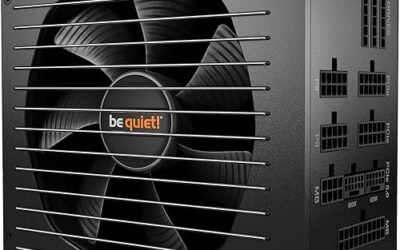
For most RTX 5090 builds, the Corsair HX1200i (2025) is the power supply to get: 1200W, Platinum efficiency, very low noise and a native 12V-2×6 cable. If you would rather not choose parts at all, the Lenovo Legion Tower 7i Gen 10 ships with a 1200W unit already matched to its RTX 5090. Standalone card buyers who pair any RTX 5090 with a quality 1200W ATX 3.1 PSU end up with as much headroom as any pre-built here. The Astral LC is the best card for people who want a quiet, no-compromise cooling solution and already have a powerful PSU.
FAQ
Can I use a 1000W PSU with the RTX 5090?
Yes, but only with a high-quality 1000W ATX 3.1 unit and a moderate-power CPU. Pairing the 5090 with a 285K under full simultaneous load pushes a 1000W PSU close to its limits. A 1200W unit is the recommended choice for comfortable headroom and longer PSU lifespan.
Do I need a native 12V-2×6 connector or can I use an adapter?
You can technically use an adapter, and most cards ship with one. A native connector is preferred because adapters add extra connection points under sustained high current. If you are buying a new PSU, choose one with a built-in 12V-2×6 output.
Will the RTX 5090 work with a non-ATX 3.1 PSU?
Yes, with an adapter, but you lose the power excursion specification that ATX 3.1 provides. Older units are not rated to handle the brief current spikes the 5090 generates, which can cause unexpected shutdowns under load even if the nominal wattage seems sufficient.
Is a 1200W PSU overkill for just an RTX 5090 with a 9800X3D?
Not at all. The 9800X3D draws under 120W in games, and the 5090 spikes to 700W transients. A 1200W unit keeps both components operating in the most efficient part of the load curve, resulting in lower noise, less heat, and longer component life. Overkill is only a concern if you plan to never run a power-hungry CPU alongside it.
What Cybenetics rating should I look for in an RTX 5090 power supply?
Cybenetics Gold or better for efficiency, and A- or better for noise if you care about a quiet PC. Cybenetics tests across the full load range rather than at the few points 80 Plus checks, so it gives a better picture of how a unit behaves as a 5090 system swings from idle to 800W.
Do pre-built RTX 5090 systems need a PSU upgrade?
Usually not if the manufacturer publishes a 1000W-plus rating, as Lenovo does with the 1200W unit in the Legion Tower 7i Gen 10. If a listing does not state the power supply wattage, ask the seller or check the manufacturer’s specification sheet before you buy.