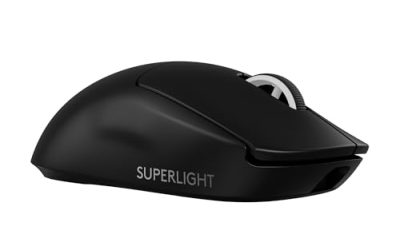
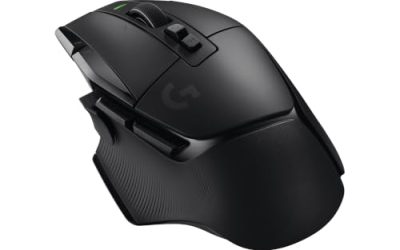
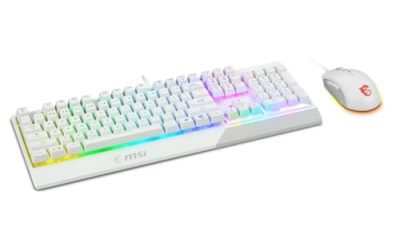
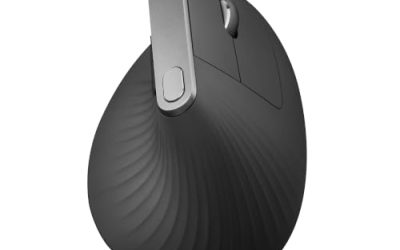
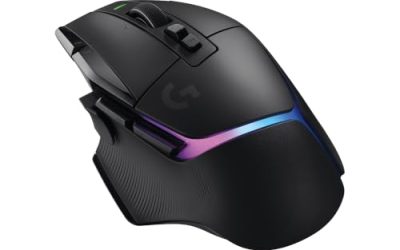
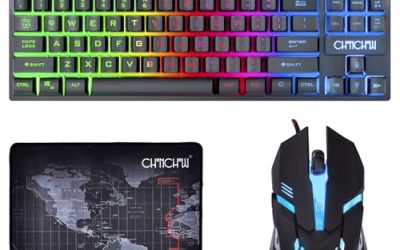
🛒 Best Price Today on Amazon
Prime members get fast, free shipping on everything above, plus member-only deals. New members get a 30-day free trial — cancel anytime.
Most players never choose a grip. They sit down, wrap a hand around whatever mouse came with the PC, and spend years assuming their aim ceiling is a talent problem when it is really a posture problem. The grip you use decides which muscles move the mouse, how much of your movement comes from the wrist versus the fingers, and how repeatable your stopping point is when a target appears for half a second.
This guide works backwards from where you are now. Instead of starting with theory, it starts with the mouse already on your desk and the games already in your library, shows you how to identify the grip you actually use, and then walks through a short decision path: diagnose, measure, match to your genres, and tune your sensitivity around the result. As an Amazon Associate we earn from qualifying purchases
The Three Main Grips
Palm grip
In a palm grip the whole hand rests on the mouse: the shell fills the arch of the palm, the fingers lie almost flat along the buttons, and movement comes mainly from the wrist and forearm. It is the most supported and relaxed of the three styles, which makes it comfortable across long sessions and steady for smooth, sweeping tracking. The trade-off is fine control. Because the fingers barely move independently, tiny corrections are slower, and lifting the mouse to reset its position takes more effort. Palm grip pairs naturally with larger, taller shells that give the hand something to rest on. It is also the easiest style to hold consistently when you are tired, distracted or playing casually, because the shell itself dictates where your hand sits. Players returning after a break often find their hand defaults back to palm even if they trained another style, which tells you how natural the posture is.
Claw grip
Claw grip keeps the palm in contact with the back of the shell while the fingers arch up and press the buttons with their tips. That arch is the point: it turns the fingers into a second aiming system, so small vertical and horizontal corrections happen without moving the wrist at all. Players who flick, stop, and micro-adjust all match long tend to land here. The cost is tension. The curled posture loads the fingers and forearm more than a relaxed palm hold, and on a shell that is too long the arch flattens out and the advantage disappears. Medium shells with a pronounced rear hump suit it best. There are really two versions worth knowing: a relaxed claw, where the arch is shallow and the hand stays loose, and an aggressive claw, where the fingers curl hard and the knuckles rise. The relaxed version is where most players should live; the aggressive version trades comfort for a little extra finger travel that few players genuinely need.
Fingertip grip
Fingertip grip removes the palm from the mouse entirely. Only the fingertips touch the shell, the wrist hovers or rests on the desk, and the hand steers with maximum freedom in every direction. It offers the fastest micro-adjustments of the three and makes small, frequent repositioning lifts almost effortless, which is why it appears so often in fast arena shooters. It is also the least stable and the most fatiguing: with nothing anchoring the hand, holding a perfectly still angle is harder, and long sessions can tire the fingers and wrist. Short, light shells reward it; long shells fight it. Because control comes from the fingers alone, fingertip players also tend to notice small differences in shell width and button placement that palm players never feel. If you try this style, judge it after several sessions rather than one match, since the freedom feels chaotic before it feels precise.
How to Choose
Diagnose the grip you already use
Before changing anything, find out what your hand does when you stop thinking about it. Play one normal match, then freeze mid-game and look down. Note three things: whether your palm touches the shell, whether your fingers lie flat or arch, and which part of you feels tired afterwards. Sore fingers with a hovering palm means fingertip habits; a relaxed hand with an aching forearm suggests palm. Many players discover a hybrid, usually palm-claw, and that is fine. The diagnosis matters because small adjustments to a natural grip stick, while a forced switch to a fashionable grip usually collapses under pressure.
Measure your hand against the shell
Grip advice fails when it ignores size. Measure your hand from the tip of your middle finger to the crease at the base of your palm, then compare it with the length of the mouse you use or plan to buy, which manufacturers list in the product specifications. As a working rule, a palm grip wants a shell long enough to support most of that hand length, claw works when the rear hump meets your palm while your fingers stay arched, and fingertip needs a shell short enough that your fingers reach the buttons without stretching. If your fingers flatten completely on a long shell, your intended claw has already become a palm grip.
Match the grip to your game genres
Different genres tax different movements. Tactical shooters reward a settled crosshair and one clean correction, which suits palm or a relaxed claw. Fast arena shooters and battle royales demand constant re-aiming in every direction, where claw and fingertip shine. MOBA and real-time strategy players click rapidly for hours and often prefer the low fatigue of palm or a loose claw, while MMO players holding a mouse through long raids usually prioritise comfort above flick speed. Look at where most of your hours actually go, not the game you play twice a month, and let that genre cast the deciding vote.
Adjust sensitivity around the grip
Grip and sensitivity are one system, not two settings. Fingertip players control the mouse with small muscles, so they often run higher sensitivity and steer inside a small area. Palm players move from the arm and typically settle lower, using the desk space their posture frees up. When you change grip, give sensitivity a deliberate pass afterwards: play a few matches, notice whether you overshoot or undershoot targets, and nudge in small steps rather than copying a number from a streamer whose hand, mouse and grip are all different from yours. Consistency over two weeks beats a perfect setting you keep changing.
Which One Fits Your Situation
Your flicks keep overshooting in shooters
You are probably stopping the mouse with your wrist alone. Try shifting towards claw: let the rear of the shell touch your palm and arch your fingers so they can brake the movement with small corrections. If overshooting continues, lower your sensitivity slightly and retest for a week before changing anything else.
Your fingers cramp during long sessions
Cramping is the classic tax of an aggressive claw or fingertip hold, especially on a shell that is too small. Relax towards palm, choose a taller shell that supports the arch of your hand, and take the pressure off your fingertips. Comfort is a performance feature in any game where hour three matters as much as hour one.
You play several genres and want one answer
Default to a relaxed claw on a medium shell. It is the most adaptable posture in gaming: the palm contact keeps tracking stable for shooters, the arched fingers handle rapid clicking for strategy and MOBA titles, and it tolerates a wide range of shell sizes. Specialise later only if one genre takes over your schedule.
Your aim feels shaky when holding still
Shakiness usually means too little contact. Fingertip players holding a static angle should add a point of stability: rest the heel of the palm lightly on the shell’s rear, moving towards a claw hybrid, or drop sensitivity so small hand tremors move the crosshair less. Stability problems are rarely solved by gripping harder.
Common Mistakes
- Copying the grip of a professional player whose hand size and mouse are completely different from yours.
- Forcing a fingertip grip on a long shell, so the fingers stretch, tire quickly and lose the freedom the grip exists to provide.
- Changing grip and sensitivity on the same day, which makes it impossible to tell which change helped or hurt.
- Judging a new grip after one bad match instead of giving your hand at least a week of normal play to adapt.
- Gripping harder when aim feels unstable, adding tension that makes fine control worse rather than better; a lighter touch and one more point of hand contact almost always settle the crosshair faster than squeezing the shell does.
Frequently Asked Questions
Which mouse grip is the most accurate?
None of them, in isolation. Accuracy comes from the match between grip, hand size, shell shape and sensitivity. Claw and fingertip offer finer fingertip corrections, palm offers steadier tracking, and each wins in the situations it suits. The most accurate grip is the one you can repeat identically for a whole session without thinking about it.
Can I change my grip, or is it fixed?
You can change it, and most players drift between styles over the years as their games and mice change. Expect one to two weeks of slightly worse performance while the new posture becomes automatic. Change one variable at a time, keep your sensitivity stable during the switch, and judge the result on your average matches, not your best or worst.
Is fingertip grip bad for my wrist?
It is not inherently harmful, but it is the least supported style, so fatigue arrives sooner and poor desk posture shows up faster. Keep your wrist neutral rather than bent, let your forearm share the work, and take breaks. Persistent pain is a signal to switch towards a supported palm hold and to check your chair and desk height.
How do I know if my mouse is the wrong size for my grip?
Your fingers tell you. If they lie flat when you try to claw, the shell is too long. If your palm cannot rest on it without your fingers overhanging the front, it is too short for palm. Measure your hand, compare it with the listed shell length, and let that simple check overrule brand loyalty or looks.