🛒 Best Price Today on Amazon
Prime members get fast, free shipping on everything above, plus member-only deals. New members get a 30-day free trial — cancel anytime.
Cable drag is the quiet tax on every wired gaming mouse. You feel it when a flick shot snags on the edge of the desk or when the cord curls under your palm mid-spray. A mouse bungee lifts the cable off the surface and lets the mouse move as if it were wireless, which is why wired esports players keep one on the desk long after wireless mice caught up in other ways.
This guide is for FPS players on wired mice and anyone who shares a desk with a keyboard and a tangle of cables. The goal is a clean, snag-free setup while keeping the purchase under 50 dollars, and in 2026 that budget covers everything from compact clips to weighted bases with lighting. The picks differ in size, base design, and how they hold the cord, so the checklist below matters as much as the brand.
Quick Picks

AOBOR AOZCBOR Flexible Mouse Bungee Mouse Cord Management Fixer Holder (Black)


As an Amazon Associate we earn from qualifying purchases. Product prices and availability are accurate as of the date/time indicated.

Pulsar Gaming Gears Micro Bungee ES, Wired Mouse Support, Single Pack | Drag-Free Wired Mouse Support, Free Motion on Your Desk, Super Compact Size, Attach it to Your Monitor, Get More Space


As an Amazon Associate we earn from qualifying purchases. Product prices and availability are accurate as of the date/time indicated.

SteelSeries Mouse Bungee | Rubber clip for holding different cable sizes

As an Amazon Associate we earn from qualifying purchases. Product prices and availability are accurate as of the date/time indicated.

HOTLINEGAMES Mouse Bungee Mouse Cord Clip Cord Management System Fixer Holder for Esports FPS Game (3.0 White)


As an Amazon Associate we earn from qualifying purchases. Product prices and availability are accurate as of the date/time indicated.

Hotline Games Mouse Bungee Mouse Cord Clip Cord Management System Fixer Holder for Esports FPS Game (3.0 Black)


As an Amazon Associate we earn from qualifying purchases. Product prices and availability are accurate as of the date/time indicated.

Sisyphy Gaming Mouse Bungee, Mouse Cord Holder and Cable Management Device (Primium Version 360g, Black)


As an Amazon Associate we earn from qualifying purchases. Product prices and availability are accurate as of the date/time indicated.

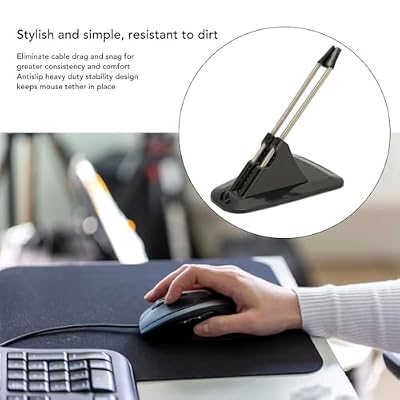
MOPFOL Gaming Mouse Bungee with Non-Slip Base – Durable Spring Arm for Cord Management, Universal Fit for Esports Mouth(Black)


As an Amazon Associate we earn from qualifying purchases. Product prices and availability are accurate as of the date/time indicated.

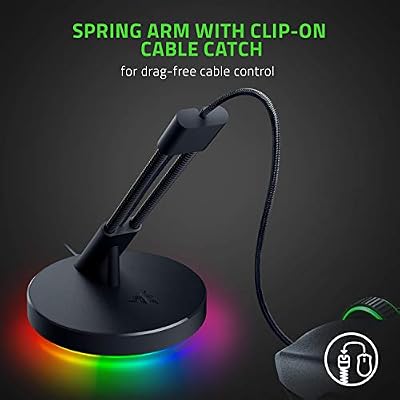
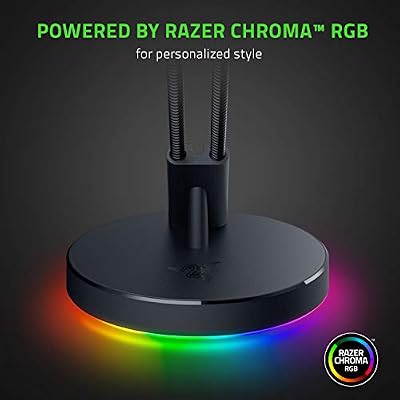
Razer Gaming Mouse Bungee V3 Chroma, Drag-Free Wired Mouse Support, Black | For Esports-Level Performance, Weighted Base, Anti-Slip Feet



As an Amazon Associate we earn from qualifying purchases. Product prices and availability are accurate as of the date/time indicated.
| Product | Best for | Key spec from the title |
|---|---|---|
| AOBOR AOZCBOR Flexible Bungee | Simple flexible holder | Flexible cord management fixer, black |
| Pulsar Micro Bungee ES | Small desks and low-sensitivity play | Super compact, drag-free wired support |
| SteelSeries Mouse Bungee | Thick or thin cables | Rubber clip fits different cable sizes |
| Hotline Games Mouse Bungee 3.0 | Esports FPS setups | Cord clip management system |
| Sisyphy Gaming Mouse Bungee | Stability on slick desks | Premium version, 360g |
| MOPFOL Gaming Mouse Bungee | Universal cable fit | Non-slip base, durable spring arm |
| Razer Mouse Bungee V3 Chroma | Lighting and brand match | Weighted base, anti-slip feet |
| TALONGAMES Mini Bungee | Cramped desk space | Micro size, super compact |
How to Choose
Base Weight and Grip
A bungee is only as steady as its base. Light plastic units slide when you yank the mouse across a low-sensitivity sweep, so look for a weighted base, rubber feet, or a listed weight in grams. A heavy base that stays planted keeps the cord at a constant angle and avoids the bounce you feel as a faint tug on every flick.
Arm Style and Height
Spring arms give a stretchy, forgiving lift, while rigid arms hold the cord in a fixed arc. The cable should leave the mouse at a shallow angle and rise just above desk height. If the arm sits too high, it pulls on the front of the mouse; too low and the cable still drags. Adjustable or flexible arms let you tune that arc without moving the whole unit.
Cable Clip Compatibility
Mouse cables range from thin braided lines to thicker rubber cords, and the clip needs to hold both without pinching. A rubber clip that fits different sizes is more versatile than a rigid slot cut for one diameter. Also check that the clip lets the cable slide freely, since a clamped cord defeats the purpose.
Footprint and Looks
On a small desk, a compact micro unit saves space beside the keyboard, while a large weighted base eats room you may not have. Lighting is a cosmetic extra and does nothing for tracking. Budget models cut corners on spring fatigue and base grip, so avoid anything that looks flimsy in photos or lists no materials at all.
What to ignore: marketing talk about “zero drag” tells you little, because every bungee reduces drag only if it is positioned well. Spend your attention on base mass, arm travel, and whether the clip releases the cable cleanly. A five-minute adjustment of placement usually matters more than the difference between two similar models, so plan to move the unit a few times during your first session.
The 8 Best Options
AOBOR AOZCBOR Flexible Mouse Bungee
The AOBOR is a flexible cord holder with a no-frills design, listed in black and described as a management fixer. It suits players who want a simple way to lift the cable without paying for lighting or a weighted metal base. Setup is meant to be easy, and the flexible arm lets you bend it into position.
- Strength: flexible design adapts to different desk layouts.
- Strength: understated black finish blends into most setups.
- Trade-off: the title gives no weight or base details, so stability is hard to judge.
Skip it if you need a heavy base for slick desks or want precise specs before buying. Buyers who like to tinker, though, may enjoy how easily a flexible arm can be bent to find the exact cable angle that feels right.
Pulsar Micro Bungee ES
Pulsar’s Micro Bungee ES is sold as a single pack and aimed at free, drag-free motion on your desk. The title stresses its super compact size, which makes it a good match for crowded setups where a full-size bungee gets in the way. It is built for wired mouse support in competitive play.
- Strength: tiny footprint fits next to a keyboard or monitor stand.
- Strength: purpose-built for drag-free wired mouse support.
- Trade-off: a small base may feel less planted during large, fast swipes.
Skip it if your desk is spacious and you prefer a bulkier, heavier unit that stays put under rough handling.
SteelSeries Mouse Bungee
The SteelSeries Mouse Bungee keeps its description short: a rubber clip for holding different cable sizes. That versatility is the draw, especially if you swap mice often and the cord diameters differ. It is a good fit for players who value a recognized brand and a clip that grips without damaging the cable.
- Strength: rubber clip adapts to a range of cable thicknesses.
- Strength: straightforward design with few moving parts to fail.
- Trade-off: the title lists no base weight or finish details beyond the clip.
Skip it if you want a showy base with lighting or extra weight. It is a better match for players who already like a minimal desk and care more about the clip than about any extras around it.
Hotline Games Mouse Bungee 3.0
The Hotline Games 3.0 is pitched squarely at esports and FPS players, billed as a cord clip and management system. It appears in white, black, and black-orange versions, and since the differences are only color, they count as one product. It suits players who want a bungee designed with competitive aim in mind.
- Strength: tuned for esports use rather than general desk tidiness.
- Strength: several color options let you match a theme.
- Trade-off: the listing offers little detail about weight or arm design.
Skip it if you want hard numbers on base mass before committing.
Sisyphy Gaming Mouse Bungee
This Sisyphy model is labeled the premium version at 360g in black, and that weight is the headline. A heavier base helps the bungee stay planted when you swing the mouse hard, which is the usual weak point of lightweight clips. It is a sensible choice for low-sensitivity players who use large arm movements.
- Strength: the listed 360g weight points to a stable, planted base.
- Strength: described as both a cord holder and a management device.
- Trade-off: the heft means it takes more desk space and is harder to reposition.
Skip it if you travel with your gear or work on a very small desk.
MOPFOL Gaming Mouse Bungee
MOPFOL highlights a non-slip base and a durable spring arm, with a universal fit aimed at esports mice. The spring arm is the part that carries the cable, so durability matters. It suits players who want a standard bungee layout with some extra grip underneath.
- Strength: non-slip base resists sliding during fast movement.
- Strength: spring arm is described as durable.
- Trade-off: no weight is listed, so stability depends on the base design alone.
Skip it if you need a rigid, fixed-arc arm rather than a springy one.
Razer Mouse Bungee V3 Chroma
The Razer V3 is the feature-heavy pick, with a weighted base, anti-slip feet, and Chroma lighting. It is promoted for esports-level performance with drag-free wired support. It fits players who already run Razer peripherals and want the lighting to match across the desk.
- Strength: weighted base and anti-slip feet add stability.
- Strength: Chroma lighting integrates with other Razer gear.
- Trade-off: lighting adds nothing to tracking and takes up space on the desk.
Skip it if you do not care about RGB and would rather spend on a simpler unit. Players whose desk is already crowded with cables and a power strip may also find the extra lighting hardware more of a nuisance than a feature.
TALONGAMES Mini Bungee
The TALONGAMES Mini Bungee is a micro-sized option built to free up space, with a super compact design for gaming mice. The title promises more room on the desk, making it a natural fit for tight setups or players who rearrange their gear often. It handles basic cable lift without adding bulk.
- Strength: micro size keeps the desk uncluttered.
- Strength: compact design is easy to move between setups.
- Trade-off: small bases can slide if the cable pulls hard.
Skip it if you rely on wide, aggressive mouse sweeps that demand a heavier anchor. Stick with it only when your priority is a tidy desk and light cable lift rather than maximum stability.
Which One Fits Your Situation
You play low-sensitivity tactical shooters
Big arm swipes tug the cable hard, so the Sisyphy Gaming Mouse Bungee with its 360g base is the steadier choice. Position it just behind the mouse and let the arm do the work.
You are short on desk space
The Pulsar Micro Bungee ES or TALONGAMES Mini Bungee keeps the footprint small. Tuck either one beside the keyboard and route the cable through it from the back of the mouse.
You swap mice or cables regularly
The SteelSeries Mouse Bungee, with its rubber clip made for different cable sizes, copes best with changing gear. You can move the clip from a thin braided cable to a thicker one without hunting for a new holder.
You want matching lighting
The Razer Mouse Bungee V3 Chroma pairs with other Razer devices and adds a weighted base. It rewards players who care about how the desk looks in a dark room.
Common Mistakes
- Buying a tiny unit for a high-movement, low-sensitivity playstyle, then fighting a base that creeps across the desk.
- Setting the arm too high, which pulls the mouse nose upward instead of removing drag.
- Clamping the cable so tightly that it cannot slide, which recreates the tug you wanted to remove.
- Paying extra for lighting when the base weight and arm quality are what decide stability.
- Counting the same product three times because it comes in several colors.
Related guides
- Logitech G Pro X 2 Vs Steelseries Arctis Nova Pro Wireless
- Travel Controller Case For 8Bitdo Ultimate Series
- Gaming Pc Under 600 For Roblox And Minecraft
Frequently Asked Questions
Do I need a bungee with a wireless mouse?
No. A bungee only helps a wired mouse because it lifts the cable off the desk. A wireless mouse has no cord to manage, so the accessory adds nothing.
How far should the cable hang from the bungee?
Aim for a short, shallow loop so the cord leaves the mouse at a gentle angle. A cable that sags too low drags on the desk again, while one pulled too tight tugs the front of the mouse.
Is a heavier bungee always better?
Not always. Weight helps with stability on smooth desks, but a heavy unit takes more room and is harder to reposition. Match the weight to how wide your mouse movements are.
Will a bungee damage my cable?
A soft rubber clip is gentle on the cable, but a sharp or narrow slot can wear thin braiding over time. Choose a clip that holds the cord lightly and lets it slide.
Top picks from this guide
HOTLINEGAMESHotline Games Mouse Bungee Mouse Cord Clip Cord Management System…HOTLINEGAMESHOTLINEGAMES Mouse Bungee Mouse Cord Clip Cord Management System Fixer…SisyphySisyphy Gaming Mouse Bungee, Mouse Cord Holder and Cable Management…AOBORAOBOR AOZCBOR Flexible Mouse Bungee Mouse Cord Management Fixer Holder…