🛒 Best Price Today on Amazon
Prime members get fast, free shipping on everything above, plus member-only deals. New members get a 30-day free trial — cancel anytime.
- Best Backlit Keyboards at a Glance
- How to Choose a Backlit Keyboard
- Best Backlit Keyboards for Office and Everyday Typing
- Best Per-Key RGB and TKL RGB Keyboards for Gaming
- Best Wireless and Customizable Backlit Keyboards
- Best Budget Backlit Keyboards
- Best Glowing Keyboards for ASUS Setups
- Pick X If You Want Y
- Alternatives Worth Considering
- Fit, Size and Compatibility Notes
- Lighting Settings That Make a Difference
- What to Skip
- Frequently Asked Questions
Updated November 2026 – The best backlit keyboards for most people are the Logitech MX Keys S for quiet office and mixed use, the Corsair K70 Pro TKL for per-key RGB gaming, and the Keychron V3 Max for a wireless, customizable mechanical board; budget buyers can start with the Redragon K552 or Logitech G213.
Choosing among the best backlit keyboards comes down to four decisions: how much lighting you actually want (a plain white glow or per-key RGB), the switch type under the keys, whether the board is wired or wireless, and which software controls the light. This guide sorts current and recent models by those decisions, using the makers’ own listings and published reviewer coverage, so you can match a board to your desk instead of buying the one with the most colors.
Best Backlit Keyboards at a Glance
| Keyboard | Best for | Lighting (as listed) | Connection | Main limit |
|---|---|---|---|---|
| Logitech MX Keys S | Office and everyday typing | White, smart backlight | Bluetooth Low Energy, Logi Bolt receiver | Low-profile scissor keys, not a gaming board |
| Logitech MX Mechanical | Quiet mechanical typing | White, smart backlight | Bluetooth, Logi Bolt | Low-profile switches feel different from full-height ones |
| Corsair K70 Pro TKL | Per-key RGB gaming in a tenkeyless size | Per-key RGB via iCUE | Wired USB | No number pad |
| Razer BlackWidow V4 | MMO and macro-heavy players | Per-key RGB via Synapse | Wired USB | Large full-size footprint |
| SteelSeries Apex Pro TKL Gen 3 | Adjustable-actuation gaming | Per-key RGB via SteelSeries software | Wired USB | Premium tier |
| Keychron V3 Max | Wireless customizable mechanical | Backlit, RGB variants offered | Bluetooth, 2.4GHz and wired as the maker lists | Backlight shortens wireless battery life |
| Redragon K552 | First backlit mechanical on a budget | Single-color or RGB versions | Wired USB | Basic software and effects |
| Logitech G213 Prodigy | Budget RGB membrane board | Zone-based RGB | Wired USB | Not per-key, not mechanical |
How to Choose a Backlit Keyboard
Backlighting sounds simple, but boards differ in ways that change daily use. Work through these points before comparing models.
White Backlight vs RGB vs Per-Key Lighting
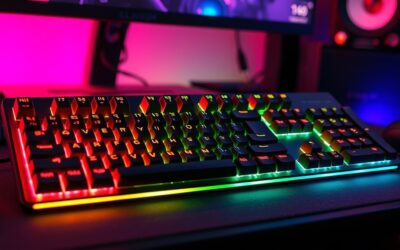
A white or single-color backlight exists to make legends readable in a dark room. It is the quietest option and usually the easiest on battery in a wireless board. RGB boards can show any color and run effects, and the better ones let you assign a color to each key. Zone-based RGB, found on many budget boards, splits the keyboard into a few large areas so you pick a color per area rather than per key. If you want profiles that highlight your WASD cluster or macro keys, per-key control is the feature to look for; if you only want to see the keys at night, white is enough.
Switch Type
Mechanical switches are rated and sold as linear, tactile or clicky, while membrane and scissor boards use rubber domes or low-profile mechanisms. Makers such as Corsair, Razer and SteelSeries publish their own switch names, so compare the type (linear, tactile, clicky) rather than the brand label. If a listing says the board uses Cherry MX switches, that is the maker’s statement; clone switches are common on budget boards and are described by the maker as such.
Layout and Size
Full-size boards include a number pad. Tenkeyless (TKL) boards remove it, which frees mouse space and is the layout behind searches such as best TKL RGB keyboards. Compact 75 percent and 65 percent boards keep arrow keys but shrink further. Measure your desk and decide whether you use the number pad for spreadsheets or macros before choosing.
Wired or Wireless, and the Battery Cost of Light
Backlighting is typically the largest power draw on a wireless keyboard. Makers state that battery life drops when the backlight is on or set bright, and several publish separate figures with the light on and off. Reviewers also note that lowering brightness or using auto-dimming extends use between charges. If you do not want to think about charging, a wired board removes the issue.
Software
Per-key lighting is configured in the maker’s app: Corsair iCUE, Razer Synapse, SteelSeries software, Logitech G HUB or Logi Options+, and Keychron’s browser-based launcher for supported models. Some boards store profiles on the keyboard itself, which helps if you do not want an app running. Read the maker’s page for what is stored on board.
Best Backlit Keyboards for Office and Everyday Typing
Logitech MX Keys S – Best for Quiet Office Typing
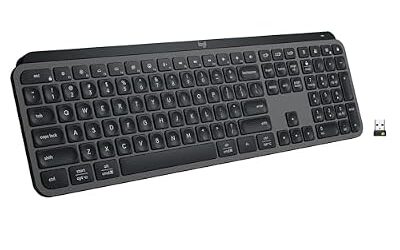
Specs the maker lists: low-profile scissor keys · smart backlight · Bluetooth Low Energy and Logi Bolt · multi-device pairing · rechargeable battery.
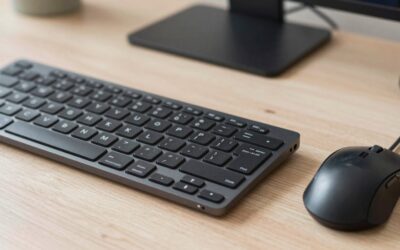
The MX Keys S tops several 2026 roundups for a reason: its backlight is built around proximity sensing, so keys light as hands approach and adjust to room brightness, as reviewers such as Ezvid describe it. Technobezz also highlights the broad operating system support and the receiver option. The keys are low-profile and quiet, which suits shared spaces. The limit is that it is not a gaming board: there is no per-key RGB and no mechanical feel. Choose it if you type all day and want glowing legends only when needed.

Logitech MX Keys S Wireless Keyboard Low Profile Fluid Precise - Graphite | USB-C rechargeable, 10 days battery, Pairs 3 devices, Smart backlit keys adapt to environment, Logi Bolt USB receiver
Included for 'Best Backlit Keyboards in 2026 (White, RGB and Per-Key Lighting)' as a representative home product in this roundup; selection reflects the product set returned for this topic.
View on AmazonLogitech MX Mechanical – Best for Quiet Mechanical Feel
Specs the maker lists: low-profile mechanical switches (tactile and other options) · smart illumination · Bluetooth and Logi Bolt · multi-device pairing.
Ezvid ranks the MX Mechanical as the best quiet mechanical option in its backlit list. It keeps the MX Keys style lighting but adds a mechanical response. Low-profile switches sit lower than standard ones, so some typists need an adjustment period, and wrist-rest height matters. It suits people who want mechanical feedback without clacking.

Logitech MX Mechanical Wireless Illuminated Keyboard Tactile - Graphite | Low-profile full-size, 3 device Bluetooth pairing, Smart backlight auto-adjusts, USB-C rechargeable, Up to 15 day battery
Included for 'Best Backlit Keyboards in 2026 (White, RGB and Per-Key Lighting)' as a representative home product in this roundup; selection reflects the product set returned for this topic.
View on AmazonBest Per-Key RGB and TKL RGB Keyboards for Gaming
Corsair K70 Pro TKL – Best for Per-Key RGB in a Tenkeyless Size
Specs the maker lists: tenkeyless layout · per-key RGB · hot-swappable mechanical switches on supported versions · iCUE software · wired USB.
pctechtest includes the K70 Pro TKL on its 2026 mechanical keyboard list. The K70 line is Corsair’s flagship range, and iCUE is among the most complete lighting tools for syncing keyboard colors with other Corsair gear. Buyers who want a full-size version should look at the wider K70 family; the older K70 RGB MK.2, a previous generation, still appears in budget roundups such as The Tested Hub because of its Cherry-switch build and software control. Pick this if you want a durable gaming board and plan to customize lighting heavily.

CORSAIR K70 PRO TKL RGB Magnetic-Mechanical Wired Gaming Keyboard – Black | QWERTY NA, Pre-Lubricated CORSAIR MGX Hyperdrive Adjustable Switches, Rapid Trigger Mode, 8000Hz Hyper-Polling
Included for 'Best Backlit Keyboards in 2026 (White, RGB and Per-Key Lighting)' as a representative home product in this roundup; selection reflects the product set returned for this topic.
View on AmazonRazer BlackWidow V4 – Best for MMO and Macro Users
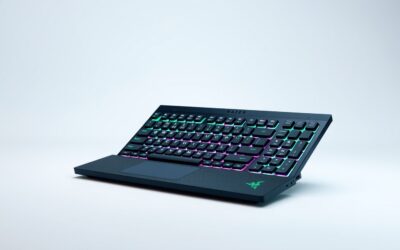
Specs the maker lists: full-size layout · individually programmable backlit keys · over 16.8 million colors · Razer Synapse · wired USB · dedicated macro keys on the full-size V4 line.
For players searching best MMO keyboards RGB, the BlackWidow V4 is a natural match. Extra programmable keys cover rotations and hotbars, and Synapse handles per-key lighting and macros. It is large, so confirm desk space. If you want a cheaper entry into the same family, the maker also sells the V4 X, which keeps the macro keys with a simpler feature set.

Razer BlackWidow V4 Mechanical Gaming Keyboard, Green Switches | Tactile & Clicky Switches, Chroma RGB, 6 Dedicated Macro Keys, Magnetic Wrist Rest, Doubleshot ABS Keycaps, Snap Tap
Included for 'Best Backlit Keyboards in 2026 (White, RGB and Per-Key Lighting)' as a representative home product in this roundup; selection reflects the product set returned for this topic.
View on AmazonSteelSeries Apex Pro TKL Gen 3 – Best for Adjustable Switches
Specs the maker lists: tenkeyless layout · adjustable magnetic switches · per-key RGB · wired USB · SteelSeries software.
Reviewers describe the Apex Pro TKL Gen 3 as bringing adjustable actuation to a TKL size, which lets players change how far a key travels before it registers. The lighting is per-key and tied to the SteelSeries ecosystem. It sits in the premium tier, so it makes sense only if you will use the adjustable actuation. A smaller option from the same brand is the Apex 7 Mini, a 65 percent board with an OLED Smart Display, as noted in 2026 roundups.

SteelSeries Apex Pro TKL Gen 3 Gaming Keyboard - Black | OmniPoint 3.0 Analog Magnetic Switches, Rapid Trigger, Rapid Tap/SOCD, Protection Mode, OLED, RGB, PBT Keycaps, USB-C
Included for 'Best Backlit Keyboards in 2026 (White, RGB and Per-Key Lighting)' as a representative home product in this roundup; selection reflects the product set returned for this topic.
View on AmazonBest Wireless and Customizable Backlit Keyboards
Keychron V3 Max – Best for Wireless Customizable Mechanical
Specs the maker lists: compact layout with number pad options in the V line · hot-swappable switches · QMK/VIA support · Bluetooth, 2.4GHz and wired modes on Max models · backlit versions.
CNN Underscored names the V3 Max its best mechanical keyboard, and Keychron’s other Max models appear in roundups from Analytics Insight and Technobezz. The appeal is flexibility: you can swap switches and remap keys through the launcher software. Backlight setting affects battery run time, and the maker publishes its own estimates, so treat any hour figure as the maker’s claim. If you want a larger or smaller footprint, Keychron sells the Q6 Ultra 8K and other models in different sizes.

Keychron V3 Max TKL Wireless QMK Mechanical Keyboard, 2.4 GHz & Bluetooth | 87 Keys Hot-Swappable Gateron Red Switch, PBT Keycaps, Custom RGB Backlight, USB-C Wired, Mac Windows Linux Compatible
Included for 'Best Backlit Keyboards in 2026 (White, RGB and Per-Key Lighting)' as a representative home product in this roundup; selection reflects the product set returned for this topic.
View on AmazonBest Budget Backlit Keyboards
Redragon K552 – Best for a First Backlit Mechanical
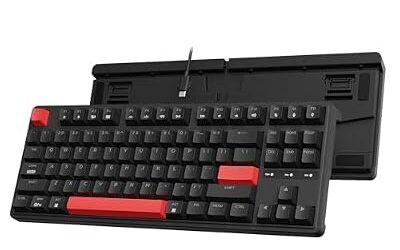
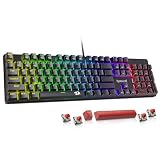
Specs the maker lists: 87-key tenkeyless layout · mechanical switches · metal-style top plate · single-color or RGB versions · wired USB.
The K552 is a long-running budget favorite. A wired-keyboard guide describes it as a compact 87-key board with a metal frame, and its value reputation is why it appears in beginner lists. Lighting software is basic and the switches are clone types, so expect fewer customization options than premium boards. It fits students and first-time mechanical buyers.
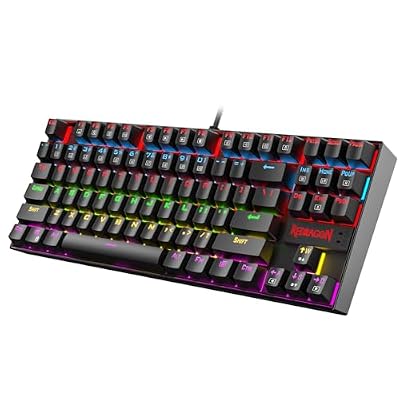
Redragon K552 Mechanical Keyboard, LED Gaming Keyboard with Red Switches | 87-Key TKL Compact, Anti-Ghosting, Metal Frame for PC Gaming & Typing, Beginner-Friendly, Redragon Classic Gaming Keyboard
Included for 'Best Backlit Keyboards in 2026 (White, RGB and Per-Key Lighting)' as a representative home product in this roundup; selection reflects the product set returned for this topic.
View on AmazonLogitech G213 Prodigy – Best for Budget Zone RGB
Specs the maker lists: full-size layout · membrane keys · five-zone RGB lighting · media controls · wired USB.
The G213 is an older Logitech design that remains available. It is a membrane board, so it is quieter than a mechanical one, and its lighting is zone-based rather than per-key. It is a sensible pick for someone who wants color on a limited budget and does not care about switches. If you want a mechanical upgrade from Logitech, look at its newer G-series boards.

Logitech G213 Prodigy Gaming Keyboard, Wired Keyboard – Black | Mech-Dome Keys, Palm Rest, Adjustable Feet, Media Controls, LIGHTSYNC RGB, USB, Compatible with Windows
Included for 'Best Backlit Keyboards in 2026 (White, RGB and Per-Key Lighting)' as a representative home product in this roundup; selection reflects the product set returned for this topic.
View on AmazonBest Glowing Keyboards for ASUS Setups
Buyers who search for best ASUS RGB keyboards usually want lighting that syncs with an ASUS motherboard, graphics card or laptop. The ROG keyboard line is built around Aura Sync through Armoury Crate, and it is worth checking the maker’s compatibility list for your hardware before buying. Any board from the lists above will still work as a normal keyboard; the sync feature simply works best when everything sits in one ecosystem.
Pick X If You Want Y
| Pick this | If you want |
|---|---|
| Logitech MX Keys S | A quiet white backlight for work and travel with multi-device switching |
| Logitech MX Mechanical | Mechanical feel in a low-profile, quiet design |
| Corsair K70 Pro TKL | Per-key RGB with a tenkeyless footprint and strong software |
| Razer BlackWidow V4 | Macro keys for MMOs and Razer ecosystem lighting |
| SteelSeries Apex Pro TKL Gen 3 | Adjustable actuation and per-key lighting |
| Keychron V3 Max | Wireless freedom and swappable switches |
| Redragon K552 | The cheapest route into a lit mechanical keyboard |
| Logitech G213 Prodigy | Color on a tight budget without mechanical switches |
Alternatives Worth Considering
- Corsair K65 Plus Wireless: a 75 percent wireless gaming board that Technobezz recommends for compact setups.
- Razer Huntsman V3 Pro TKL: an esports-focused tenkeyless board noted in 2026 roundups for fast polling.
- Keychron Q6 Ultra 8K: a full-size premium option for typists who want metal build and customization.
Fit, Size and Compatibility Notes
- Check the operating system list on the maker’s page: Logitech and Keychron state Windows, macOS and other support per model, while some gaming software is Windows only.
- Per-key lighting profiles saved in the app may not follow the keyboard to another computer unless the maker states on-board memory.
- Lighting software runs in the background. If you prefer none, choose a model with on-board effects or a plain white backlight.
- Full-size boards need more desk width; TKL and smaller layouts leave room for a mouse.
Lighting Settings That Make a Difference
Once you own a backlit board, a few settings decide whether the lighting helps or annoys. Start with brightness: a lower level is easier on the eyes in a dark room and, on wireless boards, stretches the time between charges. Next, look for an idle timeout, which turns the light off after a period without typing; several makers include it because it saves power and avoids a glowing board on an empty desk.
Effects are the second decision. Static colors are the least distracting for work. Animated waves and reactive effects look striking but can pull attention away from the screen, so many players keep a static or lightly breathing effect and save the show for screenshots. If your board supports game integrations or profile switching, set a work profile and a gaming profile so you are not changing settings by hand.
Finally, think about legibility. Keycaps with translucent legends let light shine through the symbols, while opaque caps glow only around the edges. The maker’s product images usually show which type a board uses, and shine-through legends are the main reason a glowing keyboard is easier to read at night. Keep the surface clean with a dry or lightly damp cloth, unplug a wired board before cleaning, and follow the maker’s care notes for anything that mentions liquids.
What to Skip
Be cautious with unbranded boards that advertise dozens of effects but list no switch type, no layout details and no software. Lighting is easy to add to a cheap board; build quality, key stability and a usable layout are harder. Also be wary of any listing that promises exact battery hours without saying whether the backlight was on, because that figure can differ widely once lighting is enabled. When a maker states a number, read the footnote to see the conditions.
Frequently Asked Questions
What are the best glowing keyboards for dark rooms?
The Logitech MX Keys S and Corsair K70 Pro TKL are the models most often named, one for a smart white glow and one for per-key RGB. The right choice depends on whether you want subtle visibility or full color effects. Both let you adjust brightness.
Does backlighting drain a wireless keyboard battery?
Yes, the backlight is usually the largest power draw on a wireless board. Makers publish different run-time figures with lighting on and off, and lowering brightness or using auto-dimming helps. If charging is a concern, a wired keyboard avoids it.
Is per-key RGB worth it over a single color?
Per-key RGB is worth it only if you will use profiles, game integrations or key highlighting. For night visibility alone, single-color or white lighting is simpler and often cheaper. Per-key boards also need the maker’s software to get the most from them.
What does TKL mean on an RGB keyboard?
TKL means tenkeyless, a layout with no number pad. It leaves more desk space for your mouse and is common in gaming. If you use the number pad often, pick a full-size board.
Are backlit keyboards good for MMO gaming?
They can be, especially with macro keys and per-key lighting that mark hotbar positions. The Razer BlackWidow V4 is built for that style of play. Check that the software lets you assign macros to the keys you actually use.
Do I need the maker’s software to control the lighting?
Usually yes for per-key effects, though many boards offer basic brightness and effect shortcuts directly on the keyboard. Some store profiles on board so the lighting persists without the app. Read the maker’s product page to see how your model behaves.