🛒 Best Price Today on Amazon
Prime members get fast, free shipping on everything above, plus member-only deals. New members get a 30-day free trial — cancel anytime.
- Quick Verdict: Which Xbox Charging Station Is Worth Buying?
- Quick Comparison Table
- How We Selected the Best Xbox Controller Charging Stations
- Best Xbox Controller Rechargeable Battery Charger Stations Reviewed
- Buying Guide: How to Choose an Xbox Controller Charging Station
- Frequently Asked Questions
- Final Verdict
Finding the best Xbox controller rechargeable battery charger station means comparing more than battery capacity. A dependable charging dock should fit your controller, maintain consistent charging contact, provide clear status indicators, and keep your gaming area organized without requiring disposable AA batteries.
Quick Verdict: Which Xbox Charging Station Is Worth Buying?
The PowerA Duo Charging Station is our leading recommendation for households using two standard Xbox wireless controllers. Its officially licensed design, included rechargeable batteries, and dedicated charging positions make it an especially practical choice for shared gaming setups.
For players using one controller, the Razer Universal Quick Charging Stand offers a more compact alternative with magnetic charging contacts and a weighted base.
The 8BitDo Ultimate Charging Dock is particularly interesting for users who prefer a modern single-controller charging solution that retains the controller’s original battery door.
No charging station is universally appropriate for every Xbox controller. The standard Xbox Wireless Controller, Xbox Elite Series 2, and third-party controllers have different power arrangements. Identifying your controller model before purchasing is essential.
Quick Comparison Table
| Charging Station | Best For | Controllers Charged | Charging Approach |
|---|---|---|---|
| PowerA Duo Charging Station | Best overall | 2 | Included rechargeable batteries |
| Razer Universal Quick Charging Stand | Premium single controller | 1 | Magnetic charging contacts |
| 8BitDo Ultimate Charging Dock | Modern single dock | 1 | Wireless charging system |
| 8BitDo Charging Dock | Compact setup | 1 | Magnetic contacts |
| Venom Twin Docking Station | Two-controller households | 2 | Rechargeable battery dock |
| PowerA Charging Stand | Traditional single dock | 1 | Charge-through battery door |
| Fosmon Dual Controller Charging Station | Budget dual charging | 2 | Battery-pack charging contacts |
Compatibility and included batteries vary by product revision. Verify the exact Xbox generation supported before ordering.
How We Selected the Best Xbox Controller Charging Stations
Charging Reliability Matters More Than Maximum Claimed Capacity
A gaming controller charging dock has one essential responsibility: consistently recharge the controller between sessions.
Battery capacity is useful information, but it does not independently establish how many hours a player will get. Runtime also depends on the controller’s power consumption, connected accessories, headset usage, vibration settings, battery condition, and actual usable battery energy.
A larger mAh number is not automatically better when comparing batteries with different chemistries or nominal voltages.
For example, a 1,000mAh lithium battery and a 1,100mAh NiMH battery cannot be compared accurately using capacity alone. Battery energy, measured in watt-hours, is a more meaningful comparison when the voltage differs.
That is why our evaluation gives greater weight to reliable charging, supported controllers, electrical protection, and everyday convenience than to exaggerated battery-life advertising.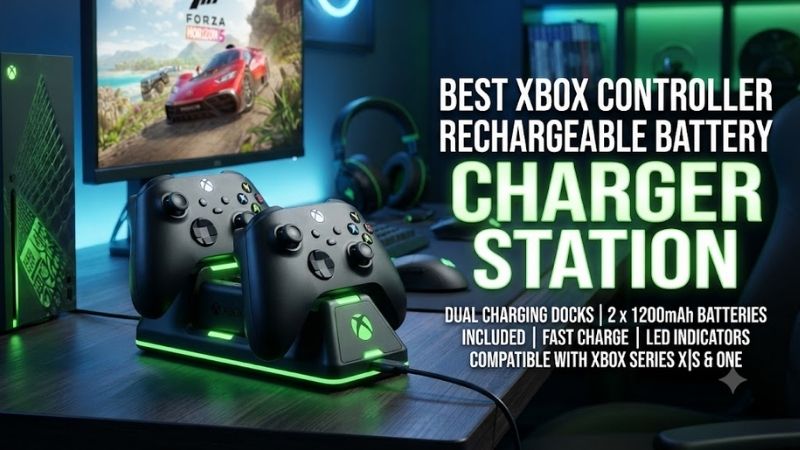
Controller Compatibility Is a Critical Purchasing Requirement
Most standard Xbox Wireless Controllers use removable AA batteries. Charging stations designed for these controllers typically replace the batteries with rechargeable packs.
Some also require a replacement battery door containing exposed charging contacts.
The Xbox Elite Wireless Controller Series 2 uses a different internal rechargeable battery arrangement. Ordinary Xbox docking stations are generally not compatible unless explicitly designed to support it.
Third-party controllers introduce additional variation. Some use removable packs, while others have integrated batteries or wired-only connections.
A product claiming compatibility with Xbox Series X|S does not necessarily work with every controller that can connect to those consoles.
Dock Design Affects Daily Convenience
A well-designed dock should make it easy to return the controller to its charging position without carefully aligning exposed connectors every time.
Magnetic contacts, shaped controller supports, and stable bases can make daily charging more convenient.
Status indicators are also useful because they provide visual confirmation that charging has started.
However, a light changing color does not prove battery health or long-term durability. Those characteristics require independent testing.
We therefore consider physical placement, charging contact design, and manufacturer documentation rather than assuming that more decorative lighting indicates better charging performance.
Best Xbox Controller Rechargeable Battery Charger Stations Reviewed
PowerA Duo Charging Station — Best Overall for Two Controllers
Best For: Xbox Series X|S and Xbox One households using two standard wireless controllers.
Design and Included Accessories
The PowerA Duo Charging Station addresses one of the most common Xbox charging problems: keeping two controllers ready without repeatedly replacing AA batteries.
The manufacturer includes two rechargeable NiMH battery packs and four charge-through battery doors. Two doors are intended for Xbox Series X|S controllers, while the other two support Xbox One controllers.
This is more practical than a dual dock that requires buyers to find compatible battery packs separately.
The station also includes a dedicated AC charging arrangement, so it does not need to occupy one of the console’s USB ports.
For users with multiple USB accessories, preserving those ports can be a meaningful advantage.
Charging Performance and Everyday Use
The primary benefit is predictable overnight or between-session charging.
A player can return each controller to its assigned position after finishing a game. The dock’s LED indicators communicate charging status, reducing uncertainty about whether the battery is receiving power.
Because the unit uses removable rechargeable packs, battery life depends on the age and condition of those packs.
Over time, rechargeable batteries gradually lose capacity. That does not necessarily indicate a fault with the station itself.
A major advantage of removable batteries is that they can potentially be replaced without discarding the entire controller.
However, buyers should check replacement-pack availability and compatibility before assuming a dock will be economical indefinitely.
Who Benefits Most?
The PowerA Duo makes the most sense in living rooms where two people regularly play together or where one person alternates between controllers.
It is less compelling for players who exclusively use one controller and prefer a minimal desktop setup.
It is also not the right solution for someone looking to recharge an Xbox Elite Series 2 using the controller’s integrated charging arrangement.
Pros
-
Officially licensed Xbox accessory
-
Charges two standard controllers
-
Includes two rechargeable battery packs
-
Includes battery doors for two Xbox generations
-
Uses dedicated AC power
-
LED charging indicators
-
Two-year limited manufacturer warranty
Cons
-
Larger footprint than a single dock
-
Requires installation of included battery packs
-
Not a universal solution for all Xbox controllers
-
Replacement battery compatibility must be checked
Buy If: You own two standard Xbox wireless controllers and want one convenient charging location.
Skip If: You own an Elite Series 2 or only need to charge one controller.
Razer Universal Quick Charging Stand — Best Premium Single-Controller Dock
Best For: Players who want one attractive, compact charging stand.
Magnetic Charging Contact Design
The Razer Universal Quick Charging Stand is designed around the convenience of placing a controller into a dedicated cradle.
Its magnetic contact arrangement helps position the controller for charging, while the weighted base helps keep the stand stable.
This can be particularly convenient on desks where controllers are used frequently and then returned to the same position.
Unlike an ordinary charging cable, the stand also acts as a display location for the controller.
That dual function makes it attractive for players who prefer a carefully organized gaming setup.
Battery and Charging Specifications
Razer specifies an included 1,100mAh rechargeable battery and advertises a full charging time of less than three hours under its stated conditions.
The stand also incorporates overcharge protection and a charging indicator.
Its indicator changes between charging and completed states, allowing users to identify whether the controller is ready.
The advertised charging time should not be treated as a guarantee under every electrical and battery condition.
Battery aging, power supply characteristics, and charging temperature may affect actual results.
The charging stand uses USB power, so buyers should also consider where the cable will connect.
Compatibility and Limitations
Razer’s documented compatibility covers first-party Xbox One and Xbox Series X|S wireless controllers, excluding the Xbox Elite Series 2.
The included battery and appropriate battery door must be installed before charging.
It should not be assumed compatible with unrelated third-party controllers or Razer’s wired Wolverine controller family.
Pros
-
Magnetic contact system
-
Stable weighted base
-
Compact single-controller layout
-
Included rechargeable battery
-
Clear charge-status indicator
-
Multiple finishes
-
Manufacturer-documented charging protection
Cons
-
Charges only one controller
-
Requires compatible first-party hardware
-
Cannot charge the Elite Series 2
-
Decorative design may cost more than basic alternatives
Buy If: You want a dedicated, attractive charging station for one standard Xbox controller.
Skip If: You need simultaneous charging for two or more controllers.
8BitDo Ultimate Charging Dock — Best Modern Single-Controller Charging System
Best For: Players seeking convenient dock charging while retaining the original battery door.
What Makes This Dock Different?
The 8BitDo Ultimate Charging Dock differs from older contact-based designs by using a charging system that does not require exposed charging pins on a replacement controller battery door.
The manufacturer describes its design as wireless charging for the compatible rechargeable battery pack.
For everyday use, this simplifies the appearance of the controller and allows users to keep the original battery door.
This matters for owners of special-edition controllers who want to preserve the original exterior rather than replacing a matching battery cover with a generic one.
Battery Technology and Charging Behavior
The Ultimate Charging Dock includes a rechargeable 1,000mAh semi-solid lithium battery pack.
8BitDo lists an approximate charging time of 3.5 hours.
The company also documents electrical protections covering conditions such as overcurrent, overvoltage, and overheating.
Those published protection features are reassuring, although they should not be interpreted as independent evidence that the dock is safer than every alternative.
The charging dock uses passive cooling rather than a fan.
For a compact controller charging accessory, passive operation avoids fan noise and additional moving parts.
Practical Advantages and Trade-Offs
The main advantage is the combination of a tidy charging location and an included rechargeable battery.
However, the dock charges only one controller.
It also uses a proprietary compatible battery arrangement rather than ordinary rechargeable AA cells.
Buyers should consider long-term replacement battery availability, particularly if they plan to keep the dock for several years.
Pros
-
Wireless charging arrangement
-
Retains original controller battery door
-
Included rechargeable lithium pack
-
Compact dock design
-
Manufacturer-documented charging safeguards
-
Official Xbox licensing
Cons
-
Single-controller charging
-
Proprietary compatible battery required
-
Not a universal AA battery charger
-
Replacement-pack availability matters
Buy If: You want a clean, modern single-controller dock and value keeping your original battery door.
Skip If: You prefer interchangeable standard rechargeable AA batteries.
8BitDo Charging Dock for Xbox Wireless Controllers — Best Compact Magnetic Alternative
Best For: Players who want a straightforward, compact magnetic-contact dock.
Physical Design and Charging Operation
The original 8BitDo Charging Dock provides a simple alternative to larger dual-controller stations.
Its design uses magnetic charging contacts and a dedicated rechargeable battery pack.
The manufacturer supplies battery doors for Xbox One and Xbox Series X|S controllers, accommodating differences between those controller generations.
Unlike the newer Ultimate Charging Dock, this model relies on its specified magnetic contact arrangement rather than the updated wireless charging approach.
That distinction is important because similarly named products may use different charging technologies.
Battery Capacity and Performance Expectations
8BitDo specifies a 1,100mAh rechargeable NiMH battery and approximately three hours of charging time.
The included pack is appropriate for replacing disposable AA batteries in supported controllers.
However, buyers should not interpret the capacity as a guaranteed number of gaming hours.
Runtime depends on the actual electrical requirements of the controller and its accessories.
The dock also includes ambient lighting and charging protection features.
Lighting may contribute to the appearance of a gaming setup, but its practical value is secondary to reliable charging and compatibility.
Is It Still Worth Buying?
This dock remains an appealing choice when available at a competitive price.
However, users should compare it directly against the newer Ultimate version before buying.
The older model may be perfectly adequate for charging a standard controller, while the newer model has a different battery and charging-contact design.
Pros
-
Compact structure
-
Magnetic charging contacts
-
Included rechargeable NiMH battery
-
Battery doors for supported Xbox generations
-
Approximately three-hour advertised charge
-
Ambient lighting
Cons
-
Charges one controller
-
Requires compatible replacement battery door
-
Older charging arrangement
-
Not suitable for every Xbox controller model
Buy If: You want a compact charger and prefer a conventional magnetic-contact design.
Skip If: You specifically want to retain the controller’s original battery door.
Venom Twin Docking Station — Best Alternative Dual-Controller System
Best For: Families and casual gamers comparing dual charging stations.
Controller Storage and Charging Convenience
The Venom Twin Docking Station is another dual-controller charging option designed to keep compatible Xbox controllers in a dedicated storage position.
A two-position charger can be useful when gaming equipment is shared or when players maintain a second controller as a backup.
Instead of leaving controllers connected to separate charging cables, users can establish one consistent location for charging and storage.
This reduces cable clutter around a television stand or desk.
Battery Packs and Compatibility
Venom offers different docking-station versions for Xbox controller generations.
This makes model selection particularly important.
Buyers should verify that the selected package includes the correct rechargeable packs and battery covers for their exact controller generation.
An older Xbox One docking package should not automatically be assumed compatible with every Xbox Series X|S controller.
Similarly, advertised dual charging does not mean the dock will recharge an Elite Series 2 or an unrelated third-party controller.
Value Compared With PowerA
The Venom is worth considering when its supported controller compatibility, warranty, and included accessories match the buyer’s needs.
However, the PowerA Duo has an advantage for buyers who prioritize explicitly documented official Xbox licensing and clearly identified battery-door compatibility.
Venom’s appeal depends heavily on the exact regional model being sold.
Pros
-
Two-controller charging arrangement
-
Useful for shared gaming setups
-
Convenient controller storage
-
Rechargeable battery-pack options
-
Reduces separate charging cables
Cons
-
Multiple regional and generation-specific versions
-
Package contents require verification
-
Compatibility cannot be assumed from the name alone
-
Replacement batteries may be model-specific
Buy If: You want a dual charging station and find a verified version compatible with your controllers.
Skip If: You cannot confirm the product revision or included battery accessories.
PowerA Charging Stand — Best Traditional Single-Controller Stand
Best For: Players who prefer a simple, established charging design.
Snap-Down Charging Mechanism
The PowerA Charging Stand is designed to charge and display one compatible Xbox controller.
Its snap-down operation provides a defined charging position rather than leaving the controller connected to a loose cable.
PowerA’s design allows the controller to be positioned for charging and then stored when charging is complete.
For users who prefer an uncomplicated accessory, this is a practical approach.
What Comes in the Package?
The Xbox One Charging Stand documentation identifies a rechargeable battery pack, charge-through battery door, USB charging cable, and the stand itself.
Because this is an older product family, buyers should check the exact version rather than assuming identical compatibility with newer controllers.
The stand’s strongest use case is maintaining an established Xbox One setup where the controller and matching accessories are already known.
Should You Buy It Instead of a Newer Dock?
The older PowerA stand can make sense when purchased for a compatible controller at a favorable price.
However, a buyer starting with an Xbox Series X|S controller may be better served by a currently supported charging product that explicitly identifies the correct battery door.
Pros
-
Simple single-controller charging
-
Dedicated controller storage
-
Rechargeable battery included in documented package
-
Charge-through battery door
-
Straightforward operation
Cons
-
Older controller-generation focus
-
Compatibility must be checked carefully
-
Less flexible than a dual station
-
May be difficult to justify over newer designs
Buy If: You own a supported Xbox One controller and want a straightforward charging stand.
Skip If: You need confirmed support for newer or specialized controllers.
Fosmon Dual Controller Charging Station — Best Budget Dual-Dock Alternative
Best For: Price-conscious buyers willing to verify the exact package carefully.
Charging Arrangement
Fosmon offers dual-controller charging solutions using rechargeable battery packs and dedicated controller positions.
The main attraction is convenience: two controllers can be stored and charged without separate cables.
For occasional gaming households, this arrangement may be sufficient without purchasing a more elaborate accessory.
However, the precise specifications vary by Fosmon product version.
Battery Packs and Charging Indicators
When comparing Fosmon listings, buyers should check whether the package includes two rechargeable batteries, compatible battery doors, and charging-status indicators.
It is also important to distinguish between the rechargeable capacity advertised for one battery and the combined capacity of the package.
A listing that mentions a large total capacity may be referring to both battery packs together.
Treat unverified charging-time and battery-runtime claims cautiously.
Long-Term Ownership
A lower initial purchase price does not necessarily mean lower long-term cost.
Battery replacement availability, compatibility with future controllers, and warranty support may matter more than a small difference in purchase price.
The Fosmon is therefore best considered a budget alternative rather than a guaranteed replacement for a better-documented licensed product.
Pros
-
Dual-controller charging format
-
Potentially economical package
-
Can reduce charging cable clutter
-
Convenient for occasional multiplayer households
Cons
-
Specifications differ by product revision
-
Battery capacity claims need careful interpretation
-
Controller compatibility must be verified
-
Long-term replacement-pack support may vary
Buy If: You want an affordable dual charger and can confirm the exact product specifications.
Skip If: You prefer fully documented manufacturer specifications and official licensing.
Buying Guide: How to Choose an Xbox Controller Charging Station
Understand Xbox Controller Battery Compatibility
Before comparing charging stations, identify the exact controller being used.
Standard Xbox Series X|S wireless controllers normally accept removable AA batteries.
A rechargeable dock designed for these controllers usually replaces the AA cells with its own rechargeable battery pack.
Xbox Elite Series 2 controllers have an integrated rechargeable battery. They require an appropriate charging solution rather than ordinary replacement AA packs.
Third-party controllers may use different connections, internal batteries, or proprietary charging accessories.
This distinction can prevent one of the most common purchasing mistakes: buying a visually appealing dock that physically cannot recharge the controller.
Compare Single and Dual Charging Stations
Single charging stations are appropriate when one controller is used almost exclusively.
They generally occupy less space and can be positioned beside a monitor or console.
Dual stations are more useful for multiplayer households or gamers who maintain a backup controller.
However, buying a dual dock for one controller adds little functional value unless another controller is likely to be purchased.
The correct choice depends on controller usage rather than charging capacity alone.
Look Beyond Battery Capacity
A rechargeable battery’s mAh rating describes electrical charge capacity, not the exact amount of usable energy.
Battery voltage is also relevant.
For example, multiplying nominal voltage by amp-hours provides an approximate watt-hour figure.
That makes energy comparisons more meaningful when evaluating different battery technologies.
Even then, controller runtime depends on power consumption, battery efficiency, temperature, and battery condition.
Avoid choosing a charging station based solely on the largest advertised mAh number.
Consider Replacement Batteries and Long-Term Costs
Rechargeable battery packs do not last forever.
With repeated charging and discharge cycles, usable capacity decreases.
A charging station with replaceable batteries may therefore provide better long-term flexibility than one with difficult-to-source proprietary components.
Before buying, consider whether matching battery packs are sold separately.
Also examine whether the manufacturer offers warranty assistance when the charging station stops operating correctly.
Evaluate Charging Status Indicators
A useful charging indicator should clearly distinguish between active charging and completed charging.
Some docks use changing light colors, while others rely on multiple LEDs or illuminated bars.
Neither design is automatically superior.
The important question is whether the charging status is easy to recognize from a normal seated position without requiring the player to inspect the controller closely.
Avoid Common Charging Mistakes
Do not insert ordinary alkaline AA batteries into a charging system designed for rechargeable battery packs.
Do not assume USB-C connectivity means that every controller can be charged through the same dock.
Avoid mixing battery packs and charging docks from unrelated manufacturers unless compatibility is explicitly supported.
If a dock becomes unusually hot, displays fault indications, or repeatedly fails to charge a compatible battery, stop using it until the cause is identified.
Frequently Asked Questions
What is the best Xbox controller rechargeable battery charger station for two controllers?
The PowerA Duo Charging Station is a strong choice for two supported standard Xbox wireless controllers. It includes rechargeable packs and appropriate battery-door options.
Can Xbox Series X|S controllers use rechargeable AA batteries?
Yes. Standard controllers can use compatible rechargeable AA batteries, but the cells should be charged using an appropriate AA charger rather than assuming a controller dock supports them.
Can I charge an Xbox Elite Series 2 on a normal Xbox controller dock?
Generally, no. The Elite Series 2 has a different internal battery arrangement and requires a compatible charging solution.
Are magnetic charging docks better?
Magnetic contacts can make controller placement more convenient, but charging performance also depends on the battery, charging electronics, and contact reliability.
Is a dual charging station worth it for one controller?
Usually not. A single dock often provides better space efficiency unless a second controller is expected.
Do rechargeable battery packs wear out?
Yes. Rechargeable batteries gradually lose capacity through age, temperature exposure, and charge cycles.
Is it safe to leave a controller on its charging dock?
Use the dock according to its manufacturer’s instructions. Protection circuitry is valuable, but it does not eliminate the need to monitor damaged batteries or malfunctioning accessories.
Why is my controller not charging on the dock?
Common causes include an incorrectly installed battery pack, the wrong battery door, misaligned contacts, inadequate power, or controller incompatibility.
Final Verdict
The best xbox controller rechargeable battery charger station depends on controller compatibility and how many gamepads you use. PowerA Duo is ideal for two standard controllers, Razer delivers a convenient premium single dock, and 8BitDo offers modern charging alternatives. Verify battery compatibility before purchasing.