🛒 Best Price Today on Amazon
Prime members get fast, free shipping on everything above, plus member-only deals. New members get a 30-day free trial — cancel anytime.
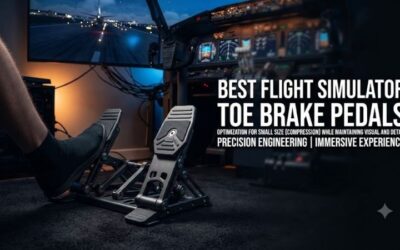
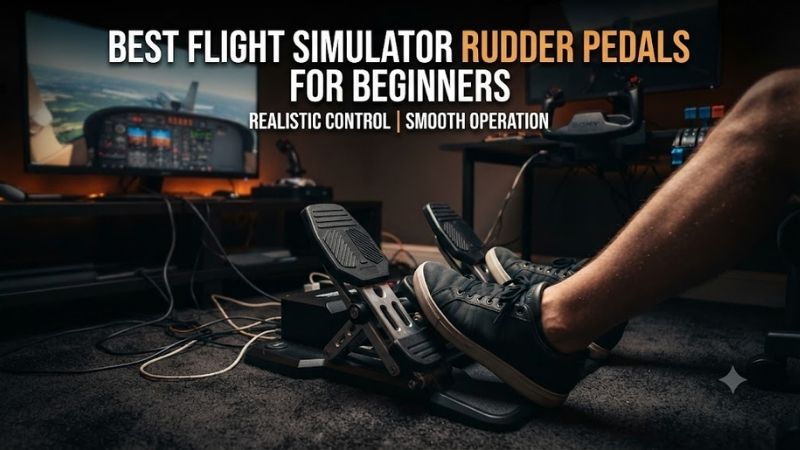
The best flight simulator rudder pedals for beginners should make coordinated turns, crosswind landings, and ground steering easier to manage without requiring an expensive cockpit. A dedicated pedal set separates rudder input from the joystick or yoke, while independent toe brakes improve aircraft control during taxiing. This roundup compares six real pedal systems for different budgets, aircraft types, and PC or console setups.
Quick Verdict
Best Overall Beginner Value: Thrustmaster T.Flight Rudder Pedals (TFRP). A compact entry point with independent toe brakes and a sliding rudder mechanism.
Best for PC General Aviation: Logitech G Flight Rudder Pedals. Adjustable centering resistance and independent brakes make them suitable for pilots using conventional yokes.
Best Adjustable Upgrade: Turtle Beach VelocityOne Rudder. Adjustable pedal width, interchangeable footplates, and contactless sensors offer considerable flexibility.
Best for Limited Floor Space: VKB T-Rudders Mk.V. A compact alternative for pilots who do not require physical toe brakes.
Microsoft Flight Simulator’s official peripheral guide identifies Thrustmaster and Logitech as entry-level pedal options and places Turtle Beach, Honeycomb, and other advanced systems at higher price levels.
Quick Comparison Table
| Product | Toe Brakes | Main Advantage | Best For |
|---|---|---|---|
| Thrustmaster TFRP | Yes | Compact and accessible | Best budget |
| Logitech G Flight Rudder Pedals | Yes | Adjustable resistance | Best overall PC beginner |
| Turtle Beach VelocityOne Rudder | Yes | Adjustable geometry | Upgrade |
| Honeycomb Charlie Rudder Pedals | Yes | Metal frame and contactless sensing | Premium GA |
| VKB T-Rudders Mk.V | No | Small footprint | Compact helicopter setup |
| MFG Crosswind V3 | Yes | Extensive mechanical adjustment | Long-term upgrade |
How We Selected These Rudder Pedals
We evaluated beginner usability, toe-brake functionality, floor-space requirements, mounting stability, sensor design, and platform compatibility.
Three-axis pedal systems provide one rudder axis and two separate brake axes. This is especially useful for fixed-wing aircraft that use differential toe braking.
A single-axis pedal system can still be effective for helicopters and certain aircraft, but beginners should understand that it does not include physical left and right toe brakes.
We did not assume that console compatibility follows automatically from a USB connector. Xbox and PlayStation setups often require approved intermediate controllers.
Detailed Product Recommendations
1. Thrustmaster T.Flight Rudder Pedals — Best Budget Entry
Best For: New pilots seeking dedicated rudder and toe-brake controls.
Why We Picked It: The TFRP offers the main functions needed for fixed-wing simulation in a relatively compact and approachable package.
Key Specifications
-
Product: Thrustmaster TFRP
-
Rudder axis
-
Two independent toe-brake axes
-
S.M.A.R.T. sliding rail system
-
Adjustable footrests
-
PC support
-
Console compatibility through selected Thrustmaster flight controllers
Features and Practical Performance
The sliding mechanism allows the left and right pedals to move in opposite directions.
This provides dedicated yaw control instead of relying on a joystick twist axis.
Separate toe brakes are valuable during taxiing and landing rollout because pilots can control left and right wheel braking independently.
The compact arrangement makes it suitable for a desk-based flight simulator.
However, its relatively narrow pedal spacing may feel less natural to some users.
Pros: Three-axis control, compact design, beginner-friendly installation.
Cons: Plastic construction, narrower stance, limited premium adjustments.
Buy If: You want affordable rudder controls with physical toe brakes.
Skip If: You need a heavy metal cockpit assembly.
2. Logitech G Flight Rudder Pedals — Best Overall for PC Beginners
Best For: Windows PC pilots who want conventional rudder pedals with adjustable tension.
Why We Picked It: Logitech combines independent toe brakes with an adjustable centering resistance dial.
Key Specifications
-
Rudder axis
-
Independent left and right toe brakes
-
Adjustable rudder resistance
-
USB connection
-
Adjustable footrests
-
Windows PC compatibility
Features and Practical Performance
Adjustable resistance makes the Logitech pedals particularly approachable.
Beginners can experiment with pedal effort and find a setting that allows smooth inputs without feeling excessively loose.
The toe brakes make them suitable for general aviation and airliner simulation.
The product is also a natural companion to Logitech’s flight yoke system.
However, it is not necessary to own a Logitech yoke to use the pedals with supported PC simulators.
Pros: Toe brakes, adjustable tension, straightforward PC integration.
Cons: Less adjustment than premium pedals, not a standalone Xbox USB solution.
Buy If: You fly general aviation aircraft or airliners on a Windows PC.
Skip If: Your primary goal is a compact toe-brake-free helicopter setup.
3. Turtle Beach VelocityOne Rudder — Best Adjustable Mainstream Upgrade
Best For: Beginners who expect to keep the same pedals as their simulator setup expands.
Why We Picked It: VelocityOne Rudder offers extensive mechanical adjustments and contactless sensing.
Key Specifications
-
Hall-effect sensors
-
Independent toe brakes
-
Adjustable pedal width
-
Interchangeable pedal styles
-
Adjustable rudder resistance
-
USB PC connectivity
-
Xbox support through compatible VelocityOne equipment
Features and Practical Performance
The adjustable width allows the user to find a comfortable stance.
Different footplate styles also accommodate different simulation preferences.
The contactless sensors reduce reliance on traditional potentiometer contact surfaces.
However, sensor technology does not eliminate the need for proper calibration and a stable pedal installation.
The main complication is Xbox connectivity.
Users must follow the supported VelocityOne connection arrangement rather than assuming direct console USB operation.
Pros: Adjustable geometry, toe brakes, contactless sensing.
Cons: Larger and more expensive than entry-level pedals; Xbox connection dependency.
Buy If: You want pedals that can remain useful through future upgrades.
Skip If: You have limited space beneath the desk.
4. Honeycomb Charlie Rudder Pedals — Best Premium General Aviation Option
Best For: Flight simulation enthusiasts building a realistic general aviation cockpit.
Why We Picked It: The Charlie pedals emphasize construction quality and contactless input sensing.
Key Specifications
-
Metal frame
-
Hall-effect sensing
-
Independent toe brakes
-
Adjustable pedal angle
-
Adjustable resistance
-
USB PC connection
-
Selected console integration through compatible Honeycomb hardware
Features and Practical Performance
The Charlie pedals are intended to provide a more substantial mechanical experience than lightweight entry-level sets.
For fixed-wing pilots, the independent toe brakes are especially useful during taxiing and crosswind corrections.
The adjustable geometry also helps users position their feet appropriately.
However, the larger structure requires more floor space.
A premium pedal set may still move on a smooth floor if it is not properly secured.
Pros: Solid construction, contactless sensors, adjustable configuration.
Cons: Larger footprint, higher cost, console compatibility constraints.
Buy If: You want premium rudder pedals for long-term fixed-wing use.
Skip If: You only fly occasionally and want an inexpensive starting point.
5. VKB T-Rudders Mk.V — Best Compact Alternative
Best For: Helicopter pilots and users with limited space beneath their desks.
Why We Picked It: The T-Rudders use a compact metal mechanism with a single rudder axis.
Key Specifications
-
Product: VKB T-Rudders Mk.V
-
One analog yaw axis
-
No independent physical toe brakes
-
Metal mechanism
-
Compact floor footprint
-
USB controller interface
-
PC simulator compatibility
Features and Practical Performance
The T-Rudders differ from conventional pedals because they use a compact up-and-down movement.
This can make them easier to fit beneath a desk.
For helicopters, a dedicated yaw axis may be sufficient because ordinary helicopter anti-torque pedal operation does not use airplane-style differential toe brakes.
For general aviation, however, the missing toe brakes can be inconvenient.
Users may need to assign braking to buttons or other controls.
Pros: Compact, metal construction, suitable for helicopter-oriented use.
Cons: No independent toe-brake axes, different movement style.
Buy If: You prioritize compact yaw control.
Skip If: You want realistic fixed-wing taxi braking.
6. MFG Crosswind V3 — Best Long-Term Upgrade
Best For: Beginners willing to invest in pedals that support substantial future adjustment.
Why We Picked It: Crosswind V3 provides a configurable cam-based mechanism, toe brakes, and extensive mechanical adjustment.
Key Specifications
-
Rudder axis
-
Independent toe brakes
-
Contactless sensing
-
Adjustable cam profiles
-
Adjustable spring tension
-
Interchangeable footplate options
-
Optional damping accessory
Features and Practical Performance
The Crosswind V3 offers considerable control over pedal feel.
Users can adjust spring resistance and mechanical response according to aircraft preference.
This is especially valuable for pilots who alternate between airliners, general aviation, and combat aircraft.
However, such flexibility introduces setup complexity.
Beginners may spend time experimenting with settings before finding a comfortable arrangement.
The pedals also benefit from secure floor mounting.
Pros: Extensive adjustability, toe brakes, long-term upgrade potential.
Cons: More expensive, larger installation requirements, additional configuration.
Buy If: You want a pedal set that can evolve with a dedicated cockpit.
Skip If: You prefer a simple plug-in entry-level device.
Buying Guide: Choosing Beginner Rudder Pedals
Understand Rudder Versus Toe Brakes
The rudder controls aircraft yaw.
Toe brakes control wheel braking on aircraft equipped with that system.
A pedal set with toe brakes normally offers three analog axes.
A single-axis pedal arrangement cannot provide independent physical left and right braking without another input device.
Check Your Platform
Many USB rudder pedals work directly with supported PC simulators.
Console compatibility is more restrictive.
Some products require connection through an approved yoke or joystick.
Verify the entire control chain before buying.
Measure Floor Space
Pedals need room to move.
Also consider chair position, desk support bars, and cable routing.
A pedal set that fits beneath a desk may still be uncomfortable if the pilot cannot extend their legs naturally.
Keep the Pedals Stable
A pedal set that slides across the floor makes control less predictable.
Use the manufacturer’s recommended mounting or anti-slip arrangement.
For premium pedals with substantial resistance, a fixed cockpit plate may be preferable.
Calibrate Rudder and Brakes Separately
Check that pressing the right pedal produces the expected rudder direction.
Verify that each toe brake responds independently.
Incorrect axis inversion can cause unexpected steering or braking during taxiing.
Start With Moderate Sensitivity
Avoid extremely aggressive sensitivity settings.
Use smooth control curves and adjust gradually.
The objective is predictable input near the center, especially during final approach.
Frequently Asked Questions
Do beginners need rudder pedals?
Not strictly, but dedicated pedals improve realism and free the hands from twist-axis yaw control.
Are toe brakes important?
Yes for many fixed-wing aircraft, particularly during taxiing and landing rollout.
Can I use rudder pedals without a yoke?
Yes. A joystick and rudder pedal combination is common.
Do more expensive pedals improve flight-simulator graphics?
No. They change physical control quality, not visual rendering.
Are VKB T-Rudders suitable for airliners?
They can provide rudder control, but their lack of physical toe brakes makes them less complete for airliner ground operations.
Conclusion
The Thrustmaster TFRP is the best budget entry among the best flight simulator rudder pedals for beginners, while Logitech G Flight Rudder Pedals provide a strong general-purpose PC option with adjustable resistance. Turtle Beach and Honeycomb offer greater flexibility, VKB suits compact helicopter-focused setups, and MFG Crosswind V3 is a premium long-term upgrade. Choose according to toe-brake needs, floor space, platform, and mounting stability.