🛒 Best Price Today on Amazon
Prime members get fast, free shipping on everything above, plus member-only deals. New members get a 30-day free trial — cancel anytime.
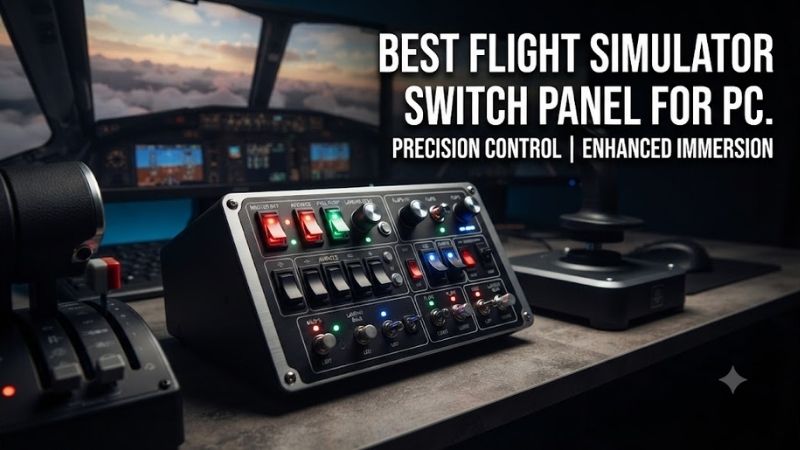
The best flight simulator switch panel for PC makes important cockpit functions accessible through physical controls instead of keyboard shortcuts and mouse clicks. Whether you fly Cessna aircraft in Microsoft Flight Simulator, combat jets in DCS World, or complex airliners in X-Plane, a well-designed switch panel can improve the consistency of cockpit interaction. This guide compares six real options based on tactile controls, USB connectivity, mounting requirements, and simulator compatibility.
Quick Verdict
Best Overall for General Aviation: Logitech G Flight Simulator Switch Panel. Its dedicated landing-gear lever, engine-start controls, and lighting switches make it an approachable choice for pilots who want realistic cockpit interaction.
Best Programmable Panel: VIRPIL VPC Control Panel #1. A broad collection of switches, buttons, and rotary controls suited to advanced aircraft mapping.
Best for Combat Aviation: VIRPIL Universal Control Panel #2. Its physical gear lever and mixed control layout are useful for DCS World pilots.
Best Modular Value: VKB GNX SEM. A compact expansion module that integrates with supported VKB equipment.
Quick Comparison Table
| Product | Control Focus | Connection | Best For |
|---|---|---|---|
| Logitech G Flight Switch Panel | Aircraft systems and landing gear | USB | Best overall GA |
| VIRPIL VPC Control Panel #1 | Programmable switches and encoders | USB | Advanced mapping |
| VIRPIL Universal Control Panel #2 | Gear lever and cockpit switches | USB | Combat aviation |
| VIRPIL VPC Control Panel #3 | Axis levers and switches | USB | Multi-engine systems |
| VKB GNX SEM | Modular switches and buttons | GNX bus or optional USB | Compact expansion |
| Honeycomb Bravo Throttle Quadrant | Switches, gear, annunciators, autopilot | USB | Integrated cockpit control |
The Honeycomb Bravo is a complete throttle quadrant with integrated switch controls, not a standalone switch-only panel. It is included because it can replace several separate desktop accessories.
How We Selected These Switch Panels
We prioritized devices with identifiable physical switches rather than ordinary keyboards or software-only button grids.
We evaluated control variety, ease of mapping, mounting requirements, supported USB arrangements, and practical suitability for specific aircraft types.
A useful switch panel should offer more than a large number of inputs.
Switch position, tactile feel, and consistency with simulator commands matter considerably.
For example, a maintained two-position toggle can behave differently from a momentary switch, even when both are assigned to the same virtual function.
Detailed Product Recommendations
1. Logitech G Flight Simulator Switch Panel — Best Overall
Best For: Beginner and intermediate pilots flying general aviation aircraft.
Why We Picked It: The Logitech panel provides several recognizable aircraft system controls in one compact module.
Key Specifications
-
Product: Logitech G Flight Simulator Switch Panel
-
USB connection
-
Engine-start rotary control
-
Aircraft lighting switches
-
Landing-gear lever
-
Gear-position indicator lights
-
Support for selected Windows flight simulators
-
Compatible Logitech mounting ecosystem
Features and Benefits
The Logitech panel addresses several operations that are common in general aviation.
Instead of using keyboard shortcuts for landing lights, taxi lights, fuel-pump functions, or engine start, pilots can operate physical controls.
The landing-gear lever also provides a distinctive tactile input.
This makes the panel useful for users who want additional immersion without constructing a full cockpit.
Performance and Practical Use
The panel is not equally representative of every aircraft.
For example, some aircraft have different engine-start procedures, electrical layouts, or landing-gear controls.
Simulator integration may also require compatible drivers or plugins.
Pros
-
Dedicated aircraft system controls.
-
Recognizable landing-gear lever.
-
Compact format.
-
Established Logitech ecosystem.
Cons
-
Fixed control layout.
-
Software integration varies.
-
Less configurable than general-purpose button boxes.
Buy If: You want a straightforward physical switch panel for general aviation.
Skip If: You need extensive custom controls for many complex military aircraft.
2. VIRPIL VPC Control Panel #1 — Best Programmable Switch Panel
Best For: Experienced pilots who want a versatile panel for different aircraft.
Why We Picked It: Control Panel #1 combines multiple switch types, rotary controls, and programmable buttons.
Key Specifications
-
Twelve RGB programmable buttons
-
Six momentary toggle switches
-
Two maintained toggle switches
-
Two covered toggle switches
-
Three rotary encoders
-
Two rotary axis controls
-
USB connection
-
VIRPIL configuration software
Features and Benefits
The panel’s main strength is tactile variety.
A pilot can assign a covered toggle to a critical aircraft function while using rotary encoders for incremental settings.
Programmable buttons can handle other tasks such as communications, camera control, or cockpit systems.
This makes the panel especially useful for pilots who fly several different aircraft.
Performance and Practical Use
The main disadvantage is configuration complexity.
Unlike Logitech’s dedicated switch panel, the VIRPIL device does not automatically assign one fixed aircraft function to every control.
Users must build their own mappings.
That flexibility is valuable but requires careful organization.
Pros
-
Large number of programmable controls.
-
Several distinct control types.
-
Suitable for complex aircraft.
-
Configurable software.
Cons
-
Requires initial setup.
-
More expensive and complex than basic panels.
Buy If: You want extensive control customization.
Skip If: You prefer a panel with mostly predefined functions.
3. VIRPIL Universal Control Panel #2 — Best for Combat Aviation
Best For: DCS World and other military flight simulator users.
Why We Picked It: Control Panel #2 adds a substantial landing-gear lever alongside numerous tactile controls.
Key Specifications
-
Ten RGB buttons
-
Ten toggle switches
-
Three rotary encoders
-
Multi-position landing-gear lever
-
USB connection
-
Configurable LED indicators
-
VIRPIL mounting compatibility
Features and Benefits
The dedicated landing-gear lever provides a distinctive mechanical interaction.
It can be particularly useful for combat-aircraft simulation where gear operation is a prominent cockpit function.
The other switches can be assigned to lighting, aircraft systems, and communication functions.
Its varied physical layout helps users identify controls through muscle memory.
Performance and Practical Use
The gear lever should not be assumed to function identically with every aircraft.
Some simulators expose separate gear-up and gear-down commands.
Others use a simple toggle command.
Correct mapping is necessary to avoid mismatch between physical and virtual positions.
Pros
-
Dedicated gear lever.
-
Many tactile inputs.
-
Programmable lighting.
-
Suitable for complex simulator setups.
Cons
-
Requires software mapping.
-
More physical space than compact modules.
Buy If: You want a realistic control panel for combat aviation.
Skip If: You only fly aircraft without retractable landing gear.
4. VIRPIL VPC Control Panel #3 — Best for Additional Axis Controls
Best For: Pilots who need extra analog levers as well as physical switches.
Why We Picked It: Control Panel #3 includes multiple axis levers, distinguishing it from switch-only devices.
Key Specifications
-
Four axis levers
-
Ten RGB switch inputs
-
Three push buttons
-
Ten toggle switches
-
Two rotary encoders
-
Five-position mode selector
-
PC-compatible USB arrangement
Features and Benefits
The additional levers make this panel especially interesting for multi-engine or specialized aircraft.
They can be assigned to functions that benefit from continuous axis control rather than discrete button presses.
For example, compatible simulators may allow the levers to control selected engine or aircraft system functions.
The separate switches handle other cockpit operations.
Performance and Practical Use
Not every aircraft exposes a continuous axis for every intended function.
Some virtual controls only accept discrete increments or on/off commands.
Before purchasing, verify that the simulator can map the required lever movements.
Pros
-
Several analog axes.
-
Large programmable input collection.
-
Useful for complex aircraft.
Cons
-
More demanding configuration.
-
Physical space and mounting requirements.
Buy If: You want a switch panel that also provides extra analog controls.
Skip If: You only need a few lighting or landing-gear switches.
5. VKB GNX SEM — Best Modular Value
Best For: VKB users adding a compact physical switch module.
Why We Picked It: The GNX SEM provides several control types without requiring a large standalone desktop panel.
Key Specifications
-
Rotary selector
-
Two multifunction axes
-
Two K-switches with push-button functionality
-
Seven push buttons
-
Eight programmable dual-color LEDs
-
GNX bus connection
-
Optional standalone USB controller
Features and Benefits
The SEM is useful for creating a compact cluster of aircraft controls.
Its rotary switch can handle mode selection, while the buttons and multifunction switches support other cockpit functions.
The product is particularly attractive when added to an existing VKB Gladiator system.
Performance and Practical Use
The most important purchasing consideration is connectivity.
The SEM may require a compatible VKB base or an additional GNX USB Controller.
Users should also verify mounting requirements, since the module is designed around the VKB expansion ecosystem.
Pros
-
Compact construction.
-
Multiple control types.
-
Modular expansion.
-
Programmable lighting.
Cons
-
May require an additional USB controller.
-
Less suitable as a universal standalone panel.
Buy If: You already use compatible VKB hardware.
Skip If: You need one complete independent USB switch panel.
6. Honeycomb Bravo Throttle Quadrant — Best Integrated Alternative
Best For: General aviation and airliner pilots who want several flight controls in one desktop unit.
Why We Picked It: The Bravo combines engine levers with autopilot controls, configurable switches, landing-gear control, and annunciators.
Key Specifications
-
Six configurable throttle axes
-
Seven assignable switches
-
Fourteen indicator lights
-
Landing-gear lever
-
Autopilot controls
-
Flap and trim functions
-
USB connection
-
PC and supported additional-platform configurations
Features and Benefits
The Bravo is useful when a builder wants to reduce the number of separate accessories.
Instead of purchasing a throttle quadrant, autopilot controller, switch panel, and gear lever independently, users can obtain several of those functions in one device.
The interchangeable lever handles also support different aircraft configurations.
Performance and Practical Use
The Bravo is not a dedicated switch-only product.
It occupies more desk space than a compact control panel and may duplicate equipment a user already owns.
Some aircraft-specific functionality also requires simulator configuration.
Pros
-
Multiple control categories in one device.
-
Physical autopilot and gear controls.
-
Configurable throttle arrangement.
-
Useful for different aircraft types.
Cons
-
Large footprint.
-
More expensive than a simple switch module.
-
Functionality depends on software support.
Buy If: You want one main cockpit accessory combining several functions.
Skip If: You already own a throttle and autopilot panel.
Buying Guide: Choosing a Flight Simulator Switch Panel
Decide Between Dedicated and Programmable Controls
Dedicated panels use fixed physical labels and layouts.
They are easier to understand when the aircraft matches the panel’s intended design.
Programmable panels provide more flexibility but require setup.
Choose according to whether you primarily fly one aircraft type or many.
Understand Momentary and Maintained Switches
A momentary switch returns to its resting position when released.
A maintained switch stays in the selected position.
This distinction matters because simulators may expose toggle commands rather than separate on/off commands.
A mismatched configuration can cause the physical and virtual states to disagree.
Consider Rotary Encoders
Rotary encoders generate incremental input events.
They are useful for adjusting frequencies, headings, altitudes, or other supported values.
However, the simulator must expose an appropriate control function.
A rotary encoder is not automatically equivalent to a continuous analog axis.
Check USB Connectivity
A standalone USB panel can generally connect directly to a supported PC.
Modular expansion units may need a manufacturer’s controller or compatible base.
Verify the complete connection arrangement before purchasing.
Plan Mounting and Desk Space
The switch panel should remain within comfortable reach.
A panel positioned too far away can create awkward movements during flight.
For a dedicated cockpit, use a compatible mounting bracket rather than allowing the device to slide on the desk.
Configure Different Aircraft Profiles
Aircraft differ in their electrical systems, landing-gear controls, engine arrangements, and other functions.
A single switch mapping may not be appropriate for every aircraft.
Create dedicated profiles where the simulator or control software supports them.
Verify LED and Annunciator Integration
Buttons and switches send commands to the simulator.
LED indicators often require data to travel in the opposite direction.
Not every simulator aircraft supports the same feedback functions.
A panel with illuminated indicators therefore requires suitable software integration to display accurate states.
Frequently Asked Questions
What is the best flight simulator switch panel for PC beginners?
The Logitech G Flight Switch Panel is a strong option for general aviation because its controls are recognizable and purpose-designed.
Can switch panels work with Microsoft Flight Simulator 2024?
Many do, but software and aircraft-specific integration must be confirmed.
Do VIRPIL panels work with DCS World?
They provide programmable inputs for compatible PC flight simulators, including DCS World, with appropriate control mapping.
Does the VKB GNX SEM require additional hardware?
It may require a compatible VKB controller or separate GNX USB Controller.
Can I use a flight simulator switch panel in VR?
Yes. Physical toggles and knobs can be easier to operate through muscle memory than mouse-driven virtual controls.
Is a throttle quadrant the same as a switch panel?
No. A throttle quadrant primarily provides engine-control axes, although some models integrate substantial switch-panel functionality.
Conclusion
The Logitech G Flight Switch Panel is the best overall recommendation among the best flight simulator switch panel for PC options for general aviation users seeking straightforward cockpit controls. VIRPIL’s control panels provide more advanced programmable inputs, while the VKB GNX SEM offers compact modular expansion. Honeycomb Bravo is an attractive integrated alternative when you also need a throttle quadrant and autopilot controls. Choose according to aircraft type, connection requirements, desk space, and simulator mapping support.