🛒 Best Price Today on Amazon
Prime members get fast, free shipping on everything above, plus member-only deals. New members get a 30-day free trial — cancel anytime.
- Quick Verdict: Is the Ryzen 3 4300G Worth It for Gaming?
- Ryzen 3 4300G Specs
- How We Reviewed This Chip
- Gaming Performance: What to Expect
- Productivity and Everyday Use
- Platform: Socket, Chipset, RAM and BIOS
- Power and Thermals
- How to Get the Most Out of the Vega 6 Graphics
- Power Budget Example: APU Only vs APU Plus Entry Graphics Card
- Who Should Still Use a Ryzen 3 4300G
- Upgrade Path from the Ryzen 3 4300G
- Common Problems and Quick Fixes
- Alternatives to the Ryzen 3 4300G
- Is the Ryzen 3 4300G Still Worth Buying in 2026?
- Buying Options and Cautions
- Companion Parts for an AM4 APU Build
- Frequently Asked Questions
- Sources
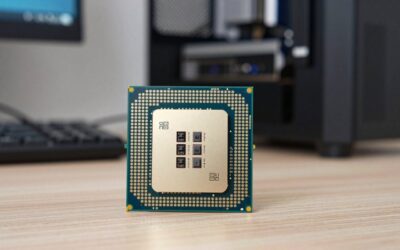
The Ryzen 3 4300G is a 4-core, 8-thread AM4 chip with Radeon Vega 6 graphics that can run light and older games at 720p or low 1080p settings without a graphics card, but in 2026 it is a legacy part. It was sold only to system builders (OEM), so most units today are used or come from prebuilt PCs. If you are buying new, a Ryzen 5 5600G or 5600GT gives you more cores for a small step up in spend.
Quick Verdict: Is the Ryzen 3 4300G Worth It for Gaming?
It is worth it only if you already own one or find it inside a cheap used PC. As a purchase target it is hard to recommend. It has no retail boxed version, quad-core gaming is limited in modern titles, and newer AM4 APUs and CPUs cost little more.
| Your situation | Verdict |
|---|---|
| You own a PC with a 4300G | Keep it. Add a graphics card or upgrade to a Ryzen 5 5600 or 5600G on the same board |
| You want a first gaming PC with no graphics card | Skip. Choose a Ryzen 5 5600G or 5600GT |
| You want an esports-only box (CS2, Valorant-class) | Possible at 720p to 1080p low with dual-channel RAM |
| You want a media or office PC | Good fit if it comes cheaply |
| You plan to add a discrete graphics card later | Pair with an entry-level card only. The 4 cores will limit faster cards |
Ryzen 3 4300G Specs
The figures below come from published specification databases and the AMD list on Wikipedia. The 4300G is an OEM-only processor, so AMD never ran a retail product page for it.
| Specification | Ryzen 3 4300G |
|---|---|
| Architecture | Zen 2 (Renoir), 7 nm |
| Cores / threads | 4 / 8 |
| Base / boost clock | 3.8 GHz / 4.0 GHz |
| L2 cache | 512 KB per core |
| L3 cache | 4 MB shared |
| TDP | 65 W (some databases list a configurable 45 to 65 W) |
| Socket | AM4 |
| Memory | DDR4-3200, dual channel, up to 64 GB |
| Integrated graphics | Radeon Vega 6 (6 compute units, 384 shaders), up to about 1.7 GHz |
| Release | July 2020 (OEM) |
| PCIe | PCIe 3.0 on Renoir APUs (one database lists 4.0, which appears incorrect) |
The 4300G belongs to the Renoir APU generation. Its 4 MB of shared L3 cache is small, and that is the main reason it lags in games behind the Zen 3 based Ryzen 5 5600G.
How We Reviewed This Chip
This review is research-based. We did not use the chip ourselves. Information comes from manufacturer specifications, published specification databases and widely available editorial coverage of Renoir APUs. Where a number was not confirmed, we say so or give an approximate range.
Gaming Performance: What to Expect
The 4300G has two jobs in a gaming PC: drive the game from its four cores, and draw the picture from its Vega 6 graphics if no graphics card is installed. We did not measure frame rates, so the ranges below are approximate and vary with the game, settings, patch and RAM speed.
Gaming with the built-in Vega 6 graphics
Vega 6 has 384 shaders, which is a small graphics engine. It is fine for older and esports titles at 720p or 1080p on low settings. Demanding modern games often run below 30 fps even at 720p low. Expect these rough tiers.
| Game type | Typical setting | Approximate result |
|---|---|---|
| Esports shooters (older engines) | 720p to 1080p low | Playable, often 40 to 90 fps |
| MOBAs and lightweight online games | 1080p low | Playable, often 40 to 80 fps |
| Older single-player games (2015 to 2018) | 720p to 900p low | Playable, 30 to 60 fps |
| Recent AAA games | 720p lowest, upscaling on | Often below 30 fps. Not recommended |
Why RAM matters so much
Integrated graphics share system memory, so memory bandwidth acts as the graphics card’s speed limit. Here is the calculation.
| Setup | Calculation | Bandwidth |
|---|---|---|
| DDR4-3200, one stick (single channel) | 3200 MT/s x 8 bytes x 1 | 25.6 GB/s |
| DDR4-3200, two sticks (dual channel) | 3200 MT/s x 8 bytes x 2 | 51.2 GB/s |
| DDR4-2666, two sticks | 2666 MT/s x 8 bytes x 2 | about 42.7 GB/s |
Moving from one stick to two sticks doubles the bandwidth available to the graphics. For an APU-only gaming PC, a dual-channel kit is the single most valuable upgrade, and it can change a stuttery game into a playable one. Make sure the memory runs at its rated speed in the BIOS using the XMP or DOCP profile.
Gaming with a discrete graphics card
A 4-core, 8-thread Zen 2 chip can drive an entry-level or lower mid-range card at 1080p in many games. Pairing it with a faster card moves the limit to the processor, especially in open-world and modern shooters that want 6 or more cores. The 4 MB of L3 also hurts minimum frame rates. A 4300G is a poor match for a high-end card.
- Reasonable pairing: entry-level cards for 1080p esports and older games.
- Poor pairing: mid-range and high-end cards, which will wait on the processor in many games.
Productivity and Everyday Use
Eight threads handle browsing, office work, video playback and light photo editing without difficulty. Zen 2 cores are efficient, and the 65 W design is easy to cool. Heavy video exports, 3D rendering and compiling will be slower than on a 6-core chip, but nothing breaks. It is a sensible office or media-centre processor.
Platform: Socket, Chipset, RAM and BIOS
Which motherboards support the Ryzen 3 4300G?
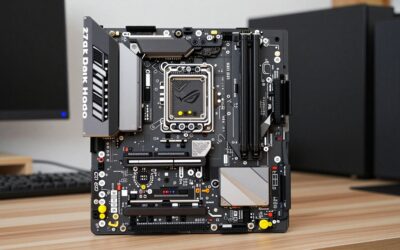
The 4300G uses Socket AM4. It works on A520, B550 and X570 boards, and it may need a BIOS update on older B450 or X470 boards. Check the board maker’s CPU support list for the 4000G series before buying, since not every AM4 board supports Renoir APUs.
Video output
To use the built-in graphics you need a motherboard with HDMI or DisplayPort outputs. Many budget boards, including micro-ATX B550 models, provide them.
Memory
The chip supports DDR4-3200. Buy a matched two-stick kit rather than a single large module. A 16 GB kit made of two 8 GB sticks is a common starting point for an APU gaming PC, and 32 GB helps if you also edit video.
Cooler
OEM chips usually ship without a retail cooler in the box, and prebuilt PCs use their own heatsinks. If you build your own, a basic tower cooler is plenty for 65 W.
Power and Thermals
With a 65 W TDP, the 4300G is easy to power and cool. A modest power supply is enough for an APU-only build. Adding an entry-level graphics card raises the total, so size the power supply for the card, not the chip. The small cooler recommended below keeps the chip quiet in a normal case.
How to Get the Most Out of the Vega 6 Graphics
If you already own the chip, a few settings make a visible difference. Each step has a reason.
- Run two matched memory sticks. Dual channel doubles memory bandwidth, as the table above shows, and the graphics share that bandwidth.
- Enable XMP or DOCP. Memory often starts at a slower default speed. The profile sets the rated DDR4-3200.
- Check the graphics memory setting in the BIOS. Some boards let you assign a fixed amount of system RAM to the graphics. A medium value, such as 2 GB, is a reasonable starting point on a 16 GB system. Check your board manual for the option name.
- Use low settings and a lower render resolution. Drop shadows, effects and view distance first. They cost the most for the least visual benefit.
- Use upscaling where the game offers it. AMD FidelityFX Super Resolution works in supported games and trades some sharpness for speed.
- Keep graphics drivers current. Install the latest AMD Adrenalin driver for APUs from the maker site.
- Cap the frame rate. A steady 30 or 40 fps feels smoother than a fluctuating 50.
Power Budget Example: APU Only vs APU Plus Entry Graphics Card
The processor is rated at 65 W. A rough planning budget, with approximate figures, looks like this.
| Component | APU only | With entry-level graphics card |
|---|---|---|
| Processor (rated) | 65 W | 65 W |
| Graphics card (typical for the class) | 0 W | about 75 to 130 W |
| Board, RAM, SSD, fans (estimate) | about 40 to 60 W | about 40 to 60 W |
| Total estimate | about 105 to 125 W | about 180 to 255 W |
A quality power supply in the 450 to 550 W class covers either build with room to spare. The figures are planning estimates, not measurements, so check the graphics card requirement before choosing a unit.
Who Should Still Use a Ryzen 3 4300G
Esports and older-game players with a very low budget
If your library is mostly older or lightweight titles, the 4300G and a dual-channel RAM kit can run them without a graphics card. This is the one gaming use where it still earns its place.
Parents building a first PC for a child
A used 4300G system plays Minecraft-class and browser games and handles schoolwork. It is also easy to upgrade later with a graphics card or a better AM4 chip.
Home-theatre and office builds
Low heat and a 65 W design suit small, quiet PCs. Eight threads leave room for several apps at once.
People holding an AM4 board with an upgrade in mind
A 4300G is a stopgap if your board supports it, and a later upgrade to a Ryzen 5 or Ryzen 7 on the same socket avoids replacing the board.
Upgrade Path from the Ryzen 3 4300G
AM4 gives an easy path. These are the typical steps.
- Check your board CPU support list. Look for the Ryzen 5000 series, or the 5600G specifically, and note the minimum BIOS version.
- Update the BIOS first. Do this while the 4300G is still installed, because a board without the right BIOS may not start with the new chip.
- Swap the processor. Remove the cooler, lift the retention arm, replace the chip and reapply thermal paste.
- Re-enable the memory profile. A BIOS update can reset XMP, so turn it on again.
- Add a graphics card when budget allows. A 6-core chip handles entry-level and lower mid-range cards much better than four cores.
Common Problems and Quick Fixes
- No display with a new APU: plug the monitor into the motherboard output, not a graphics card slot, and confirm the BIOS supports 4000G chips.
- Stutter in games: check that memory is in dual channel and running at rated speed.
- Memory shows lower speed than rated: the XMP profile is not enabled, or a stick sits in the wrong slot.
- Overheating in a small case: a low-profile heatsink may be too small. Fit a tower cooler or improve airflow.
- Board will not boot after install: an older BIOS may not recognise the chip. Use the board maker flash method with a supported processor if needed.
Alternatives to the Ryzen 3 4300G
| Chip | Cores / threads | Platform | Why consider it |
|---|---|---|---|
| Ryzen 5 5600G | 6 / 12 | AM4, DDR4 | Zen 3 cores plus built-in Radeon graphics, retail boxed |
| Ryzen 5 5600GT | 6 / 12 | AM4, DDR4 | Refresh of the 5600G for AM4 APU builds |
| Ryzen 5 5500 | 6 / 12 | AM4, DDR4 | No built-in graphics, low-cost choice for a build with a graphics card |
| Ryzen 5 8600G | 6 / 12 | AM5, DDR5 | Newer APU on the current socket, higher platform cost |
| Ryzen 7 5700G | 8 / 16 | AM4, DDR4 | Eight cores with built-in graphics for mixed work |
All of these use more modern cores or add more cores than the 4300G. Clock speeds and cache sizes for the newer parts were not confirmed for this article, so check the maker’s page for the exact model.
Is the Ryzen 3 4300G Still Worth Buying in 2026?
No for most buyers. The chip is an OEM-only, 2020-era part, and it is mostly found used or in prebuilts. A 6-core AM4 APU such as the Ryzen 5 5600G offers newer cores and more threads, and it is a retail product with a warranty path.
There are three cases where the 4300G still makes sense.
- You are repairing or upgrading an existing prebuilt PC that already has one.
- You are building a low-power media or office PC and find a working chip very cheaply.
- You want a temporary processor on an AM4 board while you save for a Ryzen 5 or Ryzen 7.
Buying Options and Cautions
- New retail: none, because the 4300G was OEM-only. Listings that claim new retail boxed units from third-party sellers deserve caution.
- Used or OEM pulls: the most common source. Ask for a photo of the chip, check the pins and confirm the seller accepts returns.
- Prebuilt PCs: offices and small-form-factor desktops often use 4000G chips. Check the exact model and whether the BIOS is locked.
- Counterfeit risk: relabelled or remarked chips are a known problem for OEM parts. Run a quick stress check and confirm the chip name in the BIOS.
Spend tier: the processor itself should sit in the budget tier. If a seller asks for more than a newer retail Ryzen 5 APU would cost, buy the newer APU.
Companion Parts for an AM4 APU Build
If you are building around a 4300G or choosing a newer AM4 APU, these parts are sensible companions.
Ryzen 5 5600G: The Natural Upgrade
The Ryzen 5 5600G is a 6-core, 12-thread AM4 desktop processor with Radeon graphics. It uses the same socket as the 4300G, so it can drop into the same board after a BIOS check. It gives you more threads for modern games and keeps the built-in graphics for an APU-only PC.
Ryzen 5 5600GT: The AM4 APU Refresh
The Ryzen 5 5600GT is another 6-core, 12-thread AM4 desktop processor with built-in graphics. It suits a budget gaming PC that needs to work without a graphics card at first and accept one later.
GIGABYTE B550M K: Budget AM4 Board
The GIGABYTE B550M K is a micro-ATX AM4 board that supports Ryzen 5000, 4000 and 3000 series processors per its listing. A compact B550 board gives you modern features and HDMI output for an APU build. Confirm Renoir support in the maker’s CPU list before buying.
G.SKILL Ripjaws V 16 GB (2×8 GB) DDR4-3200: Dual-Channel Kit
This is a two-stick kit rated up to 3200 MT/s with CL16 timings per the listing. A matched pair gives you the dual-channel bandwidth the integrated graphics depend on. Enable the XMP profile in the BIOS to reach the rated speed.
Thermalright Assassin X120 Refined SE: Budget Tower Cooler
A single-tower air cooler with four heat pipes and a 120 mm PWM fan per its listing. It is well matched to a 65 W chip and quieter than a basic stock-class fan, especially if you bought the processor without a cooler.
Frequently Asked Questions
Is the Ryzen 3 4300G good for gaming?
It is acceptable for esports and older games at 720p to 1080p low, using its Vega 6 graphics. It is weak for modern AAA games and holds back mid-range and high-end graphics cards.
Does the Ryzen 3 4300G have integrated graphics?
Yes. It includes Radeon Vega 6 graphics with six compute units, so you can use it without a graphics card if your motherboard has video outputs.
What socket does the Ryzen 3 4300G use?
It uses Socket AM4. You may need a BIOS update on older B450 or X470 boards, so check the board maker’s CPU support list.
Can I buy a new Ryzen 3 4300G?
Not as a normal retail product. AMD sold it to system builders only, so most units are used or from prebuilt PCs.
How much RAM does the Ryzen 3 4300G need?
Use at least 16 GB in two sticks at DDR4-3200. Dual-channel memory matters because the built-in graphics share system RAM.
What is a better upgrade from the Ryzen 3 4300G?
A Ryzen 5 5600G or 5600GT on the same AM4 board is the simplest step. If you add a graphics card, a Ryzen 5 5600 or 5500 is a strong choice.
Is the Ryzen 3 4300G the same as the Ryzen 3 4350G PRO?
They belong to the same Renoir family, and the PRO version adds business-management features. Specification details for the PRO chip were not confirmed here.
Sources
- Wikipedia, List of AMD Ryzen processors
- CPU-Monkey, AMD Ryzen 3 4300G
- NanoReview, AMD Ryzen 3 4300G
- Technical City, Ryzen 3 4300G
Last updated: October 2026