🛒 Best Price Today on Amazon
Prime members get fast, free shipping on everything above, plus member-only deals. New members get a 30-day free trial — cancel anytime.
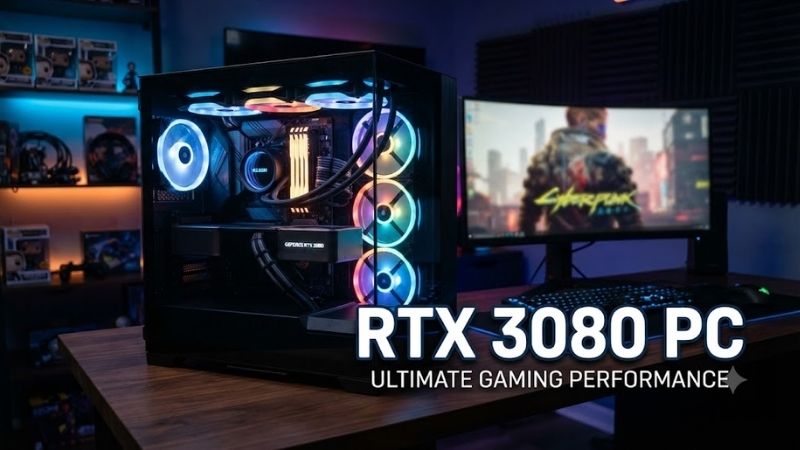
An RTX 3080 PC remains an interesting option for gamers who want strong 1440p performance, occasional 4K gaming, and NVIDIA features without necessarily purchasing a newer flagship system. However, older hardware, cooling differences, and unpredictable used-market pricing make choosing the right desktop more complicated.
Quick answer: Our top pick in 2026 is the Gaming Desktop — our #1 rated choice. See the full ranked comparison, alternatives and buying advice below.
Quick Comparison: Best RTX 3080 Gaming PCs
| Gaming Desktop | Best For | Key Advantage | Main Limitation |
|---|---|---|---|
| Corsair Vengeance i7200 | Overall gaming and upgrades | Standard ATX components | Older Intel platform |
| Lenovo Legion Tower 7i Gen 8 | Modern CPU platform | DDR5 memory and newer Intel CPUs | Configuration availability |
| ASUS ROG Strix GA35 | AMD gaming enthusiasts | Ryzen processor options | Older AM4 platform |
| Alienware Aurora R13 | Premium design | Distinctive chassis and DDR5 support | Proprietary components |
| HP OMEN 30L | Compact desktop setups | Relatively restrained tower design | Cooling and upgrade considerations |
| Corsair Vengeance i7200 Streaming PC | Gaming and content capture | Integrated Elgato capture card | Specialized older configuration |
These systems were offered in RTX 3080 configurations, but individual listings may differ substantially. Because they belong to earlier hardware generations, buyers should expect to encounter used, refurbished, or remaining-stock inventory rather than assume that new units are readily available.
Best RTX 3080 PCs Reviewed
1. Corsair Vengeance i7200 — Best Overall RTX 3080 PC
Best For: Gamers who want a powerful prebuilt desktop with recognizable components and straightforward maintenance.
Key Features:
-
NVIDIA GeForce RTX 3080 graphics
-
Intel Core i7-11700K processor
-
32GB DDR4-3200 memory
-
1TB NVMe SSD
-
Corsair H100i RGB PRO XT liquid CPU cooler
-
Corsair 750W 80 PLUS Gold modular power supply
What Makes It Different
The Corsair Vengeance i7200 combines an RTX 3080 with standard desktop hardware rather than relying heavily on a custom motherboard or enclosure. Its ATX design makes component replacement more practical, particularly for owners who expect to upgrade storage, cooling, or graphics hardware later.
The Core i7-11700K provides eight cores and sixteen threads, making this configuration suitable for demanding games and everyday multitasking. Its 32GB memory capacity is another advantage for users who keep browsers, communication software, and gaming utilities running together.
Performance and Practical Use
At 1440p, the RTX 3080 offers substantial rendering capability in traditional rasterized games. Demanding ray-traced titles may require DLSS or reduced graphics settings, while 4K performance depends heavily on the game. The included liquid cooler helps manage CPU heat, although its condition deserves inspection on older machines.
A major advantage is the modular power supply and conventional motherboard layout. Buyers considering this prebuilt RTX 3080 gaming PC can more easily evaluate individual replacement components than they could in some proprietary desktops, provided they confirm case clearance and connector compatibility.
Pros:
-
Standard ATX component layout
-
32GB memory included in this configuration
-
Liquid-cooled Intel processor
-
Modular 750W Gold-rated power supply
-
Convenient foundation for component replacements
Cons:
-
Older Intel LGA1200 platform
-
No supported upgrade path to recent Intel CPU generations
-
Existing liquid cooler may require inspection or replacement
Who Should Buy It: Choose the Corsair Vengeance i7200 if component accessibility, practical upgrades, and balanced gaming performance matter more than owning the latest processor generation.
2. Lenovo Legion Tower 7i Gen 8 — Best for a Newer CPU Platform
Best For: Gamers seeking an RTX 3080 desktop with newer Intel processor technology and DDR5 memory.
Key Features:
-
RTX 3080 10GB configuration
-
13th-generation Intel Core processor options
-
DDR5 memory support
-
34-liter tower chassis
-
Multiple internal storage expansion positions
-
Tempered-glass styling with configurable lighting
What Makes It Different
The Lenovo Legion Tower 7i Gen 8 is unusual among RTX 3080 systems because certain regional configurations paired this older graphics card with 13th-generation Intel Core processors. That combination offers a more recent CPU platform than many desktops originally released during the RTX 3080 era.
Its spacious tower design also supports multiple storage devices, making it appealing for users maintaining large game libraries. However, specifications vary by country and model number, so buyers should verify that a particular system genuinely includes the RTX 3080 rather than a different GeForce card.
Performance and Practical Use
A newer processor can improve performance in CPU-intensive games, simulation titles, and multitasking workloads. This advantage becomes particularly relevant at lower resolutions and high refresh rates, where processor performance may influence frame delivery more noticeably than it does in GPU-limited 4K gaming.
The Legion chassis provides room for expansion, although motherboard design, power connections, and cooling compatibility should be checked before planning upgrades. Its DDR5 platform is appealing, but memory capacity and operating speed depend on the exact configuration purchased.
Pros:
-
More recent Intel CPU options
-
DDR5 memory support
-
Spacious chassis
-
Multiple storage expansion possibilities
-
Suitable for gaming and demanding multitasking
Cons:
-
RTX 3080 configurations may be difficult to locate
-
Regional specifications differ
-
Platform components may be less flexible than standard retail ATX builds
Who Should Buy It: The Legion Tower 7i Gen 8 is worth considering when an authenticated RTX 3080 configuration offers a competitive overall package, especially for gamers who also run CPU-heavy applications.
3. ASUS ROG Strix GA35 — Best AMD Ryzen RTX 3080 Gaming PC
Best For: Gamers who prefer AMD Ryzen processors and want a desktop designed around enthusiast gaming hardware.
Key Features:
-
NVIDIA GeForce RTX 3080
-
AMD Ryzen 9 5900X or Ryzen 7 5800X configurations
-
NVMe SSD storage
-
ROG gaming desktop chassis
-
Dedicated cooling and airflow design
-
AMD AM4 processor platform
What Makes It Different
The ASUS ROG Strix GA35 combines NVIDIA graphics with AMD Ryzen processors. Specific RTX 3080 versions include the Ryzen 9 5900X, while others use the Ryzen 7 5800X. This distinction matters because processor core counts, multitasking capacity, and original system configurations are not identical.
The Ryzen 9 model is particularly interesting for gamers who also edit videos, render content, or work with heavily threaded software. The Ryzen 7 alternative can still provide capable gaming performance, especially when graphics processing is the main constraint.
Performance and Practical Use
A Ryzen 9 5900X and RTX 3080 combination suits high-resolution gaming alongside productivity applications. Its twelve-core processor offers substantial parallel processing resources, although the graphics card’s available VRAM and rendering performance remain the limiting factors in some demanding modern games.
Buyers should inspect the specific GA35 model carefully because storage configurations differ. Some versions include a 1TB NVMe drive, while others provide smaller factory storage. Cooling condition, dust accumulation, and fan behavior are also important when purchasing a used gaming tower.
Pros:
-
Powerful Ryzen processor options
-
Strong gaming and multitasking potential
-
NVMe storage configurations
-
Suitable for mixed gaming and creative workloads
-
Distinctive gaming-focused chassis
Cons:
-
AM4 platform limits future CPU generation upgrades
-
Specifications differ across GA35 variants
-
Used liquid-cooling components require careful inspection
Who Should Buy It: Consider the ROG Strix GA35 if you want AMD processing power alongside the RTX 3080 and can confirm the exact processor, storage, and cooling specifications before purchasing.
4. Alienware Aurora R13 — Best Premium-Style RTX 3080 Desktop
Best For: Buyers who value distinctive gaming desktop aesthetics, convenient ports, and a recognizable prebuilt platform.
Key Features:
-
NVIDIA GeForce RTX 3080 10GB configurations
-
12th-generation Intel Core processor options
-
DDR5 memory configurations
-
Custom Alienware chassis
-
Air-cooled and liquid-cooled CPU variants
-
Multiple front USB connections
What Makes It Different
The Alienware Aurora R13 stands apart through its rounded chassis styling and integrated desktop design. Unlike traditional rectangular ATX towers, it uses a custom internal layout. That design can appeal to buyers seeking a complete gaming workstation but introduces limitations when replacing major components.
Its Intel Alder Lake processors and DDR5 memory support provide a more recent architectural foundation than many early RTX 3080 prebuilts. However, buyers must distinguish between individual R13 configurations because processor, memory, cooling, and power-supply specifications can vary considerably.
Performance and Practical Use
An RTX 3080-equipped Aurora R13 can handle demanding 1440p games and selected 4K workloads, particularly when paired with a capable Core i7 processor. Its front USB connectivity is useful for headsets, portable storage, controllers, and accessories that frequently need connecting or disconnecting.
The most significant compromise is long-term serviceability. Proprietary internal components complicate motherboard and chassis changes, while compact cooling arrangements deserve attention during sustained workloads. Inspecting operating temperatures is especially important before purchasing a refurbished unit.
Pros:
-
Distinctive desktop appearance
-
DDR5 configurations available
-
Convenient front connectivity
-
Capable 12th-generation Intel processors
-
Complete prebuilt gaming platform
Cons:
-
Proprietary parts complicate upgrades
-
Cooling performance depends on configuration
-
Less flexible than standard ATX alternatives
Who Should Buy It: The Alienware Aurora R13 makes sense for gamers who appreciate its design, prefer an integrated desktop, and do not expect to replace the motherboard or enclosure later.
5. HP OMEN 30L — Best for a Relatively Compact Gaming Setup
Best For: Gamers seeking an RTX 3080 PC with a comparatively restrained tower design and familiar manufacturer software.
Key Features:
-
NVIDIA GeForce RTX 3080 10GB configurations
-
Intel Core processor options
-
DDR4 memory
-
NVMe SSD storage options
-
HP OMEN gaming chassis
-
OMEN Gaming Hub software integration
What Makes It Different
The HP OMEN 30L offers a cleaner visual design than many aggressively styled gaming towers. Its glass side panel and compact proportions appeal to buyers who want a powerful desktop without an exceptionally large enclosure, although its thermal layout requires closer evaluation than appearance alone suggests.
Certain OMEN 30L configurations combine the RTX 3080 with Intel processors and DDR4 memory. However, model numbers vary widely, and not every OMEN 30L contains the same graphics card, power supply, processor, or cooling hardware. Exact product identification is essential.
Performance and Practical Use
The RTX 3080 provides the same fundamental GPU architecture found in competing desktops, but sustained performance depends partly on internal temperature and airflow. The OMEN 30L’s compact layout makes fan cleanliness, cooling performance, and unobstructed ventilation important considerations.
Storage and memory upgrades may be possible, depending on the particular motherboard and configuration. Nevertheless, shoppers should check the existing memory arrangement, available slots, power supply, and physical graphics card clearance instead of assuming compatibility with every retail replacement component.
Pros:
-
Relatively compact tower
-
Understated appearance
-
RTX 3080 configurations available
-
Useful manufacturer management software
-
Suitable for traditional desktop gaming setups
Cons:
-
Thermal performance deserves careful inspection
-
OEM motherboard considerations
-
Significant specification differences between models
Who Should Buy It: Choose an OMEN 30L when its size and styling match your workspace and its cooling, GPU condition, and overall specifications have been verified.
6. Corsair Vengeance i7200 Streaming PC — Best for Game Capture
Best For: Streamers and content creators who want a gaming desktop with dedicated video capture hardware.
Key Features:
-
NVIDIA GeForce RTX 3080
-
Intel Core i7-11700K
-
32GB DDR4-3200 RAM
-
1TB NVMe SSD
-
Elgato 4K60 Pro capture card
-
Corsair liquid CPU cooling
-
ATX tower construction
What Makes It Different
This specialized Vengeance i7200 configuration adds an Elgato 4K60 Pro internal capture card to an RTX 3080 gaming system. Unlike a conventional gaming tower, it was designed for users who need dedicated HDMI video capture from another device, such as a console or separate gaming computer.
That distinction is important because an internal capture card is not necessary for every streamer. Someone who broadcasts gameplay directly from the same RTX 3080 PC may be adequately served by NVIDIA’s hardware video encoder and compatible streaming software without additional capture equipment.
Performance and Practical Use
The Core i7 processor, 32GB memory, and RTX 3080 provide a practical foundation for gaming while operating streaming tools, chat applications, and scene-management software. The dedicated capture card becomes more valuable in workflows involving external HDMI sources rather than ordinary single-PC broadcasting.
Because this configuration includes additional specialized hardware, buyers should confirm that the capture card remains installed and works correctly. They should also inspect video inputs, passthrough functionality, supporting software compatibility, and the condition of its older liquid-cooling system.
Pros:
-
Dedicated 4K capture hardware
-
32GB RAM for multitasking
-
Standard ATX platform
-
RTX 3080 gaming performance
-
Suitable for external-source recording workflows
Cons:
-
Capture hardware adds little value to gaming-only buyers
-
Older Intel platform
-
May be difficult to find with its original components intact
Who Should Buy It: Consider this configuration if external video capture is part of your workflow and the system includes a working Elgato card. Otherwise, a conventional Vengeance i7200 may be the simpler option.
How to Choose the Right RTX 3080 PC
Understand RTX 3080 Gaming Performance
The RTX 3080 uses NVIDIA’s Ampere architecture and supports hardware ray tracing, DLSS Super Resolution, and GPU video encoding. Although it belongs to an older generation, it remains capable of running many games at 1440p with attractive visual settings. Results vary substantially with game complexity and optimization.
At 4K, the card can deliver an enjoyable experience in many titles, but it should not be treated as an unlimited ultra-settings GPU. Modern games with extensive ray tracing, demanding textures, or unusually heavy rendering workloads may require compromises. DLSS can improve performance when supported.
Check GPU Memory Carefully
The original RTX 3080 desktop graphics card typically includes 10GB of GDDR6X memory, while a later version offers 12GB. These are different configurations, and buyers should not assume that every listing labeled RTX 3080 contains the same GPU memory capacity or underlying specifications.
VRAM becomes especially important when selecting high-resolution textures, applying demanding ray-tracing effects, or running newer games with substantial memory requirements. Lowering texture quality or resolution can help when GPU memory becomes a constraint, although the appropriate adjustment depends on the game.
Choose a Balanced Processor
A powerful graphics card cannot compensate for every processor bottleneck. CPU-intensive games, competitive multiplayer titles, and simulation workloads benefit from capable processors with sufficient single-threaded performance. The importance of CPU selection generally increases when pursuing very high frame rates at 1080p.
For 1440p gaming, processors such as the Core i7-11700K, Core i7-12700KF, and Ryzen 7 5800X can provide workable pairings with an RTX 3080. The correct choice depends on the broader system, including memory configuration, cooling, application requirements, and the cost relative to newer alternatives.
Look for 16GB or 32GB of RAM
Sixteen gigabytes of dual-channel memory remains usable for many gaming workloads, but 32GB provides additional flexibility for newer titles and multitasking. This becomes useful when gaming alongside browsers, streaming software, voice communication, or content creation applications that consume memory simultaneously.
Memory capacity is not the only consideration. DDR4 and DDR5 use different physical and electrical standards, so they are not interchangeable. Confirm the motherboard’s supported memory type, existing module arrangement, and available expansion slots before budgeting for an upgrade.
Prioritize SSD Storage
A 1TB NVMe SSD is a practical starting point for a gaming desktop because modern game installations can occupy substantial storage space. Faster solid-state storage also helps with operating-system responsiveness, application loading, and file transfers, although game loading improvements depend on the title.
A 512GB drive can become restrictive after installing Windows and several large games. Buyers should inspect SSD health on used systems, check whether additional M.2 slots are available, and verify that any advertised secondary drives are actually included in the purchase.
Evaluate Cooling and Airflow
The RTX 3080 is a relatively power-hungry graphics card, with the reference 10GB model carrying a 320W total graphics power specification. Its heat output means that case airflow, GPU cooler condition, dust accumulation, and surrounding room temperature can noticeably influence operating behavior.
For a used desktop, request evidence of stable temperatures during demanding workloads. Unusual fan noise, frequent shutdowns, severe performance throttling, or repeated graphics errors deserve investigation. Inspect older liquid coolers for pump problems and assess whether replacement parts are accessible.
Verify Power Supply Quality
NVIDIA’s reference guidance for the RTX 3080 commonly specifies a 750W system power supply, although requirements depend on the processor, other components, and the particular graphics card. An appropriately specified quality PSU is generally more valuable than selecting a larger wattage rating without assessing reliability.
Check the power supply’s manufacturer, rated output, connector availability, and condition. Some OEM desktops use custom wiring or motherboard power connectors, making replacement less straightforward. Never assume that an aftermarket unit will connect correctly without confirming compatibility.
Compare RTX 3080 Desktops Against Newer PCs
An older graphics card can still be a sensible purchase, but its value depends on the complete computer rather than the GPU name alone. A discounted RTX 3080 system might be attractive when it includes sufficient memory, healthy storage, effective cooling, and a capable processor.
However, newer GPUs may offer improved efficiency, updated encoding capabilities, and support for technologies absent from the RTX 3080, including NVIDIA Frame Generation on supported newer RTX generations. Compare complete systems, not just theoretical GPU performance or their original launch positioning.
Common Mistakes When Buying a Used RTX 3080 PC
Trusting the Listing Title Without Checking the Hardware
Used desktop listings occasionally combine a broad product family name with specifications that belong to a different configuration. A model such as the Alienware Aurora R13 or OMEN 30L may have been sold with several graphics cards, so its chassis name alone does not establish what is installed.
Request screenshots of the installed GPU and CPU information, along with memory and storage details. If possible, compare the physical components against the seller’s description and review the machine’s actual system information before payment.
Ignoring Previous GPU Usage
A graphics card previously used for cryptocurrency mining is not automatically defective. Nevertheless, prolonged operation, high temperatures, fan wear, and inadequate maintenance can affect component condition. Actual reliability depends more on operating history and present hardware health than on a simple usage label.
Ask whether the graphics card has been repaired, modified, or disassembled. Inspect fan behavior, display output, temperature stability, and performance under load. A credible seller should be willing to provide reasonable evidence that the machine functions correctly.
Paying Too Much for an Older Platform
An RTX 3080 gaming PC can look attractive because it was once positioned as a high-end system. However, the original category does not establish present value. An expensive older desktop may offer less flexibility or efficiency than a newer computer available for a similar overall cost.
Assess the CPU generation, motherboard, power supply, cooling, memory, storage, warranty coverage, and future replacement costs. The strongest purchase is often the machine with the fewest immediate upgrades or repairs required, rather than the one with the most impressive original specifications.
FAQ
Is an RTX 3080 PC Still Good for Gaming?
Yes. An RTX 3080 PC can still provide strong performance in many games, especially at 1440p. However, very demanding modern releases, aggressive ray tracing, and high-resolution textures may require adjusted settings. Its suitability depends on the processor, RAM, cooling, and expectations rather than the graphics card alone.
Can an RTX 3080 PC Run Games at 4K?
An RTX 3080 desktop can run many games at 4K, but achievable frame rates vary with graphics settings and game complexity. Less demanding titles may perform comfortably, while newer cinematic games can require DLSS or reduced settings. Buyers should not assume that every game will run smoothly at maximum quality with ray tracing enabled.
How Much RAM Should an RTX 3080 Gaming PC Have?
A practical RTX 3080 gaming desktop should have at least 16GB of RAM, preferably installed in a dual-channel arrangement when supported. Choosing 32GB offers more flexibility for demanding games, streaming, and multitasking. Check whether the machine uses DDR4 or DDR5 because these memory standards require compatible motherboards.
Is an RTX 3080 Better Than an RTX 4070?
The RTX 3080 and RTX 4070 can deliver broadly comparable traditional gaming performance in some workloads, but results depend on the game and resolution. The RTX 4070 offers newer architecture, improved efficiency, 12GB VRAM, and DLSS Frame Generation support. The better PC depends on the complete configuration and purchase cost.
What Should I Check Before Buying a Used RTX 3080 PC?
Confirm the exact GPU model, processor, RAM, storage, and power supply. Ask for temperature readings, stability testing, storage health information, and evidence of working display outputs. Inspect fans, cooling hardware, and signs of physical damage. Also verify the seller’s return policy and any remaining warranty coverage.
Is It Worth Upgrading an RTX 3080 PC?
Upgrading can make sense when a particular component limits performance or usability. Increasing RAM, adding SSD storage, or improving cooling may be worthwhile without replacing the entire machine. A newer graphics card requires additional checks for power, clearance, and CPU balance, while motherboard upgrades can become disproportionately expensive.
Conclusion
An RTX 3080 PC can remain a practical choice for 1440p gaming, selected 4K titles, and everyday creative workloads. The Corsair Vengeance i7200 stands out for serviceability, while Lenovo and ASUS offer different processor advantages. Prioritize verified hardware condition, balanced specifications, and value over appearance or original retail positioning.
Ready to decide? Our #1 pick for 2026 is the Gaming Desktop.
Live price & availability on Amazon.