🛒 Best Price Today on Amazon
Prime members get fast, free shipping on everything above, plus member-only deals. New members get a 30-day free trial — cancel anytime.

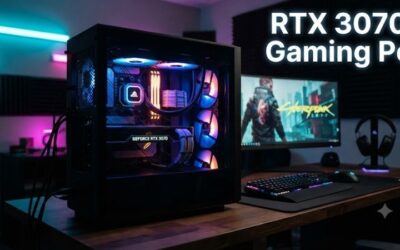
Olialia Gaming PC Prebuilt, RTX 3060 Ti, AMD Ryzen 5 5500, 16GB RAM | 512GB SSD, RGB lighting, WiFi 6, 600W Power, Win 11, Panoramic Tower Desktop for Gaming, Streaming, Everyday Use
Included for 'RTX 3060 Ti PC: 7 Best Prebuilt Gaming Desktop Options' because the listing specifies RTX 3060 Ti and AMD Ryzen 5 5500, details this guide uses to compare options.
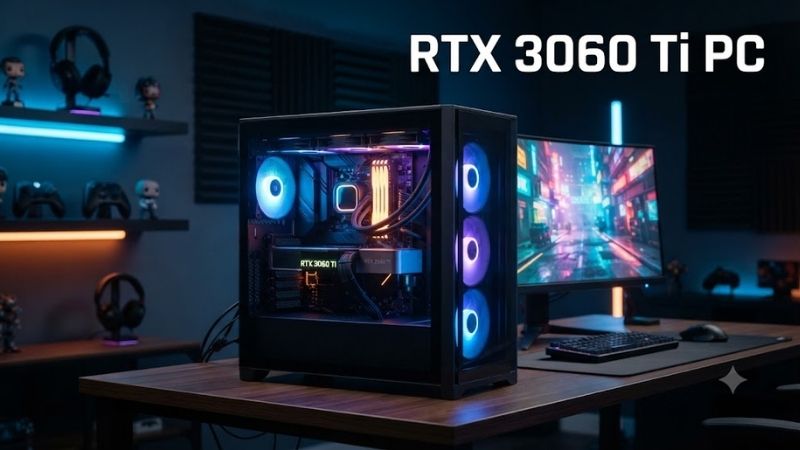
View on AmazonAn RTX 3060 Ti PC can still deliver capable 1080p gaming and enjoyable 1440p performance without requiring a flagship graphics card. Although this NVIDIA GPU belongs to an older generation, several established prebuilt desktops remain worth considering on the used and refurbished markets. This guide compares seven models and explains their strengths and limitations.
Quick Comparison: Best RTX 3060 Ti PCs
| Gaming PC | Best For | Key Advantage | Main Limitation |
|---|---|---|---|
| Lenovo Legion T5 26AMR5 | Overall gaming value | Ryzen platform and upgrade options | Older DDR4 platform |
| HP OMEN 25L GT15 | Everyday gaming | Compact tower and newer CPU options | Cooling and proprietary hardware considerations |
| Dell XPS 8950 | Gaming and productivity | 12th-gen Intel and DDR5 options | Conservative chassis airflow |
| Lenovo Legion T5 26IOB6 | Intel gaming builds | Balanced 1080p and 1440p gaming | Older Intel platform |
| ASUS ROG Strix GA15 G15 | Gaming aesthetics | ROG gaming design and connectivity | Model-dependent components |
| HP OMEN 30L GT13 | Premium-looking setup | Distinctive case and RGB design | Limited cooling flexibility |
| Acer Predator Orion 3000 PO3-630 | Compact gaming desktops | Core i7 configuration and RTX graphics | Restricted upgrade space |
These systems were offered in RTX 3060 Ti configurations, but specifications vary by model number and region. As older-generation desktops, they may be available primarily through refurbished inventory, used marketplaces, or remaining stock rather than regular new-product listings.
Best RTX 3060 Ti Gaming PCs Reviewed
1. Lenovo Legion T5 26AMR5 — Best Overall RTX 3060 Ti PC
Best For: Gamers seeking a balanced AMD-powered desktop for competitive games, single-player adventures, and everyday productivity.
Key Features:
-
NVIDIA GeForce RTX 3060 Ti 8GB GDDR6 configurations.
-
AMD Ryzen processor options.
-
AMD B550 motherboard chipset.
-
DDR4-3200 memory support.
-
M.2 NVMe SSD storage options.
-
Tower chassis with multiple storage expansion positions.
What Makes It Different:
The Lenovo Legion T5 26AMR5 combines AMD Ryzen processors with NVIDIA graphics in a traditional gaming tower. Its B550 chipset supports a practical desktop configuration, while multiple storage positions offer flexibility for expanding a game library. The exact processor and power supply depend on the selected configuration.
Performance and Practical Use:
An RTX 3060 Ti-equipped Legion T5 is particularly suitable for 1080p gaming at high settings. At 1440p, many titles remain enjoyable with carefully selected graphics options. Competitive players can prioritize frame rates, while single-player gamers may prefer higher texture and visual settings where memory permits.
Upgrade Potential:
The desktop’s four DDR4 memory slots and available storage connections provide useful expansion opportunities. However, buyers should confirm the installed PSU capacity, CPU cooling arrangement, and BIOS compatibility before upgrading major components. Not every Legion configuration includes identical electrical or thermal hardware.
Pros:
-
Balanced Ryzen and RTX graphics combinations.
-
Suitable for mainstream 1440p gaming.
-
Multiple storage expansion possibilities.
-
Four DDR4 memory slots.
-
Practical gaming tower design.
Cons:
-
Older AM4 and DDR4 platform.
-
Exact PSU specifications vary.
-
RTX 3060 Ti graphics memory is limited to 8GB.
Who Should Buy It:
Choose the Legion T5 26AMR5 if you want a straightforward RTX 3060 Ti desktop with a reasonably flexible platform. A refurbished configuration with 16GB or 32GB of dual-channel RAM and a healthy SSD can be attractive, provided the price is competitive with newer gaming systems.
2. HP OMEN 25L GT15 — Best for Everyday Gaming
Best For: Players seeking a compact branded desktop that can handle gaming, schoolwork, and general multitasking.
Key Features:
-
NVIDIA GeForce RTX 3060 Ti 8GB in supported models.
-
Intel processor options.
-
DDR4 or DDR5 memory depending on configuration.
-
SSD storage.
-
OMEN gaming desktop chassis.
-
Model-dependent cooling and connectivity options.
What Makes It Different:
The HP OMEN 25L GT15 family includes configurations combining RTX 3060 Ti graphics with relatively modern Intel processor platforms. Its compact appearance distinguishes it from larger gaming towers. Buyers should identify the complete GT15 product number because motherboard and memory specifications differ between variants.
Performance and Practical Use:
The RTX 3060 Ti can provide responsive gaming at 1080p, especially in popular competitive titles. A capable CPU also helps with multitasking and maintaining frame-rate consistency. Demanding recent games may require reduced texture settings or DLSS upscaling, particularly when gaming at 1440p.
Cooling and Expandability:
Compact dimensions can limit cooling flexibility and space for future graphics card upgrades. Before purchasing, inspect the CPU cooler, case fans, and internal cable arrangement. If buying used, verify that the system maintains reasonable temperatures during sustained workloads rather than relying on idle readings alone.
Pros:
-
Compact gaming desktop design.
-
RTX 3060 Ti configurations for mainstream gaming.
-
Intel processor options.
-
Suitable for gaming and everyday applications.
Cons:
-
Chassis airflow requires consideration.
-
Some upgrade restrictions may apply.
-
Specifications differ significantly across GT15 variants.
Who Should Buy It:
The OMEN 25L GT15 suits gamers who prefer a complete branded system rather than building a desktop from separate components. It is most appealing when its processor, storage, and RAM already meet your needs, reducing the need for immediate upgrades inside a relatively compact enclosure.
3. Dell XPS 8950 — Best for Gaming and Productivity
Best For: Users who want a desktop capable of gaming, office applications, and content creation without aggressive gaming aesthetics.
Key Features:
-
NVIDIA GeForce RTX 3060 Ti 8GB GDDR6 LHR option.
-
12th-generation Intel Core processor configurations.
-
DDR5 memory options.
-
SSD and additional storage configurations.
-
Understated desktop tower design.
-
Windows 11 configurations.
What Makes It Different:
The Dell XPS 8950 emphasizes a traditional desktop appearance while offering dedicated graphics capable of gaming. Unlike many RGB-focused prebuilts, it fits naturally into a home office. Its combination of Intel processing resources and DDR5 memory can also benefit applications beyond games.
Performance and Practical Use:
An RTX 3060 Ti-equipped XPS 8950 can handle popular multiplayer games and many demanding single-player titles at sensible settings. The processor and memory configuration influence multitasking performance, making this desktop especially interesting for users who divide their time between gaming and productivity.
Upgrade Considerations:
Dell’s factory components should be evaluated carefully before making upgrades. The chassis, motherboard connections, cooling system, and PSU may differ from standard enthusiast systems. Buyers should confirm graphics card dimensions and power requirements rather than assuming that any aftermarket component will install without complications.
Pros:
-
Discreet appearance for mixed-use environments.
-
12th-generation Intel processor options.
-
DDR5 memory configurations.
-
RTX 3060 Ti gaming capability.
-
Practical for productivity and entertainment.
Cons:
-
Less gaming-focused case airflow.
-
Proprietary component considerations.
-
Limited appeal for extensive custom builds.
Who Should Buy It:
The Dell XPS 8950 is worth considering when you need one computer for work and entertainment. It is particularly suitable for people who prefer a conventional desktop design, although users focused on maximum cooling flexibility or extensive component customization may prefer a standard gaming tower.
4. Lenovo Legion T5 26IOB6 — Best Intel-Based RTX 3060 Ti Desktop
Best For: Players who prefer Intel processors and want balanced gaming performance without paying for excessive features.
Key Features:
-
NVIDIA GeForce RTX 3060 Ti 8GB GDDR6.
-
Intel Core processor options.
-
Intel B560 chipset.
-
DDR4-3200 memory support.
-
Four DDR4 memory slots.
-
M.2 SSD and SATA storage support.
What Makes It Different:
The Legion T5 26IOB6 uses an Intel motherboard platform instead of the AMD B550 architecture found in the 26AMR5. This distinction affects processor compatibility and possible upgrade paths. Both systems can offer RTX 3060 Ti graphics, so the installed CPU and supporting components become important comparison factors.
Performance and Practical Use:
In many GPU-intensive games, the RTX 3060 Ti determines much of the system’s performance at 1440p. However, the installed Intel processor can influence frame-rate stability in CPU-heavy titles. Properly configured dual-channel memory is also beneficial when gaming while running communication or background applications.
Storage and Maintenance:
The B560 desktop platform supports conventional storage upgrades, making additional SSD capacity a practical improvement for an older system. Buyers should inspect the condition of case fans, power connections, and storage drives. A well-maintained desktop often provides better ownership value than a neglected unit with slightly higher specifications.
Pros:
-
Intel processor platform.
-
Four DDR4 memory slots.
-
RTX 3060 Ti gaming performance.
-
Multiple storage options.
-
Traditional tower layout.
Cons:
-
Older Intel platform.
-
Limited future CPU upgrade path.
-
Memory and PSU configurations vary.
Who Should Buy It:
The Lenovo Legion T5 26IOB6 is appropriate for gamers looking for a reliable Intel-based desktop at a reasonable secondhand price. It makes the most sense when the included CPU remains adequate for your favorite games and the system already has sufficient RAM and SSD capacity.
5. ASUS ROG Strix GA15 G15 — Best for Gaming Aesthetics
Best For: Gamers who prefer ROG styling and want a gaming-oriented desktop with NVIDIA graphics.
Key Features:
-
NVIDIA GeForce RTX 3060 Ti 8GB configurations.
-
AMD and Intel platform variants within the broader GA15 G15 family.
-
DDR4 memory configurations.
-
SSD storage options.
-
ROG gaming-oriented chassis design.
-
Dedicated GPU display outputs.
What Makes It Different:
The ASUS ROG Strix GA15 G15 family emphasizes recognizable gaming aesthetics while providing a preconfigured desktop experience. Its case design appeals to users who want a cohesive gaming setup. However, processor generations and storage configurations differ, so individual model specifications should be checked carefully.
Performance and Practical Use:
When equipped with the RTX 3060 Ti, the GA15 can handle competitive gaming and many 1440p titles. It is also suitable for everyday graphics-intensive tasks, although professional application requirements vary. The card’s 8GB memory capacity may limit high-resolution textures in demanding newer games.
Design and Cooling:
A gaming-focused enclosure can offer practical cable routing and a visually coordinated setup. Nevertheless, airflow and cooling should be evaluated based on the actual machine rather than its appearance. Dust accumulation, fan wear, and poor internal maintenance are particularly relevant when purchasing an older prebuilt.
Pros:
-
Recognizable ROG gaming design.
-
RTX 3060 Ti configuration available.
-
Suitable for competitive and single-player gaming.
-
SSD-equipped configuration options.
Cons:
-
Exact specifications vary by model.
-
Older CPU configurations may limit performance.
-
Design does not guarantee superior cooling.
Who Should Buy It:
The ROG Strix GA15 G15 is best for gamers who value a coordinated gaming desktop and want a ready-made PC instead of assembling one. Before purchasing, confirm the specific GPU and processor combination, installed memory, cooling condition, and compatibility with future upgrades.
6. HP OMEN 30L GT13 — Best Premium-Looking RTX 3060 Ti PC
Best For: Buyers who want a larger, visually distinctive gaming desktop with dedicated NVIDIA graphics.
Key Features:
-
NVIDIA GeForce RTX 3060 Ti 8GB configurations.
-
Intel and AMD processor options across the GT13 family.
-
DDR4 system memory.
-
SSD storage configurations.
-
OMEN-branded tower chassis.
-
Configurable cooling arrangements.
What Makes It Different:
The HP OMEN 30L GT13 features a larger desktop enclosure than the OMEN 25L and a recognizable exterior design. Its RTX 3060 Ti versions provide an alternative for buyers who prefer a branded gaming system. Nevertheless, chassis size alone does not ensure unrestricted airflow or component compatibility.
Performance and Practical Use:
The RTX 3060 Ti offers enough rendering power for many 1080p games at high settings and 1440p titles with adjusted quality options. A capable processor helps maintain responsiveness when running gaming clients and voice applications. Extended workloads can expose thermal differences between individual configurations.
Upgrade and Cooling Considerations:
OMEN 30L configurations vary in motherboard, power supply, and cooling hardware. Some owners may prefer adding memory or storage rather than replacing major components. When buying refurbished, inspect fan operation and thermal performance carefully because older high-performance desktops may require maintenance.
Pros:
-
Distinctive OMEN styling.
-
RTX 3060 Ti graphics capability.
-
Multiple processor configurations.
-
Suitable for mixed gaming workloads.
Cons:
-
Cooling limitations on some configurations.
-
Model-specific upgrade restrictions.
-
Older-generation system components.
Who Should Buy It:
Choose the OMEN 30L GT13 if its chassis design appeals to you and you find a properly maintained RTX 3060 Ti configuration. It can serve as a practical gaming desktop, but buyers seeking extensive upgrades should investigate its motherboard, PSU, and cooling restrictions before purchasing.
7. Acer Predator Orion 3000 PO3-630 — Best Compact Performance Desktop
Best For: Gamers who want capable graphics performance in a relatively compact desktop tower.
Key Features of the PO3-630-EB11 Configuration:
-
Intel Core i7-11700F processor.
-
NVIDIA GeForce RTX 3060 Ti 8GB.
-
16GB DDR4 RAM.
-
1TB SSD.
-
500W power supply.
-
Predator Orion desktop enclosure.
What Makes It Different:
The Acer Predator Orion 3000 PO3-630 offers an Intel Core i7 configuration paired with RTX 3060 Ti graphics in a compact gaming chassis. The combination is useful for buyers who want a system capable of running games and everyday productivity applications without using a particularly large tower.
Performance and Practical Use:
The Core i7-11700F supplies eight CPU cores, providing useful multitasking resources alongside the RTX graphics card. This balance can support multiplayer games, casual streaming, and general applications. However, performance in recent demanding titles still depends heavily on the GPU and its available video memory.
Power and Upgrade Limitations:
A 500W PSU can be appropriate for a manufacturer-designed configuration but may restrict future GPU upgrades. Users should not assume that a more powerful graphics card will work without electrical or thermal changes. Internal space also deserves attention when comparing the Orion 3000 with larger gaming towers.
Pros:
-
Core i7-11700F processor in the specified configuration.
-
RTX 3060 Ti graphics.
-
16GB RAM and SSD storage.
-
Compact gaming-oriented design.
Cons:
-
Limited power supply headroom for major upgrades.
-
Smaller enclosure restricts component options.
-
Older processor and GPU generations.
Who Should Buy It:
The Predator Orion 3000 PO3-630 is worth considering when compact dimensions and strong mainstream gaming capability are priorities. Buyers should carefully compare its overall price with newer systems and confirm that the existing power supply and cooling arrangement meet their future requirements.
RTX 3060 Ti Gaming Performance: What Can You Expect?
The NVIDIA GeForce RTX 3060 Ti uses the Ampere architecture and features 8GB of dedicated graphics memory. Most GDDR6 desktop models have a reference graphics board power of 200W, although GDDR6X variants and manufacturer-specific cards can differ. Performance depends on the GPU version and the complete PC configuration.
| Resolution | Expected Gaming Experience | Recommended Settings |
|---|---|---|
| 1080p | Strong performance in many popular games | Medium to ultra, depending on title |
| 1440p | Good performance in many games | Medium to high, with DLSS when useful |
| 4K | Better suited to lighter or older games | Reduced settings and upscaling |
| Competitive esports | High-refresh-rate potential | Optimized competitive settings |
| Ray tracing | Supported but demanding | Selective effects and DLSS |
These assessments are general rather than measured FPS results. Newer games with demanding graphics engines may require substantial reductions in visual settings, even at 1080p.
RTX 3060 Ti for 1080p Gaming
At 1080p, the RTX 3060 Ti remains useful for competitive multiplayer games, older AAA releases, and numerous current titles with appropriate settings. Games that prioritize high frame rates benefit from a suitable processor and sufficient RAM. Users should evaluate performance requirements for the specific games they play.
RTX 3060 Ti for 1440p Gaming
The RTX 3060 Ti was designed to offer capable 1440p performance and can still handle many games at this resolution. However, demanding modern releases may exceed its comfortable performance range. DLSS Super Resolution can help in supported games, but it cannot eliminate every limitation imposed by GPU memory.
How to Choose the Best RTX 3060 Ti PC
1. Processor Performance
A balanced CPU helps the RTX 3060 Ti deliver consistent gaming performance. Older Ryzen 5, Ryzen 7, Core i5, and Core i7 processors can remain suitable, but generation and architecture matter. CPU-intensive strategy, simulation, and competitive games may benefit significantly from a stronger processor.
When comparing two desktops with identical graphics cards, examine processor capabilities and sustained cooling performance. A faster GPU cannot compensate for every CPU bottleneck, particularly at lower resolutions where processors are frequently responsible for feeding frames to the graphics card.
2. RAM Capacity
For modern everyday gaming, 16GB of system memory is a practical starting point, while 32GB offers additional flexibility. Gamers running browsers, streaming software, and communication tools simultaneously may benefit from the larger capacity. Some demanding newer games also recommend more than 16GB.
Dual-channel memory configuration can influence gaming performance, especially in CPU-limited situations. Two matched memory modules are generally preferable to a single module of equal total capacity on mainstream dual-channel platforms. Buyers should also check available DIMM slots before planning future expansion.
3. SSD Storage
An SSD significantly improves application loading and general desktop responsiveness compared with traditional hard drives. A 1TB NVMe SSD is a useful target for gaming, although players maintaining several large installations may need additional storage. Older desktops sometimes include smaller SSDs that fill quickly.
Storage expansion possibilities vary between prebuilt systems. Verify the number of available M.2 slots, SATA ports, and physical drive mounting positions. When buying refurbished, checking drive health is important because an older SSD can have substantial prior usage even when the rest of the computer appears clean.
4. Power Supply Quality
The RTX 3060 Ti has a reference PSU recommendation of 600W for a typical system using its original 200W GDDR6 board configuration. The actual requirement depends on the processor, graphics card implementation, and other components. Factory systems may use different validated power supplies for their specific configurations.
Avoid selecting a gaming PC based on PSU wattage alone. Electrical quality, connector compatibility, efficiency, and available upgrade capacity all matter. For major graphics card upgrades, confirm the complete system’s power requirements instead of relying solely on the wattage printed on the original PSU.
5. Case Airflow and Cooling
Cooling influences component temperatures, sustained clock behavior, fan noise, and reliability. A gaming desktop with adequate intake and exhaust airflow can maintain more consistent performance during extended workloads. Smaller or tightly enclosed systems may require additional attention when operating under heavy load.
When evaluating used desktops, inspect dust accumulation, fan operation, cable positioning, and CPU cooler condition. Liquid-cooled systems require particular care because pumps and related components may deteriorate with age. A good price is less attractive if substantial cooling repairs are immediately necessary.
6. Upgrade Compatibility
Not every prebuilt desktop uses fully standardized motherboard, case, and power supply connections. Some branded systems include proprietary parts that complicate replacements. If you expect to upgrade your GPU in the future, investigate PSU connectors, internal clearance, motherboard compatibility, and airflow.
A desktop with more standard components may be easier to maintain over several years. Nevertheless, even a flexible case cannot extend the upgrade limits of an outdated processor socket indefinitely. Evaluate whether the existing system meets your needs first, rather than purchasing solely for hypothetical future improvements.
Common Mistakes When Buying an RTX 3060 Ti Desktop
Confusing RTX 3060 and RTX 3060 Ti
The RTX 3060 and RTX 3060 Ti are distinct graphics cards. The common RTX 3060 desktop version includes 12GB of VRAM, whereas the RTX 3060 Ti generally features 8GB. Despite having less memory, the Ti model provides substantially greater conventional rendering capability in many games.
Ignoring Used Hardware Condition
Older gaming desktops can have worn fans, degraded cooling components, damaged connectors, or heavily used storage drives. A clean exterior does not guarantee reliable internal hardware. Inspect graphics card behavior under load, overall system stability, SSD health, and signs of previous repairs before purchasing.
Paying Too Much for an Older GPU
An RTX 3060 Ti desktop should generally offer a meaningful price advantage over newer gaming PCs. Later GPU generations provide improvements in efficiency, supported features, or memory configurations. Compare the entire system rather than assuming that a familiar RTX model represents good value at any price.
FAQ About RTX 3060 Ti PCs
Is an RTX 3060 Ti PC still good for gaming?
Yes, an RTX 3060 Ti PC remains suitable for many 1080p games and a substantial selection of 1440p titles. Its usefulness depends on the installed processor, RAM, and the games being played. Demanding modern releases may require reduced texture settings, lower ray tracing quality, or DLSS upscaling.
Is an RTX 3060 Ti better than an RTX 3060?
The RTX 3060 Ti generally delivers better conventional gaming performance than the RTX 3060 despite having less video memory than the common 12GB RTX 3060 model. The Ti card has greater rendering resources, but VRAM capacity can still influence performance in demanding texture-heavy games.
Can the RTX 3060 Ti handle 1440p gaming?
The RTX 3060 Ti can handle many games at 1440p, especially with medium or high graphics settings. Performance varies significantly between titles, and some recent games are more demanding than those available when the GPU launched. DLSS may improve frame rates when a compatible game supports it.
Does RTX 3060 Ti support DLSS and ray tracing?
Yes. The RTX 3060 Ti supports NVIDIA DLSS Super Resolution and hardware-accelerated ray tracing in compatible games. However, it does not support the newer DLSS hardware Frame Generation introduced with later graphics architectures. Ray tracing can also impose substantial performance costs.
How much RAM does an RTX 3060 Ti gaming PC need?
A gaming desktop with 16GB of RAM can handle many current games, although 32GB is preferable for heavier multitasking and demanding applications. Memory speed and dual-channel configuration also matter. Before upgrading, verify the motherboard’s supported memory type, capacity, and available slots.
Should I buy an RTX 3060 Ti PC or a newer gaming desktop?
An RTX 3060 Ti PC makes sense when its total price is sufficiently lower than a newer alternative and its components are in good condition. If the price difference is small, newer graphics hardware may offer better efficiency, additional capabilities, and a longer useful gaming lifespan.
Conclusion
An RTX 3060 Ti PC remains a capable choice for 1080p gaming and many 1440p titles when purchased at the right price. Lenovo Legion, HP OMEN, Dell XPS, ASUS ROG, and Acer Predator systems offer different advantages. Compare CPU performance, RAM, SSD capacity, cooling, and upgrade flexibility before choosing an older prebuilt over a newer gaming desktop.