🛒 Best Price Today on Amazon
Prime members get fast, free shipping on everything above, plus member-only deals. New members get a 30-day free trial — cancel anytime.
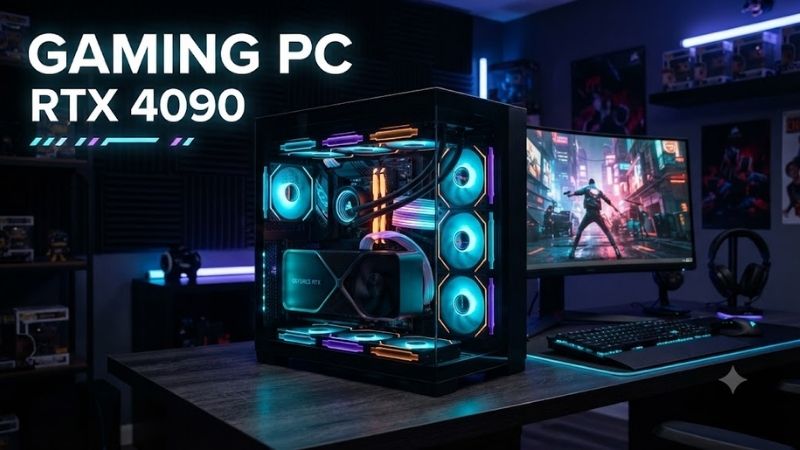
A Gaming Pc Rtx 4090 delivers powerful 4K gaming, advanced ray tracing, and GPU acceleration for demanding creative workloads. NVIDIA’s 24GB graphics card remains capable in 2026, although many original prebuilt configurations now appear as remaining stock or refurbished systems. This guide compares six established desktops and their practical trade-offs.
Quick Comparison: Best RTX 4090 Gaming Desktops
| Product | Best For | Key Advantage | Limitation |
|---|---|---|---|
| Corsair Vengeance i8200 | Premium gaming and creation | Core i9-14900K and 64GB DDR5 | High power and space requirements |
| Lenovo Legion Tower 7i Gen 8 | Balanced high-end gaming | RTX 4090, 64GB RAM, 1200W PSU | Older Intel platform |
| HP OMEN 45L GT22 | Cooling-focused gaming | Dedicated Cryo Chamber design | Very large chassis |
| Corsair Vengeance i7500 | Gaming and streaming | Standard desktop components | Older processor platform |
| Alienware Aurora R16 | Compact premium gaming | Space-efficient chassis design | Proprietary components |
| ASUS ROG Strix G35CA | RGB showcase builds | Distinctive ROG styling | Specifications vary by configuration |
Best Gaming PC RTX 4090 Models Reviewed
1. Corsair Vengeance i8200 — Best Premium RTX 4090 Gaming PC
Best For: Enthusiast gamers, video editors, 3D artists, and professionals who need substantial graphics and processing capabilities.
The Corsair Vengeance i8200 pairs an NVIDIA GeForce RTX 4090 with an Intel Core i9-14900K processor. This combination offers high-end gaming performance alongside considerable multicore computing power. The system is designed for users who want demanding games and creative applications on one desktop.
Configuration CS-9060008-NA includes 64GB of DDR5-6600 memory and two 2TB NVMe SSDs, providing 4TB of installed storage. This is useful for maintaining large game libraries, raw video footage, and project files. Other i8200 variants use different memory speeds, making the exact SKU important.
The system features a Z790 motherboard, Corsair liquid CPU cooling, and a 1000W 80 PLUS Gold power supply. Its Vengeance 5000T chassis provides substantial room for high-end components. The graphics card uses its own cooling assembly, so GPU temperatures still depend on case airflow and operating conditions.
The RTX 4090 supports DLSS 3 Frame Generation, hardware ray tracing, and NVIDIA’s video encoding technologies. These features benefit compatible games and streaming software. However, the Core i9-14900K requires attention to Intel’s published microcode stability updates, particularly when purchasing older inventory.
Key Features:
-
Intel Core i9-14900K processor
-
NVIDIA GeForce RTX 4090 24GB
-
64GB DDR5-6600 memory
-
Dual 2TB NVMe SSDs
-
Intel Z790 motherboard
-
1000W 80 PLUS Gold PSU
-
Liquid CPU cooling
-
Corsair Vengeance 5000T chassis
Pros:
-
Strong gaming and content-creation hardware
-
Generous memory and storage
-
Conventional ATX platform
Cons:
-
Requires substantial desk space
-
Older Intel processor needs updated firmware
Who Should Buy It: Enthusiasts seeking a powerful RTX 4090 computer with substantial memory, storage, and conventional desktop components.
2. Lenovo Legion Tower 7i Gen 8 — Best Balanced RTX 4090 Desktop
Best For: Gamers and professionals seeking a documented high-end desktop configuration with ample memory and storage.
The Lenovo Legion Tower 7i Gen 8 combines an Intel Core i9-13900KF with an NVIDIA GeForce RTX 4090. Its configuration balances graphics performance with substantial processor resources for gaming, recording, and productivity. The conventional tower design also provides a familiar desktop setup.
Lenovo configuration 90V7003CUS includes 64GB of DDR5-4000 memory installed as four 16GB modules. Storage consists of a 2TB PCIe Gen4 M.2 SSD. This arrangement provides useful capacity for large games and professional software, although all four memory slots are occupied in this configuration.
Cooling includes a 360mm liquid CPU cooler, supported by additional chassis fans. The system uses a 1200W power supply to accommodate its high-performance components. Adequate ventilation remains important because both the processor and graphics card can generate substantial heat under demanding workloads.
The Legion Tower 7i supports Wi-Fi 6E and Bluetooth connectivity alongside wired networking. However, its older Intel platform requires careful attention to BIOS maintenance and processor condition. Buyers considering refurbished units should confirm that the installed hardware matches Lenovo’s original specifications.
Key Features:
-
Intel Core i9-13900KF
-
NVIDIA RTX 4090 24GB
-
64GB DDR5-4000 RAM
-
2TB PCIe Gen4 SSD
-
1200W power supply
-
360mm liquid CPU cooling
-
Wi-Fi 6E
-
Windows 11 Home configuration
Pros:
-
Powerful CPU and GPU combination
-
Large memory allocation
-
High-capacity PSU and liquid cooling
Cons:
-
Four installed memory modules occupy all slots
-
Aging Intel platform requires firmware verification
Who Should Buy It: Gamers wanting a complete high-end system with generous RAM, storage, and manufacturer-defined specifications.
3. HP OMEN 45L GT22 — Best Cooling-Focused Gaming PC
Best For: Gamers who prioritize cooling capacity, spacious construction, and a distinctive high-performance desktop design.
The HP OMEN 45L features the manufacturer’s Cryo Chamber cooling design, which separates the CPU radiator area from the main component compartment. This arrangement allows the liquid cooler to access external air rather than relying entirely on warmed internal airflow.
Selected OMEN 45L GT22 configurations combine NVIDIA GeForce RTX 4090 graphics with high-end Intel Core processors. The RTX 4090 includes 24GB of GDDR6X memory, providing substantial graphics resources for 4K gaming, GPU rendering, and compatible content-production applications.
The OMEN 45L uses a large tower enclosure intended to accommodate powerful components and substantial cooling equipment. Its chassis design is useful for managing demanding workloads, although actual temperatures depend on the exact hardware configuration, fan behavior, room conditions, and maintenance.
RAM capacity, processor selection, and SSD arrangements differ across GT22 variants. Buyers should identify the complete product number instead of assuming every OMEN 45L RTX 4090 configuration is identical. This matters especially for older inventory that may have been modified or refurbished.
The main compromise is its physical footprint. The large chassis requires significant floor or desk space and is less convenient to transport. Buyers interested in a smaller gaming setup may prefer the Alienware Aurora R16, although that alternative introduces different component upgrade considerations.
Key Features:
-
NVIDIA RTX 4090 24GB configurations
-
High-end Intel Core processor options
-
OMEN Cryo Chamber design
-
Liquid CPU cooling
-
Large gaming tower enclosure
-
DDR5 memory configurations
-
NVMe SSD storage options
-
Tempered-glass side panel
Pros:
-
Distinctive cooling arrangement
-
Spacious internal construction
-
Suitable for demanding gaming workloads
Cons:
-
Very large chassis
-
Exact specifications vary across GT22 models
Who Should Buy It: Gamers seeking a large RTX 4090 desktop with a cooling-focused design and substantial hardware accommodation.
4. Corsair Vengeance i7500 — Best for Gaming and Streaming
Best For: PC gamers who stream, record gameplay, or run demanding creative applications alongside their games.
The Corsair Vengeance i7500 offers RTX 4090 graphics in a conventional desktop construction. Configuration CS-9050071-NA includes an Intel Core i9-14900K, making it suitable for demanding games and multicore workloads. Its ATX-oriented platform supports a familiar approach to desktop maintenance.
This configuration provides 64GB of DDR5-6000 memory and a 2TB NVMe SSD. The RAM allocation supports extensive multitasking and creative software, while the SSD offers room for installed games and applications. Additional storage requirements depend on how much recorded video the user retains.
The system includes a Z790 motherboard, liquid CPU cooling, and a 1000W 80 PLUS Gold power supply. Its Corsair 4000D-based construction emphasizes conventional desktop components rather than proprietary case architecture. This can simplify maintenance when compatible replacement parts are available.
NVIDIA’s RTX 4090 includes hardware video encoding features useful for supported streaming applications. It can also accelerate compatible rendering and video-editing software. However, those capabilities depend on application settings and do not eliminate the need for adequate CPU, memory, and storage resources.
The i7500 is also subject to the same Intel processor firmware considerations as other 14th-generation high-performance desktops. Buyers should confirm motherboard BIOS updates, component condition, and storage configuration. Older inventory should be evaluated against newer complete-system alternatives.
Key Features:
-
Intel Core i9-14900K
-
NVIDIA RTX 4090 24GB
-
64GB DDR5-6000 RAM
-
2TB NVMe SSD
-
Intel Z790 motherboard
-
1000W 80 PLUS Gold PSU
-
Liquid CPU cooling
-
Corsair 4000D chassis family
Pros:
-
Strong mixed gaming and production capabilities
-
Standard desktop-oriented components
-
Generous system memory
Cons:
-
High power requirements
-
Older Intel platform needs firmware attention
Who Should Buy It: Gamers and streamers wanting a powerful desktop with familiar hardware and substantial multitasking resources.
5. Alienware Aurora R16 — Best Compact RTX 4090 Gaming Desktop
Best For: Gamers who want a powerful prebuilt computer without the oversized styling of traditional flagship gaming towers.
The Alienware Aurora R16 uses a relatively restrained chassis compared with earlier Aurora generations. Selected configurations support NVIDIA GeForce RTX 4090 graphics, combining high-end gaming capability with a more compact tower design. It appeals to users who want powerful hardware without an elaborate showcase enclosure.
Dell documents RTX 4090 support with 24GB of GDDR6X graphics memory and a 450W graphics power specification. Compatible configurations use a 1000W power supply. The GPU supports HDMI 2.1a and DisplayPort 1.4a connections for high-resolution monitors and multi-display workstations.
The Aurora R16 was offered with Intel Core processors, including 13th- and 14th-generation configurations. Actual CPU, memory, storage, and cooling specifications depend on the product’s service tag. Buyers should avoid assuming that every Aurora R16 includes identical components simply because the chassis is the same.
Compared with Corsair’s conventional ATX systems, Alienware uses more platform-specific hardware arrangements. This can limit certain motherboard, power supply, and enclosure upgrades. However, the integrated design may appeal to buyers who prefer a complete manufacturer-supported system rather than selecting individual components.
When purchasing an older Aurora R16, confirm its exact processor, GPU, power supply, and BIOS version. Refurbished systems may have undergone repairs or component replacements. The RTX 4090 configuration remains capable, but condition and upgrade flexibility should influence the purchasing decision.
Key Features:
-
NVIDIA GeForce RTX 4090 24GB option
-
Intel Core processor configurations
-
1000W PSU for RTX 4090 configurations
-
Compact Aurora tower design
-
HDMI 2.1a and DisplayPort 1.4a
-
Windows gaming platform
-
Manufacturer-specific cooling arrangement
Pros:
-
Relatively compact premium desktop
-
Powerful graphics for 4K gaming
-
Integrated manufacturer system design
Cons:
-
Proprietary components can complicate upgrades
-
Exact hardware varies between configurations
Who Should Buy It: Gamers looking for a relatively compact RTX 4090 prebuilt who prefer an integrated desktop design over a traditional custom-built tower.
6. ASUS ROG Strix G35CA — Best RGB Showcase Gaming PC
Best For: Enthusiast gamers seeking distinctive desktop styling, extensive connectivity, and a powerful graphics configuration.
The ASUS ROG Strix G35CA belongs to the company’s premium gaming desktop family. Selected configurations include NVIDIA GeForce RTX 4090 graphics and high-performance Intel processors. Its exterior design emphasizes gaming aesthetics, with lighting and chassis details intended for visible desktop setups.
ROG desktop configurations provide options for high-speed DDR5 memory, PCIe storage, and external peripheral connections. However, specifications vary across G35CA variants. The exact processor, installed RAM, SSD capacity, and power supply should be confirmed using the full product identifier.
Its RTX 4090 supports 4K gaming, hardware-accelerated ray tracing, and compatible NVIDIA creative applications. The graphics card also includes 24GB of GDDR6X memory. These capabilities are valuable for demanding games and rendering workloads, although overall performance depends on the selected processor and cooling arrangement.
The chassis is designed for users who appreciate a complete ROG-themed gaming setup. However, decorative lighting and exterior styling do not independently improve performance. Cooling layout, internal airflow, power supply quality, and accessible components should receive greater consideration than visual appearance.
Buyers considering older G35CA inventory should check hardware condition, firmware updates, and warranty terms. ASUS has offered multiple gaming configurations under similar desktop names, so compatibility and upgrade decisions must be based on the exact model rather than the product family alone.
Key Features:
-
RTX 4090 configurations
-
High-performance Intel processor options
-
DDR5 memory configurations
-
PCIe SSD storage
-
ROG desktop chassis
-
RGB lighting support
-
High-speed peripheral connectivity
Pros:
-
Distinctive gaming-focused appearance
-
Powerful RTX 4090 graphics option
-
Suitable for gaming and creative applications
Cons:
-
Specifications vary by SKU
-
Chassis design may limit some modifications
Who Should Buy It: Gamers who prefer a distinctive ROG desktop and are willing to verify the complete configuration before purchasing.
Gaming PC RTX 4090 Buying Guide
RTX 4090 Performance for 4K Gaming
The RTX 4090 uses NVIDIA’s Ada Lovelace architecture and includes 16,384 CUDA cores alongside 24GB of GDDR6X memory. These specifications provide substantial graphics resources for high-resolution rendering. The card supports hardware ray tracing, DLSS Super Resolution, and DLSS Frame Generation in compatible games.
However, a powerful GPU does not guarantee identical frame rates across all titles. Game optimization, graphics settings, processor performance, and display resolution influence results. Players should evaluate independent benchmarks for their preferred games rather than interpreting maximum advertised hardware specifications as guaranteed gaming performance.
RTX 4090 vs. Newer Gaming Graphics Cards
The RTX 4090 remains powerful, but newer graphics generations offer different performance characteristics and software capabilities. Buyers shopping in 2026 should compare complete desktops equipped with modern alternatives rather than automatically choosing an older flagship card.
Newer GPUs may support additional rendering technologies and improved media capabilities. However, the RTX 4090’s 24GB memory remains useful for selected creative and local AI workloads. The better purchase depends on actual application requirements, overall system cost, warranty coverage, and available hardware.
Choosing Between Intel Core i7 and Core i9
The processor affects game responsiveness, minimum frame rates, and performance in CPU-intensive scenarios. High-end Intel Core i9 processors offer substantial multicore capacity, making them useful for workloads involving gaming, rendering, streaming, and professional software.
However, additional cores do not always produce proportional gaming improvements. Many 4K games are primarily limited by GPU performance, especially at demanding graphics settings. Buyers focused exclusively on gaming should compare processor benchmarks and complete-system value rather than assuming the most expensive CPU is necessary.
How Much RAM Does an RTX 4090 Gaming PC Need?
For a premium gaming desktop, 32GB of RAM provides a practical starting point. It accommodates many modern games while leaving room for ordinary background applications. Systems with 64GB can benefit users running virtual machines, complex creative software, or extensive multitasking workflows.
Memory speed and configuration also influence performance. Two matched memory modules often provide more straightforward upgrade flexibility than four populated slots. Buyers should examine motherboard compatibility and stability before assuming that higher advertised DDR5 frequencies will automatically improve gaming performance.
SSD Storage for Modern Game Libraries
Modern games can occupy substantial storage space, especially when high-resolution textures and downloadable content are installed. A 2TB NVMe SSD provides useful capacity for a large gaming collection without frequent file management. Content creators may need additional drives for recordings and project files.
PCIe Gen4 SSDs deliver high sequential transfer speeds, but game loading depends on software and system behavior. Buyers should also consider SSD endurance, available motherboard slots, and upgrade accessibility. A desktop with convenient M.2 expansion may provide greater long-term value than one with limited storage options.
RTX 4090 Power Supply Requirements
NVIDIA specifies 450W total graphics power for its reference RTX 4090 and recommends an 850W system power supply under its reference conditions. Actual requirements depend on processor selection, other components, and manufacturer specifications. Many premium RTX 4090 prebuilts use 1000W or larger power supplies.
Power supply quality matters as much as advertised wattage. Check the PSU’s appropriate protections, available connectors, and compatibility with the installed graphics card. Avoid relying on questionable adapters or cables that were not designed for the specific power supply and GPU configuration.
GPU Power Connector Safety
The RTX 4090 uses a high-power 16-pin graphics connection in common implementations. Improper seating or stressed cabling can create electrical and thermal problems. The connector should be fully inserted according to manufacturer instructions, with sufficient clearance to avoid sharp bends near the plug.
When evaluating a used gaming PC, inspect the connector and surrounding cable for discoloration, deformation, or other signs of damage. Do not attempt to operate a system with a visibly damaged connector. Compatible replacement cables should come from approved sources for the exact PSU model.
Cooling and Thermal Performance
An RTX 4090 gaming PC can generate considerable heat during demanding workloads. Effective cooling requires suitable GPU airflow, an adequately cooled processor, and a case that allows heated air to escape. Liquid CPU cooling is helpful in certain configurations but does not directly cool the graphics card.
Large chassis designs often provide greater flexibility for airflow and maintenance. Compact systems can also perform effectively when properly engineered, although internal space is more constrained. Buyers should evaluate fan noise, dust management, GPU temperatures, and sustained performance rather than judging cooling by radiator size alone.
Streaming and Content Creation Features
The RTX 4090 includes NVIDIA’s eighth-generation video encoding hardware and supports AV1 encoding. This is useful for compatible streaming, video production, and recording software. GPU encoding can reduce the amount of CPU processing required for certain media tasks.
However, software support determines which features are available. Recording quality depends on encoding settings, bitrate, source resolution, and platform compatibility. Streamers should also consider microphone connectivity, storage capacity, networking reliability, and system RAM before selecting a complete gaming workstation.
Buying a Used or Refurbished RTX 4090 PC
Refurbished RTX 4090 desktops can remain useful when their hardware is functioning properly. However, older high-end systems may have experienced sustained heat, heavy graphics workloads, or component replacements. Buyers should verify the GPU model, processor condition, SSD health, and cooling equipment before purchasing.
Seller return terms and warranty coverage are particularly important because RTX 4090 repairs can be expensive. Confirm whether the system retains its original power supply and graphics card. Request available diagnostic information rather than assuming that a successful startup confirms long-term reliability.
Intel 13th- and 14th-Generation Stability Considerations
Several RTX 4090 prebuilts use Intel’s 13th- or 14th-generation Core processors. Intel published microcode and BIOS mitigations addressing instability associated with certain desktop processor operating conditions. Buyers should ensure that applicable firmware updates have been installed.
Firmware updates cannot necessarily reverse physical degradation that may already have occurred. For used systems, ask about unexpected shutdowns, crashes, and previous processor replacements. An updated BIOS and a stable operating history are important considerations when evaluating older high-performance Intel desktops.
Upgradability and Long-Term Value
A gaming desktop’s upgrade flexibility depends on motherboard design, case dimensions, power supply connections, and cooling capacity. Standard ATX-based computers often provide greater freedom to replace components. Proprietary systems may use specialized motherboard layouts or power arrangements.
Consider whether future upgrades would involve a graphics card, additional SSDs, memory, or a processor platform replacement. A well-built older RTX 4090 system can remain useful for years, but limited expansion may shorten its practical lifespan. Evaluate the complete ownership experience rather than focusing exclusively on the GPU.
Frequently Asked Questions
1. Is an RTX 4090 Gaming PC Still Worth Buying in 2026?
An RTX 4090 gaming PC remains capable of demanding 4K gaming and GPU-intensive creative work. Its 24GB graphics memory is useful for selected professional applications. However, buying one in 2026 requires comparing newer alternatives, remaining warranty coverage, hardware condition, and complete-system cost.
2. Can an RTX 4090 Gaming PC Run 4K Games at High Settings?
Yes. The RTX 4090 provides powerful 4K rendering capability and supports advanced graphical features. Actual performance depends on the game, ray-tracing settings, processor, and whether DLSS is enabled. Certain demanding titles may still require adjusted settings to achieve a preferred frame rate.
3. How Much RAM Should a Gaming PC With RTX 4090 Have?
A premium RTX 4090 gaming desktop generally benefits from 32GB of system RAM, while 64GB is useful for demanding content creation or multitasking. The ideal configuration depends on applications, background processes, and future requirements. Graphics card VRAM and system memory serve different functions.
4. Is a 1000W Power Supply Enough for RTX 4090?
A suitable 1000W power supply can support many RTX 4090 gaming desktops, including configurations sold by established manufacturers. However, power requirements depend on the CPU, graphics card variant, and other components. Follow the complete system’s electrical specifications and use approved power connections.
5. Can an RTX 4090 PC Be Used for AI and 3D Rendering?
Yes. The RTX 4090 supports CUDA acceleration, dedicated Tensor Cores, and 24GB of graphics memory, making it useful for supported rendering and AI applications. However, some large models and complex scenes exceed its memory capacity. Software compatibility and workload requirements should guide the purchase.
6. Should I Buy a Newer GPU Instead of an RTX 4090?
A newer graphics card may offer better features, warranty availability, or overall value depending on current market conditions. The RTX 4090 remains attractive for certain 24GB VRAM workloads and high-end gaming. Compare complete systems with relevant benchmarks, rather than choosing solely by GPU generation.
Conclusion
The best Gaming Pc Rtx 4090 depends on performance requirements, cooling, upgrade flexibility, and system condition. Corsair offers powerful configurations, Lenovo provides balanced specifications, and HP emphasizes cooling. Compare newer gaming desktops, verify firmware updates, and examine complete hardware specifications before buying.