🛒 Best Price Today on Amazon
Prime members get fast, free shipping on everything above, plus member-only deals. New members get a 30-day free trial — cancel anytime.
- Quick Verdict: Best Desktop Power Supplies
- Quick Comparison Table
- How We Selected These Desktop Power Supplies
- 6 Best Desktop Power Supplies Reviewed
- Desktop Power Supply Buying Guide
- Common Mistakes When Buying a Desktop Power Supply
- Frequently Asked Questions
- Final Verdict: Which Desktop Power Supply Should You Buy?
Choosing the right desktop power supply protects your components and supports stable performance under demanding workloads. Whether you’re building a budget computer, upgrading a gaming PC, or assembling a high-end workstation, this guide compares six power supplies based on capacity, efficiency, connectivity, reliability, and practical value.
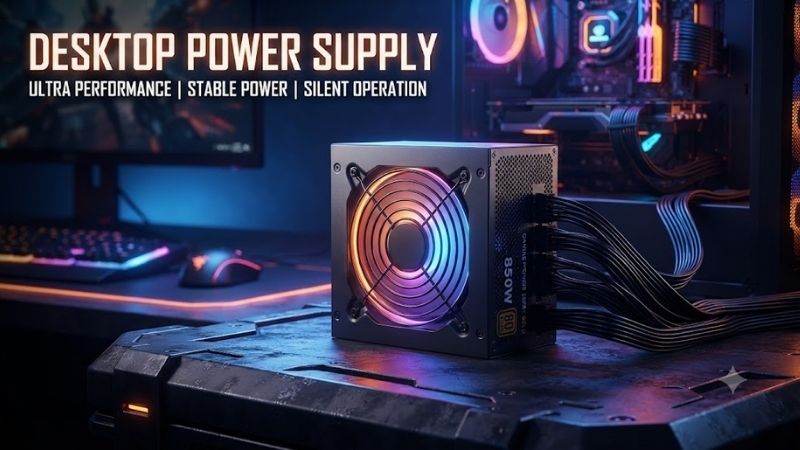
Quick answer: For most people in 2026, the best desktop power supply is the Desktop Power Supply — our #1 rated choice. See the full ranked comparison, alternatives and buying advice below.
Quick Verdict: Best Desktop Power Supplies
A desktop power supply unit (PSU) converts wall electricity into the regulated DC power required by your motherboard, processor, graphics card, storage drives, and cooling components. Selecting a quality unit is important because electrical performance, protective circuitry, and connector compatibility can affect the reliability of the entire computer.
The best choice depends on your hardware rather than simply buying the highest-wattage unit available.
-
Best Overall for Most Gaming PCs: Cooler Master MWE Gold 850 V3 — A balanced 850W ATX 3.1 option with modern compatibility and strong independent review results.
-
Best Budget Desktop PSU: be quiet! Pure Power 13 M 650W — A practical entry point for mainstream systems that don’t require excessive power.
-
Best Value 850W PSU: Montech Century II Gold 850W — Modern connectivity and competitive electrical efficiency without premium positioning.
-
Best for High-End Graphics Cards: Corsair RM1000e with ThermalProtect — A 1000W design with an additional temperature-sensing GPU power cable.
-
Best for High-Power Workstations: Lian Li RS1200G — A 1200W unit designed for demanding systems with substantial power requirements.
-
Best for Compact Desktop Builds: Corsair SF750 (2024) — A compact SFX power supply combining 750W output with Platinum-rated efficiency.
For a typical midrange or upper-midrange gaming desktop, a well-designed 750W or 850W power supply often provides an appropriate balance of capacity, connection options, and upgrade flexibility. However, users should always check the actual requirements of their specific CPU and graphics card.
Quick Comparison Table
| Desktop Power Supply | Wattage | Efficiency | Form Factor | Best For |
|---|---|---|---|---|
| Cooler Master MWE Gold 850 V3 | 850W | 80 PLUS Gold | ATX | Overall gaming performance |
| be quiet! Pure Power 13 M | 650W | 80 PLUS Gold | ATX | Budget and mainstream PCs |
| Montech Century II Gold | 850W | 80 PLUS Gold; Cybenetics Platinum | ATX | Value-focused gaming builds |
| Corsair RM1000e ThermalProtect | 1000W | Cybenetics Platinum | ATX | Powerful gaming computers |
| Lian Li RS1200G | 1200W | 80 PLUS Gold; Cybenetics Platinum | ATX | High-demand workstations |
| Corsair SF750 (2024) | 750W | 80 PLUS Platinum | SFX | Small-form-factor PCs |
Efficiency certifications describe conversion efficiency under specified testing conditions, not overall product quality. A unit’s voltage regulation, electrical noise, protections, thermal behavior, and warranty are also important.
How We Selected These Desktop Power Supplies
These recommendations are based on manufacturer specifications, documented electrical characteristics, compatibility standards, and published independent PSU evaluations. They are editorial selections rather than results from original detailed research.
The evaluation emphasizes six purchasing factors: usable continuous output, ATX and PCIe compatibility, efficiency, protection features, cooling behavior, and realistic suitability for different PC configurations.
Modern ATX 3.1 compatibility receives particular consideration because many new graphics cards use high-power connectors and can create brief changes in electrical demand. However, an older, well-engineered PSU can still be suitable when it satisfies the hardware manufacturer’s electrical and connector requirements.
We also considered physical dimensions and cable routing. A power supply that performs well electrically is not useful if it cannot fit inside the intended case or safely connect to the installed graphics card.
Rather than selecting six nearly identical products, the roundup covers mainstream desktops, budget configurations, powerful gaming systems, high-demand workstations, and compact builds.
6 Best Desktop Power Supplies Reviewed
1. Cooler Master MWE Gold 850 V3 — Best Overall Desktop Power Supply
Best For: Mainstream and upper-midrange gaming desktops, productivity systems, and users seeking a well-balanced 850W PSU.
Why We Picked It
The Cooler Master MWE Gold 850 V3 earns the overall recommendation because its combination of 850W output, ATX 3.1 compatibility, modular cabling, and independently documented electrical performance addresses the requirements of many modern gaming desktops.
Its capacity is suitable for a broad range of single-GPU systems, although suitability ultimately depends on the exact hardware configuration.
Key Specifications
| Feature | Specification |
|---|---|
| Power Output | 850W |
| ATX Standard | ATX 3.1 |
| Efficiency | 80 PLUS Gold |
| Cabling | Fully modular reviewed variant |
| Modern GPU Support | PCIe 5.1 compatibility |
| Warranty | 10 years for reviewed variant |
Features and Benefits
One of this PSU’s biggest advantages is its modular design. Unused power cables can be removed rather than packed into the power-supply compartment, making cable management easier.
ATX 3.1 compatibility also makes it an attractive choice for contemporary builds that need a PSU designed around modern electrical requirements.
Independent analysis has documented particularly favorable efficiency at low and medium loads, which is relevant because a desktop computer frequently operates below maximum power consumption.
Performance and Practical Use
An 850W unit can support many gaming configurations built around efficient modern CPUs and reasonably powerful dedicated graphics cards.
Its electrical performance makes it appealing for gaming and productivity workloads where power demand changes rapidly. However, independent evaluations also identify increased fan noise under heavy loading.
Users who expect their computer to operate near maximum capacity for extended periods should account for acoustic behavior and operating temperature.
Pros
-
Strong balance between capacity and compatibility.
-
Fully modular cabling simplifies installation.
-
Favorable independently reported efficiency and power quality.
-
Long manufacturer warranty.
Cons
-
Fan noise increases at high electrical loads.
-
More power capacity than most basic office computers require.
Buy If: You want an 850W ATX 3.1 desktop power supply for a modern gaming computer without unnecessarily moving into the 1000W category.
Skip If: Your computer uses integrated graphics and has modest power requirements, or you need a substantially higher-capacity PSU.
2. be quiet! Pure Power 13 M 650W — Best Budget Desktop Power Supply
Best For: Budget gaming desktops, home computers, and mainstream systems with moderate power demands.
Why We Picked It
The be quiet! Pure Power 13 M 650W offers an attractive combination of modern PSU standards, Gold-rated efficiency, and practical output capacity.
Many desktop computers simply do not need 850W or 1000W of available power. A carefully chosen 650W unit can be a more sensible purchase for a system built around a moderate-power processor and graphics card.
Key Specifications
| Feature | Specification |
|---|---|
| Power Output | 650W |
| ATX Standard | ATX 3.1 |
| Efficiency | 80 PLUS Gold |
| Cabling | Fully modular |
| GPU Connector | 12V-2×6, rated 450W |
| Warranty | 10 years |
Features and Benefits
The fully modular cable system is a particularly useful inclusion for an affordable power supply. It reduces the amount of unnecessary wiring inside a computer case and simplifies the installation process.
The included modern GPU power connector is another advantage over older budget designs that lack native support for this connection type.
Nevertheless, the presence of a 12V-2×6 connector does not mean the unit is suitable for every graphics card using that connector. Total system consumption and manufacturer recommendations still determine compatibility.
Performance and Practical Use
For everyday productivity, web browsing, multimedia, and gaming with a reasonably efficient discrete GPU, 650W can provide sufficient power.
The unit is especially appealing when the system’s expected sustained power draw leaves adequate operating margin.
However, users planning substantial GPU upgrades should calculate their future power requirements before buying. A 650W PSU may become limiting if the next graphics card demands considerably more power.
Pros
-
Fully modular design at a mainstream power level.
-
ATX 3.1 compatibility.
-
Native modern graphics-card power connection.
-
Ten-year warranty.
Cons
-
Less upgrade flexibility than higher-capacity alternatives.
-
Unsuitable for some high-consumption CPU and GPU combinations.
Buy If: You’re building a cost-conscious desktop with moderate power requirements and want a modern PSU without excessive capacity.
Skip If: You’re considering an enthusiast graphics card or expect major power-demand increases in future upgrades.
3. Montech Century II Gold 850W — Best Value Desktop Power Supply
Best For: Budget-conscious gaming enthusiasts who want 850W capacity and modern standards.
Why We Picked It
The Montech Century II Gold 850W provides a compelling alternative to established premium PSU brands.
Its ATX 3.1 design, native high-power GPU connectivity, and independently reported Cybenetics Platinum efficiency results make it worth considering for users who want strong technical specifications without automatically paying more for brand recognition.
Key Specifications
| Feature | Specification |
|---|---|
| Power Output | 850W |
| ATX Standard | ATX 3.1 |
| GPU Compatibility | PCIe 5.1, native 12V-2×6 |
| Efficiency | 80 PLUS Gold; Cybenetics Platinum |
| +12V Output | Approximately 849.6W |
| Intended Market | Mainstream and enthusiast desktops |
Features and Benefits
An important characteristic is the unit’s ability to deliver nearly its full rated output through the +12V rail, which powers the most demanding desktop components.
Modern processors and graphics cards primarily draw power from this rail, making its capacity more relevant than legacy output configurations.
Published independent testing also indicates that the model performs favorably in electrical efficiency for its market position.
Performance and Practical Use
This PSU is suitable for many gaming systems requiring 850W of available output.
It also provides an appropriate starting point for buyers who are upgrading an older desktop that lacks native 12V-2×6 graphics-card connectivity.
Its value depends on actual pricing. If a more established competitor offers stronger electrical characteristics, warranty support, or quieter operation for a small additional cost, that competitor may be preferable.
Pros
-
Modern ATX 3.1 architecture.
-
Native high-power GPU connector.
-
Strong efficiency results for its category.
-
Competitive value positioning.
Cons
-
Brand support and availability can vary by region.
-
Buyers should compare exact independent test results rather than relying only on efficiency badges.
Buy If: You want an 850W modern desktop PSU and the Century II costs meaningfully less than comparable alternatives.
Skip If: A similarly priced competitor offers better documented power quality, acoustic performance, or after-sales support.
4. Corsair RM1000e ThermalProtect — Best for High-End Gaming PCs
Best For: Gaming desktops using high-consumption graphics cards, powerful processors, and substantial upgrade headroom.
Why We Picked It
The Corsair RM1000e ThermalProtect combines 1000W output with ATX 3.1 compatibility and a specialized temperature-sensing GPU power cable.
The ThermalProtect-equipped revision is particularly interesting for systems using graphics cards powered by a 12V-2×6 connection.
Key Specifications
| Feature | Specification |
|---|---|
| Power Output | 1000W |
| ATX Standard | ATX 3.1 |
| Efficiency | Cybenetics Platinum |
| Cabling | Fully modular |
| GPU Connector | 12V-2×6 with ThermalProtect |
| Dimensions | 140 × 150 × 86 mm |
| Warranty | 7 years |
Features and Benefits
The defining feature is the ThermalProtect power cable. Its integrated temperature monitoring is designed to detect unsafe temperatures around the graphics-card power connection and trigger a protective shutdown response.
This adds a specific protective mechanism beyond the PSU’s conventional overcurrent, overvoltage, and short-circuit protections.
It should not be interpreted as a guarantee against all connector failures. Correct cable insertion, appropriate bending clearance, and suitable hardware remain essential.
The compact 140mm PSU length is another practical advantage, particularly in ATX cases where cable-management space behind the PSU is limited.
Performance and Practical Use
A 1000W power supply can make sense when a computer combines a high-end processor, power-hungry graphics card, numerous drives, and substantial peripheral hardware.
It may also accommodate future upgrades that increase power requirements.
However, 1000W should not automatically be considered necessary for every gaming system. Many PCs consume significantly less power, and an appropriately sized 750W or 850W PSU may perform equally well when operating within its intended range.
Pros
-
High output suitable for demanding desktop configurations.
-
Temperature-sensing GPU power cable.
-
ATX 3.1 and PCIe 5.1 support.
-
Fully modular and relatively compact design.
Cons
-
Unnecessary capacity for many mainstream computers.
-
Seven-year warranty is shorter than some competing premium models.
Buy If: You’re assembling a high-end gaming PC that justifies a 1000W PSU and values additional connector temperature protection.
Skip If: Your configuration comfortably fits within a lower wattage or does not need its specialized cable feature.
5. Lian Li RS1200G — Best Desktop Power Supply for Workstations
Best For: High-power gaming computers, creator workstations, and complex desktop configurations.
Why We Picked It
The Lian Li RS1200G offers 1200W output for users whose computers have substantial electrical requirements.
Its fully modular design and integrated cable-management features make it a distinctive option for systems with numerous components and demanding graphics workloads.
Key Specifications
| Feature | Specification |
|---|---|
| Power Output | 1200W |
| ATX Standard | ATX 3.1 |
| Efficiency | 80 PLUS Gold; Cybenetics Platinum |
| Cabling | Fully modular |
| Cooling | 135mm fluid dynamic bearing fan |
| Fanless Mode | Supported |
| Dimensions | 150 × 150 × 86 mm |
| Warranty | 10 years |
Features and Benefits
A distinctive element of the RS1200G is its alternative connector layout and cable-management approach.
Lian Li also includes a magnetic USB hub with the RS1200G configuration, giving compatible builds additional convenience when organizing internal connections.
These features can reduce clutter, but the unusual placement of the PSU’s main connector requires particular attention to case compatibility.
A conventional ATX mounting location does not automatically guarantee sufficient space for every connector arrangement.
Performance and Practical Use
The 1200W capacity is most relevant to systems using high-consumption graphics cards, demanding workstation processors, and additional power-intensive components.
The unit is also appropriate for buyers who have verified that planned future upgrades will require higher available capacity.
However, a large power rating does not improve rendering speed, gaming frame rates, or computational performance by itself.
Once a PSU provides adequate stable power, the CPU, GPU, memory, and storage determine application performance.
Pros
-
Substantial 1200W output.
-
Modern ATX 3.1 standard.
-
Fully modular construction.
-
Innovative cable organization and integrated hub.
-
Ten-year warranty.
Cons
-
Unconventional connector placement requires case verification.
-
Excessive capacity for standard desktop configurations.
Buy If: Your workstation genuinely needs high power capacity and your case can accommodate the connector arrangement.
Skip If: You’re building a mainstream gaming PC or prefer conventional PSU cabling without additional compatibility considerations.
6. Corsair SF750 (2024) — Best Power Supply for Small Desktop PCs
Best For: Mini-ITX computers, compact gaming desktops, and small-form-factor systems requiring a powerful SFX PSU.
Why We Picked It
The Corsair SF750 (2024) addresses a different problem from the other power supplies in this roundup: delivering considerable electrical capacity in a compact chassis.
Many small desktop cases cannot accommodate standard ATX power supplies. An SFX model solves the physical compatibility problem while still supporting demanding hardware.
Key Specifications
| Feature | Specification |
|---|---|
| Power Output | 750W |
| Form Factor | SFX |
| ATX Compatibility | ATX 3.1 compliant |
| Efficiency | 80 PLUS Platinum; Cybenetics Platinum |
| Cabling | Fully modular |
| GPU Connector | PCIe 16-pin |
| Warranty | 7 years |
Features and Benefits
The compact SFX design allows the SF750 to fit cases that lack space for conventional ATX units.
Its Platinum efficiency certification is also beneficial in the context of space-constrained builds, where thermal management can be challenging.
However, efficiency certification alone does not establish internal temperature or fan-noise performance.
Small PSUs have limited room for cooling hardware, so operating near full capacity for prolonged periods can create more demanding thermal conditions.
Performance and Practical Use
This model suits compact systems where 750W is enough for the selected processor, graphics card, and other components.
It is particularly attractive for users building a powerful Mini-ITX gaming PC without sacrificing substantial interior space to a larger power supply.
Nevertheless, buyers should verify both total wattage requirements and the availability of the necessary GPU power connectors.
An SFX PSU may be used in some larger cases with an appropriate bracket, but users should check mounting support and cable length before installation.
Pros
-
Space-saving SFX form factor.
-
Platinum-rated efficiency.
-
Modern ATX 3.1 compatibility.
-
Fully modular cables.
-
Suitable for many powerful compact PCs.
Cons
-
Higher cost than many comparable-wattage ATX models.
-
Limited thermal headroom when heavily loaded for extended periods.
Buy If: You’re assembling a compact gaming desktop that requires an SFX PSU and benefits from efficient power delivery.
Skip If: Your case supports standard ATX units and compact dimensions provide no practical advantage.
Desktop Power Supply Buying Guide
How Much Wattage Does a Desktop Computer Need?
Wattage is one of the first specifications buyers consider, but the correct figure depends on total system consumption.
CPU and GPU power requirements are usually the largest contributors to peak electrical demand. Motherboards, memory, storage devices, fans, pumps, and connected accessories add to the overall requirement.
The following ranges provide general orientation rather than guaranteed compatibility.
| Desktop Configuration | Typical PSU Shopping Range |
|---|---|
| Basic office PC with integrated graphics | 300–450W |
| Entry-level gaming desktop | 450–650W |
| Midrange gaming PC | 650–750W |
| Upper-midrange gaming PC | 750–850W |
| High-end gaming desktop | 850–1000W |
| High-power enthusiast workstation | 1000–1200W or higher |
Individual systems can fall outside these ranges.
For example, some high-performance graphics cards require a substantial minimum PSU capacity regardless of the estimated average system power draw. Always respect the graphics-card manufacturer’s recommendation and consider the full system configuration.
A practical approach is to estimate peak system demand and select a quality PSU with reasonable additional capacity for short load increases, component aging, and potential upgrades.
Avoid treating an arbitrary percentage of headroom as a substitute for checking actual power requirements.
What Is the Difference Between 80 PLUS Bronze, Gold, Platinum, and Titanium?
PSU efficiency measures how effectively the unit converts incoming AC electricity into usable DC electricity.
Energy that is not delivered to PC components is primarily dissipated as heat.
An efficient PSU generally wastes less electricity under comparable load and testing conditions.
| Certification Tier | General Positioning |
|---|---|
| 80 PLUS Bronze | Mainstream efficiency |
| 80 PLUS Gold | Higher-efficiency mainstream and enthusiast products |
| 80 PLUS Platinum | Premium efficiency |
| 80 PLUS Titanium | Very high efficiency, with additional low-load requirements |
Certification requirements vary depending on input voltage and the testing program.
A Gold-rated PSU may have better voltage regulation, ripple suppression, or protection behavior than a poorly engineered model carrying a higher efficiency badge.
For that reason, electrical testing is more important than efficiency labels alone.
ATX 3.0 vs ATX 3.1: Which Should You Choose?
ATX 3.0 and ATX 3.1 are modern power-supply specifications designed to address contemporary hardware requirements, including demanding changes in power consumption.
ATX 3.1 is associated with updated requirements and modern graphics-card power connectivity.
The revised 12V-2×6 connector design incorporates mechanical changes intended to improve connection behavior, particularly around proper insertion.
However, ATX 3.1 labeling does not automatically prove that a PSU includes every connector a particular computer requires.
A high-quality ATX 3.0 unit can remain appropriate for a modern gaming PC when its specifications, connectors, and electrical capabilities satisfy the hardware requirements.
Recommendation: For a new build, prefer a well-reviewed ATX 3.1 PSU when pricing and other quality factors are comparable. Do not replace a suitable ATX 3.0 unit solely because a newer specification exists.
Modular vs Non-Modular Power Supplies
Desktop power supplies generally use three cable configurations.
Non-modular PSUs have permanently attached power cables. They are often more affordable but leave unused cables inside the chassis.
Semi-modular PSUs permanently attach some essential cables while allowing selected peripheral cables to be removed.
Fully modular PSUs allow all detachable power cables to be connected as needed.
Fully modular designs are convenient for clean installations, but they introduce an important safety consideration.
Modular cables are not universally interchangeable between power supplies.
Even when connectors physically fit, the wiring arrangement at the PSU end may differ between brands, models, or generations.
Using the wrong modular cable can damage connected hardware.
Always use cables explicitly approved for the exact PSU model.
Check Power Supply Compatibility Before Buying
Before purchasing a desktop power supply, verify several physical and electrical requirements.
Case dimensions: Confirm that the case supports the PSU’s form factor and physical length. Also account for the space required to bend and route cables.
Motherboard connections: Most contemporary consumer motherboards use a 24-pin main power connector and one or more CPU EPS power connections.
Graphics-card connections: Check whether the GPU needs traditional PCIe 6+2-pin cables, a 12VHPWR connector, or a 12V-2×6 connection.
Storage and accessories: SATA drives, some fan hubs, and other peripherals require additional dedicated power connectors.
Cooling layout: Ensure the PSU has suitable airflow and is not installed with its intake blocked.
For graphics cards using high-power 16-pin connectors, follow the manufacturer’s cable installation instructions carefully and confirm that the connector is fully seated.
Important PSU Protection Features
A quality desktop power supply should incorporate appropriate electrical safeguards.
Overvoltage Protection (OVP): Helps prevent excessive output voltage from reaching connected hardware.
Undervoltage Protection (UVP): Responds to output voltage falling outside permitted thresholds.
Overcurrent Protection (OCP): Protects against excessive electrical current.
Overpower Protection (OPP): Responds when overall electrical demand exceeds configured limits.
Short-Circuit Protection (SCP): Helps shut down the PSU when a short circuit occurs.
Overtemperature Protection (OTP): Responds to excessive internal temperature.
These safeguards do not guarantee that connected components can never be damaged, but properly designed protection circuitry reduces several important risks.
Independent electrical testing can help establish whether protections operate at appropriate thresholds.
Does a Higher-Wattage PSU Improve Gaming Performance?
A larger PSU does not directly increase frame rates.
For instance, replacing a healthy 750W unit with a 1200W unit will not make a game run faster when the original PSU already provides adequate power.
Insufficient power, however, can cause instability, unexpected shutdowns, or problems under demanding workloads.
The goal is to provide sufficient stable power, not to maximize available wattage.
A higher-capacity PSU may be useful when upgrading to a more demanding graphics card, but an oversized unit offers little practical benefit when the system’s requirements remain modest.
How Important Is PSU Noise?
Power-supply noise depends on cooling design, fan behavior, operating load, internal temperature, and acoustic characteristics.
Some PSUs include fanless operating modes that stop the cooling fan below particular load or temperature thresholds.
Others prioritize steady airflow or use fan curves designed to balance temperatures with noise.
A fanless mode does not guarantee that a PSU will remain silent under heavy gaming workloads.
Buyers building quiet computers should look for independent acoustic measurements obtained under comparable testing conditions.
This is especially important when choosing between compact SFX and larger ATX designs because their cooling constraints differ.
Common Mistakes When Buying a Desktop Power Supply
Choosing a PSU Based Only on Wattage
A high advertised wattage is not evidence of strong electrical design.
Two power supplies with identical output ratings may differ significantly in voltage stability, ripple suppression, efficiency, thermal performance, and protection circuitry.
A well-reviewed 750W PSU is generally a better choice than an inadequately documented 1000W unit when the system only needs 750W.
Ignoring Graphics-Card Connector Requirements
GPU power connectors are not interchangeable simply because they appear similar.
The PSU must supply the required connection type and power capacity.
Users should also avoid substituting unrelated CPU EPS cables for graphics-card power cables.
Buying an Oversized PSU Without a Reason
A 1200W model is not automatically better for a computer that draws only a fraction of that capacity.
Extra wattage can support future upgrades, but the decision should be based on realistic component plans and price differences.
Reusing Old Modular PSU Cables
Cable compatibility is a serious safety consideration.
A cable from an old modular power supply may fit a new PSU physically while using incompatible pin assignments.
Replace or verify every detachable cable when changing PSU models.
Overlooking Case Clearance
PSUs vary in length, connector positioning, and cable requirements.
Even a correctly sized ATX unit may create installation difficulties in a compact chassis if insufficient space remains for cable routing.
Assuming Efficiency Certification Guarantees Reliability
An efficiency badge does not fully describe the quality of internal components or electrical performance.
Manufacturer reputation, exact model revision, independent technical reviews, warranty terms, and protective circuitry deserve separate consideration.
Frequently Asked Questions
What Is the Best Wattage for a Desktop Power Supply?
For many mainstream gaming desktops, 650W to 850W is a useful shopping range. Basic computers may need substantially less, while demanding enthusiast systems can require 1000W or more.
The correct wattage must be determined from the components’ requirements, especially the CPU and GPU.
Is a 750W Power Supply Enough for Gaming?
A quality 750W PSU is enough for many gaming computers, including numerous builds with dedicated graphics cards.
However, some high-end GPU and CPU combinations require greater capacity.
Always check the graphics-card manufacturer’s recommended system PSU wattage before buying.
Can I Use a 1000W PSU in a Computer That Needs Only 500W?
Yes, provided the PSU is electrically compatible and fits the case.
A computer draws the power it requires rather than automatically consuming the unit’s maximum rated output.
However, purchasing unnecessary capacity may increase cost without providing meaningful performance benefits.
How Long Does a Desktop Power Supply Last?
A well-designed PSU can remain useful for many years, but longevity depends on build quality, temperature, workload, operating conditions, and component aging.
Warranty length is useful purchasing information, but it should not be interpreted as a guaranteed operating lifespan.
Unusual fan noises, repeated unexplained shutdowns, burning smells, or visible damage warrant investigation. Never open a PSU enclosure yourself because internal capacitors can retain dangerous electrical energy after disconnection.
Can I Replace a Desktop PSU Without Reinstalling Windows?
Yes. Replacing a power supply normally does not require reinstalling Windows because the operating system and personal files remain on the storage drives.
The new PSU must be properly connected to the motherboard, CPU, GPU, and other powered hardware.
Turn off the computer, disconnect it from the wall outlet, and follow the manufacturer’s installation instructions.
Is an ATX Power Supply Better Than an SFX Power Supply?
Neither form factor is inherently better.
ATX power supplies are appropriate for many standard desktop cases and may offer more physical room for cooling hardware.
SFX power supplies prioritize compact dimensions and are necessary for some Mini-ITX enclosures.
Choose according to the case’s supported PSU form factors, available space, power requirements, and verified electrical performance.
Final Verdict: Which Desktop Power Supply Should You Buy?
The Cooler Master MWE Gold 850 V3 is a strong all-around desktop power supply for many gaming builds, combining 850W output, modern ATX 3.1 support, and favorable independent electrical evaluations. The be quiet! Pure Power 13 M 650W is a sensible alternative for less demanding PCs, while the Montech Century II Gold 850W deserves consideration when value is the priority. For high-end systems, the Corsair RM1000e ThermalProtect adds power capacity and specialized GPU connector protection, while the Lian Li RS1200G serves higher-demand configurations. Compact PC builders should consider the Corsair SF750 (2024). Ultimately, the best desktop power supply is the one that matches your components, fits your case, provides the necessary connectors, and delivers reliable electrical performance without unnecessary expense.
Ready to decide? Our #1 pick for 2026 is the Desktop Power Supply.
Live price & availability on Amazon.