🛒 Best Price Today on Amazon
Prime members get fast, free shipping on everything above, plus member-only deals. New members get a 30-day free trial — cancel anytime.
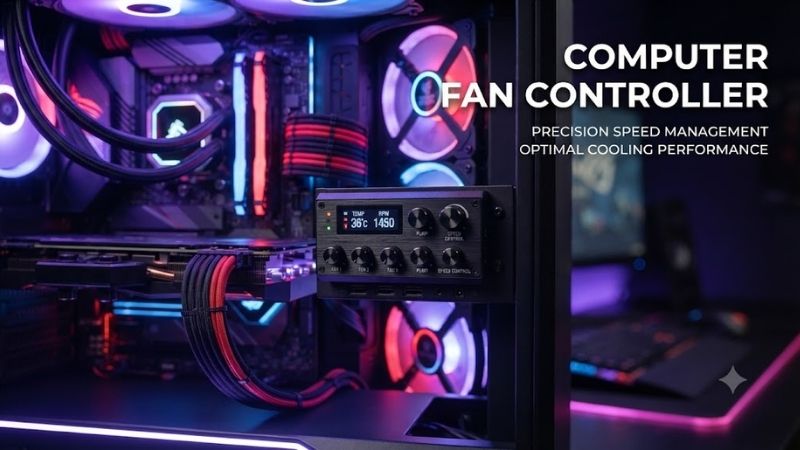
A computer fan controller helps organize multiple case fans, manage PWM speed, and reduce motherboard header limits in complex PC builds. The best options range from simple SATA-powered hubs to software-controlled RGB controllers, so the right choice depends on fan count, lighting needs, available headers, and how much independent control you want.
Best Computer Fan Controllers Compared
| Product | Best For | Key Advantage | Limitation |
|---|---|---|---|
| Corsair iCUE Commander Core XT | Best Overall | Software fan and RGB control | Best inside Corsair ecosystem |
| NZXT RGB & Fan Controller | Best NZXT Builds | Independent fan channels and CAM | Proprietary NZXT RGB connectors |
| Noctua NA-FH1 | Best Premium PWM Hub | Eight channels and strong protection | No software or RGB control |
| ARCTIC Case Fan Hub | Best Value | Ten PWM ports with SATA power | All fans follow one PWM signal |
| DeepCool SC790 | Best PWM + ARGB Hub | Six fan and six ARGB outputs | Requires 5V ARGB compatibility |
| Thermaltake Commander FP | Best High-Fan-Count Hub | Ten PWM fan ports | Limited independent control |
Best Computer Fan Controller Picks
Corsair iCUE Commander Core XT
Best For: Builders who want software-controlled cooling and RGB management from one hub.
The Corsair iCUE Commander Core XT can control the speed of up to six PWM fans while also managing compatible Corsair RGB lighting. It connects to an internal USB 2.0 header, receives power through SATA, and works with Corsair iCUE software for custom fan curves, lighting effects, temperature monitoring, and alerts.
Key Features
- Six PWM fan ports
- Six RGB fan ports
- Two temperature-sensor inputs
- SATA power
- Internal USB 2.0 connection
- iCUE software support
- USB pass-through connection
- Custom cooling profiles
What makes it different is the level of software control rather than simple signal splitting. Fan curves can respond to supported temperature sensors, while lighting and cooling stay inside one interface. The main limitation is ecosystem dependence because its RGB side is designed primarily around compatible Corsair devices.
Pros
- Detailed software fan control
- Integrated RGB management
- Temperature probes included
Cons
- Requires internal USB
- Best with Corsair RGB hardware
Who Should Buy It: Choose the Commander Core XT if you already use Corsair fans, lighting, or Hydro X components and want centralized management. It is especially useful in gaming PCs with several cooling zones, but a basic SATA-powered PWM hub is much cheaper if you only need additional fan headers.
NZXT RGB & Fan Controller
Best For: NZXT-based gaming systems using CAM for cooling and lighting.
The NZXT RGB & Fan Controller combines three fan channels with three NZXT RGB lighting channels and connects through an internal USB header. It supports standard 4-pin PWM and 3-pin DC fans, while compatible lighting devices can be managed through NZXT CAM alongside fan curves and other supported NZXT hardware.
Key Features
- Three fan channels
- Support for PWM and DC fans
- Three NZXT RGB channels
- Internal USB connection
- SATA-powered design
- NZXT CAM integration
- Software fan curves
- Lighting synchronization
The controller is attractive because each fan channel can handle multiple fans within its rated power limit, making it useful for grouped front, top, and rear cooling. Its biggest restriction is RGB compatibility: NZXT uses its own lighting connector, so standard 5V ARGB products cannot simply plug into the RGB outputs.
Pros
- Software-controlled fan channels
- Supports PWM and DC fans
- Strong fit for NZXT ecosystems
Cons
- Proprietary RGB connection
- Requires CAM software
Who Should Buy It: This controller makes the most sense in an NZXT case already using compatible fans or lighting. Builders with mixed-brand ARGB components should consider a standard 5V ARGB hub instead, because proprietary lighting connections can complicate future upgrades even when the fan-speed side remains flexible.
Noctua NA-FH1
Best For: Premium builds that need reliable PWM fan expansion without RGB.
The Noctua NA-FH1 is an eight-channel fan hub designed to control multiple fans from a single motherboard PWM header or compatible standalone controller. It supports both 4-pin PWM and 3-pin fans, accepts SATA power for 12V fans, and includes protection against overcurrent through a self-resetting fuse.
Key Features
- Eight fan channels
- 4-pin PWM fan support
- 3-pin fan compatibility
- SATA power input
- Up to 54W with SATA power
- Magnetic mounting
- Self-resetting overcurrent protection
- Six-year warranty
What makes the NA-FH1 stand out is its focus on electrical quality and flexibility rather than lighting or software. Strong magnets simplify installation, while the hub can work with motherboard control or devices such as Noctua’s NA-FC1. All connected PWM fans follow the incoming control signal instead of receiving individual curves.
Pros
- Eight fan outputs
- Strong electrical protection
- Supports 12V and 5V fans
Cons
- No RGB control
- No independent per-port fan curves
Who Should Buy It: The NA-FH1 is ideal for quiet workstations, air-cooled gaming PCs, radiator arrays, and premium builds where several fans need dependable power from one control source. It is less appropriate when you need each fan zone to follow a completely different temperature curve through software.
ARCTIC Case Fan Hub
Best For: Budget-conscious users who need many PWM fan connections.
The ARCTIC Case Fan Hub expands one motherboard fan header into ten 4-pin PWM outputs and draws fan power from a SATA connection. Each output supports up to 1A, while the hub accepts up to 4.5A total input current. Its compact 86.3 x 55.6 x 14.3mm enclosure is easy to hide behind a motherboard tray.
Key Features
- Ten 4-pin PWM outputs
- SATA power input
- Single motherboard PWM input
- Up to 1A per output
- Up to 4.5A total input
- Compact enclosure
- Cable-management-friendly design
- Six-year warranty
Its main advantage is simplicity. A large airflow build can connect front, top, rear, and radiator fans without consuming every motherboard header. The trade-off is shared control: connected PWM fans receive the same control signal, so the hub is best when grouped fans should ramp together rather than operate as independent thermal zones.
Pros
- Ten fan ports
- Excellent fan-per-dollar value
- SATA power reduces motherboard load
Cons
- Shared PWM control
- No lighting management
Who Should Buy It: Choose the ARCTIC hub when you have many similar case or radiator fans and want them to follow one motherboard curve. It is particularly useful for large towers and multi-radiator systems, while smaller builds with only three or four fans may not need a dedicated ten-port device.
DeepCool SC790
Best For: Builders who need both PWM fan expansion and standard ARGB synchronization.
The DeepCool SC790 combines six 4-pin PWM fan ports with six 3-pin 5V addressable RGB outputs. It connects to one motherboard PWM header and one 5V ARGB header while drawing power through SATA. DeepCool rates the fan section for up to 4.5A total, with a maximum of 2A on an individual fan port.
Key Features
- Six 4-pin PWM fan ports
- Six 3-pin 5V ARGB ports
- SATA power
- Magnetic mounting
- Motherboard PWM synchronization
- Standard 5V ARGB input
- Support for major motherboard RGB platforms
- Compact 102 x 60 x 17mm body
The SC790 stands out because it expands both cooling and lighting without locking buyers into one proprietary RGB ecosystem. Connected fans still share motherboard control rather than receiving independent software curves. It also does not support older 12V four-pin RGB devices, so lighting voltage must be checked carefully before installation.
Pros
- Fan and ARGB expansion in one unit
- Standard motherboard connections
- Magnetic installation
Cons
- No independent per-fan control
- Incompatible with 12V RGB lighting
Who Should Buy It: The SC790 suits gaming PCs using several standard PWM ARGB fans from compatible brands. It is particularly useful when the motherboard has only one 5V ARGB header and limited fan headers, but users with non-ARGB fans can save money by choosing a simpler PWM-only hub.
Thermaltake Commander FP
Best For: High-fan-count systems that need straightforward PWM distribution.
The Thermaltake Commander FP is a ten-port hub designed primarily for PWM cooling fans. It uses direct SATA power and connects to a motherboard 4-pin fan header for speed control. One designated channel supplies the RPM feedback signal, while the remaining connected PWM fans follow the same control signal from the motherboard.
Key Features
- Ten fan ports
- 4-pin PWM support
- Compatible with 3-pin fans
- SATA power input
- One RPM detection channel
- Power-status LED
- Reusable mounting fasteners
- Centralized cable routing
The Commander FP is intentionally simple, making it useful when software features would add unnecessary cost. Three-pin fans can be connected, but they do not gain PWM speed control through the hub. This makes the device best with matched 4-pin PWM fans that are intended to ramp together under one motherboard cooling profile.
Pros
- Ten fan connections
- SATA-powered design
- Simple installation
Cons
- No RGB functions
- 3-pin fans lack speed control through the hub
Who Should Buy It: Choose the Commander FP for large cases, custom cooling systems, or workstations running many similar PWM fans. It offers an uncomplicated way to expand one header, but users who want separate front, radiator, and exhaust curves should choose a true multi-channel software controller instead.
Computer Fan Controller Buying Guide
Fan Hub vs True Fan Controller
A fan hub mainly expands one motherboard fan header into several outputs. Most connected PWM fans receive the same speed-control signal, making hubs ideal for groups such as three front intakes or multiple radiator fans. ARCTIC, Noctua, and Thermaltake products in this roundup follow this general approach.
A true controller adds independent channels, sensors, or software. Corsair and NZXT products provide more detailed control because a PC communicates with them over internal USB. That flexibility costs more and adds setup complexity, so it is most valuable when different cooling zones need separate behavior instead of one shared curve.
PWM vs 3-Pin DC Fans
Four-pin PWM fans receive a dedicated control signal that adjusts speed without relying solely on voltage changes. This normally provides a wider and more predictable control range, especially at low RPM. Modern gaming PCs should generally use PWM fans when buying a controller or hub specifically for adjustable case cooling.
Three-pin DC fans can still work with certain controllers, including the NZXT model, but compatibility varies. Some PWM hubs can physically power 3-pin fans without controlling their speed. Check the controller documentation before assuming a four-pin socket can automatically regulate every three-pin fan connected to it.
SATA Power and Header Limits
Motherboard fan headers have current limits, so connecting too many fans through passive splitters can overload a header. SATA-powered hubs solve this by drawing most fan power directly from the power supply while using the motherboard connection primarily for PWM control and RPM feedback.
You still need to follow the hub’s per-port and total power specifications. High-speed industrial fans can draw much more current than normal case fans. Count the rated current of every attached fan rather than assuming a ten-port controller can safely run any ten fans simply because enough sockets are available.
Independent Fan Control
Independent control matters when different fans serve different components. Front intake fans may need to react to GPU temperature, while radiator fans may need to follow coolant or CPU temperature. A simple hub cannot usually provide unique control signals for every fan because all outputs receive the same PWM command.
Software controllers are more suitable when separate cooling zones matter. For a typical gaming PC with several identical case fans, however, shared PWM control is often perfectly adequate. Paying for independent channels only makes sense when your thermal strategy actually benefits from different fan curves.
RGB and ARGB Compatibility
Fan speed connectors and lighting connectors are separate systems. A four-pin PWM fan connection does not control LEDs, and a three-pin 5V ARGB connection should never be confused with a four-pin 12V RGB header. Incorrect voltage can damage lighting hardware, so connector type must be verified before installation.
DeepCool SC790 uses standard 5V ARGB connections, while NZXT and Corsair controllers have ecosystem-specific lighting considerations. If you frequently mix fan brands, standard motherboard ARGB is easier to maintain. Proprietary controllers work best when most lighting components come from the same manufacturer.
Frequently Asked Questions
What Does a Computer Fan Controller Do?
A computer fan controller expands or manages the connections used by case, radiator, and cooler fans. Basic hubs distribute one PWM signal across multiple fans, while advanced controllers can create separate speed curves, monitor temperature sensors, and manage lighting through software. The best type depends on your cooling layout.
Do I Need a Fan Controller for My PC?
You need one only if your motherboard lacks enough suitable fan headers or you want features beyond standard BIOS control. A motherboard with five headers may handle a normal gaming build without extra hardware. Large cases, custom loops, many RGB fans, and complex cooling zones benefit much more from a dedicated hub or controller.
Can I Connect Ten Fans to One Motherboard Header?
Not safely through an ordinary passive splitter unless the combined current remains within the motherboard header’s rating. A SATA-powered hub is a better solution because fan power comes primarily from the PSU. Even then, respect the hub’s individual-port and total current limits before connecting a large group of fans.
Can a Fan Controller Control RGB Lighting?
Some can, but fan speed and RGB are separate functions. Corsair Commander Core XT, NZXT RGB & Fan Controller, and DeepCool SC790 provide both cooling and lighting connections. ARCTIC, Noctua, and Thermaltake hubs focus on fan power and speed signals, so RGB lighting requires another compatible controller or motherboard header.
Are All PWM Fans Controlled Separately on a Hub?
Usually not. Basic PWM hubs distribute the same motherboard control signal to every connected fan, so all compatible fans change speed together according to one curve. Independent control requires multiple real fan channels or a software controller. This distinction is important when building separate CPU, GPU, radiator, and case cooling zones.
Is SATA Power Better for a Fan Hub?
SATA power is useful because it reduces the electrical load placed on a motherboard fan header when many fans are connected. The motherboard can provide the control signal while the power supply handles most of the fan current. It does not remove all limits, however, so the hub’s rated current must still be followed.
Conclusion
The best computer fan controller depends on whether you need simple PWM expansion or complete software and RGB management. Corsair and NZXT suit software-driven builds, Noctua and ARCTIC excel as clean PWM hubs, DeepCool handles synchronized ARGB, and Thermaltake offers a practical ten-fan solution for larger systems.