🛒 Best Price Today on Amazon
Prime members get fast, free shipping on everything above, plus member-only deals. New members get a 30-day free trial — cancel anytime.
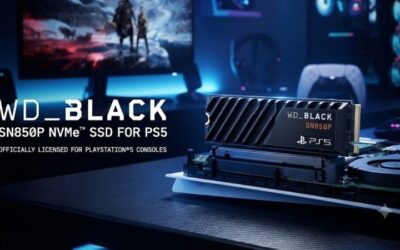
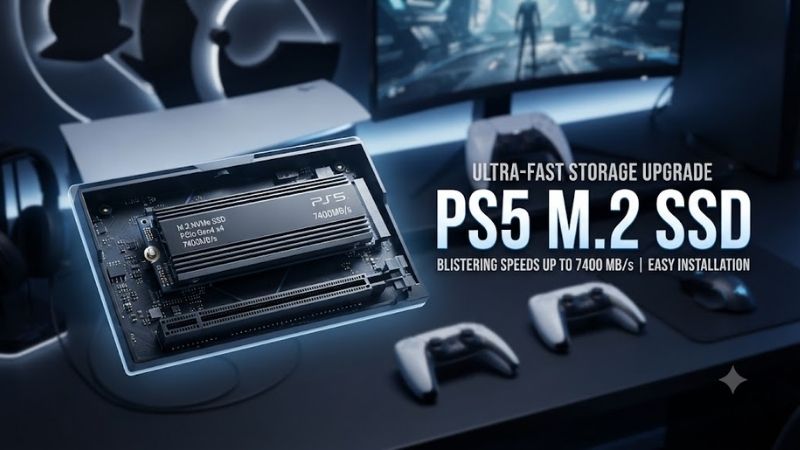
Ps5 M 2 Ssd upgrades are the easiest way to expand a growing PlayStation game library without relying on slower external storage for PS5 titles. The best drives combine PCIe 4.0 performance, a PS5-compatible M.2 form factor, adequate cooling, strong endurance, and capacities that match how many large games you want installed.
Quick Comparison
| Product | Best For | Key Advantage | Limitation |
|---|---|---|---|
| Samsung 990 PRO with Heatsink | Best Overall | High-end PCIe 4.0 performance | Premium pricing |
| WD_BLACK SN850X with Heatsink | Best Gaming Pick | Fast gaming-focused design | Heatsink model costs more |
| Corsair MP600 PRO LPX | Best PS5-Specific Value | Low-profile factory heatsink | Less useful software on console |
| Crucial T500 with Heatsink | Best Performance Value | Fast Gen4 speeds | Check exact heatsink version |
| Seagate FireCuda 530R with Heatsink | Best Endurance-Focused Pick | Strong sustained performance | Often priced above budget drives |
| Kingston FURY Renegade with Heatsink | Best Alternative | Fast TLC-based Gen4 design | Older than newer Gen5 PC drives |
Best PS5 M.2 SSD Picks
Samsung 990 PRO With Heatsink
Best For: Buyers who want a premium, proven PCIe 4.0 upgrade.
Key Features:
- PCIe 4.0 x4 NVMe
- M.2 2280
- Up to 7,450 MB/s sequential read
- Up to 6,900 MB/s sequential write
- Integrated heatsink version available
- TLC NAND
- Dedicated DRAM
- Multiple capacities
Samsung 990 PRO is one of the fastest mature PCIe 4.0 SSDs and remains an excellent fit for a PS5 when purchased with the factory heatsink. Its read performance sits well above Sony’s recommended minimum, while the slim heatsink version is designed to control sustained heat without requiring a separate thermal solution.
The dedicated DRAM and high-end controller matter more on a PC than inside a console, but they still help make the drive a strong long-term storage option. For PS5 buyers, the main benefit is straightforward: high performance, an integrated thermal solution, and capacities large enough for several modern AAA games.
What Makes It Different: Samsung combines strong sequential performance with a polished heatsink design and a mature flagship platform.
Pros:
- Very fast PCIe 4.0 performance
- Integrated heatsink option
- TLC NAND with DRAM
Cons:
- Premium price
- Extra PC software features do not matter much on PS5
Who Should Buy It: Choose the 990 PRO if you want a high-end PS5 expansion drive and prefer an established flagship over a lower-cost value model.
WD_BLACK SN850X With Heatsink
Best For: Gaming-focused PS5 storage.
Key Features:
- PCIe 4.0 x4
- M.2 2280
- Up to 7,300 MB/s sequential read
- High-speed TLC NAND design
- Heatsink version available
- Multiple capacities
- Gaming-oriented firmware and branding
WD_BLACK SN850X is built around gaming workloads and has become one of the most recognizable PlayStation storage upgrades. The heatsink version fits the type of low-profile thermal design needed inside the PS5 expansion bay while delivering sequential read speeds comfortably above Sony’s recommended level.
Its real advantage is not that PS5 games suddenly run dramatically faster than with every other qualified SSD. Instead, the drive offers a strong combination of high throughput, mature firmware, large capacity choices, and a factory heatsink that removes the need to choose and install a separate cooler.
What Makes It Different: SN850X is a gaming-first Gen4 SSD that is easy to recommend when you want a factory-cooled model without researching aftermarket heatsinks.
Pros:
- Strong gaming performance
- Integrated heatsink version
- Large-capacity options
Cons:
- Often costs more than bare SSDs
- PC gaming software features are irrelevant on console
Who Should Buy It: Pick the SN850X if you want a simple, widely compatible PS5 upgrade with strong performance and minimal installation guesswork.
Corsair MP600 PRO LPX
Best For: Buyers who want an SSD designed explicitly around PS5 fitment.
Key Features:
- PCIe 4.0 x4 NVMe
- M.2 2280
- Up to 7,100 MB/s sequential read
- Up to 6,800 MB/s sequential write
- Low-profile aluminum heat spreader
- 3D TLC NAND
- Capacities including 1TB, 2TB, 4TB, and larger
Corsair MP600 PRO LPX is one of the easiest options to understand because the entire product design focuses on high-performance storage in a low-profile package suitable for PS5. The factory aluminum heat spreader fits over the drive without creating the bulky height associated with large desktop M.2 heatsinks.
Corsair rates the drive for sequential reads up to 7,100 MB/s and writes up to 6,800 MB/s. Those specifications place it comfortably in the performance range expected from a strong Gen4 console upgrade, while TLC NAND gives it a better performance foundation than many cheaper entry-level drives.
What Makes It Different: The MP600 PRO LPX is sold as a PS5-compatible solution rather than a PC drive that happens to fit the console.
Pros:
- Factory low-profile heatsink
- Fast Gen4 performance
- Wide capacity selection
Cons:
- Pricing varies significantly
- Bare-drive alternatives can be cheaper
Who Should Buy It: Choose this model if ease of installation and factory PS5-oriented cooling matter more than chasing the lowest possible cost.
Crucial T500 With Heatsink
Best For: Buyers looking for high-end Gen4 performance at competitive pricing.
Key Features:
- PCIe 4.0 x4
- M.2 2280
- Up to roughly 7,300 MB/s sequential read
- High sequential write performance
- TLC NAND
- Heatsink configuration available
- Multiple capacities
Crucial T500 sits close to the upper practical limit of PCIe 4.0 sequential performance while often competing aggressively against flagship Samsung and Western Digital models. For PS5 use, the heatsink version is the important choice because the console requires effective thermal management in the expansion bay.
The drive also makes sense for buyers who may later move it into a desktop PC. Its performance profile is strong enough for demanding PC workloads, while inside a PS5 it delivers the throughput required for current console storage expansion without forcing buyers into a more expensive Gen5 drive that the console cannot exploit.
What Makes It Different: T500 provides premium Gen4-class performance without requiring a flagship gaming brand.
Pros:
- Very fast read performance
- TLC-based design
- Heatsink option available
Cons:
- Need to select the correct heatsink version
- Gen5 alternatives are faster on PCs but unnecessary for PS5
Who Should Buy It: Pick the T500 if you want a high-performance PS5 SSD that can also remain useful in a future PC build.
Seagate FireCuda 530R With Heatsink
Best For: Heavy game libraries and buyers prioritizing sustained performance.
Key Features:
- PCIe 4.0 x4 NVMe
- M.2 2280
- High-end Gen4 sequential performance
- TLC NAND
- Heatsink model available
- Gaming-focused product line
- Large-capacity options
Seagate FireCuda 530R targets demanding gaming and creator workloads rather than basic storage expansion. Its PCIe 4.0 interface and heatsink-equipped versions make it suitable for a PS5, while its higher-end positioning is attractive to users who frequently install, delete, copy, and move very large game libraries.
For console use, endurance and sustained behavior matter more as drive capacity increases because a 2TB or 4TB SSD may remain installed for years. The FireCuda line is built for that type of workload, although buyers should compare its current price carefully because equally fast competitors can sometimes sell for less.
What Makes It Different: FireCuda 530R emphasizes high-end gaming storage and sustained workload capability instead of simply hitting minimum PS5 specifications.
Pros:
- Strong Gen4 performance
- Heatsink version available
- Suitable for large game libraries
Cons:
- Can be expensive
- Basic PS5 users may not benefit from the premium
Who Should Buy It: Choose it if you want a performance-focused SSD for a large library and expect frequent game transfers over several years.
Kingston FURY Renegade With Heatsink
Best For: Buyers who want a fast TLC-based alternative from Kingston.
Key Features:
- PCIe 4.0 x4 NVMe
- M.2 2280
- High-end Gen4 read performance
- TLC NAND
- Heatsink version available
- Gaming-focused FURY product family
- Multiple capacities
Kingston FURY Renegade remains a strong PS5 candidate because its Gen4 performance comfortably meets the console’s storage requirements when paired with the proper heatsink configuration. The drive targets gaming and enthusiast systems, offering a more performance-focused architecture than Kingston’s entry-level NVMe products.
The newer FURY Renegade G5 can reach dramatically higher Gen5 speeds on a compatible PC, but PS5 cannot make use of that extra Gen5 bandwidth. For console storage, the Gen4 Renegade remains the more logical fit because the platform itself is limited to PCIe 4.0 for its M.2 expansion interface.
What Makes It Different: It provides Kingston’s enthusiast-level NAND and controller approach without paying for Gen5 performance the PS5 cannot use.
Pros:
- Strong Gen4 throughput
- TLC NAND
- Gaming-oriented product design
Cons:
- Older than newer PC-focused Gen5 drives
- Make sure the chosen version includes suitable cooling
Who Should Buy It: Pick it if you prefer Kingston hardware and want a fast Gen4 drive instead of overspending on an unnecessary Gen5 model.
How to Choose a PS5 M.2 SSD
Confirm the Interface and Read Speed
PS5 requires a PCIe Gen4 x4 M.2 NVMe SSD rather than a SATA M.2 drive. Sony recommends sequential read performance of at least 5,500 MB/s, which means older Gen3 drives and low-end SATA products are not appropriate even if they physically resemble a compatible M.2 module.
Buying a 7,000 MB/s-class drive provides comfortable headroom, but there is little reason to pay extra for a 14,000 MB/s Gen5 SSD specifically for PS5. The console cannot use that additional Gen5 bandwidth, so capacity, cooling, endurance, and price matter more once the Gen4 performance requirement is satisfied.
Use a Proper Heatsink
Sony requires effective heat dissipation for an installed M.2 SSD. The simplest option is buying a model with a factory-installed low-profile heatsink designed to fit inside the PS5 expansion bay. This avoids guessing whether an aftermarket thermal solution is too tall or interferes with the bay cover.
A bare SSD can still work when paired with a compatible heatsink, but total dimensions must remain within Sony’s limits. Do not install a large desktop motherboard cooler simply because it fits an M.2 2280 drive; console clearance is much more restricted than a typical ATX motherboard.
Choose Capacity Around Your Library
A 1TB drive is a meaningful upgrade for players who keep a limited rotation of games installed. A 2TB drive is the best balance for many enthusiasts because it provides substantially more breathing room without reaching the high prices associated with 4TB and 8TB capacities.
Large modern games can consume well over 100GB after patches and downloadable content. If you constantly delete games to make room, paying for 2TB or 4TB can be more useful than buying the fastest 1TB flagship drive. Capacity affects daily convenience more than small differences between qualified Gen4 SSDs.
Check the Exact Product Variant
Many SSD names cover multiple versions, including bare drives, heatsink editions, different capacities, and revised models. A listing that says “990 PRO” or “SN850X” does not automatically mean the product includes a PS5-ready heatsink, so check the exact model before ordering.
Capacity can also affect rated performance and endurance. Do not assume a 1TB version has identical write speeds or endurance to the 2TB version. For console use, prioritize the precise capacity and heatsink configuration you intend to install rather than relying only on the product-family name.
FAQ
What Type of M.2 SSD Does PS5 Need?
PS5 needs a PCIe Gen4 x4 M.2 NVMe SSD in a supported M.2 size, with adequate heat dissipation. Sony recommends sequential read speed of at least 5,500 MB/s. A SATA M.2 SSD is not a substitute, and an older PCIe Gen3 drive should not be selected simply because the connector appears to fit.
Is 1TB or 2TB Better for PS5?
A 1TB drive is enough for players with a moderate installed library, while 2TB is usually more convenient for people who keep several large AAA games available at once. Since modern releases can exceed 100GB each, 2TB reduces the need to uninstall titles repeatedly and is often the better long-term balance.
Does a PS5 M.2 SSD Need a Heatsink?
Yes, the SSD needs effective heat dissipation. A factory-heatsink model is the easiest choice because the cooler is already matched to the drive and typically designed around console clearance. A separate heatsink can also work, but its combined dimensions must fit within the PS5 expansion compartment.
Will a Faster SSD Improve PS5 Graphics?
No. An SSD can influence storage capacity and loading behavior, but it does not increase GPU performance, rendering resolution, texture quality, or frame rate by itself. Once an SSD meets Sony’s requirements, differences between high-end qualified models are generally much smaller than their PC benchmark numbers suggest.
Can PS5 Games Run Directly From the M.2 SSD?
Yes. Compatible PS5 and PS4 games can be installed to and played directly from the internal M.2 expansion SSD. This is the main advantage over conventional external USB storage for PS5 titles, which can store PS5 games but is not used in the same way for direct PS5 game execution.
Conclusion
The best Ps5 M 2 Ssd depends more on capacity, cooling, and price than tiny benchmark differences. Samsung 990 PRO and WD_BLACK SN850X lead the premium choices, Corsair MP600 PRO LPX offers straightforward PS5 fitment, Crucial T500 adds strong value, while FireCuda 530R and FURY Renegade suit performance-focused buyers.