🛒 Best Price Today on Amazon
Prime members get fast, free shipping on everything above, plus member-only deals. New members get a 30-day free trial — cancel anytime.
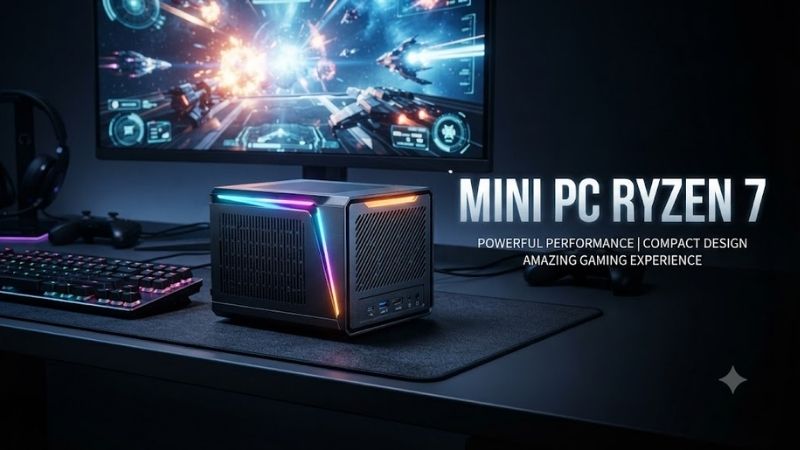
A Mini Pc Ryzen 7 delivers desktop computing power in a compact chassis that fits easily into modern workspaces. With AMD’s multicore processors, Radeon integrated graphics, and expandable memory, these systems handle productivity, creative tasks, and light gaming. This guide compares six models for different needs.
Quick Comparison: Best Mini PC Ryzen 7 Models
| Product | Best For | Key Advantage | Limitation |
|---|---|---|---|
| Beelink SER8 Ryzen 7 8845HS | Overall performance | Radeon 780M and vapor-chamber cooling | Limited internal expansion |
| MINISFORUM UM870 Slim | Productivity and value | Ryzen 7 8745H with USB4 | No dedicated graphics card |
| GMKtec NucBox K8 Plus | Gaming and connectivity | Dual USB4 and OCuLink | External GPU requires additional hardware |
| GEEKOM A8 Ryzen 7 8745HS | Professional office use | Compact metal chassis and DDR5 memory | Limited graphics upgrade options |
| AOOSTAR GEM12+ Ryzen 7 PRO 8845HS | Expandable gaming setup | OCuLink and dual 2.5GbE | Barebone setup requires extra components |
| Beelink SER7 Ryzen 7 7840HS | Older-generation alternative | Radeon 780M integrated graphics | Older platform and variable availability |
Best Mini PC Ryzen 7: Top 6 Models Reviewed
1. Beelink SER8 Ryzen 7 8845HS — Best Overall
Best For: Professionals, casual gamers, and content creators seeking strong performance in a compact Windows desktop.
The Beelink SER8 features AMD’s Ryzen 7 8845HS processor with eight Zen 4 cores and sixteen threads. Its maximum boost clock reaches 5.1GHz, providing considerable processing capability for multitasking. The compact enclosure makes it suitable for office desks where a full-size desktop would occupy unnecessary space.
Graphics performance comes from the integrated Radeon 780M GPU based on AMD’s RDNA 3 architecture. It supports everyday graphics workloads, video playback, and selected games at appropriate settings. However, demanding modern AAA titles may require reduced resolution or graphics quality to maintain playable performance.
The SER8 supports dual-channel DDR5-5600 memory and includes two M.2 2280 PCIe 4.0 storage slots. This configuration offers room for memory and storage expansion. Its MSC 2.0 cooling system combines a vapor chamber, fan, and additional SSD cooling to manage heat inside the compact chassis.
Connectivity includes HDMI 2.1, DisplayPort 1.4, and a full-featured USB4 port supporting multiple display configurations. Wi-Fi 6 and Bluetooth provide wireless connectivity, while the metal enclosure emphasizes a clean appearance. The main limitation is its lack of room for internal desktop graphics cards.
Key Features:
-
AMD Ryzen 7 8845HS processor
-
Eight cores and sixteen threads
-
Up to 5.1GHz boost clock
-
Radeon 780M integrated graphics
-
Dual DDR5-5600 memory slots
-
Two M.2 PCIe 4.0 SSD slots
-
HDMI, DisplayPort, and USB4 connectivity
Pros:
-
Strong multicore processing capability
-
Capable integrated graphics
-
Expandable RAM and storage
Cons:
-
No internal dedicated graphics card slot
-
Compact cooling system must manage demanding workloads
Who Should Buy It: Users seeking an all-around Ryzen 7 mini desktop for professional work, entertainment, and occasional gaming.
2. MINISFORUM UM870 Slim — Best for Productivity
Best For: Office professionals, students, developers, and users who need a powerful compact workstation.
The MINISFORUM UM870 Slim uses an AMD Ryzen 7 8745H processor featuring eight cores, sixteen threads, and boost frequencies reaching 4.9GHz. Its Zen 4 architecture provides substantial computing capability for routine productivity and demanding multitasking without requiring a conventional desktop tower.
Its Radeon 780M integrated graphics support everyday visual applications, media playback, and selected gaming workloads. The system can manage multiple displays through HDMI, DisplayPort, and USB4 connections. This flexibility is particularly useful for professionals working with spreadsheets, programming environments, or multiple browser windows.
The UM870 Slim supports dual-channel DDR5-5600 memory with a stated maximum capacity of 96GB. Two M.2 2280 PCIe 4.0 slots provide storage expansion options. Its compact dimensions of approximately 130 × 126.5 × 50.4 mm make it easy to accommodate on smaller desks.
Networking includes 2.5Gb Ethernet, Wi-Fi 6E, and Bluetooth connectivity. The USB4 interface also provides high-speed peripheral connectivity. Buyers should distinguish barebone configurations from systems with memory, storage, and Windows installed, because included components substantially affect the complete purchase.
Key Features:
-
AMD Ryzen 7 8745H
-
Eight cores and sixteen threads
-
Up to 4.9GHz boost frequency
-
Radeon 780M graphics
-
DDR5 memory support up to 96GB
-
Dual PCIe 4.0 NVMe SSD slots
-
USB4 and 2.5Gb Ethernet
Pros:
-
Compact design for professional workspaces
-
Flexible memory and storage upgrades
-
Multiple modern display connections
Cons:
-
Integrated graphics limit demanding gaming
-
Barebone variants require additional components
Who Should Buy It: Professionals wanting a small Ryzen-powered desktop with substantial multitasking potential.
3. GMKtec NucBox K8 Plus — Best for Gaming Connectivity
Best For: PC enthusiasts, casual gamers, and users considering an external graphics card setup.
The GMKtec NucBox K8 Plus combines AMD’s Ryzen 7 8845HS processor with Radeon 780M integrated graphics. Its eight-core, sixteen-thread configuration provides useful performance for productivity and gaming workloads. The integrated GPU also makes the system suitable for many less demanding games.
What makes the K8 Plus distinctive is its extensive connectivity. The chassis includes two USB4 ports, an OCuLink interface, HDMI, DisplayPort, and dual 2.5Gb Ethernet connections. This collection provides considerable flexibility for external storage, multiple monitors, and compatible external graphics solutions.
OCuLink can connect a compatible external GPU enclosure through a PCIe-based interface. This offers an upgrade route unavailable on many compact systems. However, the graphics card, enclosure, power supply, and necessary cables are additional purchases, while OCuLink connections should not be hot-plugged.
The K8 Plus supports DDR5-5600 memory and two M.2 PCIe 4.0 SSD slots. Its compact body measures approximately 132 × 125 × 58 mm. Configuration details, supported maximum memory capacity, and included components can vary by listing, making verification important before ordering.
Key Features:
-
AMD Ryzen 7 8845HS
-
Radeon 780M integrated GPU
-
Dual USB4 connections
-
OCuLink external graphics interface
-
Dual 2.5Gb Ethernet ports
-
DDR5-5600 memory slots
-
Dual PCIe 4.0 storage slots
Pros:
-
Extensive high-speed connectivity
-
External graphics expansion potential
-
Suitable for multiple-monitor workstations
Cons:
-
External GPU hardware adds considerable cost
-
OCuLink does not support hot-plugging
Who Should Buy It: Enthusiasts wanting a compact Ryzen 7 computer with more expansion flexibility than typical mini PCs.
4. GEEKOM A8 Ryzen 7 8745HS — Best for Professional Work
Best For: Remote workers, home office users, and professionals who value a compact, understated computer.
The GEEKOM A8 Ryzen 7 8745HS is designed for users who need substantial desktop performance without dedicating much space to a tower. Its AMD processor combines eight Zen 4 cores with sixteen threads, making it appropriate for office applications, programming, and multitasking across demanding software.
The Radeon 780M integrated GPU handles regular desktop graphics, high-resolution media, and some gaming workloads. It is not a replacement for a powerful dedicated graphics card, but it offers greater flexibility than basic display-oriented integrated graphics found in many lower-powered office systems.
The Ryzen 7 configuration supports dual-channel DDR5-5600 memory with a stated maximum capacity of 64GB. Its PCIe 4.0 NVMe storage provides fast access to applications and project files. The compact chassis also allows the computer to fit into crowded professional workspaces.
GEEKOM lists dual 2.5Gb Ethernet, Wi-Fi 6E, Bluetooth 5.2, and Windows 11 Pro for this configuration. These features support ordinary office networking and professional productivity. Buyers should verify the processor variant because other GEEKOM A8 configurations use different Ryzen processors.
Key Features:
-
AMD Ryzen 7 8745HS processor
-
Eight cores and sixteen threads
-
Radeon 780M integrated graphics
-
DDR5-5600 memory support
-
PCIe 4.0 NVMe storage
-
Dual 2.5Gb Ethernet
-
Wi-Fi 6E and Bluetooth 5.2
Pros:
-
Compact professional desktop design
-
Modern networking options
-
Strong productivity-oriented processor
Cons:
-
Limited internal hardware expansion
-
Integrated GPU unsuitable for demanding AAA gaming
Who Should Buy It: Office professionals who want a compact Ryzen 7 Windows desktop with modern networking and multitasking capabilities.
5. AOOSTAR GEM12+ Ryzen 7 PRO 8845HS — Best for Expansion
Best For: Advanced users, developers, and gamers planning external GPU or high-speed networking configurations.
The AOOSTAR GEM12+ features an AMD Ryzen 7 PRO 8845HS processor with eight cores, sixteen threads, and boost frequencies reaching 5.1GHz. Its architecture is suitable for multitasking, software development, and productivity applications. Radeon 780M graphics provide built-in display and light gaming functionality.
The system includes two USB4 ports and an OCuLink interface, giving users several high-bandwidth connection options. OCuLink can support compatible external graphics hardware, while USB4 accommodates fast external storage and other peripherals. This makes the GEM12+ attractive for technically experienced users.
Memory expansion uses two DDR5-5600 slots, with the manufacturer listing support for up to 128GB. Two M.2 2280 PCIe 4.0 slots provide additional NVMe storage capacity. Dual 2.5Gb Ethernet connections also support specialized networking configurations and faster local network connections with compatible equipment.
AOOSTAR provides adjustable BIOS power modes intended to balance operating noise, power consumption, and available performance. However, actual results depend on workload and cooling conditions. Barebone configurations require the buyer to supply compatible memory and storage, with operating system setup varying by package.
Key Features:
-
AMD Ryzen 7 PRO 8845HS
-
Eight cores and sixteen threads
-
Radeon 780M graphics
-
Dual USB4 ports
-
OCuLink external GPU connection
-
Dual 2.5Gb Ethernet
-
Dual DDR5 and M.2 storage slots
Pros:
-
Excellent connectivity flexibility
-
Expandable storage and memory
-
Suitable for specialized workstations
Cons:
-
Barebone setup requires additional purchases
-
External GPU upgrades increase complexity
Who Should Buy It: Advanced users who want a highly configurable mini computer with external graphics and networking options.
6. Beelink SER7 Ryzen 7 7840HS — Best Older-Generation Alternative
Best For: Budget-conscious buyers evaluating older Ryzen 7 mini PCs and refurbished desktop systems.
The Beelink SER7 uses AMD’s Ryzen 7 7840HS processor with eight Zen 4 cores and sixteen threads. Although it belongs to an earlier generation than the Ryzen 7 8845HS, the architecture remains useful for productivity, software development, and everyday desktop computing.
Its Radeon 780M integrated graphics provide enough capability for media playback, desktop applications, and selected games at suitable settings. Users should not expect dedicated gaming GPU performance. Nevertheless, the system can serve as a compact alternative to a full-size desktop for less graphics-intensive activities.
The SER7 supports DDR5 memory and PCIe NVMe storage, providing upgrade potential beyond fixed-memory mini computers. Its compact design also includes modern connectivity suitable for multiple displays and external peripherals. Exact hardware configuration should be checked carefully when purchasing older inventory.
The main consideration is model age. Older units may have shorter remaining warranty coverage, different firmware versions, or limited availability. Buyers should confirm device condition, supplied accessories, BIOS support, and seller return terms rather than assuming an older system is automatically the better value.
Key Features:
-
AMD Ryzen 7 7840HS processor
-
Eight cores and sixteen threads
-
Radeon 780M integrated graphics
-
DDR5 memory support
-
NVMe SSD compatibility
-
Compact desktop construction
-
Multiple display connectivity options
Pros:
-
Capable Zen 4 processing architecture
-
Useful integrated graphics
-
Potential value in verified older inventory
Cons:
-
Older processor generation
-
Availability and warranty conditions vary
Who Should Buy It: Buyers considering an older Ryzen 7 mini PC when its condition and total cost compare favorably with newer alternatives.
Mini PC Ryzen 7 Buying Guide
Ryzen 7 Processor Generations
AMD Ryzen 7 branding covers several processor generations with different architectures, graphics units, and power characteristics. Models such as the 7840HS and 8845HS use eight Zen 4 cores, while other Ryzen 7 processors may feature different specifications. Model numbers matter more than branding alone.
For productivity, core count and sustained performance are useful considerations. Gaming depends more heavily on integrated graphics capability and memory configuration. Compare the exact processor, cooling design, and system power limits rather than assuming a higher model number guarantees a meaningful performance improvement.
Integrated Radeon Graphics Performance
Many Ryzen 7 mini PCs use AMD Radeon 780M graphics based on the RDNA 3 architecture. This integrated GPU supports video playback, graphics acceleration, and less demanding games. Its performance also depends on available memory bandwidth, cooling capacity, and processor power configuration.
Competitive games and older titles may run acceptably with adjusted settings, but demanding modern games often require substantial graphics compromises. Buyers primarily interested in high-quality AAA gaming should consider a dedicated GPU system or a compatible external graphics configuration.
RAM Capacity and DDR5 Memory
Memory capacity influences how comfortably a mini PC handles multitasking, large browser sessions, virtual machines, and creative software. For ordinary productivity, 16GB may be sufficient, while 32GB provides greater headroom. Demanding development workloads can justify additional memory capacity.
Dual-channel DDR5 memory can also improve integrated graphics performance by increasing available memory bandwidth. Check whether the computer includes one or two installed modules. Manufacturer-supported maximum capacities vary, so do not assume every Ryzen 7 mini PC accepts identical upgrades.
NVMe Storage and Expansion
Most modern Ryzen mini PCs use M.2 NVMe solid-state drives for operating systems and application storage. PCIe 4.0 drives provide substantial transfer capability, particularly for large files. However, ordinary browsing and document editing rarely require the fastest available SSD specifications.
Dual M.2 slots offer a convenient upgrade path for users who maintain large media libraries or multiple operating systems. Check physical drive dimensions, available slots, cooling provisions, and manufacturer capacity limits before purchasing additional storage.
USB4 and External GPU Support
USB4 enables high-speed connections for compatible external drives, docks, and displays. Some mini PCs also provide OCuLink, which can connect specialized external graphics equipment through a PCIe-based interface. These capabilities are useful for users who may expand their systems later.
External GPU configurations require careful compatibility checks involving enclosures, power supplies, cables, and software. They also increase the system’s overall footprint and cost. Choose external graphics capability only when it supports a realistic upgrade requirement.
Cooling and Sustained Performance
Mini PCs concentrate processing hardware into small enclosures, making cooling important during sustained workloads. An efficient cooling system helps manage processor temperature and maintain performance. Manufacturers may use vapor chambers, heat pipes, fans, and dedicated storage cooling solutions.
A processor’s maximum boost frequency does not represent the clock speed maintained during every task. Extended rendering, compiling, and gaming can produce different thermal behavior. Evaluate cooling design and independent sustained-performance evidence before purchasing a system for heavy workloads.
Display and Networking Connectivity
Multiple display outputs allow mini PCs to support productivity arrangements involving several monitors. HDMI, DisplayPort, and USB4 are common connections, but supported resolutions and refresh rates vary. Verify the capabilities of each specific port rather than relying on the total number of connectors.
Networking requirements also influence purchasing decisions. Wi-Fi 6E is useful with compatible routers, while 2.5Gb Ethernet supports faster wired transfers on suitable networks. Dual Ethernet ports are particularly relevant for specialized networking, virtualization, and compact server applications.
Barebone vs. Preconfigured Mini PCs
Barebone mini PCs generally require buyers to install compatible RAM, storage, and an operating system. They provide flexibility for users who already own components or want specific configurations. However, the advertised base cost does not represent the price of a complete operational computer.
Preconfigured systems are more convenient for buyers who want to begin working immediately. Always verify installed memory, SSD capacity, operating system licensing, warranty coverage, and included accessories. Compare equivalent complete configurations rather than treating barebone pricing as directly comparable.
Frequently Asked Questions
1. Is a Mini PC Ryzen 7 Good for Gaming?
A Ryzen 7 mini PC with Radeon 780M graphics can handle many older, lighter, and competitive games at suitable settings. However, integrated graphics have less performance headroom than dedicated gaming GPUs. Demanding modern AAA titles may require lower resolutions, reduced settings, or an external GPU solution.
2. Which Ryzen 7 Mini PC Is Best for Office Work?
The MINISFORUM UM870 Slim and GEEKOM A8 Ryzen 7 are practical office choices because they combine multicore processors with compact designs and modern connectivity. Both are suitable for document editing, programming, browsing, and multitasking. The better option depends on required ports and configurations.
3. Is Ryzen 7 8845HS Better Than Ryzen 7 7840HS?
Both processors use Zen 4 CPU cores and Radeon 780M integrated graphics, making their fundamental computing capabilities relatively similar. The 8845HS includes updated AI-related capabilities. Real-world performance also depends on cooling, power configuration, memory, and the workload involved.
4. Can a Ryzen 7 Mini PC Support Multiple Monitors?
Yes. Many Ryzen 7 mini PCs provide HDMI, DisplayPort, and USB4 display connections. Some models support three or four monitors under compatible configurations. Maximum resolution, refresh rate, and simultaneous display support depend on the exact device, cables, and connected monitors.
5. Can I Upgrade RAM and SSD Storage in a Mini PC?
Many Ryzen 7 mini PCs include replaceable SO-DIMM memory and M.2 NVMe storage slots. However, upgrade capacity and supported components vary between manufacturers. Check the exact model specifications, service instructions, and warranty conditions before opening the chassis or installing replacement hardware.
6. Is a Ryzen 7 Mini PC Worth Buying Instead of a Desktop?
A Ryzen 7 mini PC is worthwhile when desk space, energy efficiency, and everyday computing performance matter more than extensive internal expansion. Traditional desktops provide greater flexibility for dedicated graphics cards and cooling hardware. The better choice depends on intended workloads and future upgrades.
Conclusion
The best Mini Pc Ryzen 7 balances processing power, graphics capability, connectivity, and upgrade flexibility. Beelink SER8 offers a strong all-around configuration, MINISFORUM suits productivity, and GMKtec or AOOSTAR support expanded connections. Compare complete specifications before choosing a compact AMD desktop.