🛒 Best Price Today on Amazon
Prime members get fast, free shipping on everything above, plus member-only deals. New members get a 30-day free trial — cancel anytime.
Choosing a PS5 1TB console means balancing storage, disc compatibility, and the games you want to play. Sony offers different PlayStation 5 configurations, but not every Digital Edition includes 1TB. This guide compares genuine 1TB options, useful bundles, and important features to check before purchasing.
Best PS5 1TB Consoles and Bundles
The PS5 1TB lineup includes disc-equipped Slim consoles, earlier 1TB Digital Edition models, and packages containing additional games or controllers. These options share the core PS5 gaming platform but differ in physical media support, included accessories, and overall purchasing value.
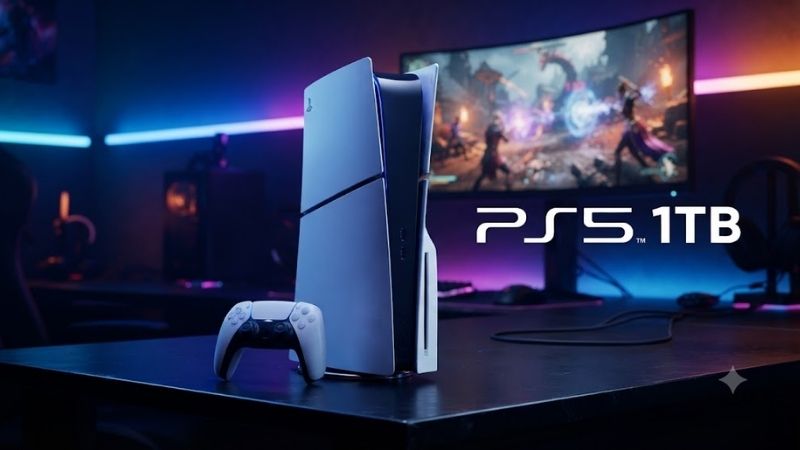
1. Sony PlayStation 5 Slim Disc Edition 1TB – Best Overall
Best For: Gamers who want physical discs, digital downloads, and flexible game ownership.
The Sony PlayStation 5 Slim Disc Edition 1TB provides an adaptable gaming platform for players who purchase both physical and digital games. Its integrated Ultra HD Blu-ray drive supports compatible game discs and movies, while the internal SSD stores installed software. This combination makes it a practical all-around console.
Key Features
-
1TB custom internal SSD
-
AMD Zen 2 eight-core processor
-
AMD RDNA 2-based graphics
-
16GB GDDR6 memory
-
Ultra HD Blu-ray disc drive
-
HDMI 2.1 video output
-
Up to 4K at 120Hz in supported games
-
DualSense wireless controller
-
Tempest 3D AudioTech
-
M.2 SSD expansion slot
What Makes It Different
The Disc Edition accepts compatible PS5 and PS4 physical games while retaining access to digital purchases through PlayStation Store. This flexibility matters when comparing retailer discounts, borrowing eligible games, or purchasing secondhand discs. Physical copies still require installation and may need updates.
Sony’s slimmer chassis occupies less space than the original launch model, making installation easier in entertainment centers with limited room. Its four-panel exterior provides a recognizable appearance without changing the fundamental PS5 gaming experience. Adequate ventilation remains necessary around the console.
The 1TB SSD offers more advertised internal capacity than the original 825GB PS5 models. However, operating system files reserve part of that storage, so the usable amount is lower than 1TB. Players installing several large games should still monitor available space or consider compatible M.2 expansion.
Pros
-
Supports physical and digital games
-
Integrated Ultra HD Blu-ray drive
-
1TB internal SSD
-
Slimmer chassis than launch PS5
-
Expandable storage
-
DualSense controller included
Cons
-
Higher purchase cost than some digital-only alternatives
-
Games still require installation
-
Vertical stand sold separately
-
Usable storage is below the advertised capacity
Use Case
The Slim Disc Edition works particularly well for households sharing physical game collections or purchasing titles from different retailers. Players can install downloaded games alongside disc-based releases and use the same console for supported Blu-ray movies. This makes it a versatile living-room entertainment system.
Who It’s For
This version suits gamers who want flexibility rather than committing entirely to digital purchases. It is especially relevant for families, collectors, and players with existing compatible PS4 discs. Buyers who exclusively purchase downloads may prefer an earlier 1TB Digital Edition if its model specifications are verified.
2. Sony PlayStation 5 Slim Digital Edition 1TB – Best for Digital Libraries
Best For: Digital-only gamers who can find the earlier 1TB Slim Digital model.
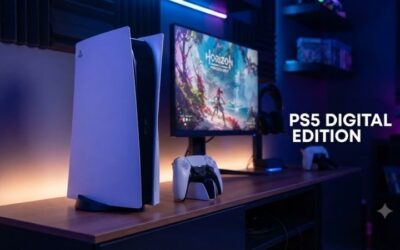
The original PS5 Slim Digital Edition introduced in 2023 featured a 1TB internal SSD and a chassis without an integrated disc drive. It offers access to PlayStation Store purchases and compatible digital PS4 games. Buyers must distinguish this earlier version from newer Digital Edition models advertised with 825GB storage.
Key Features
-
1TB SSD on the original CFI-2000 Slim Digital generation
-
AMD Zen 2 eight-core CPU
-
AMD RDNA 2-based GPU
-
16GB GDDR6 memory
-
Digital game downloads
-
DualSense wireless controller
-
HDMI 2.1 support
-
Optional compatible detachable disc drive
-
M.2 SSD expansion support
What Makes It Different
The 1TB Digital Edition offers the core PS5 hardware experience without including a disc mechanism. Players can manage purchases, game installations, and updates directly through PlayStation Store. Its physical design also avoids the asymmetrical drive housing found on the Disc Edition, creating a slimmer visual profile.
An important purchasing distinction concerns model generations. Sony’s original Slim Digital models included 1TB, but the newer Digital Edition listed on Sony’s current U.S. product page has 825GB. Buyers seeking exactly 1TB should verify the model code and packaging rather than relying on the words “PS5 Slim Digital.”
The compatible detachable disc drive provides an upgrade path for supported Slim Digital hardware. However, purchasing the accessory increases total ownership cost and requires an internet connection for initial pairing. Buyers expecting to use physical games immediately may find the standard Disc Edition more convenient.
Pros
-
Original Slim Digital model includes 1TB
-
Clean design without an integrated disc drive
-
Access to digital PS5 and PS4 libraries
-
Compatible with M.2 SSD expansion
-
Optional disc drive on supported models
Cons
-
Newer Digital Editions may have only 825GB
-
No physical disc playback without an added drive
-
Digital purchases depend on PlayStation Store access
-
Specific 1TB versions may be harder to locate
Use Case
Digital-focused gamers can use the 1TB Slim Digital Edition as a central library for downloaded releases and online multiplayer titles. It fits entertainment setups where physical media storage is unnecessary. The console also works well for users who frequently switch between installed games rather than exchanging discs.
Who It’s For
The original 1TB Digital Edition suits players already invested in PlayStation Store purchases who do not maintain physical collections. It is also worth considering when retailers offer verified older stock at an attractive price. Confirming the exact model remains essential because newer configurations can have different storage capacities.
3. PS5 Slim Disc Edition 1TB Game Bundle – Best for New Players
Best For: First-time PlayStation owners who want a console packaged with a game.
A PS5 Slim 1TB game bundle combines the standard disc-equipped console with an eligible game supplied through a retailer or official promotional package. Depending on the offer, the game may arrive as physical media or a redemption voucher. Buyers should inspect the exact package contents rather than assuming every bundle uses discs.
Key Features
-
PS5 Slim Disc Edition hardware
-
1TB internal SSD
-
Built-in Ultra HD Blu-ray drive
-
DualSense wireless controller
-
Bundled game or redemption entitlementPlayStation Store access
-
Compatible PS4 game support
-
Expandable M.2 storage
What Makes It Different
The main advantage of a game bundle is convenience rather than improved console performance. Its internal hardware remains equivalent to the corresponding standalone PS5 Slim Disc Edition. The added game can make the package more economical when the included title matches the buyer’s interests.
Bundle availability changes by retailer, country, and promotion. Some packages contain a digital voucher instead of a boxed disc, which can affect ownership preferences and redemption requirements. Regional restrictions or expiration conditions may apply, so checking the listing details before purchasing is important.
A bundle does not increase the console’s usable storage, even when it contains a large game. The included title may require substantial installation space and additional downloads. Players interested in several modern releases should consider storage requirements alongside the total package price and game selection.
Pros
-
Convenient starting package
-
Includes an additional game entitlement
-
Retains physical disc functionality
-
Same PS5 performance as standalone hardware
-
Potential savings during promotions
Cons
-
Bundled games vary by retailer
-
May include digital codes rather than discs
-
Savings are not guaranteed
-
Included titles consume installation space
Use Case
A game bundle can simplify a first console purchase because it provides both the hardware and an initial title in one transaction. This is especially useful for gifts or households entering the PlayStation ecosystem. Selecting a package with a genuinely desirable game is more important than purchasing the largest advertised bundle.
Who It’s For
Game bundles suit new PS5 owners who already know which title they want to play. They can also appeal to parents purchasing a console for family entertainment. Existing PlayStation users should check whether they already own the included game, since duplicate purchases can eliminate the bundle’s financial benefit.
4. PS5 Slim Disc Edition 1TB Two-Controller Bundle – Best for Local Multiplayer
Best For: Families, couples, and gamers who frequently play local multiplayer.
A PS5 Slim Disc Edition two-controller package pairs the 1TB console with an additional compatible DualSense wireless controller. Retailers may assemble these bundles independently, so included colors and accessories vary. The setup is particularly useful for households planning regular cooperative or competitive local gaming sessions.
Key Features
-
PS5 Slim Disc Edition 1TB
-
Integrated Blu-ray drive
-
Two DualSense wireless controllers when specified
-
Haptic feedback support
-
Adaptive triggers in supported games
-
Local multiplayer compatibility
-
Wireless controller connectivity
-
Expandable console storage
What Makes It Different
A second DualSense controller allows another player to join compatible local multiplayer games without purchasing additional hardware separately. The controllers offer haptic feedback and adaptive trigger functionality in supported titles. These features can create more varied physical responses than conventional vibration systems.
Unlike a game bundle, this configuration prioritizes reusable hardware over a specific entertainment title. The additional controller remains useful across compatible games and can serve as a replacement when the primary controller needs charging. However, not every PS5 game supports two players on the same console.
Buyers should compare the bundle price with the cost of purchasing a standard console and another controller separately. Retailer promotions can make either arrangement preferable. Confirm whether both controllers are genuine DualSense models and whether the package includes standard manufacturer-supported hardware.
Pros
-
Ready for supported two-player games
-
Extra controller improves convenience
-
Full disc and digital game compatibility
-
Useful for shared households
-
Additional controller can serve as backup
Cons
-
Higher initial cost than a single-controller console
-
Not every game supports local multiplayer
-
Controller colors vary by package
-
Bundle savings depend on retailer pricing
Use Case
A two-controller PS5 setup works naturally in a living room where friends or family members frequently play together. Compatible racing, sports, fighting, and cooperative titles can take advantage of local multiplayer functionality. The second controller also reduces the inconvenience of waiting for one controller to recharge.
Who It’s For
This bundle is appropriate for households expecting regular shared gaming sessions rather than exclusively single-player experiences. It can also simplify gift purchasing when two controllers are already part of the plan. Solo gamers may obtain better value from a standalone console or a bundle containing their preferred game.
PS5 1TB Comparison Table
| Option | Storage | Disc Drive | Main Advantage | Best For |
|---|---|---|---|---|
| PS5 Slim Disc Edition | 1TB | Included | Physical and digital games | Overall flexibility |
| Original PS5 Slim Digital Edition | 1TB | Optional accessory | Digital gaming | Download-only players |
| PS5 Slim Disc Game Bundle | 1TB | Included | Extra game entitlement | First-time buyers |
| PS5 Slim Disc Two-Controller Bundle | 1TB | Included | Additional controller | Local multiplayer |
The two bundles use the same underlying disc-equipped console as the standalone model; they are purchasing configurations, not separate performance tiers.
PS5 1TB Buying Guide
Understand the Difference Between 1TB and Usable Storage
A PS5 1TB console advertises the installed SSD capacity rather than the exact amount available for games. System software and reserved storage occupy part of the drive. Players should plan around the available capacity shown in the console’s storage settings instead of expecting to install a full terabyte of games.
Check the Model Generation Carefully
Model identification is especially important when purchasing the Digital Edition. Sony introduced a 1TB Slim Digital console in 2023, while its newer CFI-2100 Digital Edition specifications list 825GB. Disc-equipped Slim models continue to be listed with 1TB, making them easier to identify by advertised capacity.
Choose Between Disc and Digital Gaming
The Disc Edition provides more purchasing flexibility because it supports compatible physical media and digital games. Digital-only models eliminate the built-in drive but require digital purchases unless a compatible accessory is installed. Consider whether you buy used discs, share physical games, or mainly use online stores.
Consider Long-Term Game Storage
Large gaming libraries can eventually exceed the available internal capacity, particularly when several demanding titles remain installed simultaneously. Players can delete and reinstall games, but downloads consume time and internet bandwidth. Compatible internal M.2 SSD expansion provides another way to manage growing libraries.
Understand M.2 SSD Expansion Requirements
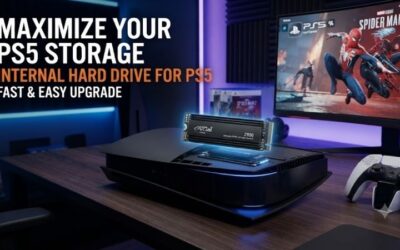
Sony supports compatible PCIe Gen4 x4 M.2 NVMe drives for PS5 storage expansion. Supported capacities range from 250GB to 8TB, and Sony recommends sequential read speeds of at least 5,500MB/s. Effective heat dissipation is required, and the SSD with its heatsink must fit within the console’s installation limits.
Know the Limitations of External USB Storage
USB extended storage can hold PS5 games, but PS5 titles must be moved back to internal console storage or a compatible M.2 SSD before playing. Supported PS4 games can run from USB extended storage. This distinction matters when choosing between an inexpensive external drive and a faster internal expansion solution.
Evaluate Display Compatibility
PS5 supports features such as 4K output, high refresh rates, and variable refresh rate with compatible displays and games. A television offering HDMI 2.1 capabilities can help users access supported 120Hz modes. However, purchasing a 120Hz screen does not guarantee every game will run at 120 frames per second.
Think About Game Ownership and Sharing
Physical games can provide flexibility when buying, selling, lending, or collecting supported titles. Digital purchases are tied to account-based entitlements and platform policies. Neither approach is inherently better for every player. Your preferred game collection, household sharing arrangements, and purchasing habits determine which format makes more sense.
Account for Multiplayer Requirements
Local multiplayer games can provide shared entertainment without requiring a second console, but each title has its own player-support rules. Online multiplayer functionality may require a PlayStation Plus membership depending on the game. Checking those requirements before purchasing helps prevent unexpected subscription costs.
Frequently Asked Questions About PS5 1TB
Is PS5 1TB Enough for Gaming?
A 1TB PS5 provides substantial storage for a starting game collection, but the number of titles it holds depends on individual installation sizes. Modern games vary considerably in storage requirements. Players who keep many large releases installed simultaneously may eventually benefit from compatible M.2 SSD expansion.
Is the PS5 Slim 1TB Better Than the Original PS5?
The PS5 Slim offers a smaller chassis and a 1TB SSD in its disc-equipped configuration, compared with the original PS5’s advertised 825GB SSD. Both belong to the same general PS5 performance generation. The Slim’s main advantages concern physical design and storage rather than a major graphics upgrade.
Does Every PS5 Digital Edition Have 1TB?
No. Sony’s original Slim Digital Edition launched with 1TB, but newer Digital Edition configurations include 825GB models. Buyers should verify the specific model group and retailer listing before purchasing. A product described simply as a PS5 Digital Edition should not automatically be assumed to contain a 1TB SSD.
Can I Upgrade PS5 1TB Storage to 2TB or More?
Yes. Compatible M.2 NVMe storage can increase the space available for installed games without replacing the original internal SSD. Sony supports qualifying drives up to 8TB. The drive must satisfy interface, physical dimension, and cooling requirements, so compatibility should be checked before making a purchase.
Can PS5 1TB Play PS4 Games?
PS5 supports the vast majority of PS4 games, although compatibility exceptions and feature differences exist. Disc-based PS4 games require a PS5 with a compatible disc drive, while eligible digital purchases can be accessed through the appropriate account. Some games may also offer separate PS5 upgrade options.
Should I Buy PS5 1TB or PS5 Pro?
The standard PS5 1TB focuses on mainstream PlayStation gaming, while PS5 Pro offers upgraded graphics capabilities and a 2TB SSD. The Pro may benefit players using suitable high-resolution displays and supported enhanced games. Buyers primarily concerned with affordability and disc compatibility may prefer the standard model.
Conclusion
A PS5 1TB console offers a balanced starting point for modern gaming, but choosing the right configuration matters. The Slim Disc Edition provides the broadest media flexibility, while the original 1TB Digital Edition suits download-focused players. Compare exact model numbers, bundle contents, and storage needs before buying.