🛒 Best Price Today on Amazon
Prime members get fast, free shipping on everything above, plus member-only deals. New members get a 30-day free trial — cancel anytime.
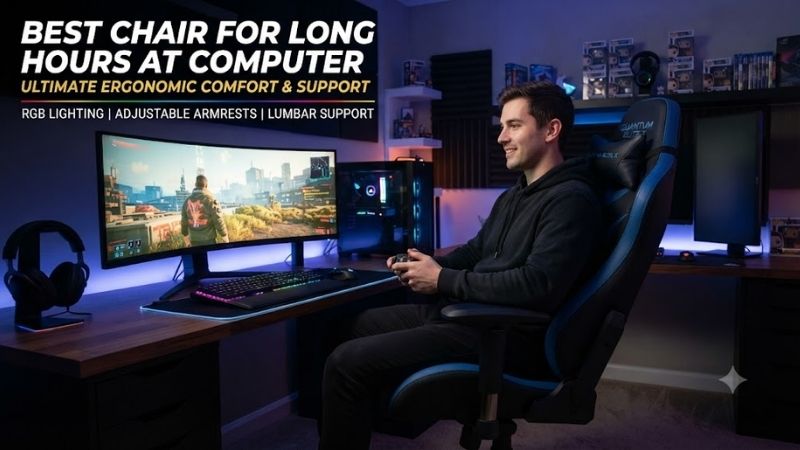
The best chair for long hours at computer use should support changing postures rather than forcing you into one fixed position. Adjustable lumbar support, seat depth, armrests, recline, breathable materials, and correct sizing matter more than thick padding alone. The right chair can make extended work, study, editing, and gaming sessions much easier to manage.
Quick answer: For most people in 2026, the best chair for long hours at computer is the Chair — our #1 rated choice. See the full ranked comparison, alternatives and buying advice below.
Best Chairs for Long Computer Sessions Compared
Long computer sessions create different demands than occasional desk use. A chair should support the lower back, let the feet remain planted, avoid excessive pressure behind the knees, and allow the arms to rest naturally near keyboard height. Movement also matters because even an excellent chair cannot make one static posture ideal for an entire day.
| Chair | Best For | Back Support | Seat Depth | Armrests | Standout Feature |
|---|---|---|---|---|---|
| Steelcase Leap | Best overall | Adjustable lumbar + LiveBack | Adjustable | Highly adjustable | Excellent overall adjustability |
| Herman Miller Aeron | Breathability | PostureFit SL | Size dependent | Adjustable options | Full suspension mesh |
| Haworth Zody | Lumbar customization | Asymmetrical lumbar | Adjustable | Adjustable | Independent lumbar control |
| Branch Ergonomic Chair Pro | Value | 2-way lumbar | Adjustable | 5D | Strong feature-to-price balance |
| Secretlab TITAN Evo | Gaming and work | 4-way lumbar | Size dependent | 4D | High-back design and recline |
Steelcase Leap
Best For: Overall long-hour computer work
Steelcase Leap is one of the strongest choices for extended computer use because nearly every important seating dimension can be adjusted. Its LiveBack system is designed to flex with the user’s spine rather than keeping the backrest completely rigid, while the standard lumbar support can be moved vertically to better match the lower back.
A separate lower-back firmness adjustment lets the user control how strongly the chair supports the lumbar region. This is particularly useful during long sessions because different users prefer very different levels of lower-back pressure. Some want noticeable support, while others become uncomfortable when lumbar padding feels too aggressive.
Seat depth adjustment is another major advantage. A seat that is too deep can press against the backs of the knees, while one that is too shallow provides poor thigh support. Leap allows the seat pan to move so users with different leg lengths can create more appropriate clearance behind the knees.
The armrests are designed to move with the user and can be positioned for keyboard, mouse, and general desk work. Proper armrest positioning can reduce the tendency to shrug the shoulders while typing, especially when the desk surface itself is slightly high.
Leap also handles reclining well. Rather than treating recline as a separate lounging position, the chair allows users to change posture while maintaining back support. This is useful during long work sessions because moving between upright typing and a more open reclined posture can reduce the discomfort associated with sitting completely still.
Unlike mesh chairs, Leap uses a padded seat. This provides a more conventional sitting feel and may appeal to users who find suspension seats too firm or unfamiliar. The trade-off is lower airflow compared with chairs such as the Aeron.
What makes Leap particularly suitable for long computer hours is not one dramatic feature but the number of variables that can be tuned. When seat depth, lumbar support, recline resistance, arm position, and seat height can all be adjusted, it is easier to make the chair fit the user rather than expecting the user to adapt to the chair.
Key Features:
- LiveBack flexible backrest
- Height-adjustable lumbar support
- Adjustable lower-back firmness
- Adjustable seat depth
- Multi-position armrests
- Recline resistance adjustment
- Padded seat
- Multiple upholstery options
Pros:
- Excellent adjustability
- Strong lower-back support
- Good seat-depth range
- Comfortable for mixed postures
- Suitable for long work sessions
Cons:
- Premium price
- Padded construction is less breathable than mesh
- Many controls require initial setup
Use Case: Remote work, programming, writing, editing, office work, spreadsheets, and long daily computer sessions.
Who It’s For: Users who want maximum adjustability and are willing to spend time dialing in the chair properly.
Herman Miller Aeron
Best For: Breathability and warm workspaces
The Herman Miller Aeron takes a different approach by using suspension material for both the seat and backrest instead of conventional foam cushions. Herman Miller’s 8Z Pellicle material is designed to distribute pressure while allowing significant airflow, making Aeron particularly attractive for people who become hot during long work sessions.
PostureFit SL provides support through the sacral and lumbar regions rather than relying on one simple foam pad. The system is designed to help maintain the natural curve of the lower spine while the user changes posture.
Aeron is also unusual because it comes in three sizes rather than using one seat shell for nearly everyone. Sizes A, B, and C are intended to accommodate a wide range of body dimensions. This can result in a better fit than chairs that rely only on seat-depth adjustment to cover users of very different sizes.
The size choice is important because Aeron’s seat depth is primarily determined by the chair size rather than a sliding seat pan. A correctly sized Aeron can feel exceptionally supportive, but choosing the wrong size can create pressure behind the knees or insufficient thigh support.
The Harmonic 2 Tilt mechanism allows the chair to move smoothly when the user reclines. This makes it easy to alternate between focused work and a more open posture during reading, calls, or thinking. Dynamic recline is particularly useful during long sessions because movement is preferable to remaining in a completely static upright position.
Aeron has a firm, suspended seating feel. Users accustomed to thick foam may initially expect more cushioning, but the chair is deliberately designed around distributed support rather than softness. This is an important distinction when comparing comfort during the first five minutes with comfort after several hours.
What makes Aeron different is the combination of breathability, multiple chair sizes, suspension support, and dynamic movement. It is especially appealing for warm offices, users who dislike foam compression, and people who prefer a structured ergonomic sitting position.
Key Features:
- 8Z Pellicle suspension
- Three chair sizes
- PostureFit SL support
- Harmonic 2 Tilt
- Adjustable arm options
- Breathable seat and back
- Multiple finish options
- Long-established ergonomic design
Pros:
- Excellent airflow
- Strong pressure distribution
- Multiple sizes improve fit
- Smooth recline
- No thick foam to trap heat
Cons:
- Premium price
- Seat depth is tied closely to chair size
- Mesh feel does not suit everyone
Use Case: Long office days, warm rooms, home offices, programming, productivity, and users who frequently overheat in padded chairs.
Who It’s For: Buyers who prioritize ventilation and want a structured ergonomic chair available in multiple sizes.
Haworth Zody
Best For: Customizable lumbar support
Haworth Zody is particularly interesting for users who want precise lower-back adjustment. Its optional asymmetrical lumbar system can support the left and right sides independently, allowing users to fine-tune support rather than relying on one symmetrical pressure point across the entire lumbar region.
This can be useful because people do not always sit perfectly symmetrically. Small posture differences, dominant-side habits, and desk positioning can cause one side of the lower back to feel different from the other. Zody gives users more control over this area than many conventional ergonomic chairs.
Seat depth is adjustable from roughly the high-16-inch range to around 19.5 inches depending on configuration, allowing the seat to accommodate a variety of leg lengths. Seat height and armrest positioning are also adjustable, helping users align themselves more appropriately with a computer desk.
The backrest uses suspension mesh with several support zones, giving the chair airflow while maintaining structure. Haworth also allows the back to flex as the user shifts position, which helps reduce the feeling of being held rigidly in one posture.
Zody’s recline system includes multiple back-stop positions. Users can choose how far the chair is allowed to recline rather than leaving the back completely free at all times. An optional forward-tilt function is also useful for users who lean toward the keyboard during detailed tasks.
The chair’s seat is wider than many compact office chairs, which can provide more freedom to reposition the legs. However, users with smaller frames should still verify dimensions because a chair that is unnecessarily wide may make the armrests difficult to position close enough to the body.
What makes Zody different is its lumbar system combined with dynamic movement. Rather than simply adding a thick lumbar cushion, the chair gives users more nuanced control over support and allows the backrest to respond as posture changes.
Key Features:
- Adjustable asymmetrical lumbar support
- Adjustable seat depth
- Mesh backrest
- Recline back stops
- Optional forward tilt
- Adjustable armrests
- Torsional back flexibility
- Multiple material options
Pros:
- Excellent lumbar customization
- Good seat-depth adjustment
- Breathable back
- Dynamic movement
- Useful recline controls
Cons:
- Some ergonomic features depend on configuration
- Premium pricing
- More adjustments mean more setup
Use Case: Long office sessions, users sensitive to lumbar support, desk work, writing, finance, design, and hybrid work.
Who It’s For: Users who want unusually precise lower-back adjustment and a chair that supports frequent posture changes.
Branch Ergonomic Chair Pro
Best For: Feature-rich value
The Branch Ergonomic Chair Pro targets users who want many premium-style adjustments without entering the highest office-chair price tier. Branch equips it with two-way adjustable lumbar support, adjustable seat depth, forward tilt, recline tension, and 5D armrests.
The lumbar cushion can be repositioned to better match the user’s lower back. This is useful because fixed lumbar support often sits too high or too low depending on torso length. Even a good cushion becomes uncomfortable when it pushes against the wrong part of the spine.
Seat-depth adjustment helps users manage thigh support and knee clearance, while the 5D armrests provide more positioning options than simple height-only arms. During long mouse and keyboard sessions, being able to bring the armrests closer to the body’s natural elbow position can reduce shoulder tension.
Forward tilt is another valuable feature for users who lean toward the monitor during intense work. Instead of forcing the pelvis to slide toward the front edge, the chair can support a more active forward-facing position while maintaining contact with the back and seat.
The Ergonomic Chair Pro also offers an optional headrest and a taller cylinder for users who need a different height range. Branch lists a seven-year warranty, which helps distinguish the chair from inexpensive ergonomic models where durability and replacement support may be less predictable.
The main compromise is that materials and mechanisms do not necessarily feel as refined as top-tier chairs from Steelcase, Herman Miller, or Haworth. However, the feature set is unusually complete for buyers trying to balance ergonomics and budget.
What makes the Branch Pro different is value. It includes the specific adjustments that matter most for long computer use rather than spending the budget on decorative racing-chair styling or unnecessarily thick cushioning.
Key Features:
- Two-way lumbar adjustment
- Adjustable seat depth
- 5D armrests
- Forward tilt
- Adjustable recline tension
- Optional headrest
- Multiple upholstery options
- Seven-year warranty
Pros:
- Strong feature-to-price ratio
- Good lumbar adjustment
- Excellent armrest flexibility
- Forward-tilt support
- Adjustable seat depth
Cons:
- Less premium than flagship office chairs
- Assembly required
- Optional accessories increase total cost
Use Case: Home offices, remote workers, students, programmers, creators, and buyers upgrading from a basic task chair.
Who It’s For: Users who want serious ergonomic adjustment without paying flagship office-chair prices.
Secretlab TITAN Evo
Best For: Long gaming and computer sessions
The Secretlab TITAN Evo is a high-back gaming chair that incorporates more ergonomic adjustment than traditional racing-style chairs. Its built-in 4-way L-ADAPT lumbar system adjusts for both height and depth, helping users position lower-back support without relying on a loose external pillow.
The chair is available in Small, Regular, and XL sizes. Secretlab provides different dimensions for each size rather than simply placing the same seat on a taller cylinder, which helps users choose a seat width, depth, and backrest more appropriate for their body size.
TITAN Evo uses a firm cold-cure foam seat instead of soft plush cushioning. The intention is to provide stable support over longer sessions rather than allowing the user to sink deeply into the chair. Some users prefer this firmness, while others may find it less immediately comfortable than softer office seating.
Its full-metal 4D armrests allow adjustments in multiple directions, making it easier to support the forearms while switching between keyboard, mouse, controller, and relaxed positions. The magnetic head pillow provides additional neck support without requiring fixed straps.
The backrest can recline as far as 165 degrees, and the multi-tilt mechanism allows the chair to move beyond a conventional upright office posture. This makes TITAN Evo more versatile for users who work during the day and game or watch media from the same chair at night.
The primary drawback is size and styling. TITAN Evo occupies more visual and physical space than minimalist task chairs, and its high back may feel unnecessary for users who sit almost entirely upright during office work.
What makes TITAN Evo different is its ability to bridge gaming and productivity. It provides a more supportive and adjustable platform than basic gaming chairs while retaining the high-back form, recline range, and aesthetics many gamers prefer.
Key Features:
- 4-way adjustable lumbar system
- Small, Regular, and XL sizes
- Cold-cure foam seat
- 4D armrests
- Magnetic head pillow
- Up to 165-degree recline
- Multi-tilt mechanism
- Multiple upholstery options
Pros:
- Good gaming and work versatility
- Built-in lumbar adjustment
- Three chair sizes
- Wide recline range
- High back and head support
Cons:
- Firm seat
- Large footprint
- Gaming styling does not suit every office
Use Case: Gaming, streaming, work-from-home setups, content creation, and users who spend both work and leisure time at one computer.
Who It’s For: Gamers who need a chair capable of handling full-day computer use as well as relaxed evening sessions.
Which Chair Is Best for Long Hours at a Computer?
Steelcase Leap is the strongest overall recommendation when adjustability is the priority. Seat depth, lumbar positioning, lumbar firmness, armrests, and recline can all be tuned, which gives users many ways to correct fit problems rather than accepting a fixed chair geometry.
Herman Miller Aeron is better for users who overheat easily or strongly prefer suspension seating. Haworth Zody stands out for precise lumbar control, while Branch Ergonomic Chair Pro provides many of the important ergonomic adjustments at a lower price.
Secretlab TITAN Evo is the best fit for someone who uses the same computer setup for both work and gaming. Its high back, lumbar system, recline, and multiple sizes give it more long-session flexibility than basic gaming chairs.
How to Choose a Chair for Long Computer Hours
Prioritize Fit Over Padding
A heavily padded chair is not automatically more comfortable after eight hours. Correct seat depth, lumbar position, armrest height, and seat height usually matter more than thick cushioning because poor geometry can create pressure even when the chair initially feels soft.
Check Seat Depth
Sit with your back against the backrest and check the space behind the knees. The seat should support most of the thighs without pressing firmly into the knee area. Adjustable depth is valuable because leg length varies substantially between users.
Adjust Lumbar Support Carefully
Lumbar support should fill the natural inward curve of the lower back without aggressively pushing the pelvis forward. More pressure is not always better. Adjustable height and depth make it easier to find a supportive position.
Use Adjustable Armrests
Armrests should support the forearms while the shoulders remain relaxed. If the arms are too high, the shoulders rise. If they are too low or far apart, the user may lean or allow the arms to hang unsupported.
Recline During the Day
Do not assume that perfect posture means sitting upright at 90 degrees all day. A chair with controlled recline makes it easier to alternate positions while continuing to support the back.
Choose Breathable Materials If You Run Hot
Mesh chairs such as Aeron or Zody can improve airflow around the body. Foam and leatherette may feel warmer, especially during long gaming or office sessions in rooms without strong climate control.
Match the Chair to Your Body Size
Check seat width, seat depth, height range, and weight limits rather than buying purely from a recommendation list. Aeron and TITAN Evo are particularly useful examples because both offer several physical sizes.
Do You Still Need Breaks With an Ergonomic Chair?
Yes. No chair eliminates the need for movement. Even when posture is well supported, remaining in one position for long periods can become uncomfortable. Standing briefly, walking, stretching, or changing tasks gives the body a different loading pattern.
The best ergonomic chair therefore supports movement rather than trying to lock the body into one supposedly perfect pose. Reclining, adjusting posture, repositioning the arms, and occasionally standing are all part of a better long-hour computer routine.
FAQ
What Is the Best Chair for Sitting at a Computer All Day?
Steelcase Leap is one of the strongest all-around choices because its seat depth, lumbar support, back firmness, armrests, and recline can be adjusted extensively to fit different users.
Is Mesh or Cushion Better for Long Hours?
Neither is universally better. Mesh provides better airflow and distributed support, while foam can feel more familiar and supportive to users who dislike suspension seating.
Is a Gaming Chair Good for Long Computer Use?
Some are. A model such as Secretlab TITAN Evo provides adjustable lumbar support, multiple sizes, 4D armrests, and a wide recline range. Basic gaming chairs with fixed lumbar pillows and limited adjustment are less suitable.
How Much Lumbar Support Do I Need?
Enough to support the natural curve of the lower back without forcing the pelvis forward. Adjustable lumbar systems are useful because the correct position and pressure vary between users.
Should a Computer Chair Have a Headrest?
A headrest is optional for upright computer work. It becomes more useful when reclining, gaming, watching content, or taking breaks. Good lumbar, seat, and arm adjustment generally matter more for active typing.
Conclusion
The best chair for long hours at computer use should fit your body and encourage movement throughout the day. Steelcase Leap offers the strongest overall adjustability, Herman Miller Aeron excels at airflow, Haworth Zody provides excellent lumbar control, Branch Ergonomic Chair Pro delivers strong value, and Secretlab TITAN Evo works especially well for combined work and gaming.
Ready to decide? Our #1 pick for 2026 is the Chair.
Live price & availability on Amazon.