🛒 Best Price Today on Amazon
Prime members get fast, free shipping on everything above, plus member-only deals. New members get a 30-day free trial — cancel anytime.
- Best Internal Storage Upgrades for PS5 Compared
- Samsung 990 PRO With Heatsink – Best Overall
- WD_BLACK SN850X With Heatsink – Best Gaming Value
- Seagate Game Drive PS5 NVMe SSD – Best Officially Licensed Option
- Samsung 990 PRO 4TB With Heatsink – Best for Large Game Libraries
- Why You Cannot Install a Traditional Internal Hard Drive in a PS5
- PS5 M.2 SSD Requirements
- Do You Need a Heatsink?
- 1TB vs 2TB vs 4TB for PS5
- Internal SSD vs External USB Drive
- How to Install an Internal SSD in PS5
- FAQ
- Conclusion
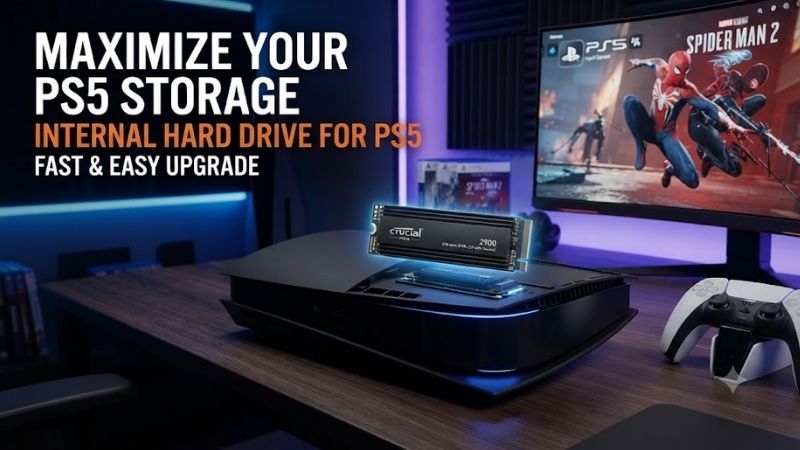
The best internal hard drive for PS5 is actually not a traditional hard drive at all. PS5 internal storage expansion requires a compatible PCIe 4.0 x4 M.2 NVMe SSD. Sony supports capacities from 250GB to 8TB and requires suitable heat dissipation, making heatsink-equipped gaming SSDs the easiest choices for most users.
Quick answer: For most people in 2026, the best internal hard drive for ps5 is the SSD — our #1 rated choice. See the full ranked comparison, alternatives and buying advice below.
Best Internal Storage Upgrades for PS5 Compared
| SSD | Best For | Max Read Speed | Capacity Options | Heatsink |
|---|---|---|---|---|
| Samsung 990 PRO | Best Overall | 7,450 MB/s | 1TB–4TB | Yes |
| WD_BLACK SN850X | Best Gaming Value | 7,300 MB/s | 1TB–8TB | Yes option |
| Seagate Game Drive PS5 | Best Officially Licensed | 7,400 MB/s | 1TB–2TB | Yes |
| Samsung 990 PRO 4TB | Best Large Library | 7,450 MB/s | 4TB | Yes |
Sony specifies that PS5 expansion storage must use a PCIe Gen4 x4 M.2 NVMe SSD with capacities from 250GB through 8TB. Supported physical lengths include M.2 2230, 2242, 2260, 2280, and 22110, while the complete drive and heat-dissipation assembly must fit within Sony’s dimensional limits. M.2 SATA SSDs are explicitly unsupported.
Once installed and formatted, compatible M.2 storage can run PS5 games, PS4 games, and media apps directly from the expansion SSD. That is the key difference from external USB storage, which can store PS5 titles but does not function as the same type of direct internal expansion for native PS5 gameplay.
Samsung 990 PRO With Heatsink – Best Overall
Best For: Players who want premium Gen4 performance, strong endurance, and an integrated heatsink
The Samsung 990 PRO with Heatsink is one of the strongest PS5 storage upgrades available. Samsung rates the 2TB model for sequential read speeds up to 7,450 MB/s and sequential writes up to 6,900 MB/s. It uses PCIe 4.0 x4, NVMe 2.0, and Samsung V-NAND TLC.
Samsung specifically identifies the heatsink model as compatible with PlayStation 5. Its integrated thermal solution measures within the PS5’s expansion-bay requirements, with Samsung listing dimensions around 80 × 24.3 × 8.2mm for the commercial 2TB product page.
Key Features
- PCIe 4.0 x4 interface
- M.2 2280 form factor
- Up to 7,450 MB/s sequential read
- Up to 6,900 MB/s sequential write
- Samsung TLC V-NAND
- Integrated heatsink
- 1TB, 2TB, and 4TB options
- PS5 compatibility
- Five-year limited warranty on applicable models
- DRAM cache
What Makes It Different
Samsung combines its own NAND, controller, firmware, and DRAM cache in the 990 PRO platform. For PC users that creates a tightly integrated high-performance SSD, while PS5 owners benefit from a drive whose performance comfortably exceeds Sony’s recommended speed target.
The heatsink is especially important. High-speed PCIe 4.0 SSDs can generate considerable heat during long installations, downloads, copying, and gaming workloads. Samsung designed this version with an integrated heatsink specifically for thermal control and PS5 compatibility.
The 2TB model is arguably the sweet spot. It provides enough room for a substantial modern game library without the premium pricing of 4TB, while still delivering the same headline sequential speeds as smaller variants.
Pros
- Excellent Gen4 performance
- Integrated PS5-compatible heatsink
- TLC NAND
- DRAM cache
- Strong endurance
- Available up to 4TB
- Excellent reputation for SSD performance
- Works in PCs as well as PS5
Cons
- Often costs more than value-focused SSDs
- Real-world PS5 loading differences versus other good Gen4 drives can be small
- Premium performance is partly wasted if purchased only for PS5
Use Case
The 990 PRO is ideal for users installing large PS5 games directly to the expansion drive and keeping frequently played titles available without continuously deleting older ones.
It is also a particularly good purchase if you might eventually move the SSD into a gaming PC. Its high random and sequential performance is more useful on a PC workload than on a console alone.
Who It’s For
Choose the Samsung 990 PRO if you want one of the fastest, most established premium PCIe 4.0 drives and prefer a factory-installed heatsink rather than buying and fitting a third-party cooler yourself.
WD_BLACK SN850X With Heatsink – Best Gaming Value
Best For: PS5 owners who want strong performance, high endurance, and capacities extending to 8TB
The WD_BLACK SN850X is another proven PS5-compatible gaming SSD. The 2TB heatsink version uses PCIe 4.0 x4 and reaches up to 7,300 MB/s sequential reads and 6,600 MB/s writes. SanDisk rates the 2TB model for 1,200 TBW endurance and backs it with a five-year limited warranty.
The heatsink version measures approximately 80 × 23.4 × 8.8mm at 1TB and 2TB capacities. SanDisk specifically lists PlayStation 5 compatibility for the heatsink-equipped SN850X versions.
Key Features
- PCIe 4.0 x4
- M.2 2280
- Up to 7,300 MB/s reads
- Up to 6,600 MB/s writes on 2TB
- SanDisk TLC 3D NAND
- 1,200 TBW endurance at 2TB
- Five-year warranty
- Factory heatsink option
- Capacities extending to 8TB
- PS5 compatibility on heatsink models
What Makes It Different
The SN850X offers one of the widest capacity ranges among high-performance gaming SSDs. Current specifications include 1TB, 2TB, 4TB, and 8TB versions, making it particularly attractive for players with extremely large digital libraries.
The 2TB version also offers excellent endurance. At 1,200 TBW, a typical PS5 user is unlikely to approach the warranty write limit under normal gaming use, even with frequent installations, patches, and game transfers.
Another advantage is pricing. The SN850X regularly competes aggressively with premium Samsung drives, and when the heatsink version is significantly cheaper than a 990 PRO, the practical PS5 experience can be difficult to distinguish.
Pros
- Excellent PS5 performance
- High 1,200 TBW endurance at 2TB
- TLC NAND
- Factory heatsink available
- Five-year warranty
- Available up to 8TB
- Good price-to-performance potential
- Strong gaming reputation
Cons
- Must specifically buy the heatsink version for the easiest PS5 installation
- 8TB version is expensive
- Game Mode software is mainly useful on Windows PCs
- Peak benchmark differences are not very noticeable in PS5 games
Use Case
The SN850X is an excellent general PS5 expansion SSD for users with multiple large games such as Call of Duty, Final Fantasy, Gran Turismo, or other 100GB-plus titles installed simultaneously.
The 4TB and 8TB versions are especially useful for users who prefer keeping most of their digital library installed permanently.
Who It’s For
Choose the SN850X if it costs less than the Samsung 990 PRO while providing the capacity you need. For most PS5 users, the 2TB heatsink version provides an excellent balance of price, space, and endurance.
Seagate Game Drive PS5 NVMe SSD – Best Officially Licensed Option
Best For: Buyers who want a storage upgrade explicitly designed and licensed for PlayStation 5
Seagate’s Game Drive PS5 NVMe SSD is officially licensed by PlayStation and specifically designed for PS5 consoles. Seagate states that the drive uses matching firmware for compatibility across PS5 models and includes a custom factory-installed heatsink.
Performance is competitive with premium PC SSDs. Seagate rates the Game Drive for sequential read and write speeds up to 7,400 and 6,900 MB/s respectively, comfortably exceeding the performance level required for a suitable PS5 expansion drive.
Key Features
- Officially licensed for PlayStation 5
- PCIe Gen4 NVMe
- Up to 7,400 MB/s reads
- Up to 6,900 MB/s writes
- Factory-installed custom heatsink
- 1TB and 2TB versions
- Five-year limited warranty
- Designed for direct PS5 installation
- Compatible with PS5 and PS4 games
What Makes It Different
Official licensing simplifies the buying decision. With many PC SSDs, users need to confirm generation, speed, physical dimensions, and heatsink compatibility manually. The Seagate Game Drive is sold specifically as a PS5 storage upgrade.
Its heatsink comes pre-installed and should remain attached. Seagate lists drive dimensions around 80.15 × 24.20 × 9.50mm for the M.2 Game Drive, placing it within Sony’s maximum expansion-bay dimensions.
Installation is also straightforward. Seagate instructs users to update PS5 system software, completely power down the console, open the expansion bay, install the M.2 drive, and format it once the console restarts.
Pros
- Official PlayStation licensing
- Excellent 7,400 MB/s read speed
- Fast 6,900 MB/s write rating
- Pre-installed heatsink
- Five-year warranty
- Simple compatibility decision
- Designed specifically for PS5
Cons
- Often priced above generic Gen4 SSDs
- Capacity currently less flexible than SN850X
- Licensing does not necessarily make games load faster
- Limited reason to pay extra if another compatible drive is significantly cheaper
Use Case
This is the ideal option for someone who does not want to research individual SSD dimensions, separate heatsinks, or borderline compatibility specifications.
Install it, format it through the PS5 interface, and use it for PS5 games, PS4 games, downloads, updates, and media.
Who It’s For
Choose the Seagate Game Drive if convenience and official PlayStation branding matter more than finding the absolute cheapest compatible SSD.
Samsung 990 PRO 4TB With Heatsink – Best for Large Game Libraries
Best For: Digital-only players with dozens of large games
The 4TB version of the Samsung 990 PRO offers the same premium Gen4 platform in a significantly larger capacity. Samsung currently offers heatsink-equipped 990 PRO configurations through 4TB and specifically markets the series for PS5 use.
Four terabytes can dramatically reduce storage management. Instead of uninstalling a 100GB game every time another major release arrives, users can keep a much broader portion of their library ready to launch.
Key Features
- 4TB capacity
- PCIe 4.0 x4
- Premium 990 PRO platform
- Integrated heatsink
- PS5 compatible
- TLC NAND
- High-speed Gen4 performance
- Large library capacity
What Makes It Different
Capacity is the primary reason to choose 4TB. Modern PS5 games regularly occupy tens of gigabytes, while some titles and their update packages can move well beyond 100GB.
For players using an all-digital library, a larger SSD improves convenience more than buying an even faster 1TB drive.
Pros
- Excellent capacity
- Strong performance
- Integrated heatsink
- Minimal need to uninstall games
- Good long-term choice
- Can later be reused in a gaming PC
Cons
- Much higher upfront cost
- 2TB provides better value for many users
- PS5 does not need all of the drive’s PC benchmark performance
Who It’s For
Choose 4TB if you maintain a large digital PS5 collection and value convenience enough to pay substantially more for storage.
Why You Cannot Install a Traditional Internal Hard Drive in a PS5
The phrase “internal hard drive” is commonly used for any internal storage, but PS5 does not support a traditional SATA HDD in its internal expansion slot.
Sony requires an M.2 NVMe SSD using PCIe Gen4 x4 and explicitly states that M.2 SATA SSDs are unsupported. A mechanical 2.5-inch or 3.5-inch hard drive therefore cannot be installed into the PS5 M.2 expansion bay.
Mechanical drives are far too slow for the storage architecture PS5 games are built around. The console relies on high-speed solid-state storage for asset streaming and loading behavior.
PS5 M.2 SSD Requirements
Sony currently specifies the following major requirements for PS5 expansion storage:
- PCIe Gen4 x4 M.2 NVMe SSD
- 250GB to 8TB capacity
- M-key interface
- Supported lengths from 2230 through 22110
- Maximum width of 25mm including heat dissipation
- Maximum overall thickness of 11.25mm
- Single-sided or double-sided SSD support
- Suitable heat-dissipation mechanism
- No M.2 SATA support
These requirements apply when evaluating a drive that is not explicitly marketed for PS5.
Do You Need a Heatsink?
Yes, thermal management should be considered mandatory for a PS5 M.2 expansion drive.
Fast PCIe 4.0 SSD controllers generate heat under sustained operation. Sony’s specifications explicitly account for a heat-dissipation mechanism, and major PS5-compatible drives from Samsung, WD_BLACK, and Seagate are all offered with integrated heatsinks.
Buying the factory-heatsink version is normally the easiest route because the manufacturer has already controlled the cooler dimensions.
1TB vs 2TB vs 4TB for PS5
1TB
A 1TB SSD is the cheapest meaningful upgrade. It works well if you keep only several large games installed at once.
However, modern game sizes mean the capacity can disappear quickly.
2TB
Two terabytes is the strongest recommendation for most gamers. It roughly doubles the practical benefit of a 1TB upgrade without the major price jump associated with 4TB.
It also lets users keep a mixture of large AAA titles and smaller games installed simultaneously.
4TB
Four terabytes makes sense for heavy digital-library users. It reduces uninstalling and redownloading dramatically, particularly in households where several people use the same console.
8TB
Sony supports M.2 expansion capacities up to 8TB, and WD_BLACK currently offers an SN850X heatsink model in that size.
The downside is price. An 8TB premium NVMe SSD can cost a substantial fraction of the console itself.
Internal SSD vs External USB Drive
An internal M.2 SSD allows PS5 games to run directly from the expansion storage. Sony confirms that installed PS5 and PS4 games can be played from a compatible M.2 SSD.
External USB drives operate differently. They can store compatible PS4 and PS5 game files, but PS5-native games may need to be transferred back to internal high-speed storage before being played.
External storage remains useful for archival purposes because moving an existing installation can be faster than downloading the entire game again.
How to Install an Internal SSD in PS5
Update the PS5 to the latest system software first. Completely shut down the console, unplug cables, and allow the system to cool.
Open the console cover and locate the M.2 expansion bay. Remove the bay cover, position the spacer according to the SSD length, insert the M.2 drive at an angle, secure it with the supplied screw, reinstall the bay cover, and close the console.
When the PS5 starts again, it will prompt you to format the newly installed SSD. Formatting removes existing data from the drive, so do not install an SSD containing files you need without backing them up first.
FAQ
Can I Put an Internal Hard Drive in a PS5?
Not a traditional mechanical hard drive. PS5 internal expansion requires a compatible PCIe 4.0 x4 M.2 NVMe SSD. M.2 SATA SSDs are also unsupported.
What SSD Does PS5 Require?
Sony requires a compatible PCIe Gen4 x4 M.2 NVMe SSD between 250GB and 8TB, with an appropriate heat-dissipation solution and dimensions that fit the expansion bay.
Is Samsung 990 PRO Good for PS5?
Yes. Samsung specifically markets the 990 PRO with Heatsink as PS5 compatible, with speeds up to 7,450 MB/s reads and 6,900 MB/s writes.
Is WD_BLACK SN850X Compatible With PS5?
Yes, when using the heatsink-equipped version. SanDisk specifically lists PlayStation 5 compatibility for SN850X heatsink models.
Is 1TB or 2TB Better for PS5?
Two terabytes is generally the better long-term choice because large games can quickly consume a 1TB expansion drive. One terabyte remains a good budget option for users who regularly uninstall finished games.
Can You Play PS5 Games Directly From the Added M.2 SSD?
Yes. Sony states that PS5 and PS4 games and media apps can run directly from compatible M.2 expansion storage.
Conclusion
The best internal hard drive for PS5 is actually a PCIe 4.0 M.2 NVMe SSD with proper cooling. Samsung 990 PRO with Heatsink is the strongest overall premium choice, WD_BLACK SN850X delivers excellent gaming value and capacities up to 8TB, while Seagate Game Drive PS5 offers officially licensed, plug-and-play compatibility. For most players, 2TB is the ideal balance of price and capacity.
Ready to decide? Our #1 pick for 2026 is the SSD.
Live price & availability on Amazon.