🛒 Best Price Today on Amazon
Prime members get fast, free shipping on everything above, plus member-only deals. New members get a 30-day free trial — cancel anytime.
- Best Cheap Gaming PCs Under $100 Compared
- HP EliteDesk 800 G1 Tower
- HP ProDesk 600 G1 Tower
- Dell OptiPlex 9020 SFF
- Lenovo ThinkCentre M93p Tower
- Dell OptiPlex 7020 Tower
- What Gaming Performance Can You Expect Under $100?
- Why Office PCs Dominate the Under-$100 Market
- How to Choose a Cheap Gaming PC Under $100
- Best Upgrades for a $100 Gaming PC
- FAQ
- Conclusion
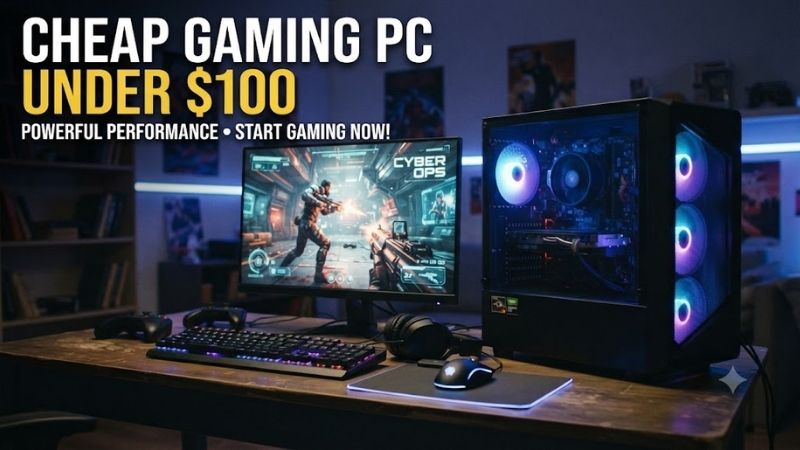
A cheap gaming PC under $100 is possible if you shop the used or refurbished office-PC market and keep expectations realistic. At this budget, the best systems use older Core i5 processors, 8GB or more of RAM, and upgrade-friendly towers that can handle esports, indie, retro, and older AAA games at modest settings.
Best Cheap Gaming PCs Under $100 Compared
| PC | Best For | Typical CPU Class | Upgrade Potential | Main Limitation |
|---|---|---|---|---|
| HP EliteDesk 800 G1 Tower | Best Overall | 4th Gen Core i5 | Excellent | Old platform |
| HP ProDesk 600 G1 Tower | Best Value | 4th Gen Core i5 | Excellent | Often ships with HDD |
| Dell OptiPlex 9020 SFF | Compact Gaming Build | 4th Gen Core i5 | Good | Low-profile GPU only |
| Lenovo ThinkCentre M93p Tower | Reliable Upgrade Base | 4th Gen Core i5 | Good | Proprietary design |
| Dell OptiPlex 7020 Tower | Budget GPU Upgrade | 4th Gen Core i5 | Excellent | Basic integrated graphics |
HP EliteDesk 800 G1 Tower
Best For: Best overall cheap gaming PC under $100
The HP EliteDesk 800 G1 Tower is one of the strongest starting points for an ultra-budget gaming build because it combines a conventional tower chassis with fourth-generation Intel Core processors and standard expansion slots. Used configurations frequently include Core i5 processors, DDR3 memory, and enough internal space for practical upgrades.
A quad-core Core i5-4570 or similar Haswell processor remains capable of handling lightweight esports games, older PC titles, emulators, and everyday Windows workloads. Integrated Intel HD Graphics 4600 is weak for modern games, but the tower chassis makes the EliteDesk much more interesting once a discrete graphics card is added.
Key Features
- Fourth-generation Intel Core processors
- DDR3 memory
- Full-size tower chassis
- PCIe graphics expansion
- SATA storage support
- Multiple USB ports
- DisplayPort and VGA on many configurations
- Easy access to internal components
What Makes It Different
The biggest advantage is upgrade flexibility. A tower gives you more room for storage drives, memory, and discrete graphics than the small-form-factor office PCs commonly found at similar prices. That makes it easier to start with a sub-$100 system and improve gaming performance gradually instead of replacing the whole computer.
The platform also supports inexpensive DDR3 memory, which is widely available on the used market. A system with only 4GB can usually be upgraded to 8GB or 16GB without spending much, while replacing an old mechanical hard drive with a SATA SSD can dramatically improve boot times and general desktop responsiveness.
Pros
- Spacious tower design
- Good upgrade path
- Cheap DDR3 memory
- Compatible with SATA SSDs
- Quad-core Core i5 options
- Useful PCIe expansion
Cons
- Integrated graphics are very weak
- Older CPU architecture
- Proprietary power considerations
- Not suitable for demanding new AAA games
Use Case and Who It’s For
The EliteDesk 800 G1 Tower is ideal for buyers who want a complete working computer now and plan to add a graphics card later. It is especially attractive for Minecraft, Roblox, League of Legends, older Counter-Strike titles, retro gaming, emulation, and classic PC games before a dedicated GPU upgrade is installed.
HP ProDesk 600 G1 Tower
Best For: Best value upgrade platform
The HP ProDesk 600 G1 Tower is closely related to the EliteDesk generation and is often one of the easiest office desktops to find at very low prices. Many used versions pair a Core i5-4570 with 8GB of DDR3, giving buyers a surprisingly capable general-purpose system for an extremely small initial investment.
Some configurations still use mechanical hard drives, which should not automatically disqualify them. At this budget, buying the stronger CPU and tower chassis first can be smarter than paying extra for a weak processor simply because it includes an SSD. Storage is one of the easiest components to replace later.
Key Features
- Core i5 Haswell CPU options
- Four-core processors available
- DDR3 memory
- Tower chassis
- PCIe expansion
- SATA storage
- Multiple display outputs
- Low-cost replacement parts
What Makes It Different
The ProDesk 600 G1 often provides one of the best combinations of low purchase cost and usable hardware. Its older business origins are actually helpful for budget builders because these systems were manufactured in large numbers and later entered the refurbished market after corporate replacement cycles.
The tower format also avoids one of the biggest problems with cheap business PCs: limited GPU space. A small-form-factor chassis normally requires a low-profile card, but the tower provides greater physical clearance and a wider selection of graphics upgrades, provided power requirements remain sensible.
Pros
- Very inexpensive used market
- Quad-core Core i5 availability
- Tower GPU compatibility
- Easy RAM upgrades
- SATA SSD support
- Good entry point for DIY upgrades
Cons
- Many units still use HDDs
- Basic integrated graphics
- Aging motherboard platform
- Stock power supply limits strong GPUs
Use Case and Who It’s For
Choose the ProDesk 600 G1 if your goal is to spend as little as possible on the base PC and reserve future money for a graphics card and SSD. It is particularly useful for a first gaming-PC project because the hardware is inexpensive enough that learning to upgrade it carries relatively little financial risk.
Dell OptiPlex 9020 SFF
Best For: Compact budget gaming setup
The Dell OptiPlex 9020 Small Form Factor is one of the most common refurbished business desktops in the budget market. It often uses fourth-generation Intel Core i5 processors and can be found with 8GB or 16GB of DDR3 memory, making it capable enough for everyday computing and light gaming workloads.
The SFF chassis is much smaller than a normal gaming tower, which saves desk space but limits GPU choices. Any graphics upgrade must fit the low-profile expansion area, and power consumption needs to remain modest. This makes the OptiPlex 9020 better suited to efficient GPUs rather than high-power gaming cards.
Key Features
- Fourth-generation Intel Core CPUs
- DDR3 memory
- Compact SFF chassis
- PCIe x16 slot
- SATA SSD compatibility
- Multiple DisplayPort outputs
- Gigabit Ethernet
- Widely available replacement parts
What Makes It Different
The 9020 SFF is appealing because of its huge aftermarket. Used parts, memory, storage drives, brackets, adapters, and compatible low-profile graphics cards are easy to research. That reduces the uncertainty that often comes with unusual business desktops and makes the platform friendly to beginners.
The limitation is physical space. A full-height graphics card will not fit without modifying the chassis, and many powerful low-profile cards exceed the practical power limits of the stock system. A modest slot-powered GPU is a much safer match for this platform than trying to turn it into a high-end gaming machine.
Pros
- Very common refurbished model
- Compact footprint
- Good Core i5 options
- Cheap DDR3 upgrades
- SATA SSD support
- Large online upgrade community
Cons
- Requires low-profile GPU
- Restricted power supply
- Poor integrated graphics
- Limited internal space
Use Case and Who It’s For
The OptiPlex 9020 SFF is a good choice for students, small bedrooms, and compact desks where a tower would be inconvenient. With integrated graphics, it suits older and lightweight games. With a sensible low-profile GPU added later, it can become a capable low-cost esports or retro gaming system.
Lenovo ThinkCentre M93p Tower
Best For: Reliable office-PC conversion
The Lenovo ThinkCentre M93p Tower is another business desktop built around Intel’s fourth-generation Core platform. Depending on configuration, it can use quad-core Core i5 processors and DDR3 memory, giving it enough processing power for lightweight gaming, emulation, multitasking, and basic content creation.
ThinkCentre systems are known more for business reliability than gaming design, but that works in favor of budget buyers. These machines were built for long office service, and the tower version provides enough internal room to support storage and graphics upgrades that would be difficult in Tiny or SFF variants.
Key Features
- Fourth-generation Core i5 support
- DDR3 memory
- Tower configuration
- PCIe graphics slot
- SATA SSD support
- Business-class construction
- Multiple USB connections
- Wired Ethernet
What Makes It Different
The M93p is often overlooked compared with Dell OptiPlex systems, which can create opportunities for better deals. Buyers who search only for “gaming PC” may miss office towers that contain similar CPUs and memory but sell for less because they lack gaming branding or RGB lighting.
The tower version is the one to prioritize. Lenovo also produced much smaller M93p systems, and those compact machines offer far less graphics-card flexibility. Always inspect photos and model information before buying because sellers may use the same M93p name for several chassis styles.
Pros
- Strong office-grade construction
- Quad-core CPU options
- Low-cost RAM upgrades
- Tower GPU expansion
- Good used value
- Suitable for SSD conversion
Cons
- Multiple chassis versions cause confusion
- Integrated graphics are limited
- Proprietary components may complicate upgrades
- Old platform lacks modern features
Use Case and Who It’s For
The ThinkCentre M93p Tower works well for someone who finds one locally at a better price than an equivalent Dell or HP. Its value comes from using the same basic strategy: start with a quad-core CPU and enough RAM, install an SSD if needed, then add a modest GPU once additional budget becomes available.
Dell OptiPlex 7020 Tower
Best For: Budget graphics-card upgrade
The Dell OptiPlex 7020 Tower is another strong candidate for a cheap gaming PC under $100 because it uses the same general fourth-generation Intel era as the 9020 while offering a larger chassis. Quad-core Core i5 versions provide enough CPU performance for many older games and lower-demand multiplayer titles.
Its Mini Tower design is substantially easier to upgrade than the SFF version. A larger expansion area means buyers are not limited to low-profile graphics cards, though the stock power supply still restricts which GPUs are sensible. Low-power cards remain the safest approach unless the power system is carefully upgraded.
Key Features
- Fourth-generation Core i5 options
- DDR3 memory
- Mini Tower chassis
- Full-height PCIe expansion
- SATA storage
- Easy SSD upgrades
- Multiple USB ports
- Strong refurbished availability
What Makes It Different
The 7020 Tower offers many of the advantages of the 9020 while reducing the physical restrictions associated with SFF hardware. This makes it a better long-term project if the computer will eventually receive a dedicated graphics card, additional storage, or other internal expansion hardware.
It also benefits from extensive documentation and a large used-parts ecosystem. Budget PC builders can find replacement memory, drives, fans, brackets, and other components without searching for rare proprietary hardware. That matters when the entire computer costs less than many modern gaming peripherals.
Pros
- Full-height GPU space
- Good Core i5 availability
- Cheap memory
- SSD support
- Large upgrade community
- Better expansion than SFF PCs
Cons
- Stock PSU is restrictive
- No meaningful gaming performance from integrated graphics
- Older platform
- May require cleaning or maintenance
Use Case and Who It’s For
The OptiPlex 7020 Tower is one of the better choices for users who want to transform a business PC into a gaming system gradually. It can begin as an inexpensive Minecraft, emulator, or productivity computer, then gain a dedicated graphics card and larger SSD when the budget grows.
What Gaming Performance Can You Expect Under $100?
A $100 complete PC should not be expected to run current AAA games at high settings. The realistic target is lightweight esports, indie games, retro titles, emulation, and older PC releases. Integrated Intel graphics can handle some low-demand games, but the experience depends heavily on resolution and settings.
Games such as Roblox, older Minecraft versions, lightweight strategy titles, classic Source-engine games, and many indie releases are much more realistic than graphically demanding modern releases. Lowering resolution to 720p or 900p can also make older integrated graphics significantly more usable.
Once a dedicated low-power GPU is added, the situation improves dramatically. A used GTX 1050 Ti, GTX 1650, RX 6400, or similar card can transform the system, although the graphics card alone may cost as much as or more than the original computer.
Why Office PCs Dominate the Under-$100 Market
Building a new PC for $100 is essentially impossible because even a motherboard, power supply, case, and storage drive can consume the entire budget. Used office machines solve this problem by bundling a functional CPU, motherboard, RAM, case, PSU, and operating hardware into one inexpensive package.
Corporate replacement cycles also create large supplies of similar computers. Once businesses retire hundreds or thousands of older systems, refurbishers can sell them cheaply. This makes Dell OptiPlex, HP EliteDesk, HP ProDesk, and Lenovo ThinkCentre machines much more realistic than unknown “gaming PCs” advertised at suspiciously low prices.
How to Choose a Cheap Gaming PC Under $100
Prioritize a Quad-Core Core i5
At this budget, fourth-generation Intel Core i5 processors such as the i5-4570 are a useful target. They provide four physical cores and enough general performance for older games and basic multitasking. Avoid paying similar money for much weaker Celeron, Pentium, or very old dual-core systems.
CPU upgrades can be more complicated than adding memory or storage, so starting with the best processor available within budget makes sense. A slightly smaller SSD is often an acceptable compromise if it allows you to buy a significantly stronger quad-core CPU.
Aim for at Least 8GB RAM
Eight gigabytes should be treated as the practical minimum for an ultra-budget Windows gaming machine. Four gigabytes creates unnecessary limitations once the operating system, browser, launcher, and game are running simultaneously. Fortunately, used DDR3 modules are inexpensive and widely available.
Sixteen gigabytes is better if the complete system still remains under budget, but do not sacrifice CPU quality solely to increase memory. RAM is one of the easiest later upgrades, while replacing the entire platform because the processor is too weak can cost substantially more.
Prefer an SSD
An SSD will not transform integrated graphics into a gaming GPU, but it makes an old office computer feel dramatically more responsive. Windows boots faster, applications open quicker, and game loading improves. A 120GB or 256GB SATA SSD is enough to make the system much more pleasant initially.
If the cheapest tower includes a mechanical hard drive, it can still be worth buying if everything else is strong. A small SATA SSD can be added later for the operating system, while the existing hard drive remains available for older games, media, or backups.
Choose Tower Over SFF When Possible
A tower provides much greater GPU flexibility. Small-form-factor systems require low-profile cards, which are often more expensive and available in fewer models. Full-height tower systems allow a wider range of used graphics cards and generally provide better internal airflow.
SFF computers remain useful when desk space is limited or when you know exactly which low-profile GPU you plan to install. For a beginner who has not chosen future upgrades yet, a tower is usually the safer and more flexible purchase.
Check the Power Supply
Office PCs often use relatively low-wattage proprietary power supplies with no dedicated PCIe graphics connectors. This means high-power graphics cards may not work even when they physically fit. Slot-powered GPUs are therefore the most convenient upgrades for many budget systems.
Do not use questionable SATA-to-PCIe adapters simply to power a graphics card that exceeds the system’s intended power design. Saving money on the base PC is pointless if the upgrade introduces unstable power delivery or creates unnecessary electrical risk.
Best Upgrades for a $100 Gaming PC
The first upgrade should usually be an SSD if the computer still boots from a hard drive. The second priority is reaching at least 8GB of RAM. Once those basics are covered, a dedicated graphics card creates the largest actual improvement in gaming performance.
A used slot-powered GPU is generally the easiest route. Low-profile cards are needed for many SFF systems, while tower PCs offer more choices. Always check physical dimensions, PCIe slot position, power consumption, BIOS compatibility, and video outputs before purchasing.
FAQ
Can you really get a gaming PC for under $100?
Yes, but it will almost always be used or refurbished hardware. Expect an older office PC rather than a purpose-built modern gaming desktop. These systems can handle lightweight, older, indie, and esports games, while demanding modern titles usually require a graphics upgrade.
What is the best PC under $100 for gaming?
A used HP EliteDesk 800 G1 Tower, HP ProDesk 600 G1 Tower, Dell OptiPlex 7020 Tower, or similar fourth-generation Core i5 business desktop provides one of the strongest starting points because these systems combine usable CPUs with inexpensive upgrade options.
Is 8GB RAM enough for a cheap gaming PC?
Eight gigabytes is enough for many lightweight and older games if unnecessary background applications are closed. Sixteen gigabytes provides a better multitasking experience, but at a $100 total budget it is usually more important to secure a quad-core CPU and upgrade-friendly chassis first.
Can I add a graphics card later?
Yes, and this is the best strategy for many ultra-budget builds. Tower office PCs usually offer better GPU compatibility, while SFF models require low-profile graphics cards. Check the power supply and avoid GPUs requiring more power than the system can safely provide.
Can a $100 PC run Fortnite or newer esports games?
Performance depends on the exact CPU, graphics hardware, game version, and settings. Integrated graphics may require very low resolutions and settings, while adding a modest dedicated GPU makes esports games far more practical. A $100 base PC should be viewed as a platform rather than a finished high-performance build.
Should I buy a laptop or desktop under $100?
A desktop is usually better for gaming at this budget because it offers easier memory, storage, and graphics upgrades. Very cheap laptops often have weak processors, limited cooling, soldered components, aging batteries, and no realistic path to adding dedicated graphics later.
Conclusion
A cheap gaming PC under $100 is best treated as an upgrade platform rather than a modern gaming powerhouse. Used HP, Dell, and Lenovo office desktops with a quad-core Core i5, 8GB RAM, and an SSD offer the strongest starting point, while a later low-profile GPU upgrade can unlock much better 1080p gaming.