🛒 Best Price Today on Amazon
Prime members get fast, free shipping on everything above, plus member-only deals. New members get a 30-day free trial — cancel anytime.
- What Are Network Cables and Connectors?
- Twisted-Pair Ethernet Cable
- RJ45 Connectors
- Shielded vs Unshielded Ethernet
- Fiber Optic Cable
- LC and SC Fiber Connectors
- SFP and SFP+ Interfaces
- Direct Attach Copper Cables
- Coaxial Network Cable
- Common Network Connector Types
- Patch Cables and Installation Cables
- Power over Ethernet
- Choosing the Right Network Cable
- Network Cable Installation Tips
- FAQ
- Conclusion
Cables and connectors in computer network systems determine how devices physically exchange data. Ethernet copper, fiber optic, and coaxial cables each serve different distances, speeds, and environments, while connectors such as RJ45, LC, SC, and SFP interfaces provide the physical link between computers, switches, routers, and network equipment.
Quick answer: Our top pick in 2026 is the Connector — our #1 rated choice. See the full ranked comparison, alternatives and buying advice below.
What Are Network Cables and Connectors?
A network cable is the physical medium that carries data between network devices. A connector terminates that cable and allows it to attach securely to equipment. The correct combination affects bandwidth, distance, reliability, interference resistance, installation cost, and whether the connection can support technologies such as PoE or multi-gig Ethernet.
Modern networks use different media depending on the job. Copper Ethernet is common for PCs and access points, fiber handles long distances and high bandwidth, while coaxial remains important in cable internet and specialized installations. Choosing correctly starts with understanding the strengths and limitations of each physical connection type.
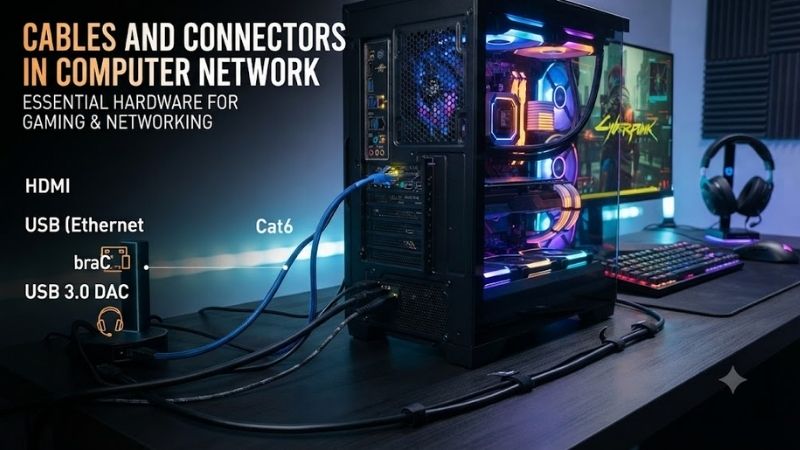
Twisted-Pair Ethernet Cable
Twisted-pair Ethernet is the most familiar network cable in homes and offices. It contains copper wire pairs twisted together to reduce electromagnetic interference. Common categories include Cat5e, Cat6, Cat6a, Cat7, and Cat8, although not every category is equally practical for normal desktop or gaming networks.
Cat5e commonly supports Gigabit Ethernet up to 100 meters, while Cat6 can support higher speeds over shorter distances and Gigabit Ethernet across standard structured cabling runs. Cat6a is designed for 10GbE over longer runs up to 100 meters, making it a stronger choice for higher-performance office, server, and home-lab installations.
RJ45 Connectors
RJ45 is the common term used for the modular connector found on Ethernet patch cables and network ports. It connects twisted-pair cabling to switches, routers, PCs, wall jacks, and other Ethernet devices. Proper termination matters because untwisting wire pairs too far or using poor-quality plugs can reduce signal quality at higher speeds.
Ethernet connectors may look identical while supporting different cable types and conductor sizes. A plug intended for solid-core installation cable may not suit stranded patch cable, and shielded cable should use compatible shielded connectors when grounding is required. Matching the cable, plug, and termination method improves long-term reliability.
Shielded vs Unshielded Ethernet
UTP, or unshielded twisted pair, is widely used because it is flexible, inexpensive, and sufficient for most homes and offices. Shielded twisted pair adds conductive shielding around pairs or the entire cable to reduce interference. Shielding can help near electrical equipment, but it requires correct grounding to work as intended.
For gaming PCs and ordinary desktop networks, shielded cable is not automatically faster than unshielded cable. The Ethernet category and installation quality matter more. A properly installed Cat6 UTP cable can deliver excellent performance, while unnecessary shielding can increase cable thickness, cost, and installation difficulty without improving latency.
Fiber Optic Cable
Fiber optic cable transmits data using light instead of electrical signals. This provides high bandwidth, excellent resistance to electromagnetic interference, and much longer practical transmission distances than copper. Fiber is widely used between switches, buildings, data centers, ISP networks, and high-speed backbone connections.
The two major fiber types are single-mode and multimode. Single-mode fiber uses a smaller core and is suited to very long distances, while multimode fiber is commonly used for shorter links inside buildings and data centers. They require compatible optical transceivers, so cable type and module specifications must match.
LC and SC Fiber Connectors
LC and SC are common fiber connectors. LC is smaller and often used with modern switches, SFP modules, and dense network equipment, while SC is larger and still appears in telecom, broadband, and structured fiber systems. Both connectors need clean end faces because dust or contamination can weaken optical signal quality.
Fiber installation requires more care than plugging in ordinary Ethernet. Bending fiber too tightly can damage performance, and touching connector ends can introduce contamination. Protective caps should stay in place until installation, while cleaning tools should be used when necessary before inserting connectors into transceivers or patch panels.
SFP and SFP+ Interfaces
SFP is not a cable connector in the same sense as RJ45, but it is an important network interface. An SFP slot accepts removable transceiver modules that convert electrical signals into optical or copper connections. SFP commonly supports 1GbE, while SFP+ is widely used for 10GbE network links.
Because modules are removable, network administrators can choose fiber types and distances without replacing the switch. A short DAC cable can connect nearby servers, while optical transceivers can extend links much farther. Compatibility matters because the switch, module, wavelength, fiber type, and link speed must all agree.
Direct Attach Copper Cables
Direct Attach Copper, often called DAC, is commonly used for short SFP+ or SFP28 connections between switches, servers, and network appliances. The transceiver ends are permanently attached to the cable, reducing cost and power consumption compared with separate optical modules and fiber for short equipment-rack connections.
DAC is not a replacement for standard RJ45 Ethernet across an entire building. It is best for short high-speed links inside racks or between nearby network devices. Passive DAC cables are especially common for short distances, while active versions can support somewhat longer connections by using electronics within the cable assembly.
Coaxial Network Cable
Coaxial cable contains a central conductor surrounded by insulation, shielding, and an outer jacket. It is less common for modern LAN connections than twisted-pair Ethernet, but it remains widely used by cable internet providers and television systems. Older Ethernet standards also used coaxial cable before twisted pair became dominant.
Cable modems normally connect to the ISP network through coaxial cable using an F-type connector. The modem then converts that service into Ethernet for the local network. This is an important distinction: coaxial may deliver internet service to the home, but devices inside the home typically communicate through Ethernet or WiFi.
Common Network Connector Types
| Connector | Typical Cable | Common Use |
|---|---|---|
| RJ45 | Cat5e/Cat6/Cat6a | Ethernet LAN connections |
| LC | Fiber optic | Switches, SFP modules, data centers |
| SC | Fiber optic | Telecom and structured fiber |
| F-Type | Coaxial | Cable modem and broadband |
| SFP/SFP+ Module | Fiber or DAC | Switch and server uplinks |
| USB-C | USB cable | Tethering, adapters, networking peripherals |
Patch Cables and Installation Cables
Patch cables are flexible cables designed for short connections between devices, wall jacks, switches, and patch panels. They usually use stranded conductors that tolerate frequent movement. Installation cable normally uses solid conductors and is designed for permanent runs inside walls, ceilings, and structured cabling systems.
Using the correct type improves durability and termination quality. A long permanent cable run should usually terminate at a wall jack or patch panel, with shorter patch cables connecting equipment at each end. This approach simplifies replacement, organization, testing, and future upgrades without disturbing the permanent building cabling.
Power over Ethernet
Power over Ethernet allows compatible Ethernet cables to carry both data and electrical power. It is commonly used for wireless access points, IP cameras, VoIP phones, and other network devices. The switch or injector provides power, while the receiving device must support the appropriate PoE standard and power level.
Cable quality matters with PoE because current generates heat. Higher-power PoE installations benefit from properly rated cable and connectors, especially when many cables run together in bundles. Network speed and power delivery are separate considerations, so a cable must satisfy both the required Ethernet category and the intended PoE load.
Choosing the Right Network Cable
Start with required speed and distance. Cat6 is practical for many home and office networks, while Cat6a is useful when full 10GbE performance over long copper runs is needed. Fiber becomes more attractive for long distances, high electrical interference, building-to-building links, or infrastructure where greater future bandwidth is expected.
Do not buy cable solely because the category number is higher. Cat8 is designed for specialized short high-speed data-center links and is unnecessary for most home networks. Correct Cat6 or Cat6a installation usually provides more value, while fiber may offer a better long-term upgrade path for certain backbone connections.
Network Cable Installation Tips
Keep network cables away from strong electrical interference where possible and avoid sharp bends, crushed jackets, or excessive pulling force. Label both ends of permanent runs and test every finished link. A cable tester can identify wiring faults, while more advanced certification equipment verifies performance against specific Ethernet standards.
For structured cabling, follow the same wiring standard at both ends, commonly T568A or T568B. Mixing the pin order incorrectly can create faults. Modern Ethernet supports automatic crossover behavior on most equipment, so consistency and proper pair placement matter more than intentionally building crossover cables for normal installations.
FAQ
What Cable Is Most Common in Computer Networks?
Twisted-pair Ethernet cable is the most common wired network medium in homes and offices. Cat5e, Cat6, and Cat6a cables typically use RJ45-style connectors and connect PCs, routers, switches, access points, and other equipment. Fiber is more common for high-speed backbones and longer network links.
Is Cat6 Better Than Cat5e?
Cat6 provides better specifications for crosstalk and higher-frequency operation than Cat5e, making it more suitable for higher-speed networking and future upgrades. Cat5e remains adequate for many Gigabit Ethernet installations. The practical choice depends on link speed, cable distance, installation cost, and future requirements.
What Connector Is Used With Fiber Optic Cable?
LC and SC are common fiber connectors, although several other formats exist. LC is widely used with modern SFP and SFP+ transceivers because of its compact size. The correct connector alone is not enough; fiber type, transceiver wavelength, speed, and single-mode or multimode compatibility must also match.
Can Ethernet Cable Carry Power?
Yes. Power over Ethernet allows compatible Ethernet links to carry both network data and electrical power. It is commonly used for access points, cameras, and VoIP phones. The switch, injector, cable, and receiving device must support the required PoE standard and power level for safe, reliable operation.
Is Fiber Faster Than Ethernet Cable?
Fiber can support extremely high bandwidth and much longer distances than copper Ethernet, but actual speed depends on the networking equipment and standard used. A fiber link is not automatically faster than every copper link. For example, both copper and fiber can support 10GbE when the correct hardware is installed.
Conclusion
Cables and connectors in computer network systems determine how reliably devices communicate and how far a connection can reach. RJ45 with Cat6 or Cat6a suits most LANs, fiber with LC or SC handles demanding links, and coaxial remains important for broadband. Matching cable, connector, speed, and distance prevents avoidable network problems.
Ready to decide? Our #1 pick for 2026 is the Connector.
Live price & availability on Amazon.