🛒 Best Price Today on Amazon
Prime members get fast, free shipping on everything above, plus member-only deals. New members get a 30-day free trial — cancel anytime.
The best gaming mice for FPS shooters in 2026 are light (roughly 50–65 g), use a flawless optical sensor, run at 1,000 Hz or higher over a stable wireless link, and, most importantly, have a shape that fits your grip at your sensitivity. Models like the Logitech G Pro X Superlight 2, Razer Viper V3 Pro, Razer DeathAdder V3 Pro and Zowie EC2-CW all meet the technical bar, so the real decision comes down to how far you move your arm per 360-degree turn and how you hold the mouse. This guide starts with that math, then maps it to specific picks.
Quick answer: For most people in 2026, the best gaming mice for fps shooters is the Valorant — our #1 rated choice. See the full ranked comparison, alternatives and buying advice below.
Start With Your cm/360, Not the Spec Sheet
Every modern FPS gaming mouse tracks well past what a human hand can push, so sensor numbers like 30,000+ DPI are noise. What changes the feel of a mouse is how much you physically move it. That is measured as centimeters per 360-degree turn (cm/360), and it depends on your in-game sensitivity and DPI.

Logitech G PRO 2 Lightspeed Ambidextrous Wireless Gaming Mouse - Black
Included for 'Best Gaming Mice for FPS Shooters: Picks Matched to Your cm/360' because the listing specifies Black, details this guide uses to compare options.
View on Amazon
Logitech G PRO X Superlight 2 Wireless Gaming Mouse - Black
Included for 'Best Gaming Mice for FPS Shooters: Picks Matched to Your cm/360' because the listing specifies Black, details this guide uses to compare options.
View on AmazonFor Valorant, the formula is: cm/360 = 2.54 × 360 / (DPI × sensitivity × 0.07). For CS2 the yaw value is 0.022 instead of 0.07, with Valorant sensitivity roughly equal to CS2 sensitivity divided by 3.18.
| Game / setting | DPI | In-game sens | eDPI | cm/360 | Player type |
|---|---|---|---|---|---|
| Valorant | 800 | 0.30 | 240 | ~54 cm | Low sens, arm aimer |
| Valorant | 800 | 0.40 | 320 | ~41 cm | Typical pro range |
| Valorant | 1600 | 0.35 | 560 | ~23 cm | Wrist/fingertip aimer |
| CS2 | 400 | 2.0 | 800 | ~52 cm | Low sens, arm aimer |
| CS2 | 800 | 1.25 | 1000 | ~42 cm | Typical pro range |
| CS2 | 1600 | 1.0 | 1600 | ~26 cm | Wrist aimer |
Why this matters for a mouse choice: at 45+ cm/360 you move the whole arm across a large pad, and every gram of mass costs you when you stop and reverse direction. At 25 cm/360 you mostly rotate the wrist and fingers, so shape and button feel matter more than shaving the last 5 g.
The Decision Matrix: Sensitivity × Grip
| Your profile | Shape priority | Weight target | Good fits |
|---|---|---|---|
| Low sens (45+ cm/360), palm grip | Ergonomic, right-handed hump | 55–65 g | Razer DeathAdder V3 Pro, Zowie EC2-CW |
| Low sens, claw grip | Symmetrical, rear hump | 50–60 g | Logitech G Pro X Superlight 2, Razer Viper V3 Pro |
| Mid sens (30–45 cm/360), any grip | Safe symmetrical shape | 55–65 g | Logitech G Pro X Superlight 2 |
| High sens (under 30 cm/360), fingertip | Short, low, narrow | 45–60 g | Razer Viper V3 Pro, smaller symmetrical shells |
| Prefers a cable or plays on LAN-style setups | Proven classic shape | 65–80 g | Zowie EC2-C or S2-C (wired) |
Picks for FPS Players
Logitech G Pro X Superlight 2 – the safest all-rounder
The Superlight 2 keeps the plain symmetrical shell that made the original a staple in pro leagues, at about 60 g. Its Lightspeed wireless link and HERO 2 sensor are reliable, it charges over USB-C, and the shape suits palm, claw and relaxed fingertip grips for medium to large hands (about 125 mm long). If you are unsure what shape you like, this is the default fps gaming mouse to start from. Expect it in the upper-mid price band, usually $130–$170.
Razer Viper V3 Pro – lighter and built for claw grip
The Viper V3 Pro sits around 54 g and has a slightly taller rear than older Vipers, which gives claw-grip players more to lock onto. Razer supports up to 8,000 Hz wireless polling with its HyperPolling dongle, which helps motion smoothness on 240 Hz and faster monitors. It is a strong lightweight mouse for CS2 players who flick a lot. Typically $140–$170.
Razer DeathAdder V3 Pro – for palm grip and arm aim
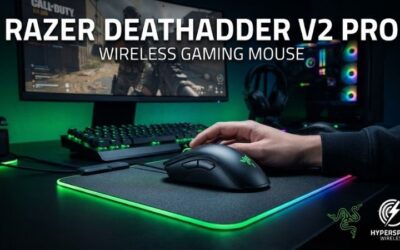
If you rest your whole hand on the mouse, an ergonomic shape helps. The DeathAdder V3 Pro weighs around 63 g, has a right-handed slope that supports the ring and little fingers, and suits low-sens players who drag the mouse with the arm. It is one of the most comfortable options for long Valorant sessions. Usually $130–$160.
Zowie EC2-CW and EC2-C – the classic ergo shape
Zowie’s EC series has been a pro favorite for over a decade. The EC2-CW is the wireless version with a charging dock that doubles as a receiver placement; the EC2-C is the wired, cheaper sibling at roughly 73 g. Zowie skips software entirely, so settings like DPI and polling rate are set with buttons on the bottom. That suits players who travel to LANs and want identical behavior on any PC. Wired versions usually run $60–$80; wireless $130–$160.
Budget class: lightweight wired symmetrical mice
If you spend under $60, look for a wired symmetrical mouse at 60–70 g with a paracord-style flexible cable and a PixArt 3395-class or 3950-class sensor. Brands like Pulsar, Lamzu and Glorious sell shells in this class. The sensor will not hold you back; cable drag is the main compromise, and a cheap mouse bungee fixes most of it.
Does Polling Rate Matter?
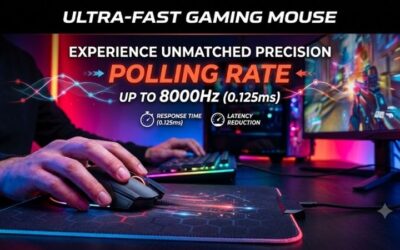
Polling rate is how often the mouse reports position. At 1,000 Hz the gap between reports is 1 ms; at 4,000 Hz it is 0.25 ms; at 8,000 Hz it is 0.125 ms. The real-world benefit is mostly smoother cursor motion on high refresh monitors, not raw reaction speed.
| Polling rate | Report interval | Reports per 240 Hz frame | Typical CPU impact | Battery impact (vs 1 kHz) |
|---|---|---|---|---|
| 1,000 Hz | 1.0 ms | ~4 | Negligible | Baseline |
| 2,000 Hz | 0.5 ms | ~8 | Low | Roughly 25–40% shorter |
| 4,000 Hz | 0.25 ms | ~17 | Noticeable on older CPUs | Roughly 50–60% shorter |
| 8,000 Hz | 0.125 ms | ~33 | Can cause stutter in some games | Roughly 70–75% shorter |
A practical setting: use 1,000 Hz on a 144 Hz monitor, try 2,000–4,000 Hz on 240–360 Hz panels, and only run 8,000 Hz if your CPU has headroom and the game shows no frame-time spikes. If a mouse promises 90 hours of battery at 1 kHz, plan for roughly 20–25 hours at 8 kHz.
Settings That Help More Than a New Mouse
- Disable Windows “Enhance pointer precision.” It adds acceleration that changes your cm/360 depending on speed. Raw input in Valorant and CS2 bypasses it in-game, but turn it off anyway for consistent desktop feel.
- Pick a DPI of 800 or 1600. Both are clean multiples that most sensors handle without smoothing, and they make sharing sensitivity numbers easy.
- Set lift-off distance to the lowest level (around 1 mm). Low sens players lift the mouse often; a low LOD stops the crosshair drifting when you reset.
- Keep the wireless receiver close. Use the extension adapter so the dongle sits 20–30 cm from the mouse, not behind the PC case near USB 3.0 ports, which can add 2.4 GHz noise.
- Match the pad to the speed you want. A lightweight mouse for CS2 on a slow cloth pad gives control; the same mouse on a hard pad feels much faster and needs a slightly lower sensitivity.
Wired or Wireless for FPS?
Modern 2.4 GHz wireless from Logitech, Razer, Zowie and other major brands matches wired latency within a fraction of a millisecond, so competitive players no longer need a cable. Wired still makes sense if you want the lowest price, never want to charge, or play on shared machines. The middle ground is any wireless mouse that also works fully while plugged in, which all the picks above do.
Quick Recommendation
Unsure of your shape: Logitech G Pro X Superlight 2. Claw grip and fast flicks: Razer Viper V3 Pro. Palm grip with low sens: Razer DeathAdder V3 Pro or Zowie EC2-CW. Tight budget: a 60–70 g wired symmetrical mouse with a 3395-class sensor. Whichever you choose, lock in your cm/360 first and keep it stable for a few weeks; consistency improves aim more than any hardware upgrade.
Ready to decide? Our #1 pick for 2026 is the Valorant.
Live price & availability on Amazon.