🛒 Best Price Today on Amazon
Prime members get fast, free shipping on everything above, plus member-only deals. New members get a 30-day free trial — cancel anytime.
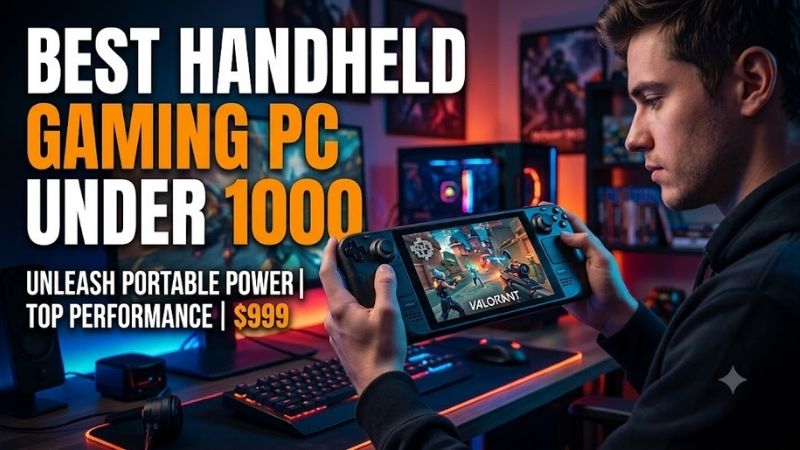
The best handheld gaming PC under $1000 should deliver enough performance for modern PC games without sacrificing display quality, battery capacity, controls, or storage. From Windows machines with broad launcher support to SteamOS handhelds built around console-like simplicity, today’s sub-$1,000 category offers several genuinely different choices.
Quick answer: For most people in 2026, the best handheld gaming pc under $1000 is the Handheld Gaming PC — our #1 rated choice. See the full ranked comparison, alternatives and buying advice below.
Best Handheld Gaming PCs Under $1000 Compared
| Handheld Gaming PC | Best For | Processor | Display | Memory | Current Price Reference |
|---|---|---|---|---|---|
| ASUS ROG Ally X | Best Overall | AMD Ryzen Z1 Extreme | 7-inch 1080p 120Hz VRR | 24GB | Under $1,000 |
| Steam Deck OLED 512GB | Best SteamOS Experience | AMD custom APU | 7.4-inch OLED 90Hz | 16GB | $789 |
| Lenovo Legion Go S Z1 Extreme | Best Large-Screen SteamOS Pick | AMD Ryzen Z1 Extreme | 8-inch 1200p 120Hz | Up to 32GB | Under $1,000 configs |
| MSI Claw 8 AI+ | Best Intel Alternative | Intel Core Ultra 7 258V | 8-inch 1200p 120Hz VRR | 32GB | Around $899.99 |
Price is especially important in 2026 because handheld pricing has shifted significantly. Valve raised the 512GB Steam Deck OLED to $789 and the 1TB version to $949 in May 2026, while ASUS currently lists a 1TB ROG Ally X configuration below the $1,000 ceiling. Retail prices and promotions can still change quickly.
The four systems below genuinely fit different types of portable PC gamer instead of simply competing on processor speed. ROG Ally X emphasizes Windows flexibility and battery capacity, Steam Deck prioritizes software simplicity, Legion Go S offers a larger display, and MSI combines an 8-inch VRR panel with Intel’s newer handheld platform.
ASUS ROG Ally X – Best Overall
Best For: Players who want strong Windows compatibility, a large battery, and mature handheld hardware
ASUS ROG Ally X uses the AMD Ryzen Z1 Extreme, combining eight Zen 4 CPU cores with 12 RDNA 3 graphics compute units. ASUS specifies a 9W to 30W operating range, while the system includes 24GB of LPDDR5X memory and a 1TB PCIe 4.0 SSD in its standard high-capacity configuration.
The 7-inch IPS touchscreen runs at 1920 x 1080 with a 120Hz refresh rate and AMD FreeSync Premium variable refresh. ASUS lists 500-nit brightness and Gorilla Glass Victus protection. VRR is especially valuable on handheld hardware because fluctuating game frame rates can appear smoother without requiring every title to remain locked at 60 or 120fps.
Key Features
- AMD Ryzen Z1 Extreme
- 8-core, 16-thread Zen 4 CPU
- RDNA 3 graphics with 12 compute units
- 24GB LPDDR5X memory
- 1TB PCIe 4.0 SSD
- 7-inch 1920 x 1080 display
- 120Hz refresh rate
- AMD FreeSync Premium
- 80Wh battery
- USB4 plus USB-C
- UHS-II microSD reader
What Makes It Different
Battery capacity is one of the biggest reasons to prefer the Ally X over many earlier Windows handhelds. ASUS doubled down on portable endurance with an 80Wh battery while retaining the Z1 Extreme platform. That additional capacity is useful because demanding AAA games can push handheld processors hard enough to drain smaller batteries surprisingly quickly.
The Ally X also uses a standard M.2 2280 SSD format rather than restricting upgrades to the shorter drives used by several handheld PCs. That gives owners more storage choices when replacing the internal drive. USB4 support also makes docks, external displays, high-speed storage, and compatible external graphics solutions easier to integrate.
Pros
- Powerful Z1 Extreme platform
- Large 80Wh battery
- 24GB memory
- 120Hz VRR display
- Standard M.2 2280 SSD
- Broad Windows game compatibility
- Two USB-C ports
- Good docking flexibility
Cons
- Windows is less controller-friendly than SteamOS
- 7-inch display is smaller than some competitors
- No OLED panel
- High-power modes reduce battery endurance
Use Case
ROG Ally X is particularly effective for players whose libraries span Steam, Xbox PC Game Pass, Epic Games Store, Battle.net, Ubisoft Connect, and other Windows launchers. Instead of depending on Linux compatibility layers, it runs standard Windows software, making it convenient for games with launchers or anti-cheat systems that complicate SteamOS support.
The trade-off is operating-system complexity. Windows 11 was designed primarily around traditional PCs, so small interface elements, updates, pop-ups, and desktop configuration occasionally require more attention than SteamOS. ASUS Armoury Crate SE reduces that friction by providing a controller-friendly launcher and quick access to performance settings.
Who It’s For
Choose the ROG Ally X if you want one portable Windows PC capable of handling games from almost every major PC storefront. It suits players who value flexibility, battery capacity, VRR, and upgradeable storage more than OLED contrast or console-like software simplicity. Its hardware balance remains particularly strong below the $1,000 ceiling.
Steam Deck OLED 512GB – Best SteamOS Experience
Best For: Players who prioritize console-like usability, OLED image quality, and Steam integration
Steam Deck OLED uses Valve’s custom AMD APU with four Zen 2 CPU cores and eight RDNA 2 graphics compute units. It is less powerful on paper than newer Z1 Extreme handhelds, but SteamOS is heavily optimized around the device. The operating system provides gamepad-first navigation, quick suspend and resume, shader management, and integrated performance controls.
The OLED model features a 7.4-inch HDR OLED display with a 1280 x 800 resolution and refresh rates up to 90Hz. Compared with IPS handhelds, OLED can produce true blacks and strong contrast without a backlight. Its lower native resolution can also be easier for the integrated GPU to drive than 1080p or 1200p displays in demanding games.
Key Features
- Custom AMD Zen 2 / RDNA 2 APU
- 16GB LPDDR5 memory
- 512GB NVMe SSD
- 7.4-inch OLED touchscreen
- 1280 x 800 resolution
- Up to 90Hz refresh rate
- HDR support
- Wi-Fi 6E
- microSD expansion
- SteamOS
- Dual trackpads
- Four rear buttons
What Makes It Different
SteamOS is the Steam Deck’s defining advantage. The interface is designed around a controller from startup through game installation, updates, performance tuning, screenshots, cloud saves, and shutdown. This significantly reduces the amount of desktop-style interaction required compared with a Windows handheld, especially when the majority of your games already live on Steam.
Valve’s compatibility program also labels games according to how well they run on Steam Deck. It is not a guarantee that every PC game will work, because anti-cheat systems and unsupported launchers can still create problems, but the verification system gives buyers more information before installing a title than a conventional Windows handheld interface normally provides.
Pros
- Excellent SteamOS interface
- OLED HDR display
- Strong suspend and resume experience
- Dual trackpads
- Expandable microSD storage
- Mature accessory ecosystem
- Extensive community support
- 90Hz panel
Cons
- Lower raw performance than Z1 Extreme devices
- Some anti-cheat games remain unsupported
- 800p resolution is relatively low
- Windows-specific launchers require extra work
Use Case
Steam Deck OLED is particularly effective for indie games, RPGs, emulation, older PC titles, and AAA releases that scale well to its hardware. Its trackpads also make strategy games, desktop interfaces, and mouse-oriented titles easier to navigate than handhelds relying only on analog sticks and a touchscreen.
Price has changed substantially. Valve officially raised the 512GB OLED model to $789 and the 1TB version to $949 in May 2026, citing increased memory, storage, and logistical costs. Both still remain below the $1,000 limit, although their value equation is different from the much lower launch-era pricing many buyers remember.
Who It’s For
Choose Steam Deck OLED if you want handheld PC gaming to feel closer to using a console than maintaining a miniature Windows computer. Players whose libraries rely heavily on Steam gain the most from its software integration. Those needing PC Game Pass downloads or unsupported competitive games should consider a Windows handheld instead.
Lenovo Legion Go S Z1 Extreme – Best Large-Screen SteamOS Pick
Best For: Players who want SteamOS on a larger 8-inch 120Hz display
Lenovo Legion Go S is available in several configurations, including models using the AMD Ryzen Z1 Extreme. Lenovo pairs the chip with an 8-inch PureSight IPS touchscreen running at 1920 x 1200 and 120Hz. The larger 16:10 panel gives games, text, and desktop interfaces more physical room than typical 7-inch handheld displays.
The Z1 Extreme SteamOS configuration can include 32GB of LPDDR5X memory and a 1TB PCIe Gen4 SSD. Lenovo also provides microSD expansion and two USB4 Type-C connections with DisplayPort support. Those ports make it easier to connect a dock, charger, monitor, storage device, or compatible external graphics hardware without constantly swapping one connector.
Key Features
- AMD Ryzen Z1 Extreme
- 8-inch 1920 x 1200 display
- 120Hz refresh rate
- SteamOS configurations available
- Up to 32GB LPDDR5X memory
- Up to 1TB PCIe Gen4 SSD
- Two USB4 Type-C ports
- microSD expansion
- Wi-Fi 6E
- Bluetooth 5.3
- 55.5Wh battery
What Makes It Different
The combination of SteamOS and a larger display differentiates Legion Go S from both Steam Deck and many Windows handhelds. SteamOS keeps navigation gamepad-focused, while the 8-inch 1200p panel improves readability. Lenovo’s TrueStrike controls also include adjustable trigger switches, allowing shorter or longer trigger travel depending on the game.
A larger screen does affect portability. Lenovo lists the Z1 Extreme SteamOS model around 730 grams, placing it above lighter handhelds such as Steam Deck OLED. The 55.5Wh battery is also substantially smaller than the 80Wh batteries used by ROG Ally X and MSI Claw 8 AI+, so performance settings become important away from a charger.
Pros
- Large 8-inch display
- 120Hz refresh rate
- Z1 Extreme performance
- SteamOS option
- Up to 32GB memory
- Dual USB4 ports
- microSD expansion
- Comfortable full-size controls
Cons
- Heavier than smaller handhelds
- 55.5Wh battery is not class-leading
- 1200p can be demanding in AAA games
- Some Windows-only games remain problematic on SteamOS
Use Case
Legion Go S makes sense for players who like the Steam Deck software experience but want a larger screen and newer AMD graphics architecture. Running demanding titles below native resolution or using FSR can be sensible because 1920 x 1200 asks substantially more from the GPU than 1280 x 800 while offering little benefit if frame rate collapses.
Who It’s For
Choose Legion Go S Z1 Extreme if you prefer SteamOS but find the Steam Deck display too small or want additional CPU and GPU headroom. It is particularly appealing for RPGs, strategy games, text-heavy titles, and home use where the larger chassis is easier to accept. Confirm the exact configuration and live price because Lenovo offers several variants.
MSI Claw 8 AI+ – Best Intel Alternative
Best For: Buyers who want an 8-inch VRR screen, 32GB memory, and an 80Wh battery
MSI Claw 8 AI+ uses Intel’s Core Ultra 7 258V in commonly sold configurations, paired with Intel Arc 140V graphics and 32GB of LPDDR5X-8533 memory. MSI equips the handheld with an 8-inch 1920 x 1200 IPS-level touchscreen supporting a 48-120Hz variable-refresh range, which helps games remain visually smoother at changing frame rates.
Storage consists of a PCIe Gen4 NVMe SSD using an M.2 2230 slot, with 1TB included in the documented configuration. MSI also provides Wi-Fi 7, Bluetooth 5.4, a microSD reader, and two Thunderbolt 4 ports. The dual-port arrangement makes charging while using a dock or another USB-C accessory substantially less awkward.
Key Features
- Intel Core Ultra 7 258V
- Intel Arc 140V graphics
- 32GB LPDDR5X-8533
- 1TB PCIe Gen4 SSD
- 8-inch 1920 x 1200 display
- 48-120Hz VRR
- 80Wh battery
- Two Thunderbolt 4 ports
- Wi-Fi 7
- Bluetooth 5.4
- Hall Effect sticks and triggers
What Makes It Different
Intel’s newer Lunar Lake platform makes the Claw 8 AI+ meaningfully different from first-generation Claw hardware. The Arc 140V integrated GPU, fast unified memory, and 80Wh battery place it much closer to premium AMD handheld competitors. Independent reviews documented a $899.99 configuration with the Ultra 7 258V, 32GB RAM, and 1TB SSD.
Its Hall Effect analog sticks and triggers avoid relying on conventional potentiometers for those controls. Hall sensors measure magnetic-field changes rather than direct electrical contact, reducing one mechanical wear mechanism associated with traditional analog controls. That does not guarantee controllers will never fail, but it is a useful design choice.
Pros
- 32GB of fast memory
- Large 80Wh battery
- 8-inch 120Hz VRR display
- Two Thunderbolt 4 ports
- Wi-Fi 7
- Hall Effect sticks and triggers
- Windows compatibility
- Fingerprint reader
Cons
- 795g weight is substantial
- Windows handheld interface remains imperfect
- Intel game behavior can vary by title and driver
- M.2 2230 SSD offers fewer choices than 2280 drives
Use Case
Claw 8 AI+ suits players who want Windows compatibility but prefer an 8-inch screen over the smaller Ally X display. Its dual Thunderbolt ports also make it attractive as a dockable miniature PC. Connect a monitor, keyboard, mouse, storage, and power at a desk, then disconnect everything and continue using the same Windows installation as a handheld.
Who It’s For
Choose the Claw 8 AI+ if you want a premium Windows handheld with a large VRR panel and do not specifically need AMD hardware. Its 32GB memory allocation can also help when the integrated GPU shares system memory. At roughly $899.99 in documented configurations, it remains below the $1,000 limit while offering high-end specifications.
How to Choose a Handheld Gaming PC Under $1000
Choose Windows or SteamOS First
Operating system can affect the experience more than a small difference in graphics performance. Windows provides broad compatibility with stores such as Xbox PC Game Pass, Epic, Battle.net, and many anti-cheat games. The trade-off is a desktop operating system that sometimes feels awkward when controlled through joysticks and a small touchscreen.
SteamOS provides a cleaner controller-first interface, dependable suspend and resume, and integrated performance controls. Its limitation is game compatibility. Proton runs a large Windows game library successfully, but certain anti-cheat systems and proprietary launchers can still cause problems, so check your most important games before choosing Linux-based hardware.
Do Not Buy Based on Screen Resolution Alone
Higher resolution does not automatically mean better handheld gaming. A 1600p screen asks the integrated GPU to render far more pixels than an 800p screen. In modern AAA games, lowering resolution or using FSR and XeSS is often necessary to achieve stable frame rates, particularly when trying to balance performance against battery consumption.
Refresh rate and VRR can matter more. A 120Hz VRR panel can smoothly display frame rates that move between fixed targets, while a 90Hz OLED display provides deep contrast and very fast pixel response. Choose a screen according to the games you play rather than assuming the panel with the largest resolution number is automatically superior.
Consider Battery Capacity
Handheld gaming PCs can consume far more power than dedicated low-power portable consoles when running demanding titles. An 80Wh battery, as found in ROG Ally X and MSI Claw 8 AI+, gives additional energy capacity compared with smaller packs, but runtime still varies dramatically according to processor power, brightness, frame cap, and game workload.
Reducing a game from 120Hz to 60Hz or 40fps, lowering processor power, and reducing screen brightness can noticeably extend portable play. Conversely, using maximum performance modes in a demanding AAA game can drain even a large battery quickly. Battery capacity should therefore be evaluated alongside the settings you realistically intend to use.
Look at RAM and Shared Graphics Memory
Handheld processors use integrated graphics, so system memory is shared between CPU tasks and GPU workloads. Devices with 24GB or 32GB provide more room for modern games while allocating several gigabytes to graphics. Sixteen gigabytes remains usable, but memory-heavy titles and multitasking provide less headroom.
Faster memory bandwidth is also relevant because integrated GPUs do not have dedicated high-speed VRAM like desktop graphics cards. However, memory specifications should not be viewed in isolation. Processor architecture, power limits, cooling, drivers, game optimization, and resolution all contribute to actual handheld gaming performance.
Check Storage Before Buying
Modern PC games can exceed 100GB, meaning a 512GB SSD fills quickly once Windows or SteamOS, updates, shader caches, and several AAA titles are installed. A 1TB configuration is therefore easier to manage. microSD cards are useful for expansion, particularly with smaller games, but internal NVMe storage remains faster for heavy workloads.
SSD format also affects future upgrades. ROG Ally X uses the common M.2 2280 format, while MSI Claw 8 AI+ uses M.2 2230 and Legion Go S uses M.2 2242. Shorter SSDs are available, but 2280 drives generally offer a broader desktop-market selection, making capacity upgrades easier to shop for.
FAQ
What Is the Best Handheld Gaming PC Under $1000?
ROG Ally X offers a strong balance of Z1 Extreme performance, 24GB memory, an 80Wh battery, Windows compatibility, and a 120Hz VRR display. Steam Deck OLED is more appealing if software simplicity and OLED quality matter more, while Legion Go S and MSI Claw 8 AI+ provide larger 8-inch displays.
Is the Steam Deck OLED Still Under $1000?
Yes. Valve increased U.S. pricing in May 2026, but both current OLED configurations remain below $1,000. The 512GB Steam Deck OLED is $789 and the 1TB version is $949 according to Valve’s announcement. These prices are substantially higher than their earlier launch-era prices.
Is Windows Better Than SteamOS for Handheld Gaming?
Windows offers broader launcher, Game Pass, and anti-cheat compatibility, while SteamOS provides a cleaner controller-oriented interface and stronger suspend/resume behavior. Neither is universally superior. Your game library should determine the choice, especially if several must-play titles use Windows-specific services or unsupported anti-cheat software.
How Much RAM Should a Gaming Handheld Have?
Sixteen gigabytes remains workable, but 24GB or 32GB provides more flexibility because the integrated GPU shares system memory with the processor. Higher capacities can benefit memory-intensive games and multitasking. They also make it easier to allocate more memory to graphics without leaving the operating system with limited headroom.
Should I Buy a Handheld With a 120Hz Screen?
A 120Hz screen benefits games capable of high frame rates and can improve responsiveness in lighter competitive or indie titles. VRR is particularly valuable because it helps when frame rates fluctuate. Demanding AAA games may still run closer to 30-60fps, so 120Hz should not be treated as proof that every game will reach triple-digit frame rates.
Can a Handheld Gaming PC Replace a Laptop?
It can replace a laptop for some users when connected to a dock, display, keyboard, and mouse because Windows handhelds function as full PCs. However, the built-in display and controls are optimized for gaming rather than productivity. A laptop remains more practical when typing, large-screen work, or frequent traditional desktop applications are priorities.
Conclusion
The best handheld gaming PC under $1000 depends on your library and priorities. ROG Ally X balances Windows flexibility, battery life, and Z1 Extreme power; Steam Deck OLED delivers the smoothest SteamOS experience; Legion Go S provides a larger SteamOS display; and MSI Claw 8 AI+ combines Windows, 32GB memory, and an 80Wh battery.
Ready to decide? Our #1 pick for 2026 is the Handheld Gaming PC.
Live price & availability on Amazon.