🛒 Best Price Today on Amazon
Prime members get fast, free shipping on everything above, plus member-only deals. New members get a 30-day free trial — cancel anytime.
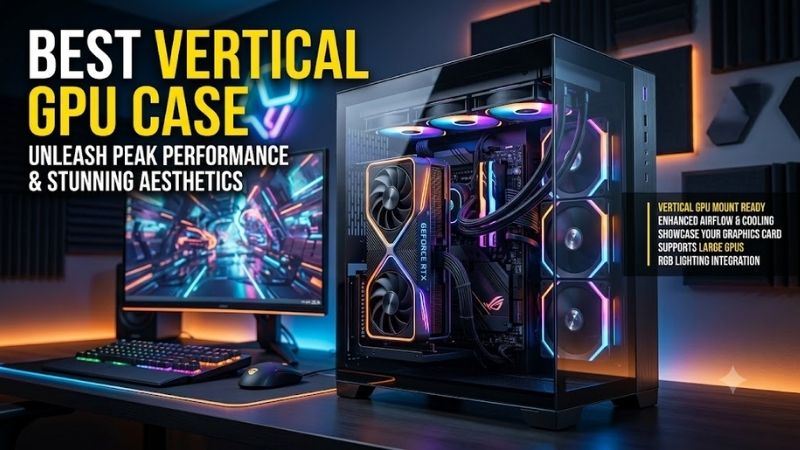
Choosing the best vertical GPU case is about more than putting the graphics card behind glass. A good chassis must provide enough clearance between the GPU and side panel, proper bottom or side airflow, reliable riser support, and enough room for modern oversized cards without creating a thermal penalty.
Quick answer: For most people in 2026, the best vertical gpu case is the PC Case — our #1 rated choice. See the full ranked comparison, alternatives and buying advice below.
Best Vertical GPU Cases at a Glance
| PC Case | Best For | Vertical GPU Design | Main Strength |
|---|---|---|---|
| HYTE Y70 | High-end showcase builds | Native 4-slot vertical layout | Excellent large-GPU support |
| HYTE Y60 | Dedicated vertical GPU builds | Vertical-only main GPU layout | Purpose-built presentation |
| Phanteks NV7 | Large custom builds | 3-slot vertical support | Huge cooling capacity |
| Lian Li O11 Vision | Glass showcase systems | Optional 4-slot vertical kit | Premium panoramic presentation |
| NZXT H9 Flow | Airflow-focused builds | Compatible with vertical mounting kit | Balanced thermals and display |
| Cooler Master HAF 700 | Extreme hardware builds | Horizontal or vertical support | Massive hardware compatibility |
1. HYTE Y70
Best For: High-end gaming PCs with very large graphics cards
The HYTE Y70 is one of the strongest choices for a modern vertical GPU build because the chassis is designed around a four-slot vertical graphics layout. That extra width matters with current flagship cards, which can be substantially thicker than older dual-slot GPUs and need more breathing room beside the glass.
The case includes a PCIe 4.0 x16 riser, removing one of the main extra purchases normally associated with vertical mounting. Its dual-chamber design also hides the power supply and most cabling behind the motherboard area, helping the graphics card become the visual focus instead of competing with visible wiring.
Cooling is another reason the Y70 works well with a vertically mounted GPU. The lower section supports fans that direct fresh air toward the graphics card, while the side and top areas can handle substantial cooling hardware. This gives builders several ways to manage heat without relying entirely on GPU fans.
Key Features
- Native four-slot vertical GPU layout
- Included PCIe 4.0 x16 riser cable
- Dual-chamber interior
- Panoramic tempered-glass design
- Bottom intake fan support
- Side radiator support up to 360 mm
- Top radiator support up to 360 mm
- ATX and E-ATX motherboard support
What Makes It Different
The Y70 gives large modern GPUs more room between the card and side glass than older showcase designs. That is especially important with thick triple-fan cards, because placing intake fans too close to glass can restrict airflow. The wider vertical zone makes the layout better suited to current high-end hardware.
Pros
- Excellent support for thick GPUs
- PCIe riser included
- Strong showcase presentation
- Large cooling capacity
- Clean dual-chamber cable management
- Good bottom-to-GPU airflow potential
Cons
- Large footprint
- More expensive than conventional mid-towers
- Showcase layout may be excessive for simple systems
Use Case: Premium gaming builds with large triple-fan GPUs, liquid cooling, RGB fans, and carefully planned cable management.
Who It’s For: Builders who want the GPU to become the centerpiece of the system without giving up the space needed for high-end cooling hardware.
2. HYTE Y60
Best For: Purpose-built vertical GPU showcase systems
The HYTE Y60 differs from many cases because vertical GPU mounting is not simply an optional configuration. The primary graphics card is intended to be installed vertically, and the entire interior layout is arranged around that orientation. This creates a cleaner presentation than cases adapted from horizontal layouts.
A PCIe 4.0 riser is included, so builders do not need to match a separate riser cable to the chassis. Two floor-mounted intake fans direct airflow upward toward the graphics card, while additional side and top cooling positions can support radiators or extra case fans depending on the chosen CPU cooler.
The main limitation is GPU thickness. The Y60 works best when the graphics card leaves sufficient space between its fans and the glass. Very thick cards can sit too close to the panel, increasing intake restriction. Builders using oversized flagship GPUs should therefore check card thickness carefully before choosing this chassis.
Key Features
- Dedicated vertical GPU layout
- PCIe 4.0 riser cable included
- Three-piece panoramic glass
- Three included 120 mm fans
- Floor-mounted GPU intake fans
- Side radiator support up to 280 mm
- Top radiator support up to 360 mm
- Half-height expansion slots behind the GPU
What Makes It Different
Unlike cases where vertical mounting is an optional bracket position, the Y60 is built specifically around a vertical graphics card. The riser path, floor intake, expansion layout, and panoramic glass all serve that arrangement, creating a more integrated result than an aftermarket vertical mounting kit.
Pros
- Purpose-built vertical GPU design
- Riser cable included
- Excellent presentation
- Bottom intake aimed at the GPU
- Clean dual-chamber layout
- Good radiator flexibility
Cons
- Thick GPUs can sit close to the glass
- Horizontal primary GPU mounting is not the focus
- Large flagship cards require careful clearance checks
Use Case: Midrange and high-end showcase PCs where GPU appearance matters and the graphics card is not excessively thick.
Who It’s For: Builders who know from the beginning that they want a vertical graphics card rather than treating vertical mounting as an optional upgrade.
3. Phanteks NV7
Best For: Large custom-cooled vertical GPU builds
The Phanteks NV7 is a full-tower showcase case with enough internal space for elaborate cooling layouts and a vertically mounted graphics card. Its large dimensions make it especially attractive for systems using multiple radiators, numerous case fans, or complex cable routing that would be difficult inside a compact chassis.
Vertical GPU support accommodates a three-slot configuration, although the required riser cable is normally a separate component. The chassis also provides generous graphics-card length clearance, which makes it easier to work with long modern GPUs without forcing compromises elsewhere in the system.
Cooling capacity is a major strength. The case supports extensive fan placement across the top, side, bottom, and rear areas, allowing builders to create a strong intake path beneath or beside a vertical GPU. This flexibility is valuable when the graphics card produces substantial heat during long gaming sessions.
Key Features
- Full-tower design
- Three-slot vertical GPU support
- Large graphics-card clearance
- E-ATX, ATX, Micro-ATX, and Mini-ITX support
- Extensive 120 mm fan support
- Bottom 140 mm fan support
- Multiple 360 mm radiator positions
- Dual tempered-glass showcase layout
What Makes It Different
The NV7 gives builders far more cooling positions than most conventional vertical GPU cases. Instead of designing the entire system around a single radiator location, users can distribute intake and exhaust across several zones, which is particularly useful for custom loops and high-wattage gaming systems.
Pros
- Excellent cooling flexibility
- Generous internal space
- Strong support for long GPUs
- Multiple radiator positions
- Showcase-oriented glass design
- Suitable for complex custom builds
Cons
- Riser cable is not necessarily included
- Large footprint
- Overkill for straightforward gaming PCs
Use Case: Custom water-cooled systems, high-end gaming builds, workstation-class setups, and heavily customized RGB configurations.
Who It’s For: Enthusiasts who want vertical GPU mounting as part of a much larger showcase build with extensive fans, radiators, and lighting.
4. Lian Li O11 Vision
Best For: Premium panoramic glass builds
The Lian Li O11 Vision focuses heavily on component presentation, using large glass surfaces to create an uninterrupted view into the system. With the appropriate vertical GPU kit, the graphics card can become one of the most visible parts of the build while the dual-chamber layout keeps cables and storage mostly hidden.
The optional vertical mounting system supports large multi-slot graphics cards, giving builders more flexibility than narrow two-slot brackets. Because the case is designed around expansive interior visibility, a vertically mounted GPU looks intentional rather than appearing like an accessory added to a conventional tower.
Airflow requires more planning because the case emphasizes glass across several surfaces. Bottom and side intake become especially important when the GPU is mounted vertically. A well-designed fan configuration can feed cool air directly toward the card while upper or rear exhaust removes the heat produced by the CPU and GPU.
Key Features
- Panoramic tempered-glass construction
- Dual-chamber interior
- Optional vertical GPU mounting kit
- Support for large multi-slot GPUs
- Bottom and side fan positions
- Extensive liquid-cooling support
- Flexible storage arrangement
- Clean cable-management chamber
What Makes It Different
The O11 Vision is aimed at builders who want maximum visibility rather than simply a vertical graphics card. Its broad glass surfaces make the motherboard, GPU, memory, cooling system, and lighting part of one continuous display, giving carefully selected components much more visual impact.
Pros
- Excellent panoramic presentation
- Clean dual-chamber layout
- Supports large vertical GPUs
- Strong custom-cooling potential
- Ideal for coordinated RGB builds
Cons
- Vertical kit is an additional purchase
- Cooling layout needs careful planning
- Glass-heavy design prioritizes presentation
Use Case: Premium RGB gaming PCs, custom liquid-cooling systems, themed builds, and desk setups where the case is intended to remain highly visible.
Who It’s For: Builders who see the PC as part of the room or gaming setup and want the graphics card displayed alongside other carefully chosen components.
5. NZXT H9 Flow
Best For: Vertical GPU builds with strong airflow
The NZXT H9 Flow is a strong alternative for builders who want panoramic styling but place greater emphasis on airflow. Its large dual-chamber layout gives the main hardware area a clean appearance, while multiple fan positions allow fresh air to reach the graphics card even when an optional vertical GPU mount is installed.
Vertical mounting requires a compatible mounting kit rather than being integrated as the only GPU orientation. That adds cost, but it also gives builders flexibility. The same chassis can begin with a normal horizontal GPU and later move to a vertical display without replacing the entire case.
The airflow-focused exterior makes the H9 Flow particularly suitable for hotter gaming hardware. Vertical mounting can increase GPU temperature when fans are pushed against a glass panel, so a chassis with strong bottom and side intake options gives builders more ways to compensate for the changed orientation.
Key Features
- Dual-chamber mid-tower design
- Compatible with vertical GPU mounting hardware
- Panoramic front and side viewing area
- Extensive fan support
- Strong bottom intake potential
- Large side cooling area
- Clean rear cable-management chamber
- Support for large gaming hardware
What Makes It Different
The H9 Flow combines the visual appeal of a showcase case with an airflow-first approach. That makes it useful for builders who like vertical GPU presentation but do not want cooling decisions dominated by glass panels and restrictive intake paths, especially when using power-hungry graphics cards.
Pros
- Strong airflow potential
- Flexible GPU orientation
- Clean dual-chamber design
- Good support for large components
- Suitable for air and liquid cooling
Cons
- Vertical mounting hardware is separate
- Requires additional planning and cost
- Larger than a conventional ATX tower
Use Case: High-performance gaming systems using powerful GPUs, large AIO coolers, and multiple intake fans.
Who It’s For: Gamers who want a visible vertical graphics card but value straightforward cooling and flexibility more than a completely dedicated vertical layout.
6. Cooler Master HAF 700
Best For: Extreme hardware and oversized vertical GPU builds
The Cooler Master HAF 700 is a massive full-tower chassis designed around hardware and cooling flexibility. It can accommodate graphics cards in either horizontal or vertical orientations, giving builders freedom to display very large GPUs without working within the tight clearances of a conventional mid-tower.
Its huge interior is useful when vertical GPU mounting is only one part of a more demanding build. Large radiators, multiple fans, powerful processors, storage devices, and extensive cabling can coexist without the component conflicts common in smaller cases, making assembly easier for complex configurations.
The obvious trade-off is size. The HAF 700 occupies substantially more space than a typical gaming case and makes little sense for a modest system. Its value appears when the build includes oversized hardware or extensive cooling that would otherwise require compromises in radiator location, GPU orientation, or cable routing.
Key Features
- Full-tower construction
- Horizontal and vertical GPU support
- Very large graphics-card capacity
- Support for oversized motherboards
- Extensive fan mounting positions
- Large radiator compatibility
- High-airflow chassis design
- Spacious internal layout
What Makes It Different
The HAF 700 approaches vertical GPU mounting from an expansion perspective rather than a compact showcase perspective. Builders receive enough room to use very large hardware while still maintaining substantial cooling capacity, which is useful for extreme gaming rigs and workstation-grade systems.
Pros
- Massive component clearance
- Flexible GPU orientation
- Excellent cooling capacity
- Suitable for extreme hardware
- Easier assembly in complex systems
Cons
- Extremely large chassis
- Unnecessary for mainstream systems
- Requires significant desk or floor space
Use Case: Flagship gaming PCs, large custom loops, workstation hardware, oversized GPUs, and builds with many cooling components.
Who It’s For: Enthusiasts who prioritize maximum hardware freedom and cooling capacity over compact dimensions or minimalist design.
How to Choose the Best Vertical GPU Case
Check GPU Thickness First
GPU thickness is often more important than length in a vertical configuration. A case may physically accept a four-slot card, but temperatures can rise if the fans sit too close to the glass. Leave enough breathing room for the GPU intake rather than assuming that fitting inside the bracket automatically means good cooling.
Look for Bottom Intake
Bottom intake fans are especially valuable in a vertical GPU case because they can feed fresh air directly toward the card. This reduces reliance on air entering from distant front or side vents. When possible, position intake airflow beneath the GPU and use upper or rear fans to remove rising hot air.
Check Whether the Riser Is Included
Some vertical GPU cases include a PCIe riser cable, while others require an optional mounting kit and cable. This affects both cost and compatibility. A purpose-built case with an included riser simplifies installation, while an optional kit gives more flexibility if you may switch between vertical and horizontal orientations.
Consider the PCIe Generation
The riser cable should match the needs of your graphics card and motherboard configuration. A modern PCIe 4.0 riser is generally the practical baseline for current gaming builds. Using an older cable may require BIOS configuration or create unnecessary compatibility troubleshooting during the initial system setup.
Avoid Pressing the GPU Against Glass
One of the most common mistakes in vertical GPU builds is placing the graphics card only a small distance from the side panel. GPU fans need open space to draw air effectively. A visually impressive orientation can become thermally inefficient if the card is forced to recycle hot air because its intake is restricted.
Plan Radiator Placement Together With the GPU
Radiators and vertical GPU brackets can compete for internal space. A bottom radiator may interfere with the mounting system, while a thick side radiator can reduce available card clearance. Plan the graphics card, riser bracket, radiator thickness, fans, and tubing as one layout before purchasing the components.
Think About Expansion Cards
A vertical GPU can block normal PCIe slots depending on the case design. If you use a capture card, sound card, network adapter, or PCIe storage card, check whether the chassis provides half-height slots behind the graphics card or another usable mounting position for secondary expansion hardware.
Vertical GPU vs Horizontal GPU Mounting
Vertical mounting primarily improves presentation, not graphics performance. It displays the cooler, fans, backplate design, and lighting more clearly through the side panel. The trade-off is greater dependence on riser quality, case clearance, and airflow because the graphics card may sit closer to glass than in a horizontal layout.
Horizontal mounting is usually simpler and avoids the need for a riser cable. It also places the GPU in the orientation assumed by most traditional case layouts. Vertical mounting becomes worthwhile when appearance is a priority and the chosen chassis provides enough space and direct airflow to avoid restricting the cooler.
FAQ
Does Vertical GPU Mounting Increase Temperatures?
Vertical mounting can increase GPU temperatures if the fans sit too close to a glass side panel. The orientation itself is not automatically a problem. A case with enough clearance and strong bottom or side intake can keep a vertically mounted GPU well supplied with fresh air during demanding gaming workloads.
Do I Need a Riser Cable for a Vertical GPU?
Yes. A vertical GPU normally connects to the motherboard through a PCIe riser cable because the card no longer plugs directly into the motherboard slot in its standard orientation. Some cases include the riser, while others require a compatible vertical mounting kit and cable to be purchased separately.
Is PCIe 4.0 Riser Cable Enough for Gaming?
A quality PCIe 4.0 x16 riser is appropriate for modern gaming systems using PCIe 4.0 graphics cards and motherboards. The most important factor is stable signal quality and proper installation. Using a riser that matches the motherboard and GPU generation also reduces configuration issues during system setup.
Can Any PC Case Mount a GPU Vertically?
No. The chassis needs compatible vertical expansion slots, a dedicated mounting bracket, or support for an aftermarket kit. Even if a bracket can physically fit, GPU thickness, side-panel clearance, fan locations, and radiator placement must still be checked before treating the case as suitable for vertical mounting.
Is a Vertical GPU Worth It?
A vertical GPU is most worthwhile when appearance is important and the case is designed to support the orientation properly. It offers little direct performance benefit. The main advantages are improved visibility and cleaner presentation, while the trade-offs include riser cost, additional compatibility checks, and possible airflow restrictions.
Which Case Type Is Best for Large Vertical GPUs?
A wide dual-chamber or full-tower chassis is generally easier to use with thick vertical GPUs because it provides more space between the card and glass. Models designed around three-slot or four-slot vertical mounting also reduce the risk that a large cooler will sit too close to the side panel and restrict airflow.
Conclusion
The best vertical GPU case should provide enough space around the graphics card, reliable riser support, and direct intake airflow rather than focusing on appearance alone. HYTE Y70 and Y60 favor dedicated showcase builds, while NV7, O11 Vision, H9 Flow, and HAF 700 offer greater flexibility for larger cooling setups.
Ready to decide? Our #1 pick for 2026 is the PC Case.
Live price & availability on Amazon.