🛒 Best Price Today on Amazon
Prime members get fast, free shipping on everything above, plus member-only deals. New members get a 30-day free trial — cancel anytime.
- Best Corsair PC Cases at a Glance
- How the Corsair Case Lineup Is Organised
- Airflow vs Glass Front: The Main Corsair Choice
- Best Gaming PC Cases from Corsair by Tier
- Best Gaming PC Cases: Corsair 450D, Older Models and Current Equivalents
- Best Corsair Cases for Corsair Light Loop and iCUE Fans
- Best Showpiece Water Cooling PC Cases from Corsair
- Corsair vs Phanteks: How the Two Brands Compare
- Pick X If You Want Y: Decision Table
- Fit and Compatibility Notes
- Three Alternatives If Corsair Is Not the Right Fit
- Frequently Asked Questions
Updated November 2026 – The best Corsair PC cases for most builders are the 4000D Airflow for a balanced mid tower, the 3500X for panoramic glass, the 5000D Airflow for a roomier build, the 6500X for a dual-chamber showpiece, the 2500X for a compact system, and the modular FRAME 4000D for tinkerers.
Choosing among the best Corsair PC cases comes down to three questions: how much airflow you need, how much glass you want, and how large your parts are. Corsair sells cases in several families, from compact micro-ATX towers to modular frames, and the model numbers can be confusing. This guide sorts the lineup the maker lists in 2026, explains the iCUE LINK variants, and answers the common long-tail searches, including how Corsair compares with Phanteks and what happened to the older 450D.
Best Corsair PC Cases at a Glance
| Case | Best for | Key stated features | Limits |
|---|---|---|---|
| Corsair 2500X | Compact showpiece builds | Micro-ATX dual-chamber layout in the style of the 6500 Series; a 2500D Airflow version exists | Smaller interior, fewer radiator options |
| Corsair 3500X | Panoramic glass on a mid-range outlay | Wraparound glass, iCUE LINK and RS-R ARGB variants | Glass front restricts intake |
| Corsair 4000D Airflow | Cooling-first mid tower | Perforated front panel, mid tower, RGB and standard variants | Plainer look than glass cases |
| Corsair 5000D Airflow | Roomier builds and more storage | Larger mid tower with a ventilated front | Bigger footprint |
| Corsair 6500X | Dual-chamber display builds | Glass front panel; the 6500D has an airflow front | Large and glass-heavy |
| Corsair FRAME 4000D | Modular, customisable builds | Fully modular, InfiniRail fan mounting, GPU up to 430 mm, Mini-ITX to E-ATX | Open frame style is not for everyone |
Corsair sells many variants of the same case, including RS, RS-R, LX-R and RGB versions, so confirm the exact variant name before you buy.
How the Corsair Case Lineup Is Organised
Corsair groups its cases by number and letter. The leading digits (2500, 3500, 4000, 5000, 6500) loosely describe size and class, and the letter describes the front: D usually means a Dual front with airflow, while X usually means a glass front with a showpiece layout. The maker also sells FRAME cases, which are modular, and several iCUE LINK variants that come with RGB fans on a single-cable system.
The maker’s own best-case guide and press releases describe the 2026 lineup this way. The 2500X is the small dual-chamber case. The 3500X comes in iCUE LINK variants such as the 3500X LX-R RGB and RS-R ARGB variants. The 4000D family remains the mainstream mid tower. The 5000D Airflow is still sold, with the iCUE LINK 5000T LX RGB also listed. The 6500X has a glass front, the 6500D has an airflow front, and there is an iCUE LINK 6500X RGB dual-chamber case. The FRAME line was extended in April 2026 with the FRAME 4000X RS and FRAME 4000D WOOD RS, and Computex 2026 brought an updated FRAME 5000D, a 2800X and the rugged WARTHOG case.
Airflow vs Glass Front: The Main Corsair Choice
The main decision in the Corsair range is whether you want a ventilated front or a glass front. Airflow versions such as the 4000D Airflow, 5000D Airflow, 2500D Airflow and 6500D use a perforated front panel so intake fans can pull cool air straight in. Glass versions such as the 3500X, 6500X and 2500X are built to show off the parts and generally rely on side or bottom fans and a ventilated top. Reviewers repeatedly note that a glass front can cost cooling headroom, so a hot, high-power graphics card and processor pairing is usually safer in an airflow variant.
If you do want glass, the cooling answer is fan placement. Count the fans the maker includes, read the radiator support list for the top and side mounts, and plan bottom or side intake for the graphics card.
Best Gaming PC Cases from Corsair by Tier
Budget and mid-range Corsair cases
This is where most buyers should start. The 4000D Airflow and 3500X cover airflow-first and glass-first styles, and the 2500X handles compact builds.
Corsair 4000D Airflow – Best for balanced cooling
Corsair 4000D Airflow · mid tower · perforated front panel · ATX, micro-ATX and mini-ITX support · RGB and standard variants
The 4000D Airflow is the mainstream Corsair choice, and the maker still lists older iCUE 4000D RGB AIRFLOW cases. It earns its place with a ventilated front panel, a clean interior and wide compatibility with Corsair fans and coolers. It is a sensible first case for a gaming build because it avoids the intake restrictions of glass fronts. Read the exact variant name for included fans, because the maker sells it with and without RGB fans.
Corsair 3500X – Best for panoramic glass without a premium outlay
Corsair 3500X · mid tower · wraparound tempered glass · iCUE LINK and RS-R ARGB variants
One roundup picks the iCUE LINK 3500X RGB as best for the iCUE ecosystem, and another notes that it shares the wraparound glass look of the NZXT H6 Flow and Lian Li O11 Vision, plus an anti-sag bracket. It suits builders who want a display case that matches Corsair lighting and fans. Because the front is glass, plan side or bottom intake.

CORSAIR 3500X Mid-Tower ATX PC Case – Panoramic Tempered Glass – Reverse Connection Motherboard Compatible – No Fans Included – Black
Included for 'Best Corsair PC Cases in 2026: iCUE LINK, 4000D, 5000D and Compact Options' as a representative home product in this roundup; selection reflects the product set returned for this topic.
View on AmazonCorsair 2500X – Best for a compact dual-chamber build
Corsair 2500X · micro-ATX dual-chamber tower · glass front · 2500D Airflow companion
The maker describes the 2500X as keeping the dual-chamber layout of the 6500 Series in a smaller size, with the iCUE LINK 2500X RGB listed as a micro-ATX version. A 2500D Airflow version covers buyers who want a ventilated front. It is the Corsair pick for small desks, but a micro-ATX board and a tight interior mean you should read the maker’s graphics card length and cooler height limits before choosing parts.

CORSAIR iCUE Link 2500X RGB Tempered Glass mATX Mid-Tower Dual Chamber PC Case – 2X CORSAIR RX120 RGB Fans Included – Wide Cooling Flexibility – Reverse Connection Motherboard Compatible – White
Included for 'Best Corsair PC Cases in 2026: iCUE LINK, 4000D, 5000D and Compact Options' because the listing adds cooling or gel-infused layers, which is the attribute this article compares.
View on AmazonCorsair FRAME 4000D – Best for modular, customisable builds
Corsair FRAME 4000D · fully modular mid tower · InfiniRail fan mounting · GPU up to 430 mm · Mini-ITX to E-ATX
The maker describes the FRAME 4000D as a fully modular mid tower with the InfiniRail fan mounting system that works with reverse-connector motherboards. The RS and RS ARGB variants differ mainly in fan lighting. Corsair lists a maximum graphics card length of 430 mm and supports motherboards from Mini-ITX up to E-ATX. It is the case for builders who like to move panels and fans, though the open, frame-like look is a matter of taste.

CORSAIR 4000D RS Frame Modular High Airflow Mid-Tower PC Case – 3X RS Fans – InfiniRail Mounting System – Fits Multiple 360mm Radiators – Reverse Connector Motherboard Compatible – Black
Included for 'Best Corsair PC Cases in 2026: iCUE LINK, 4000D, 5000D and Compact Options' as a representative home product in this roundup; selection reflects the product set returned for this topic.
View on AmazonPremium and larger Corsair cases
The larger Corsair cases give you more room, more fans and more glass, and they cost more in space and money.
Corsair 5000D Airflow – Best for a roomy build with a ventilated front
Corsair 5000D Airflow · larger mid tower · ventilated front panel · more room for radiators and drives
The 5000D Airflow is still sold by the maker and remains the roomier alternative to the 4000D. It suits builders with a large graphics card, a custom loop or several storage drives, and it keeps the airflow-friendly front. There is also a 5000D Core and an iCUE LINK 5000T LX RGB, which the maker lists, so check which variant has the fans you want.
Corsair 6500X – Best for a dual-chamber display build
Corsair 6500X · dual-chamber mid tower · glass front panel · iCUE LINK 6500X RGB variant
The 6500X has a glass front panel and the maker lists an iCUE LINK 6500X RGB dual-chamber case. The 6500D is the airflow-front sibling. It is the Corsair choice for builders who want a Lian Li O11-style display with Corsair lighting, and it is also a good base for a custom loop. It is larger than the 3500X, so measure your desk.
Corsair FRAME 4000X RS – Best for a ventilated showpiece front
Corsair FRAME 4000X RS · modular mid tower · ventilated front panel · 64 RGB LEDs
Corsair announced the FRAME 4000X RS in April 2026. The maker lists a ventilated front panel with 64 RGB LEDs, which makes it a showpiece that does not give up airflow. The same announcement introduced the FRAME 4000D WOOD RS with a real-wood front, and the maker also lists the FRAME 4500X as a fishbowl-style case and the FRAME 5000D WOOD RS with a solid wood front and a full-length tempered glass side panel.

CORSAIR Frame 4000X RS Modular Mid-Tower ATX PC Case – Black | RGB Front Panel, 4x RS120 PWM Fans Included, InfiniRail Fan Mount System, Reverse GPU Anti-Sag and Motherboard Support
Included for 'Best Corsair PC Cases in 2026: iCUE LINK, 4000D, 5000D and Compact Options' as a representative home product in this roundup; selection reflects the product set returned for this topic.
View on AmazonBest Gaming PC Cases: Corsair 450D, Older Models and Current Equivalents
The Corsair 450D is a search that keeps appearing, but it is an older name from an earlier generation of Corsair cases. The maker’s 2026 lineup is organised around the 2500, 3500, 4000, 5000 and 6500 families plus the FRAME cases, so a buyer looking for a 450D-style mid tower should look at the 4000D Airflow instead. Larger older cases such as the 7000D and 1500D do not appear in the current lineup the maker lists, so they are left out here; if you find one used, treat it as a previous generation case and compare its dimensions directly with your parts.
Best Corsair Cases for Corsair Light Loop and iCUE Fans
For a Corsair lighting setup, look for the iCUE LINK variants. Corsair describes iCUE LINK as a single-cable system that daisy-chains fans and devices, so cases with iCUE LINK fans such as the 3500X LX-R RGB, the 5000T LX RGB and the 6500X RGB reduce cable clutter. The RS and RS ARGB FRAME variants use addressable lighting that you can connect to a compatible controller or motherboard header. If you want to mix brands, read the connector type on each fan and confirm the controller supports it before ordering.
The phrase Corsair light loop usually refers to the ring-style LED fans from the older Light Loop era. Current fans and cases have moved to iCUE LINK, so check which connector your existing fans use before assuming they will fit a new case.
Best Showpiece Water Cooling PC Cases from Corsair
For a water-cooled showpiece, the two Corsair cases most often named are the 6500X and the FRAME 4000D. The 6500X has the dual-chamber layout and glass front for a clean display, while the FRAME 4000D has modular rails and wide motherboard support for a custom loop. The 5000D Airflow is the roomy choice for builders who want a large radiator without giving up a ventilated front. Whichever you choose, read the manual for the maximum radiator size at each mounting position, and follow the loop manufacturer’s leak testing guidance.
Corsair vs Phanteks: How the Two Brands Compare
Corsair cases tend to focus on an integrated ecosystem, with iCUE lighting, matching fans and coolers, while Phanteks cases are generally described by reviewers as strong on value and airflow. Newegg recommends the Phanteks XT Pro for a first or budget build, and reports that it has ultra-fine mesh on the front and 415 mm of graphics card clearance, but suggests adding your own intake fans. Corsair cases such as the 4000D Airflow and 3500X more often bundle fans and lighting, which can make the total outlay clearer. If you want matching lighting, Corsair fits; if you want a mesh-front case and plan to choose your own fans, Phanteks is a common alternative.
Pick X If You Want Y: Decision Table
| If you want | Pick | Reason |
|---|---|---|
| Cooling-first, balanced mid tower | Corsair 4000D Airflow | Perforated front and wide compatibility |
| Panoramic glass on a mid-range outlay | Corsair 3500X | Wraparound glass with iCUE LINK variants |
| A compact build | Corsair 2500X or 2500D Airflow | Micro-ATX dual-chamber layout |
| More room and storage | Corsair 5000D Airflow | Larger mid tower with a ventilated front |
| A dual-chamber display | Corsair 6500X | Glass front, dual-chamber layout |
| Modular customising | Corsair FRAME 4000D | InfiniRail mounting, GPU up to 430 mm |
| A showpiece that keeps airflow | Corsair FRAME 4000X RS | Ventilated front with RGB lighting |
Fit and Compatibility Notes
- Motherboard size: The mid towers take ATX, micro-ATX and mini-ITX, and the FRAME 4000D lists support up to E-ATX. The 2500 series is micro-ATX. Read the manual for your exact variant.
- Graphics card length: The FRAME 4000D lists 430 mm. Other cases differ, so measure your card and its power connector clearance.
- Radiators: Radiator support varies by case and mount. Check the manual for front, top and side limits, and remember that thick radiators can collide with tall memory.
- Front panel: Look for USB-C on the front I/O if you need it. The maker lists the front I/O on each product page.
- Power supply: Cases with a shroud need cables long enough to reach the motherboard. Never open a power supply, and use cables supplied by the PSU maker.
- Glass panels: Handle tempered glass with both hands and lift the case by its frame.
Three Alternatives If Corsair Is Not the Right Fit
- Phanteks XT Pro: Reviewers describe a mesh front and 415 mm of graphics card clearance for a budget or first build, though you may need to add fans.
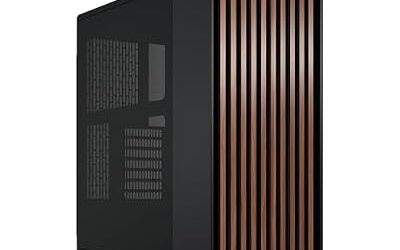
- Fractal Design North: A wood-and-mesh mid tower that Tom’s Hardware names the best-looking PC case in its roundup.
- NZXT H6 Flow RGB: A compact panoramic glass case that roundups recommend for value, with three RGB fans bundled.
Frequently Asked Questions
What are the best Corsair PC cases?
The 4000D Airflow suits most gaming builds, the 3500X suits panoramic glass, and the 6500X suits a dual-chamber display. The 2500X covers compact builds and the FRAME 4000D covers modular builds. Pick by airflow need, glass preference and part size.
Is the Corsair 450D still a good choice?
The 450D is an older name and is not part of the maker’s 2026 lineup pages. A buyer who wants a similar mid tower should look at the 4000D Airflow. If you find a 450D second hand, treat it as a previous generation case and compare its dimensions with your parts.
What is the difference between Corsair D and X cases?
The D cases such as the 4000D Airflow and 6500D use a ventilated front for airflow, while X cases such as the 3500X and 6500X use a glass front for display. The letter is a guide only, so read the maker’s description. Glass fronts generally restrict intake more than perforated ones.
Which Corsair case is best for water cooling?
The 6500X, 5000D Airflow and FRAME 4000D are the models most often chosen for custom loops because of their space and mounting flexibility. Read the manual for radiator size limits at each mount. Follow the loop manufacturer’s instructions for filling and leak testing.
Do Corsair iCUE LINK cases need special fans?
iCUE LINK variants come with fans designed for Corsair’s single-cable system, and the maker lists compatible fans and coolers. Standard three-pin or four-pin fans can still be mounted but will not use the daisy-chain connection. Check the connector type before mixing brands.
How does Corsair compare with Phanteks?
Corsair emphasises an integrated lighting and fan ecosystem, while Phanteks is often described by reviewers as strong on value and mesh airflow. Both make cases that fit standard ATX builds. Choose Corsair for matching iCUE parts and Phanteks if you plan to add your own fans.