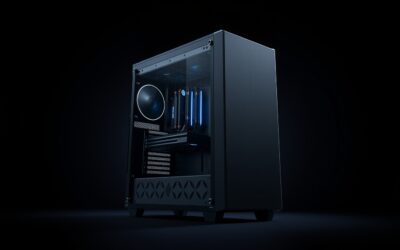
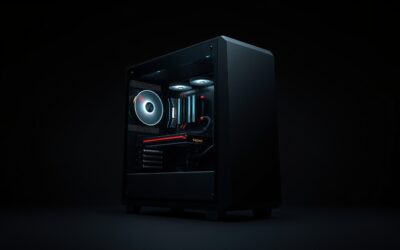
- Top Pick: Adjustable Computer Tower Stand, Ventilated Mobile CPU Holder, Black
- Best Value: Computer Tower Stand, Adjustable Mobile CPU Stand with Rolling Caster Wheels, Premium PC Tower Stand Holder for Floor Carpet Gaming PC Case
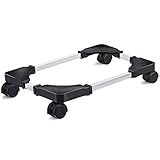
- Premium Choice: Hovadova Adjustable Computer Tower Stand, Ventilated Mobile CPU Holder
Setting a heavy gaming tower directly on carpet is a recipe for two problems: choked airflow that raises temperatures, and dust buildup that clogs filters and fans. A dedicated stand for your PC case lifts the tower off the floor, improves ventilation, and, on models with wheels, lets you roll the machine out for cleaning or cable access without straining your back.
- Watch: Stand For PC Case — Video Review
- Design & Build
- Performance
- Pros & Cons
- Alternatives to Consider
- Step-by-Step: Choosing and Setting Up a PC Case Stand
- What to Compare Across the Stands in This Guide
- Common Mistakes With PC Stands
- Troubleshooting
- Which Setup Fits Which Room
- Related Guides
- Frequently Asked Questions
- Verdict
- Related Articles
These CPU stands are simple products, but the details of adjustability, wheel quality, and stability separate the good from the flimsy. We reviewed a range of adjustable, mobile PC tower stands to find which offer the best mix of support and convenience. Here’s our breakdown and buying guidance.
As an Amazon Associate we earn from qualifying purchases at no extra cost to you.



🎮 Get More From Your Setup — Free
Prime Gaming gives you free PC games every month, in-game loot, and a free Twitch channel sub — plus fast free shipping on all the gear above. New members get a 30-day free trial.
Watch: Stand For PC Case — Video Review
Design & Build
Most of these stands share a common formula: an adjustable-width tray on a wheeled base that cradles the bottom of your tower. The ZUAVIALA offers six height levels and a range of 21.34 to 28.3 inches to fit most cases, while the JANE EYRE model adds a charging station and covers 23.03 to 28.3 inches. Hovadova and Adjustable Computer Tower Stand options emphasize ventilated trays that keep airflow open beneath the case, and the Hmseng model is designed specifically for carpet with four rolling casters. Build quality centers on the frame material and caster smoothness, and the sturdiest units hold heavier full-tower cases without flexing. Locking casters are a valuable feature, keeping the tower planted once positioned while still allowing easy movement when needed.
Performance
In daily use, a good PC stand delivers exactly what you’d hope: cooler operation from unobstructed airflow, less dust intake, and effortless mobility for cleaning behind a desk. The adjustable width is the key to compatibility, so measure your case’s base before buying to ensure a snug, secure fit. Rolling casters make a real difference for anyone who periodically dusts out their system or reconnects cables, turning an awkward two-handed lift into a simple pull. Ventilated trays help mid and full towers breathe, and height-adjustable models like the ZUAVIALA let you tune ground clearance to your flooring. The extras, such as the charging station on the JANE EYRE, add convenience for keeping peripherals topped up nearby.
Pros & Cons
- Improved airflow and cooling by lifting the case off the floor.
- Easy mobility for cleaning and cable access via rolling casters.
- Adjustable width to fit a wide range of case sizes.
- Reduced dust intake compared to sitting directly on carpet.
- Stability varies, with lighter frames flexing under heavy full towers.
- Caster quality differs, and cheaper wheels can stick or wobble.
- Fit must be verified, as an undersized tray won’t secure a large case.
Alternatives to Consider
If you don’t need mobility, a simple fixed riser or a pair of case feet accomplishes the airflow goal for less money and takes up no extra footprint. Users with very heavy full towers should prioritize a stand rated for the weight, or consider mounting the case on the desk with a dedicated bracket. And if dust is your main concern, upgrading your case’s intake filters may address it directly.
Step-by-Step: Choosing and Setting Up a PC Case Stand
- Measure the width and depth of the case base, then compare them with the adjustable range listed for the stand. A fit near either extreme leaves little margin.
- Check the weight rating against the case. Fully built towers with large coolers and several drives often weigh well over 10 kg, so look for a stated capacity with spare room.
- Assemble the stand and set the tray width so the case sits snugly without pressing against the side panels or ports.
- Lock the casters after positioning, and confirm the stand does not rock on carpet.
- Leave open space under the power supply intake, which many cases place at the bottom, and keep cables loose enough to roll the tower without tugging them.
What to Compare Across the Stands in This Guide
| Feature | Why it matters |
|---|---|
| Adjustable width and depth | Sets which case sizes fit, such as the ZUAVIALA and JANE EYRE ranges noted above |
| Locking casters | Prevents rolling and keeps the tower steady |
| Ventilated tray | Keeps bottom intakes open, as on the Hovadova design |
| Frame material | Metal frames flex less under a heavy tower |
| Extras such as a charging station | Useful on the JANE EYRE, but adds a plug to manage |
Common Mistakes With PC Stands
- Choosing by looks and skipping the case measurements.
- Expecting a stand to fix a case with poor internal airflow.
- Leaving the casters unlocked, which lets the tower drift when cables are pulled.
- Using a small monitor riser, such as the HUANUO model, as a tower stand. It is built for desk items and may not carry a full case.
- Blocking the rear exhaust by pushing the stand flush against a wall.
Troubleshooting
- Tower wobbles: re-tighten the tray fasteners and confirm all four casters touch the floor evenly.
- Stand rolls on its own: lock every caster, and consider a flatter spot on the floor.
- Vibration or buzzing: check that the tray is not touching the case panels and that loose screws are tightened.
- Case does not fit: compare the base size with the stated adjustment range before returning, and confirm the stand lists it.
Which Setup Fits Which Room
- Carpeted floor: choose a wheeled stand with a wide wheelbase and lockable casters so the tower stays put on the pile.
- Hard floor: check that the casters will not slide, and consider rubber feet if you never plan to move the case.
- Pet-friendly room: a raised tower helps keep fur away from the power supply intake, though the filter still needs regular cleaning.
Related Guides
Frequently Asked Questions
Does a PC stand actually improve cooling?
Yes. Lifting the case off carpet or the floor unblocks bottom-mounted intake fans and improves overall airflow, which can lower temperatures and reduce dust buildup.
Will a stand fit my PC case?
Most stands are width-adjustable, but you should measure your case’s base first. Models like the ZUAVIALA cover a wide range, but very large or unusually shaped cases need a careful check.
Are the casters lockable?
Many stands include locking casters that keep the tower stationary once positioned. This is a worthwhile feature to look for, especially if you move the case only occasionally.
Can these stands hold a heavy full tower?
Sturdier models can, but lighter frames may flex under very heavy cases. Check the weight rating and choose a robust unit if you run a large, fully loaded full tower.
Verdict
A stand for your PC case is a small investment that pays off in cooler temperatures, less dust, and far easier maintenance. The height-adjustable ZUAVIALA is our pick for its wide fit range and stability, while the JANE EYRE adds a handy charging station and the carpet-focused Hmseng suits soft flooring. Measure your case, prioritize a solid frame and locking casters, and your tower will breathe easier and move whenever you need it to.
Top picks from this guide
 HovadovaAdjustable Computer Tower Stand, Ventilated Mobile CPU Holder, Black |…$17 \xc2\xb7 98/100
 ZUAVIALAZUAVIALA Computer Tower Stand, 6 Level Height Ajustable PC Tower…$41 \xc2\xb7 97/100
 LiitrtonLiitrton Mobile CPU Stand Adjustable Computer Tower Stand Fits Most…$15 \xc2\xb7 96/100
 HmsengPc Stand, Adjustable Computer Tower Stand for Carpet Fits Most…$16 \xc2\xb7 95/100