🛒 Best Price Today on Amazon
Prime members get fast, free shipping on everything above, plus member-only deals. New members get a 30-day free trial — cancel anytime.
- Best Keyboards for Game Developers Compared
- Keychron Q1 Max — Best Overall for Game Developers
- Logitech MX Mechanical — Best for Productivity
- NuPhy Air75 V2 — Best Portable Developer Keyboard
- Wooting 80HE — Best for Development and Playtesting
- Keychron Q6 Max — Best Full-Size Keyboard
- How to Choose the Best Keyboard for Game Developers
- FAQ
- Conclusion
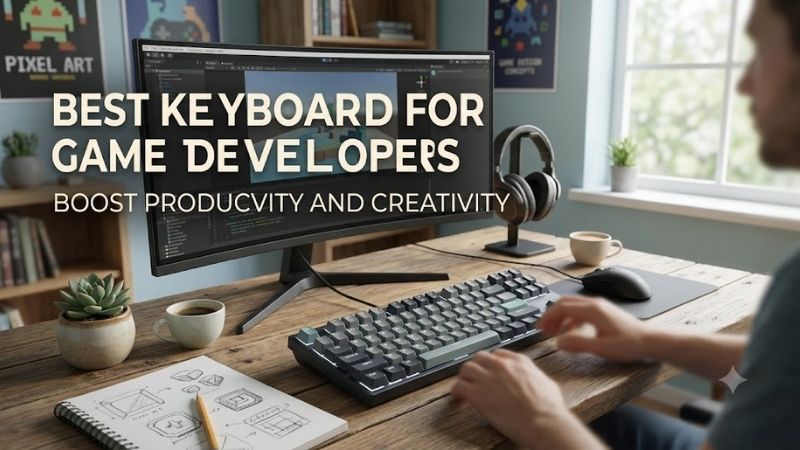
The best keyboard for game developers must handle long coding sessions, engine shortcuts, debugging, documentation, and actual playtesting without forcing constant compromises. This roundup focuses on layouts, switches, programmability, wireless options, comfort, and gaming response that matter across Unity, Unreal Engine, Godot, and IDE work.
Quick answer: For most people in 2026, the best keyboard for game developers is the Keyboard — our #1 rated choice. See the full ranked comparison, alternatives and buying advice below.
Best Keyboards for Game Developers Compared
| Keyboard | Layout | Connectivity | Customization | Best For |
|---|---|---|---|---|
| Keychron Q1 Max | 75% | Wired, 2.4 GHz, Bluetooth | QMK/VIA, hot-swappable | Best overall |
| Logitech MX Mechanical | Full-size | Bluetooth, Logi Bolt | Logi Options+ | Productivity |
| NuPhy Air75 V2 | 75% low-profile | Wired, 2.4 GHz, Bluetooth | QMK/VIA, hot-swappable | Portable development |
| Wooting 80HE | 80% | Wired | Adjustable actuation, Rapid Trigger | Playtesting and gaming |
| Keychron Q6 Max | Full-size | Wired, 2.4 GHz, Bluetooth | QMK/VIA, hot-swappable | Numpad-heavy workflows |
Keychron Q1 Max — Best Overall for Game Developers
Keychron Q1 Max is the strongest all-round option for developers who split time between writing code and testing games. Its compact 75% layout keeps function keys and arrows while freeing mouse space, and its aluminum chassis gives the board a stable, planted feel during long editor sessions and fast in-game input.
QMK and VIA support make the Q1 Max especially useful when a workflow depends on custom shortcuts, macros, or remapped layers. Developers can keep build commands, IDE actions, engine tools, and media controls close without adding a separate macro pad. The trade-off is weight and a taller mechanical profile.
The Q1 Max also supports wired, 2.4 GHz wireless, and Bluetooth connections, so it can move between a workstation, laptop, and secondary system. Hot-swappable switches add flexibility if typing feel changes over time. It best fits developers who want one premium board for coding, testing, and customization.
Best For
Game developers who want one customizable keyboard for programming, engine work, productivity, and gaming.
Key Features
- 75% layout
- Aluminum construction
- QMK/VIA support
- Hot-swappable switches
- 2.4 GHz wireless
- Bluetooth
- USB-C wired mode
- Dedicated rotary knob
What Makes It Different
QMK/VIA programmability combined with a compact layout makes the Q1 Max particularly flexible for custom development shortcuts without sacrificing the function row or arrow keys.
Pros
- Excellent shortcut customization
- Compact without becoming restrictive
- Multiple connection modes
- Switches can be replaced
- Suitable for coding and gaming
Cons
- Heavy for frequent travel
- Taller than low-profile keyboards
- Numpad requires a separate device
Use Case
A developer can map build, run, debug, breakpoint, screenshot, and engine commands to layers while keeping the primary layout conventional for writing code.
Who It’s For
Programmers using Unity, Unreal Engine, Godot, Visual Studio, JetBrains IDEs, Blender, or similar tools who want extensive control over their keyboard layout.
Logitech MX Mechanical — Best for Productivity
Logitech MX Mechanical suits developers who spend most of the day in code editors, terminals, documentation, and communication tools, then game after work. Its low-profile mechanical design reduces the tall-board feel common to enthusiast keyboards, while the full-size layout keeps a numpad for spreadsheets, tools, and numeric entry.
Easy-Switch support lets the MX Mechanical move between multiple paired devices with dedicated keys, which is practical for developers using a desktop, laptop, and test machine. Logi Options+ can also customize function-key behavior and app-specific actions. The limitation is less deep remapping than QMK-based keyboards.
Choose the MX Mechanical when productivity, multi-device switching, and a familiar full-size layout matter more than enthusiast-level modding. It is especially appealing for developers who want mechanical feedback without a bulky case. Competitive gamers may prefer a board with more gaming-focused switch behavior and polling features.
Best For
Developers prioritizing coding productivity and multi-device workflows.
Key Features
- Full-size layout
- Low-profile mechanical switches
- Tactile Quiet, Linear, and Clicky switch options
- Bluetooth connectivity
- Logi Bolt support
- Easy-Switch device controls
- Smart backlighting
- Logi Options+ customization
What Makes It Different
The MX Mechanical emphasizes workstation productivity and effortless switching between systems instead of enthusiast keyboard modification or competitive gaming controls.
Pros
- Comfortable low-profile design
- Dedicated numpad
- Convenient multi-device switching
- Straightforward productivity software
- Familiar full-size layout
Cons
- Less flexible remapping than QMK/VIA
- Large footprint
- Not designed around advanced gaming input tuning
Use Case
It fits developers who code on a primary workstation but regularly switch to another computer for builds, testing, communication, remote environments, or platform-specific development.
Who It’s For
Game programmers, producers, technical designers, and developers whose working day involves more productivity software than competitive playtesting.
NuPhy Air75 V2 — Best Portable Developer Keyboard
NuPhy Air75 V2 is a strong fit for developers who want a compact keyboard that travels easily between office, home, and event setups. Its 75% layout preserves arrows and the function row, while the low-profile construction keeps the board thin. That combination works well for laptop users who dislike giving up dedicated navigation keys.
The Air75 V2 supports wired, 2.4 GHz wireless, and Bluetooth modes, and it uses QMK/VIA for deeper remapping than most thin wireless keyboards. That matters when developers want layered shortcuts for an IDE, Blender, Unity, Unreal Engine, or debugging tools. Hot-swappable low-profile switches also allow some feel customization.
Its main advantage is portability without abandoning programmable controls or fast wireless operation. The trade-off is that low-profile switches feel different from standard mechanical switches, and the compact layout omits a numpad. It is best for developers who move often and value desk space, travel weight, and flexible connectivity.
Best For
Game developers who work from laptops, shared offices, conferences, or multiple locations.
Key Features
- 75% low-profile layout
- QMK/VIA compatibility
- Hot-swappable low-profile switches
- 2.4 GHz wireless
- Bluetooth
- USB-C wired connection
- Function row and arrow keys
- Compact chassis
What Makes It Different
Few keyboards combine a thin portable format with QMK/VIA, multiple wireless modes, mechanical switches, and a practical 75% development layout.
Pros
- Easy to carry
- Compact desk footprint
- Strong remapping options
- Multiple connection methods
- Keeps function and arrow keys
Cons
- No dedicated numpad
- Low-profile switches have a distinct feel
- Less substantial than heavy desktop boards
Use Case
The Air75 V2 works well for a developer moving between a laptop setup, desktop workstation, coworking space, game jam, studio, or presentation environment.
Who It’s For
Indie developers, laptop-first programmers, freelancers, and developers who frequently change locations without wanting to sacrifice keyboard customization.
Wooting 80HE — Best for Development and Playtesting
Wooting 80HE is the most gaming-focused option in this roundup and makes sense for developers who frequently playtest action games, shooters, or movement-heavy prototypes. Its Hall effect switches support adjustable actuation and rapid-trigger behavior, giving developers more control over how quickly a key activates and resets during our research.
That flexibility can be useful when evaluating movement systems, input timing, strafing, or other mechanics where keyboard response affects feel. The board also offers deep software-based input tuning without requiring a traditional switch swap for every change. For pure coding, however, those gaming features may be more than necessary.
Pick the 80HE when game testing is nearly as important as programming and you want one keyboard that can expose subtle input differences during development. It is less compelling for teams focused mainly on turn-based, mobile, or non-action projects. Its value comes from tunable input behavior rather than office-oriented productivity features.
Best For
Developers working on shooters, action games, competitive titles, movement systems, or other input-sensitive projects.
Key Features
- 80% layout
- Hall effect switches
- Adjustable actuation
- Rapid Trigger
- Analog input features
- True 8 kHz polling
- Wootility configuration
- Wired USB connection
What Makes It Different
Instead of treating each switch as a simple fixed on/off input, the 80HE provides extensive control over actuation behavior, allowing input response to be tuned around different games or testing scenarios.
Pros
- Highly adjustable input behavior
- Useful for movement testing
- Dedicated function row
- Strong gaming-focused software
- Compact compared with full-size boards
Cons
- Wired rather than multi-mode wireless
- Advanced gaming features are unnecessary for many coding tasks
- No dedicated numpad
Use Case
Developers can alter actuation behavior when testing character movement, rapid direction changes, rhythm mechanics, shooters, platformers, or prototypes where input responsiveness affects gameplay feel.
Who It’s For
Gameplay programmers, competitive game developers, QA testers, designers, and developers who spend a meaningful portion of their day actively testing keyboard-controlled gameplay.
Keychron Q6 Max — Best Full-Size Keyboard
Keychron Q6 Max is the full-size choice for developers who rely on a numpad, dedicated navigation cluster, function row, and conventional key spacing. That layout works well for technical artists, simulation developers, level designers, and anyone entering many numbers or shortcuts. The heavy aluminum body keeps the board extremely stable.
Like the Q1 Max, the Q6 Max supports QMK/VIA, hot-swappable switches, wired use, 2.4 GHz wireless, and Bluetooth. The extra keys reduce the need for layers, which can be helpful when engine commands, media controls, numeric input, and debugging shortcuts all compete for space. The obvious cost is a much larger desk footprint.
The Q6 Max is best for a fixed workstation where keyboard space is not a concern and direct access to every major key group matters. Developers using wide mouse movements or smaller desks may find a 75% board more comfortable. For productivity-heavy game development, though, the full layout can reduce shortcut friction throughout the day.
Best For
Developers who want maximum key availability without relying heavily on secondary layers.
Key Features
- Full-size layout
- Dedicated numpad
- Aluminum construction
- QMK/VIA support
- Hot-swappable switches
- Bluetooth
- 2.4 GHz wireless
- USB-C wired mode
What Makes It Different
The Q6 Max combines extensive enthusiast-level customization with a traditional full-size layout, making it easier to create dedicated commands without hiding frequently used functions behind layers.
Pros
- Dedicated numpad
- Extensive remapping
- Multiple connectivity modes
- Hot-swappable design
- Stable desktop construction
Cons
- Takes substantial desk space
- Heavy and inconvenient to transport
- Wider layout places the mouse farther away
Use Case
It works particularly well for engine workflows involving coordinates, numeric properties, spreadsheets, level data, debugging values, simulation parameters, or many dedicated shortcut keys.
Who It’s For
Technical artists, simulation developers, level designers, tools programmers, producers, and developers who prefer direct access to a complete keyboard layout.
How to Choose the Best Keyboard for Game Developers
Choose the Right Layout
Layout should be the first decision because it affects both coding efficiency and mouse space. A 75% keyboard keeps arrows and function keys while staying compact, which suits most programmers. Full-size layouts are better when a numpad is essential. Smaller boards save space but often push common development keys onto secondary layers.
Consider Switch Feel for Long Coding Sessions
Switch feel matters more over eight hours of typing than it does during a short gaming session. Linear switches feel smooth, tactile switches provide a bump, and clicky switches add both feedback and noise. Game developers sharing an office should consider sound as well as feel, while heavy typists may prefer clearer tactile feedback.
Look for Useful Programmability
Programmability can turn a normal keyboard into a development tool. QMK and VIA let users remap keys, build layers, and create shortcuts that follow a personal workflow. This is useful for build commands, debugging, engine panels, Blender actions, and repetitive text. The trade-off is setup time compared with simpler vendor software.
Match Connectivity to Your Workstations
Connectivity matters when development spans several computers. Bluetooth is convenient for laptops and tablets, while 2.4 GHz wireless is generally better suited to responsive desktop use and playtesting. Wired mode removes battery concerns. Multi-device switching is especially useful for developers moving between a main PC and a test system.
Do Not Ignore Ergonomics
Ergonomics should include keyboard height, wrist angle, layout width, and how far the mouse sits from the typing position. A compact board can reduce shoulder movement by bringing the mouse closer, while a low-profile board may feel more natural without a wrist rest. No switch or case design can compensate for a poor desk setup.
FAQ
What keyboard size is best for game development?
For most game developers, a 75% keyboard offers the best balance because it keeps arrow keys, function keys, and navigation controls without taking the space of a full-size board. Developers who use a numpad constantly should choose full-size instead. Very compact layouts are better only if layers and remapping already feel natural.
Are mechanical keyboards better for game developers?
Mechanical keyboards are not required for game development, but they can improve consistency, customization, and typing feel. The practical benefit depends on the switch and layout rather than the mechanical label alone. A quiet low-profile board may be better for shared offices, while hot-swappable models suit users who like tuning key feel.
Can I use a gaming keyboard for programming?
A gaming keyboard can work very well for programming if its layout, switches, and software support long work sessions. Features such as rapid trigger are useful for playtesting but do little for writing code. Developers should prioritize comfortable typing, reliable shortcuts, and key placement first, then treat gaming features as a bonus.
Is QMK or VIA useful for game development?
QMK and VIA are valuable for developers who rely on custom keymaps, macros, or layers across several applications. They are not mandatory if the default layout already fits the workflow. Their biggest advantage is control: a developer can place frequently used commands where they make sense instead of adapting to fixed vendor shortcuts.
Should game developers use wired or wireless keyboards?
Wireless is practical for game development when the keyboard also offers a reliable low-latency mode or wired option for testing. Bluetooth is convenient for device switching, but developers who test fast action games may prefer 2.4 GHz or USB. Battery management is the main trade-off compared with a permanently wired keyboard.
Conclusion
The best keyboard for game developers depends on how coding, engine work, and playtesting divide your day. Keychron Q1 Max is the most balanced customizable pick, MX Mechanical favors productivity, Air75 V2 favors portability, Wooting 80HE favors input testing, and Q6 Max suits full-size workflows with heavy shortcut or numpad use.
Ready to decide? Our #1 pick for 2026 is the Keyboard.
Live price & availability on Amazon.