🛒 Best Price Today on Amazon
Prime members get fast, free shipping on everything above, plus member-only deals. New members get a 30-day free trial — cancel anytime.
- Best Keyboards for Streamers Compared
- Corsair K100 RGB — Best for Integrated Stream Controls
- Razer BlackWidow V4 Pro — Best for Macro-Heavy Streams
- Logitech G915 X LIGHTSPEED TKL — Best Wireless Option
- SteelSeries Apex Pro TKL Gen 3 — Best for Gaming-First Streamers
- How to Choose the Best Keyboard for Streamers
- FAQ
- Conclusion
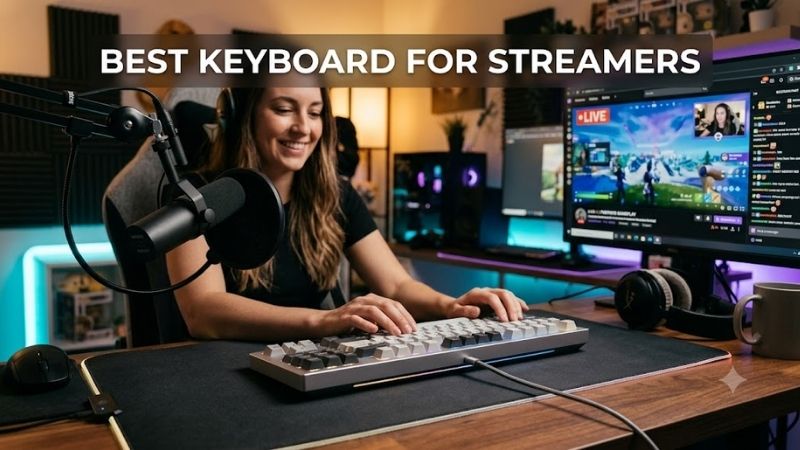
The best keyboard for streamers should support gaming, live controls, chat, media, and production shortcuts without making the desk harder to manage. The right model combines responsive switches, practical macro options, reliable software, useful connectivity, and a layout that fits microphones, mixers, and streaming gear.
Quick answer: For most people in 2026, the best keyboard for streamers is the Keyboard — our #1 rated choice. See the full ranked comparison, alternatives and buying advice below.
Best Keyboards for Streamers Compared
| Keyboard | Best For | Layout | Main Streamer Advantage |
|---|---|---|---|
| Corsair K100 RGB | Integrated stream controls | Extended full-size | Dedicated macro keys and control wheel |
| Razer BlackWidow V4 Pro | Macro-heavy workflows | Full-size | Command Dial and extensive macro controls |
| Logitech G915 X LIGHTSPEED TKL | Wireless streaming desks | TKL | Compact tri-mode wireless design |
| SteelSeries Apex Pro TKL Gen 3 | Gaming-first streamers | TKL | Adjustable actuation and Rapid Trigger |
The biggest difference between these keyboards is control style. Corsair and Razer emphasize dedicated buttons and dials, Logitech favors a clean wireless TKL layout, while SteelSeries focuses on competitive key response and onboard adjustment. That matters because every extra control changes desk space, reach, and software dependence.
Corsair K100 RGB — Best for Integrated Stream Controls
Best For: Streamers who want dedicated production commands directly on the keyboard.
Key Features:
- Six dedicated macro keys
- Stream Deck function integration
- iCUE control wheel
- Dedicated media controls
- Volume roller
- Wired extended layout
What Makes It Different: Direct Stream Deck integration gives its macro keys unusual value for creators who want streaming commands and normal keyboard functions on one device.
Corsair K100 RGB is the strongest fit for streamers who want keyboard-level production controls without adding another device. Its six dedicated macro keys can work with Stream Deck functions, while the iCUE control wheel handles assigned actions and media tasks. The trade-off is size: this is an extended wired board that demands more desk space.
The K100 is useful when you switch scenes, mute audio, trigger clips, or launch repeated commands during a stream. Keeping those actions on dedicated G-keys reduces reliance on layered shortcuts. Dedicated media controls and a volume roller also help when stream audio changes quickly between gameplay, music, and chat.
Its main limitation is footprint rather than capability. The extra macro column, full-size layout, wrist rest, and control area make it less attractive for small desks or low-sensitivity mouse users. Streamers with room to spare get an integrated command surface, while compact-setup creators may prefer a TKL board with separate stream controls.
Pros
- Dedicated macro keys reduce shortcut dependence
- Stream Deck integration suits live production
- Physical media and volume controls
- Extensive remapping through iCUE
Cons
- Large footprint
- Wired connectivity
- More controls than minimalist setups need
Use Case: Managing OBS commands, media, audio, and frequently repeated actions while gaming.
Who It’s For: Streamers who want a keyboard to double as part of their live-production control surface.
Razer BlackWidow V4 Pro — Best for Macro-Heavy Streams
Best For: Creators who use many shortcuts, macros, media commands, and desktop actions.
Key Features:
- Razer Command Dial
- Eight dedicated macro keys and buttons
- Dedicated media controls
- Multi-function roller
- Razer Synapse customization
- Wired full-size design
What Makes It Different: The combination of eight dedicated macro controls and a programmable Command Dial gives creators several separate control zones instead of relying on layered shortcuts.
Razer BlackWidow V4 Pro suits streamers who want many physical controls in one full-size keyboard. It combines a programmable Command Dial with eight dedicated macro keys and media controls, giving creators several places to map scene changes, push-to-talk, sound effects, browser actions, or editing shortcuts without complex key combinations.
The Command Dial separates it from ordinary macro keyboards. Default modes cover desktop functions, while custom modes can be configured through Razer Synapse. That helps creators who use the same keyboard for streaming, editing, and daily work. The trade-off is a wired full-size chassis that takes more desk space than a TKL board.
Macro-heavy users benefit most from the BlackWidow V4 Pro because its controls are spread across the left side and media area. Frequent commands become easier to reach without covering standard gaming keys. The downside is that streamers who rarely use macros may pay for controls they do not need and could prefer a simpler TKL layout.
Pros
- Numerous dedicated macro controls
- Programmable Command Dial
- Separate media controls
- Strong fit for multi-application workflows
Cons
- Large full-size footprint
- Wired only
- Excessive for simple streaming setups
Use Case: Controlling streaming software, media, browser tools, editing commands, and gaming shortcuts from one board.
Who It’s For: Streamers who prefer physical buttons and dials instead of remembering multiple modifier combinations.
Logitech G915 X LIGHTSPEED TKL — Best Wireless Option
Best For: Streamers who prioritize desk space, wireless flexibility, and a low-profile design.
Key Features:
- Tenkeyless layout
- LIGHTSPEED wireless
- Bluetooth
- Wired mode
- KEYCONTROL remapping
- Dedicated media controls and roller
- Low-profile GL mechanical switches
What Makes It Different: Tri-mode connectivity combines a compact TKL footprint with wireless freedom, making it particularly useful for clean studios, multi-device desks, and creators who already own separate streaming controls.
Logitech G915 X LIGHTSPEED TKL fits streamers who value a clean desk and wireless flexibility. Its tenkeyless layout leaves more mouse room, while LIGHTSPEED, Bluetooth, and wired modes support different setups. Low-profile GL mechanical switches also keep the chassis slim, making the board easy to position around microphones and control gear.
Instead of a bank of dedicated macro keys, the G915 X LIGHTSPEED TKL uses KEYCONTROL for remapping and layered functions. That favors streamers who want customization without a wide keyboard. Dedicated media buttons and a roller remain available for playback and volume, so common adjustments can happen without tabbing away from gameplay.
The trade-off is that a compact wireless layout is less direct for production commands than a board with dedicated G-keys. Streamers who constantly trigger scenes or sound effects may still want a separate control pad. For creators already using dedicated streaming hardware, however, this TKL design keeps the keyboard side of the desk tidy.
Pros
- Compact TKL footprint
- Wireless, Bluetooth, and wired connectivity
- Dedicated media controls
- Slim low-profile design
- Flexible key remapping
Cons
- No large bank of dedicated macro keys
- Production controls rely more on remapping
- Separate stream controller may still be useful
Use Case: Gaming and streaming from a clean desk where a Stream Deck, mixer, or other controller already handles production commands.
Who It’s For: Wireless-focused creators who want gaming features without filling the desk with a full-size keyboard.
SteelSeries Apex Pro TKL Gen 3 — Best for Gaming-First Streamers
Best For: Competitive streamers who prioritize movement response and adjustable key behavior.
Key Features:
- OmniPoint 3.0 magnetic switches
- Adjustable actuation
- Rapid Trigger
- Rapid Tap
- Protection Mode
- OLED Smart Display
- TKL layout
What Makes It Different: Adjustable magnetic switches let players tune key response for different gaming inputs instead of using one fixed actuation point across the entire board.
SteelSeries Apex Pro TKL Gen 3 targets gaming-first streamers who want extensive key-response tuning rather than a large macro panel. Its OmniPoint 3.0 magnetic switches support adjustable actuation, while Rapid Trigger focuses on fast movement inputs. The TKL layout also preserves mouse space for FPS or other low-sensitivity games.
The OLED Smart Display adds useful on-keyboard control because settings can be adjusted without making the board larger. For streamers who alternate between competitive games and normal typing, adjustable actuation lets movement keys feel different from keys used for chat or shortcuts. The flexibility is useful, but it remains gameplay-oriented.
Choose the Apex Pro TKL Gen 3 when the stream centers on competitive play and the keyboard must prioritize movement precision. It is less compelling for creators who want one-touch scene switching or many production macros. Corsair and Razer offer more direct live-control hardware, while SteelSeries keeps the focus on in-game inputs.
Pros
- Adjustable key actuation
- TKL layout preserves mouse space
- Gaming-focused Rapid Trigger features
- OLED display for onboard control
- Strong fit for competitive titles
Cons
- Fewer dedicated streaming controls
- Broadcast functions rely more on remapping
- Gaming features may be unnecessary for non-gaming creators
Use Case: Competitive FPS, battle royale, and other gaming streams where movement control takes priority over production macros.
Who It’s For: Streamers whose broadcast workflow revolves primarily around competitive gameplay.
How to Choose the Best Keyboard for Streamers
Decide How Many Streaming Commands Need Physical Keys
Start with the number of live actions you actually trigger from the keyboard. If you regularly mute a mic, switch scenes, start recordings, fire sound effects, or launch chat responses, dedicated macro keys reduce friction. If those jobs already live on a Stream Deck or mixer, a smaller keyboard can be a better use of limited desk space.
Choose the Right Keyboard Layout
Layout matters because cameras, microphones, mixers, and capture hardware already compete for desk room. Full-size boards provide more direct controls, but TKL models free space without losing the function row or arrows. A compact board is useful when the mouse needs a wide sweep area during FPS gameplay or when a control deck sits nearby.
Consider Your Software Ecosystem
Software should match the rest of the setup. iCUE, Razer Synapse, Logitech G HUB, and SteelSeries GG each handle remapping and device features differently, so the easiest option is often the one that fits an ecosystem you already use. Adding another utility is manageable, but it creates extra profiles, startup apps, and possible troubleshooting.
Think About Keyboard Noise
Switch feel affects a broadcast even when viewers never see the keyboard. Loud clicky switches can become noticeable when a microphone is close to the desk, while linear or tactile options may be easier to manage acoustically. Microphone position, gain, noise suppression, desk vibration, and keycap impact shape how much typing reaches the stream.
Wired vs Wireless for Streaming
Connectivity matters when a streaming setup uses more than one computer. Wireless boards simplify cable routing and can move between systems, while wired models remove charging from the workflow. For a fixed single-PC studio, wired simplicity is practical; for dual-system or mobile setups, flexible connectivity can be more convenient.
FAQ
Do Streamers Need a Mechanical Keyboard?
A mechanical keyboard is not required for streaming, but it can provide more consistent key feel, stronger customization, and better control options than a basic board. The important question is whether the keyboard improves your live workflow. Macro access, layout, noise, software, and desk fit usually matter more than the switch mechanism alone.
Are Macro Keys Useful for Streaming?
Dedicated macro keys help when a streamer triggers the same actions many times per session. They reduce reliance on awkward shortcut combinations and make commands easier to locate by touch. They matter less when scene switching, audio mixing, and effects already live on a Stream Deck, mixer, foot pedal, or another dedicated control surface.
Is a TKL Keyboard Good for Streaming?
TKL keyboards work well for streamers because they remove the numpad while retaining the function row, arrows, and navigation keys. That saves horizontal space for a mouse, microphone arm, or control deck. The main trade-off is losing a dedicated number pad, which matters for creators who enter lots of numeric data or use numpad-specific shortcuts.
Are Wireless Keyboards Reliable Enough for Streaming?
Wireless keyboards are suitable for streaming when the connection method fits the setup and the battery routine is manageable. A low-latency 2.4 GHz mode is typically intended for gaming, while Bluetooth is convenient for secondary devices. Wired operation remains simpler for permanent desks because there is no charging schedule to manage.
Do You Still Need Keyboard Macros If You Have a Stream Deck?
A Stream Deck does not make keyboard macros useless; it changes which commands belong where. High-frequency actions such as push-to-talk or game binds can stay on the keyboard, while scene changes, multi-step automations, and labeled production controls can live on the Stream Deck. Dividing tasks this way keeps both devices easier to operate.
Conclusion
The best keyboard for streamers depends on whether live control, desk space, wireless flexibility, or competitive input matters most. Corsair K100 RGB and Razer BlackWidow V4 Pro favor macro-heavy production, Logitech G915 X LIGHTSPEED TKL keeps the setup clean, and SteelSeries Apex Pro TKL Gen 3 prioritizes gaming responsiveness.
Ready to decide? Our #1 pick for 2026 is the Keyboard.
Live price & availability on Amazon.