🛒 Best Price Today on Amazon
Prime members get fast, free shipping on everything above, plus member-only deals. New members get a 30-day free trial — cancel anytime.
- Best Keyboards Under 100 at a Glance
- HyperX Alloy Origins Core — Best Overall
- HyperX Alloy Origins 60 — Best for FPS Gaming
- Logitech G413 SE — Best Full-Size Mechanical Pick
- Razer Ornata V3 X — Best Quiet Low-Profile Option
- HyperX Alloy Core RGB — Best Budget Membrane Keyboard
- Which Best Keyboard Under 100 Should You Choose?
- Buying Guide: How to Choose a Keyboard Under $100
- FAQ
- Conclusion
The best keyboard under 100 should deliver reliable switches, sensible features, and a layout that fits your desk without wasting budget. This roundup compares proven gaming models from HyperX, Logitech, and Razer, focusing on switch feel, size, build, lighting, software, and everyday usability for different types of players.
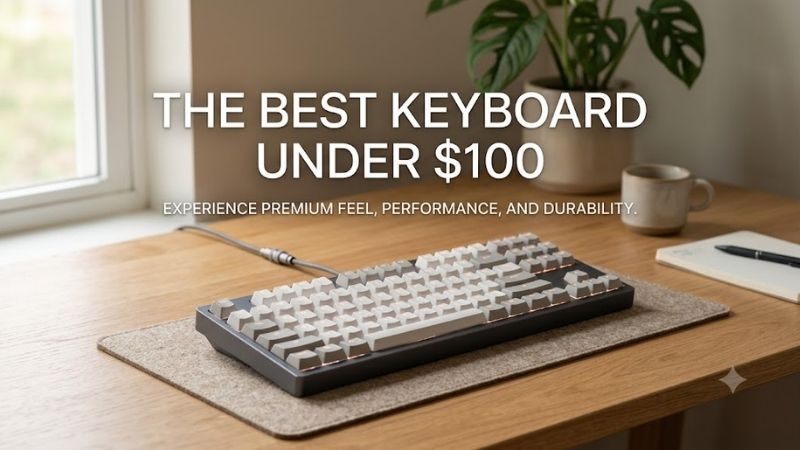
Quick answer: For most people in 2026, the best keyboard under 100 is the Keyboard — our #1 rated choice. See the full ranked comparison, alternatives and buying advice below.
Best Keyboards Under 100 at a Glance
A sub-$100 keyboard can still offer mechanical switches, durable keycaps, compact layouts, RGB lighting, and useful software. The key is choosing which features matter most. Competitive players may prefer a smaller board for mouse space, while mixed-use buyers may value a number pad, quieter keys, or stronger typing feedback.
For this roundup, priority goes to models with clearly documented specifications and current pricing below the $100 mark from their manufacturers. The list includes mechanical and membrane designs because switch feel, noise, desk space, and software needs vary. Each pick fills a distinct role instead of repeating the same feature set.
| Keyboard | Best For | Layout | Switch Type | Lighting |
|---|---|---|---|---|
| HyperX Alloy Origins Core | Best Overall | TKL | Mechanical | Per-key RGB |
| HyperX Alloy Origins 60 | FPS Gaming | 60% | Mechanical | Per-key RGB |
| Logitech G413 SE | Gaming and Work | Full-size | Tactile Mechanical | White |
| Razer Ornata V3 X | Quiet Gaming | Full-size | Membrane | 1-zone RGB |
| HyperX Alloy Core RGB | Budget Buyers | Full-size | Membrane | RGB |
HyperX Alloy Origins Core — Best Overall
The HyperX Alloy Origins Core is a strong fit for gamers who want a true mechanical TKL keyboard without moving beyond the budget. Its aluminum body, detachable USB-C cable, per-key RGB, N-key rollover, and three onboard profiles make it more feature-rich than many entry models while keeping the number pad out of the way.
Best For: Competitive gaming and balanced everyday use
Key Features:
- Tenkeyless layout
- HyperX mechanical switches
- Full aluminum body
- Detachable USB-C cable
- Per-key RGB lighting
- N-key rollover
- Three onboard profiles
- NGENUITY software support
HyperX offers the Alloy Origins Core with HyperX Red linear or Aqua tactile switches, depending on variant and region. Red switches suit players who want a smooth keystroke, while Aqua switches add a tactile bump for clearer feedback. The 1.8 mm actuation point keeps either option responsive without forcing an ultra-light feel.
What separates this board is the combination of compact size and a rigid full-aluminum frame. Tenkeyless dimensions leave more room for low-sensitivity mouse movement, yet dedicated arrow keys and the function row remain intact. The trade-off is simple: anyone who enters numbers frequently must live without a dedicated numpad.
Pros
- Compact without removing arrow keys
- Mechanical switch choices
- Strong aluminum construction
- Detachable cable
- Per-key RGB
- Useful onboard profiles
Cons
- No dedicated number pad
- Software customization centers on NGENUITY
Use Case: FPS, MOBA, competitive gaming, mixed gaming and typing
Who It’s For: Players who want a compact mechanical board without switching to an aggressive 60% layout.
HyperX Alloy Origins 60 — Best for FPS Gaming
The HyperX Alloy Origins 60 is aimed at players who want even more mouse space than a TKL board can provide. Its 60% layout removes the function row, navigation cluster, and numpad, while the aluminum body and doubleshot PBT keycaps keep the board from feeling stripped down. It also supports NGENUITY customization and RGB lighting.
Best For: FPS players and small gaming desks
Key Features:
- 60% form factor
- HyperX mechanical switches
- Full aluminum body
- Doubleshot PBT keycaps
- Detachable USB cable
- RGB backlighting
- NGENUITY support
This layout works especially well for FPS setups, smaller desks, and players who keep the keyboard angled. HyperX Red linear switches provide smooth movement inputs, while secondary functions on the keycaps help with missing dedicated keys. The main limitation is workflow speed if you rely heavily on arrows, function keys, or navigation shortcuts.
What Makes It Different: It removes considerably more unused desktop width than a TKL keyboard while retaining a sturdy mechanical construction.
Pros
- Excellent mouse clearance
- Compact and portable
- Aluminum construction
- PBT keycaps
- Mechanical switches
- Customizable RGB
Cons
- No dedicated function row
- No numpad
- More reliance on secondary key layers
Use Case: FPS gaming, low-sensitivity aiming, compact desks, portable setups
Who It’s For: Gamers who prioritize mouse movement and desk space over dedicated productivity keys.
Logitech G413 SE — Best Full-Size Mechanical Pick
The Logitech G413 SE takes a more traditional approach. It is a full-size wired mechanical keyboard with tactile switches, PBT keycaps, white backlighting, and six-key rollover with anti-ghosting. That makes it a practical choice for users who want gaming hardware without RGB-heavy styling, removable cables, or a compact layout.
Best For: Gaming, typing, and productivity on one keyboard
Key Features:
- Full-size layout
- Tactile mechanical switches
- PBT keycaps
- White LED lighting
- Six-key rollover
- Anti-ghosting
The tactile switches provide a noticeable actuation feel that can help typists and players who prefer physical feedback. A full number pad also makes the G413 SE easier to use for spreadsheets, data entry, and mixed work. The trade-off is desk width: it occupies more space than TKL or 60% options and leaves less room for wide mouse sweeps.
What Makes It Different: The restrained design prioritizes mechanical typing feel and full-size functionality rather than RGB customization.
Pros
- Full-size mechanical layout
- Durable PBT keycaps
- Tactile feedback
- Dedicated number pad
- Minimal visual styling
Cons
- Takes more desk space
- White lighting rather than per-key RGB
- Less compact for FPS setups
Use Case: Gaming PCs that also handle office work, study, spreadsheets, and everyday typing
Who It’s For: Buyers who want one traditional mechanical keyboard for both gaming and productivity.
Razer Ornata V3 X — Best Quiet Low-Profile Option
The Razer Ornata V3 X is the quietest-feeling option in this group because it uses low-profile membrane switches rather than mechanical ones. Its slim full-size layout, UV-coated ABS keycaps, detachable wrist rest, programmable keys, gaming mode, and one-zone Chroma RGB make it better suited to shared rooms or users sensitive to switch noise.
Best For: Quiet gaming and long mixed-use sessions
Key Features:
- Full-size low-profile design
- Membrane switches
- UV-coated ABS keycaps
- Detachable wrist rest
- Razer Chroma RGB
- Programmable keys
- Gaming Mode
- Razer Synapse support
Its shorter key height encourages a flatter hand position, while the membrane action gives each press a softer, cushioned bottom-out. That can be comfortable for long mixed gaming and typing sessions, but players seeking crisp mechanical feedback will notice the difference. Razer also lists no key rollover or anti-ghosting for this model.
What Makes It Different: Instead of competing on mechanical switch feel, it focuses on a slim profile, lower noise, and softer keystrokes.
Pros
- Quiet key action
- Low-profile design
- Included wrist rest
- Full-size layout
- Programmable functions
Cons
- Membrane rather than mechanical switches
- One-zone lighting
- No listed key rollover or anti-ghosting
Use Case: Shared bedrooms, late-night gaming, work-and-play PCs, noise-sensitive environments
Who It’s For: Users who care more about comfort and lower noise than mechanical switch feedback.
HyperX Alloy Core RGB — Best Budget Membrane Keyboard
The HyperX Alloy Core RGB is the budget-oriented membrane alternative. It combines quiet keys with a full-size layout, RGB lighting, and console compatibility, making it useful for users who want a recognizable gaming design without paying for mechanical switches. It is especially sensible for casual gaming, family PCs, and shared workspaces.
Best For: Affordable gaming setups and quieter rooms
Key Features:
- Full-size layout
- Membrane switches
- RGB lighting
- Quiet key operation
- PC compatibility
- PS5 and PS4 compatibility
- Xbox Series X|S and Xbox One compatibility
Compared with the Ornata V3 X, the Alloy Core RGB emphasizes straightforward gaming controls and HyperX styling rather than a low-profile ergonomic shape. Its membrane switches keep sound down, but they do not deliver the distinct actuation feedback of the Alloy Origins models or G413 SE. Choose it for quiet value, not for a mechanical typing feel.
What Makes It Different: It offers a gaming-focused full-size layout and RGB presentation while remaining firmly in the lower-cost membrane category.
Pros
- Quiet keys
- Full-size layout
- RGB lighting
- Straightforward operation
- Broad gaming-platform support
Cons
- Membrane switch feel
- Larger footprint
- Less mechanical feedback than Origins models
Use Case: Casual gaming, first gaming PCs, console setups, family computers
Who It’s For: Buyers who want gaming features and quieter keys while spending less than they would on a mechanical board.
Which Best Keyboard Under 100 Should You Choose?
The best keyboard under 100 depends less on raw feature count than on layout and switch preference. Alloy Origins Core balances gaming space and dedicated keys, Origins 60 maximizes mouse room, G413 SE favors traditional full-size mechanical use, Ornata V3 X prioritizes quiet low-profile comfort, and Alloy Core RGB keeps cost and noise low.
| If You Want | Choose |
|---|---|
| Best balance of gaming features and size | HyperX Alloy Origins Core |
| Maximum mouse space | HyperX Alloy Origins 60 |
| Full-size mechanical typing | Logitech G413 SE |
| Quiet low-profile keys | Razer Ornata V3 X |
| Lower-cost membrane gaming | HyperX Alloy Core RGB |
Buying Guide: How to Choose a Keyboard Under $100
Choose the Right Keyboard Size
Start with layout because it changes both desk space and daily usability. Full-size boards keep the number pad and are convenient for work, but they push the mouse farther to the side. TKL models remove only the numpad, while 60% boards cut additional keys. Gamers with low mouse sensitivity benefit most from the extra room of compact layouts.
Mechanical vs Membrane Switches
Switch type changes feel more than almost any lighting or software feature. Linear mechanical switches move smoothly with little tactile interruption, tactile switches add a noticeable bump, and membrane keys feel softer and quieter. Competitive players may favor quick repeats, while frequent typists may prefer stronger physical feedback.
Consider Keycap Material
Keycap material matters for long-term feel. PBT keycaps, used on the Logitech G413 SE and selected HyperX models here, generally resist shine better than basic ABS caps. ABS can still work well, especially when coated for durability, but its surface can change with use. Frequent typists should treat keycaps as a practical feature, not decoration.
Decide Whether Software Matters
Software matters when you need remapping, macros, lighting control, or saved profiles. HyperX NGENUITY supports customization on the Alloy Origins family, while Razer Synapse handles programmable functions and lighting on the Ornata V3 X. If you prefer plug-and-play simplicity, fewer software-dependent features can make a keyboard easier to manage.
Prioritize Gaming Features Before RGB
Do not treat RGB as a performance feature. Per-key lighting can help identify bindings and create profiles, but it does not improve switch response by itself. Prioritize layout, rollover, switch feel, keycaps, and cable design first. Once those needs are covered, lighting becomes personalization rather than a reason to accept a weaker keyboard.
FAQ
Is a Mechanical Keyboard Better Under $100?
Mechanical keyboards are not automatically better for every buyer. They provide more distinct switch choices and often clearer feedback, but membrane boards are usually quieter and softer. If you play in a shared room or type late at night, membrane may be practical. If you value switch feel and repeatability, mechanical is often the better fit.
Is TKL or 60% Better for Gaming?
TKL is often the safest compact layout for gaming because it removes the numpad while preserving arrow keys and the function row. That creates more mouse space without changing common shortcuts too much. A 60% keyboard saves even more room, but it moves several commands to secondary layers, which can slow users who rely on navigation keys.
Is a Full-Size Keyboard Still Good for Gaming?
A full-size keyboard still makes sense for gamers who also work with spreadsheets, accounting tools, data entry, or number-heavy applications. The number pad saves time during non-gaming tasks. The compromise is width: it can force your mouse farther right, so players using large arm movements should make sure their desk and mouse pad have room.
Do I Need a Wireless Gaming Keyboard Under $100?
Wireless is not required for a good sub-$100 gaming keyboard. Wired models avoid battery management and can provide stable connections at lower cost, letting manufacturers spend more of the budget on switches, keycaps, or construction. Wireless matters more when a cable-free setup, couch use, or easy device switching is more important.
Conclusion
The best keyboard under 100 is the one that matches your layout, switch, and noise preferences rather than the model with the longest feature list. HyperX covers compact mechanical needs well, Logitech suits full-size tactile users, and Razer offers a quieter low-profile path. Choose desk fit and key feel first, then compare lighting and software.
Ready to decide? Our #1 pick for 2026 is the Keyboard.
Live price & availability on Amazon.