🛒 Best Price Today on Amazon
Prime members get fast, free shipping on everything above, plus member-only deals. New members get a 30-day free trial — cancel anytime.
- Best Keyboards for World of Warcraft Compared
- How We Chose These WoW Keyboards
- Razer BlackWidow V4 Pro — Best for MMO Macro Control
- Corsair K100 AIR Wireless — Best Low-Profile WoW Keyboard
- SteelSeries Apex Pro TKL Gen 3 — Best for WoW PvP
- Logitech G915 X LIGHTSPEED TKL — Best Wireless TKL Pick
- Corsair K70 MAX — Best Full-Size Adjustable Keyboard
- Which Keyboard Layout Is Best for World of Warcraft?
- Buying Guide: Choosing the Best Keyboard for World of Warcraft
- FAQ
- Conclusion
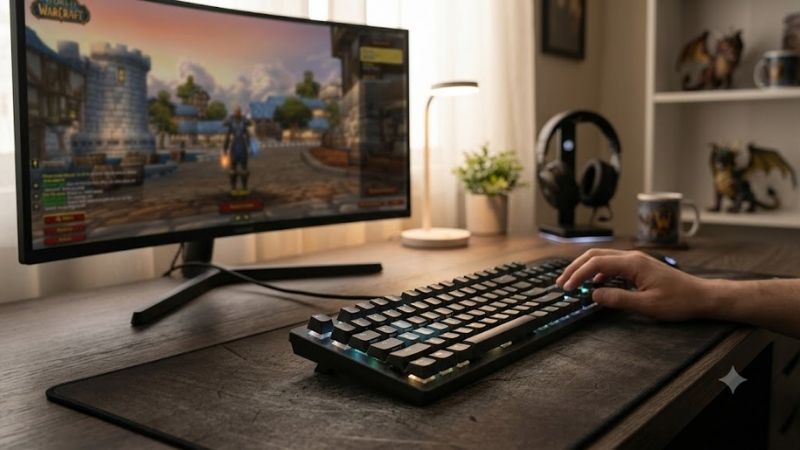
The best keyboard for World of Warcraft should make dense keybinds easier to reach, keep movement responsive, and stay comfortable through long raids or Mythic+ sessions. This roundup focuses on macro access, switch feel, layout, software control, and wireless flexibility rather than flashy features that add little to actual WoW play.
Quick answer: For most people in 2026, the best keyboard for world of warcraft is the Keyboard — our #1 rated choice. See the full ranked comparison, alternatives and buying advice below.
Best Keyboards for World of Warcraft Compared
| Keyboard | Best For | Layout | Main WoW Advantage | Connectivity |
|---|---|---|---|---|
| Razer BlackWidow V4 Pro | MMO macro control | Full-size | Eight dedicated macro keys/buttons | Wired |
| Corsair K100 AIR Wireless | Low-profile MMO gaming | Full-size | Four macro keys and thin design | SLIPSTREAM, Bluetooth, wired |
| SteelSeries Apex Pro TKL Gen 3 | PvP and adjustable actuation | TKL | 0.1–4.0 mm adjustable actuation | Wired |
| Logitech G915 X LIGHTSPEED TKL | Wireless compact setups | TKL | KEYCONTROL remapping | LIGHTSPEED, Bluetooth, wired |
| Corsair K70 MAX | Adjustable full-size gaming | Full-size | MGX magnetic switches | Wired |
World of Warcraft places unusual demands on a keyboard because players often juggle movement, rotational abilities, interrupts, defensives, consumables, targeting, and interface shortcuts at once. A useful WoW board therefore needs more than speed: it should reduce awkward stretches and make complex bindings easier to organize.
For most players, dedicated macro keys are the clearest advantage because they create extra inputs without replacing familiar movement or number-row bindings. They are especially useful for utility spells, raid markers, mounts, professions, or interface commands, although some users may prefer compact boards and mouse-side buttons instead.
How We Chose These WoW Keyboards
I prioritized keyboards that solve real WoW input problems rather than models built only around esports speed. The shortlist favors extra binding options, useful remapping, comfortable layouts, dependable connectivity, and switch behavior that supports long sessions. Each pick fills a different need instead of repeating the same design.
Razer BlackWidow V4 Pro — Best for MMO Macro Control
Best For: Players with large WoW keybind setups
Key Features
- Full-size mechanical gaming keyboard
- Five dedicated macro keys plus three side macro buttons
- Programmable Razer Command Dial
- Multi-function roller and dedicated media controls
- Razer Synapse customization
- Wired connectivity
What Makes It Different
The Razer BlackWidow V4 Pro is the most MMO-oriented option here because it combines a full-size layout with eight dedicated macro keys and buttons plus a programmable Command Dial. Those extra controls can hold secondary abilities or utility commands, keeping crowded WoW keybinds away from the main movement cluster.
Pros
- Eight additional macro controls
- Dedicated controls reduce reliance on modifier combinations
- Full-size layout preserves numpad bindings
- Programmable Command Dial
- Strong fit for complicated MMO interfaces
Cons
- Large footprint
- Wired only
- Extra left-side keys require muscle-memory adjustment
Use Case
Its wired design removes battery management and suits a permanent desktop setup, while Razer Synapse handles deeper customization for macros and the Command Dial. The trade-off is physical size: players with small desks or low mouse sensitivity may find the wide full-size frame less convenient during long PvP or raid sessions.
Who It’s For: Raiders, healers, tanks, multi-character players, and anyone who routinely runs out of comfortable keyboard binds.
Corsair K100 AIR Wireless — Best Low-Profile WoW Keyboard
Best For: Wireless MMO setups and long gaming sessions
Key Features
- CHERRY MX Ultra Low Profile tactile switches
- Four dedicated macro keys
- Full-size layout
- SLIPSTREAM wireless
- Bluetooth connectivity
- Wired USB mode
- Up to 50 onboard profiles supported
- Dedicated media controls and volume roller
What Makes It Different
The Corsair K100 AIR Wireless is a strong fit for players who want a full-size MMO keyboard without a tall mechanical profile. It uses CHERRY MX Ultra Low Profile tactile switches, includes four macro keys, and supports SLIPSTREAM wireless, Bluetooth, and wired operation, giving a flexible setup for gaming and everyday work.
Pros
- Very low-profile mechanical design
- Dedicated macro keys
- Three connection methods
- Full-size key layout
- Extensive onboard profile support
Cons
- Only four dedicated macro keys
- No included wrist rest
- Larger than TKL alternatives
Use Case
Its low-profile design can reduce how sharply the wrists bend compared with taller boards, which may feel more natural during extended raid nights. Corsair also supports onboard profiles and iCUE configuration. The main limitation is macro capacity: four dedicated keys offer less expansion than the BlackWidow V4 Pro.
Who It’s For: WoW players wanting dedicated macros, full-size functionality, and wireless freedom without using a tall traditional keyboard.
SteelSeries Apex Pro TKL Gen 3 — Best for WoW PvP
Best For: PvP players who prioritize mouse space and adjustable keys
Key Features
- Tenkeyless layout
- OmniPoint adjustable magnetic switches
- Adjustable actuation from 0.1 to 4.0 mm
- Rapid Trigger
- OLED Smart Display
- Double-shot PBT keycaps
- Aluminum top plate
- Sound-dampening foam
What Makes It Different
The SteelSeries Apex Pro TKL Gen 3 suits WoW players who value compact size and highly adjustable key response more than dedicated macro buttons. Its OmniPoint magnetic switches allow per-key actuation adjustment from 0.1 to 4.0 mm, letting movement keys feel fast while chat or utility keys can be set more deliberately.
Pros
- Wide actuation adjustment range
- Compact TKL footprint
- Rapid Trigger support
- More mouse space than full-size boards
- Durable PBT keycaps
Cons
- No dedicated macro column
- No numpad
- Advanced actuation settings may be unnecessary for casual WoW
Use Case
The tenkeyless layout leaves more room for broad mouse movement, which can benefit PvP players using lower sensitivity. Rapid Trigger also changes how quickly a key can reset after release. The compromise is obvious for MMO use: there is no separate macro column, so extra functions must come from remapping, modifiers, or an MMO mouse.
Who It’s For: Arena and Battleground players who combine keyboard movement with heavy mouse use and want control over individual key sensitivity.
Logitech G915 X LIGHTSPEED TKL — Best Wireless TKL Pick
Best For: Clean wireless setups and mixed gaming use
Key Features
- Low-profile GL mechanical switches
- Tenkeyless form factor
- 22.6 mm keyboard height
- LIGHTSPEED 2.4 GHz wireless
- Bluetooth
- Wired data mode
- KEYCONTROL remapping
- Double-shot PBT keycaps
What Makes It Different
The Logitech G915 X LIGHTSPEED TKL is a practical wireless pick for players who want a thin desk-friendly board and still need extensive remapping. It supports LIGHTSPEED, Bluetooth, and wired modes, while KEYCONTROL can assign multiple functions to individual keys, giving flexible layering without adding a dedicated macro bank.
Pros
- Three connectivity modes
- Thin low-profile chassis
- Compact TKL footprint
- Extensive remapping through KEYCONTROL
- PBT keycaps
Cons
- No dedicated G-key column on the TKL version
- Layers are less obvious than separate macro keys
- Numpad users need the full-size alternative
Use Case
Its 22.6 mm chassis and low-profile GL mechanical switches keep the typing position relatively shallow, and the TKL footprint frees space beside the keyboard. That makes it appealing for mixed WoW and general PC use. Players who prefer visible one-key macro buttons, however, may find layered commands less intuitive during combat.
Who It’s For: Players who want World of Warcraft, productivity, and other games on one compact wireless keyboard.
Corsair K70 MAX — Best Full-Size Adjustable Keyboard
Best For: Players wanting customizable actuation without losing a numpad
Key Features
- CORSAIR MGX magnetic switches
- Adjustable actuation from 0.4 to 3.6 mm
- Dual-point actuation
- Rapid Trigger mode
- Full-size layout
- Magnetic memory-foam palm rest
- PBT double-shot keycaps
- Dedicated media controls
What Makes It Different
The Corsair K70 MAX is aimed at players who want adjustable magnetic switches in a familiar full-size frame. Its MGX switches support per-key actuation from 0.4 to 3.6 mm, and Corsair includes dual-point actuation, letting one physical key trigger two actions at different travel points when configured for supported use cases.
Pros
- Adjustable actuation per key
- Full-size familiar layout
- Rapid Trigger support
- Comfortable detachable palm rest
- Durable PBT keycaps
Cons
- Wired only
- No dedicated left-side macro bank
- Full-size body occupies more desk width
Use Case
For WoW, adjustable actuation is most useful when you want movement keys to react quickly but prefer a deeper press for chat, menus, or easily misfired utility binds. The included palm rest also helps during long sessions. Unlike dedicated MMO boards, though, the K70 MAX does not add a left-side bank of macro keys.
Who It’s For: WoW players who want switch customization and a traditional full-size layout but do not need dedicated MMO macro buttons.
Which Keyboard Layout Is Best for World of Warcraft?
The best layout depends on how you distribute abilities between keyboard and mouse. A full-size board with dedicated macro controls favors players who keep many utility commands on the left hand, while TKL models create more mouse room. Neither approach is inherently superior, because WoW binding habits vary heavily by role and UI setup.
Buying Guide: Choosing the Best Keyboard for World of Warcraft
Macro Keys and Remapping
Macro access should be your first buying factor if your current keymap already feels crowded. Dedicated G-keys provide direct physical locations for cooldowns or utility, while remapping layers create more functions without widening the keyboard. Dedicated keys are easier to locate under pressure; layers preserve desk space but require memory.
Switches and Actuation
Switch behavior matters because WoW mixes repeated movement with deliberate ability presses. Light or short actuation can make strafing and frequent inputs feel immediate, but overly sensitive settings may increase accidental casts. Adjustable magnetic switches are useful when you want different response points for movement, combat, and typing.
Full-Size vs TKL
Form factor affects both key access and mouse space. Full-size keyboards provide a numpad and often support more dedicated controls, but they push the mouse farther away. TKL models remove the numpad and create a tighter shoulder position, which may be preferable for PvP players or anyone using large sweeping mouse movements.
Software and Profiles
Software matters more in WoW than in many games because remapping, profiles, and macro assignment can simplify different characters or roles. Look for software that can save profiles clearly and remap the keys you use. Avoid automation that violates Blizzard rules; use keyboard functions for legal bindings and interface convenience.
Wired vs Wireless
Wireless can reduce cable clutter, but it should not be the deciding factor unless your desk setup benefits from it. Modern gaming-focused 2.4 GHz modes are designed for responsive play, while Bluetooth is more useful for convenience and device switching. Wired models remain simple because they require no charging or connection management.
Comfort for Long WoW Sessions
Comfort becomes important during raids, leveling sessions, and repeated dungeon runs that keep your left hand anchored for hours. Low-profile boards reduce key height, while palm rests can support a more relaxed position on taller keyboards. Neither guarantees better ergonomics, so choose around your desk height, posture, and wrist angle.
FAQ
Do You Need a Mechanical Keyboard for World of Warcraft?
A mechanical keyboard is not required for World of Warcraft, but many players prefer the consistent feel, durability, and switch choices. The bigger advantage is layout and programmability. A well-organized membrane keyboard can still work, while a mechanical board becomes more useful when its switches or extra controls improve your bindings.
Are Macro Keys Useful for World of Warcraft?
Macro keys are useful when you have more commands than comfortably fit around WASD, especially for utility spells, raid markers, mounts, menus, or secondary shortcuts. They are less important if most extra abilities are already placed on an MMO mouse. The ideal number depends on class, role, modifiers, and personal muscle memory.
Is a TKL Keyboard Good for World of Warcraft?
TKL keyboards can work very well for WoW because the game does not require a numpad for core combat. Removing it creates more room for mouse movement and can improve desk ergonomics. The trade-off is losing extra physical keys, so players who rely on numpad binds or want many dedicated shortcuts may prefer a full-size model.
Does Adjustable Actuation Help in WoW?
Adjustable actuation can help movement feel quicker, especially when strafing or rapidly changing direction, but it does not automatically improve damage or healing. Its main value is customization. You can use shorter actuation for movement and deeper settings for keys that should resist accidental activation during hectic encounters.
Are Wireless Keyboards Good for World of Warcraft?
Wireless keyboards are suitable for World of Warcraft when they use a gaming-focused low-latency connection and have reliable battery management. Bluetooth is better treated as a convenience mode than a competitive feature. For players who dislike charging or troubleshooting wireless connections, a wired board remains the simplest option.
Conclusion
The best keyboard for World of Warcraft depends on where your keybind pressure comes from. Choose the BlackWidow V4 Pro for dedicated MMO controls, the K100 AIR for low-profile wireless flexibility, or a compact Apex Pro TKL Gen 3 or G915 X TKL when mouse space matters more than a separate macro bank.
Ready to decide? Our #1 pick for 2026 is the Keyboard.
Live price & availability on Amazon.