🛒 Best Price Today on Amazon
Prime members get fast, free shipping on everything above, plus member-only deals. New members get a 30-day free trial — cancel anytime.
- Best Gaming Laptops for Emulation at a Glance
- 1. Lenovo Legion Pro 7i Gen 10 — Best Overall
- 2. ROG Zephyrus G14 (2025) — Best Portable
- 3. MSI Vector 16 HX AI — Best for High-Power Configurations
- 4. Acer Predator Helios Neo 16 AI — Best Balanced Option
- 5. ASUS TUF Gaming A16 (2025) — Best Value
- What Matters Most in a Gaming Laptop for Emulation?
- FAQ
- Conclusion
The best gaming laptop for emulation needs more than a fast GPU. Strong single-thread CPU speed, modern instruction support, stable Vulkan drivers, enough RAM, and sustained cooling matter most. These picks cover portable, value, and high-power options for PCSX2, Dolphin, RPCS3, and similar emulators.
Quick answer: For most people in 2026, the best gaming laptop for emulation is the Lenovo Legion Pro 7i Gen 10 — our #1 rated choice. See the full ranked comparison, alternatives and buying advice below.
Best Gaming Laptops for Emulation at a Glance
For most buyers, prioritize the processor before chasing the fastest graphics chip. Emulators often translate console instructions in real time, so CPU latency and sustained clocks can decide whether demanding games feel smooth. A stronger GPU becomes more useful when you raise internal resolution, add anti-aliasing, or use heavy post-processing.
| Laptop | Best For | CPU | GPU | Key Advantage |
|---|---|---|---|---|
| Lenovo Legion Pro 7i Gen 10 | Best overall | Core Ultra 9 275HX | RTX 5080 16GB | High-power CPU/GPU platform |
| ROG Zephyrus G14 (2025) | Best portable | Ryzen AI 9 HX 370 | Up to RTX 5080 | Powerful 14-inch design |
| MSI Vector 16 HX AI | Best high-power option | Core Ultra 200HX Series | Up to RTX 5090 | Broad upgrades and GPU choices |
| Acer Predator Helios Neo 16 AI | Best balanced option | Up to Core Ultra 9 275HX | Up to RTX 5070 Ti | Strong specifications without flagship excess |
| ASUS TUF Gaming A16 (2025) | Best value | Ryzen 7 260 | RTX 5060 available | Modern CPU/GPU at a lower tier |
Configurations vary by market. The specifications below use combinations listed by each manufacturer rather than assuming that every CPU, GPU, memory, or display option is available together.
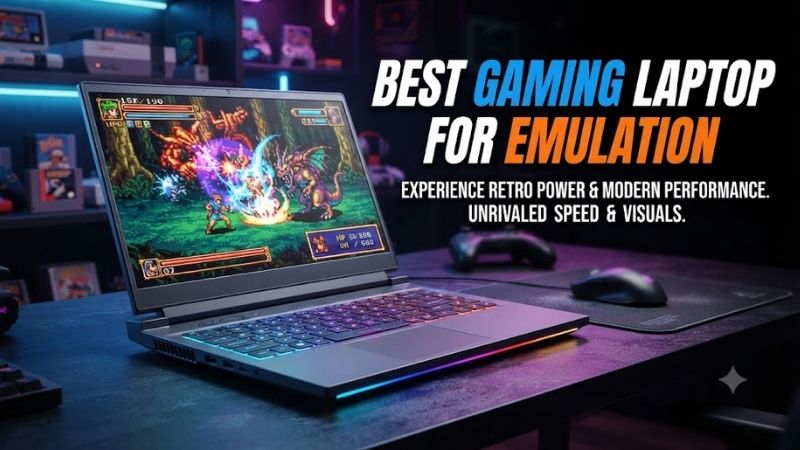
1. Lenovo Legion Pro 7i Gen 10 — Best Overall
Best For: Demanding PS3 emulation, high render resolutions, long gaming sessions
Verified Configuration
- Intel Core Ultra 9 275HX, 24 cores and up to 5.4GHz
- NVIDIA GeForce RTX 5080 Laptop GPU with 16GB GDDR7
- 32GB DDR5-6400 in a listed retail configuration
- 1TB PCIe SSD
- Two memory slots and two M.2 storage positions on the platform
- 16-inch 2560 × 1600 OLED, 240Hz configuration available
The Lenovo Legion Pro 7i Gen 10 is the strongest all-round fit here for demanding emulation. Its HX-class processor, high-power RTX graphics, upgradeable memory, and dual-drive support give it room for CPU-heavy emulators, high-resolution rendering, texture packs, and a large local game library without relying on external storage.
What makes the Legion different is balance rather than one headline part. The fast CPU targets the hardest emulation bottleneck, while the RTX 5080 has ample graphics headroom for higher render scales. A 16-inch 240Hz OLED also suits users who mix emulation with modern PC games, although the chassis favors desk use over travel.
Choose this model if RPCS3, high render resolutions, and long sessions are priorities. It also makes sense for players who keep several emulators, BIOS files, texture packs, and captures on one machine. The trade-off is portability: a performance-focused 16-inch laptop is less convenient than a thin 14-inch system for daily commuting.
What Makes It Different
- HX-class CPU paired with a high-power RTX 5080 option
- Expandable memory rather than soldered-only RAM
- Two internal SSD positions for large libraries
Pros
- Strong CPU platform for demanding emulators
- Substantial GPU headroom for resolution scaling
- Good memory and storage expansion
- High-refresh OLED configuration available
Cons
- Less travel-friendly than compact gaming laptops
- High-end GPU capacity may be unnecessary for older consoles
Use Case: RPCS3, PCSX2 at high internal resolutions, Dolphin enhancements, PC gaming
Who It’s For: Users who want one performance-focused laptop for both demanding emulation and modern games.
2. ROG Zephyrus G14 (2025) — Best Portable
Best For: Portable emulation, travel, compact desk setups
Verified Features
- AMD Ryzen AI 9 HX 370 option with 12 cores and 24 threads
- NVIDIA RTX 5060, 5070, 5070 Ti, and 5080 configurations listed
- RTX 5080 configuration uses 16GB GDDR7
- 14-inch 2880 × 1800 OLED, 120Hz
- ASUS lists the chassis at about 1.5kg for the product family
The ROG Zephyrus G14 is the portable pick for players who want serious emulation power in a smaller chassis. Its Ryzen AI 9 HX 370 configuration combines a high-end mobile CPU with RTX 50-series graphics, while the 14-inch OLED keeps the system compact enough for travel, classes, or a living-room setup that moves often.
Its biggest advantage is mobility without dropping to an entry-level processor. That matters because lighter laptops often compromise CPU performance first, yet emulation can depend heavily on fast CPU execution. The G14 also supports powerful GPU options for upscaling, but the thinner chassis has less thermal room than larger HX-focused machines.
The G14 is best for Dolphin, PCSX2, and mixed emulator libraries where portability matters as much as peak throughput. It can also suit RPCS3 users who value size, but shoppers targeting the hardest PS3 workloads should compare sustained CPU behavior with larger systems. Memory is soldered on many G14 configurations, so choose capacity carefully.
What Makes It Different
- High-end CPU options inside a 14-inch chassis
- OLED display without moving to a larger desktop-replacement laptop
- RTX configurations extending well beyond basic emulation needs
Pros
- Much easier to carry than 16-inch performance models
- Strong CPU choices for emulation
- Powerful GPU configurations available
- Sharp 3K OLED display
Cons
- Less cooling volume than larger performance notebooks
- Memory capacity should be selected carefully at purchase
Use Case: Dolphin, PCSX2, portable RPCS3, hotel or living-room gaming
Who It’s For: Players who want a powerful emulator laptop that remains practical to carry frequently.
3. MSI Vector 16 HX AI — Best for High-Power Configurations
Best For: High resolution scaling, upgrades, large emulator libraries
Verified Features
- Intel Core Ultra 200HX Series processors
- RTX 5060 through RTX 5090 Laptop GPU configurations listed
- RTX 5080 option with 16GB GDDR7 and up to 175W Maximum Graphics Power
- Up to 96GB DDR5 across two memory slots
- PCIe Gen 4 and Gen 5 compatible M.2 positions
- QHD+ 2560 × 1600, 240Hz display option
The MSI Vector 16 HX AI is built for buyers who want high sustained power and broad configuration choice. MSI offers Core Ultra 200HX processors with RTX 50-series GPUs reaching the RTX 5090 Laptop GPU, plus two memory slots and two M.2 storage positions. That combination suits large emulator libraries and demanding resolution scaling.
Its main distinction is power flexibility. Lower GPU configurations can cover older systems comfortably, while RTX 5080 or 5090 versions provide more room for high internal resolutions and modern PC gaming. The 16-inch QHD+ 240Hz option is also a good match for users who want one machine for retro emulation and fast native games.
Pick the Vector when upgradeability and maximum-performance configurations matter more than weight. Its two RAM slots are useful if you later expand for multitasking, capture tools, or memory-heavy workflows. The trade-off is that high-power variants use large adapters and are aimed more at a fixed gaming setup than frequent travel.
What Makes It Different
- Very wide GPU range within one laptop family
- Two user-addressable memory slots
- Two SSD positions with Gen 5 compatibility listed
Pros
- High-power RTX configurations available
- Strong expansion potential
- Useful for large libraries and capture workflows
- High-refresh QHD+ display option
Cons
- High-end versions are excessive for basic GameCube or PS2 emulation
- Performance-focused form factor favors desk use
Use Case: Upscaled RPCS3, PCSX2, multi-emulator setups, recording and modern PC gaming
Who It’s For: Enthusiasts who value configuration flexibility and hardware expansion over compact dimensions.
4. Acer Predator Helios Neo 16 AI — Best Balanced Option
Best For: Strong CPU performance without moving to the highest flagship class
Verified Features
- Intel Core Ultra 9 275HX and Core Ultra 7 255HX options
- RTX 5070 Ti and RTX 5070 Laptop GPU configurations
- Up to 64GB DDR5 memory
- Up to 2TB PCIe Gen 4 SSD storage with two SSD slots
- 16-inch 2560 × 1600 panels up to 240Hz
- Dual-fan cooling with liquid-metal thermal material listed by Acer
The Acer Predator Helios Neo 16 AI is a balanced choice for buyers who want strong emulation hardware without jumping to the most extreme flagship tier. Configurations pair Intel Core Ultra HX processors with up to RTX 5070 Ti graphics, while Acer lists two SSD slots and up to 64GB of DDR5 memory for practical long-term expansion.
That hardware mix is especially sensible for emulation because the CPU tier is strong enough to be the focus, while the GPU still has substantial headroom for Vulkan rendering and higher internal resolutions. Multiple display options include 240Hz panels, and the cooling design uses dual fans with liquid-metal thermal material on supported models.
This model fits users who expect to run PCSX2 and Dolphin at elevated render scales, explore RPCS3, and still play current PC games. It is not the smallest option in the roundup, but the larger chassis and upgrade paths are useful for a machine that will stay on a desk. Check the exact regional configuration before buying.
What Makes It Different
- HX processors paired with upper-midrange RTX graphics
- Two SSD positions
- Higher-end features without requiring an RTX 5080 or 5090
Pros
- CPU options well suited to demanding emulation
- RTX 5070 Ti option offers ample graphics headroom
- Expandable memory and storage
- 240Hz display options
Cons
- Larger and heavier than compact gaming systems
- Specifications differ considerably between regional configurations
Use Case: PCSX2, Dolphin, RPCS3, modern gaming, large local libraries
Who It’s For: Buyers seeking a middle ground between value-focused laptops and expensive flagship configurations.
5. ASUS TUF Gaming A16 (2025) — Best Value
Best For: Cost-conscious buyers, PS2, GameCube, Wii, and general emulation
Verified Features
- AMD Ryzen 7 260 option with 8 cores and 16 threads
- NVIDIA GeForce RTX 5060 Laptop GPU configuration with 8GB GDDR7
- RTX 5070 configurations also listed
- DDR5 SO-DIMM memory on supported configurations
- 16-inch high-refresh display options
- PCIe NVMe SSD storage
The ASUS TUF Gaming A16 is the value-focused choice for emulation, especially in Ryzen 7 260 and RTX 5060 configurations. That pairing gives you a modern eight-core CPU, dedicated graphics with Vulkan support, replaceable DDR5 memory, and a 16-inch high-refresh display without requiring a premium thin-and-light or flagship gaming chassis.
For PS2, GameCube, Wii, and many lighter workloads, spending far beyond this class can produce diminishing practical benefit unless you also want very high render scales or demanding PC games. The RTX 5060 configuration provides useful graphics headroom, while the Ryzen processor keeps the machine focused on the CPU performance emulators need.
Choose the TUF A16 if budget matters but you still want a laptop with room to grow. It is a sensible base for several emulators, local game storage, controllers, and an external display. The main trade-off is refinement: premium models can be thinner, lighter, or more display-focused, while the TUF line prioritizes gaming hardware per dollar.
What Makes It Different
- Modern CPU and RTX graphics without entering flagship tiers
- Replaceable DDR5 memory on supported versions
- Enough graphics capability for resolution scaling
Pros
- Sensible hardware level for mainstream emulation
- Upgradeable memory
- Dedicated RTX graphics
- 16-inch high-refresh display options
Cons
- Less portable than thin 14-inch alternatives
- Exact CPU, GPU, display, and memory combinations vary by SKU
Use Case: PCSX2, Dolphin, older console emulators, moderate RPCS3 use
Who It’s For: Buyers who want modern emulation hardware while avoiding the cost of premium RTX 5080-class systems.
What Matters Most in a Gaming Laptop for Emulation?
CPU Performance Comes First
CPU performance should be your first filter when shopping for the best gaming laptop for emulation. PCSX2 lists AVX2, strong single-thread performance, and six physical cores with SMT for its heavy tier. Newer systems are well beyond the minimum, but difficult games can still expose CPU limits before the GPU becomes the bottleneck.
| PCSX2 Heavy Requirement | Official Guidance |
|---|---|
| CPU | x86-64 with AVX2 |
| CPU cores | Six physical cores with SMT |
| GPU APIs | Vulkan 1.3, Direct3D 12, or OpenGL 4.6 |
| GPU memory | 8GB VRAM |
| System memory | 16GB RAM |
GPU Power Matters More as Resolution Increases
GPU choice matters most when you increase internal resolution or use graphics enhancements. PCSX2’s heavy tier calls for Vulkan 1.3, Direct3D 12 or OpenGL 4.6 support and 8GB of VRAM. Modern RTX laptop GPUs easily cover those API requirements, but a faster GPU mainly buys more rendering headroom rather than fixing CPU-bound emulation.
Aim for 16GB to 32GB of RAM
For memory, 16GB is a practical floor for a gaming laptop, while 32GB is the safer target for a machine that will run emulators beside browsers, launchers, recording tools, and texture packs. PCSX2 lists 16GB for moderate and heavy use, and notes that disc precaching can push its own recommendation to at least 32GB.
Choose Enough SSD Capacity
Storage matters because emulator libraries grow quickly once disc images, updates, texture packs, shader caches, save backups, and video captures accumulate. A 1TB SSD is a sensible starting point, but two M.2 slots are preferable for a large collection. Extra internal storage also keeps USB ports free for controllers and adapters.
Do Not Ignore Cooling and Power Limits
Cooling and power limits matter because short benchmark bursts do not reflect long emulation sessions. A fast mobile processor can lose clock speed if the chassis cannot sustain heat and power. Larger HX-class laptops usually offer more thermal room, while thin systems trade some sustained headroom for lower weight and easier portability.
FAQ
Is CPU or GPU More Important for Emulation?
Yes. For many emulators, CPU performance matters more than buying the fastest available GPU. The emulator must translate or recompile console workloads, and difficult titles can become CPU-limited. A midrange modern GPU is often enough unless you raise render resolution aggressively, add demanding enhancements, or also play modern PC games.
Is 16GB of RAM Enough for Emulation?
For a new emulation-focused gaming laptop, 16GB is workable and matches PCSX2’s moderate and heavy memory guidance, but 32GB is a better target for multitasking. Extra memory helps when you keep a browser, frontend, capture software, texture packs, or other tools open, and it provides more margin for future emulator updates.
Do I Need an RTX 5080 or RTX 5090 for Emulation?
An RTX 5060-class laptop is already a strong fit for most emulation because modern emulators care more about CPU speed and graphics API support than extreme GPU horsepower. Moving to an RTX 5070 Ti, 5080, or 5090 makes more sense when you want higher render scales, demanding PC games, or additional graphics effects.
Is a 14-Inch Gaming Laptop Good for Emulation?
A 14-inch laptop can be excellent for emulation if it uses a strong processor and adequate cooling. Smaller systems are easier to travel with and connect well to TVs or monitors, but they have less space for cooling than larger notebooks. If maximum sustained CPU power is the goal, a 16-inch HX-class design is easier to justify.
Is Game Emulation Legal?
Use games, firmware, and BIOS files that you are legally entitled to use, and follow each emulator project’s documentation for dumping your own data where required. Emulator software itself is not the same as downloading copyrighted game images. Keeping your own backups organized also reduces the risk of corrupted or mismatched files.
Conclusion
The best gaming laptop for emulation is the one that matches your hardest target system. Choose the Legion Pro 7i for maximum all-round headroom, the Zephyrus G14 for portability, the Vector for upgradeable high power, the Helios Neo for balance, or the TUF A16 for value. Prioritize CPU strength before overspending on GPU tier.
Ready to decide? Our #1 pick for 2026 is the Lenovo Legion Pro 7i Gen 10.
Live price & availability on Amazon.