🛒 Best Price Today on Amazon
Prime members get fast, free shipping on everything above, plus member-only deals. New members get a 30-day free trial — cancel anytime.
- What Laptop Specs Matter Most for Unreal Engine 5?
- Best Gaming Laptops for Unreal Engine 5 Compared
- MSI Titan 18 HX A2WJ — Best for Maximum Expansion
- ASUS ROG Strix SCAR 18 (2025) — Best Balanced Choice
- AORUS MASTER 16 GEN 2 — Best for Portable UE5 Development
- Acer Predator Helios 18 AI — Best for a Large 4K Workspace
- How to Choose a Gaming Laptop for Unreal Engine 5
- FAQ
- Conclusion
The best gaming laptop for Unreal Engine 5 needs more than high gaming frame rates. UE5 development stresses GPU VRAM, CPU cores, system memory, SSD speed, and cooling during shader compilation, Lumen lighting, Nanite scenes, packaging, and multitasking. These picks target serious game-development workloads.
Quick answer: For most people in 2026, the best gaming laptop for unreal engine 5 is the MSI Titan 18 HX A2WJ — our #1 rated choice. See the full ranked comparison, alternatives and buying advice below.
What Laptop Specs Matter Most for Unreal Engine 5?
For demanding Unreal Engine 5 projects, prioritize an RTX 5080 or RTX 5090 Laptop GPU, at least 32GB of RAM, and a fast NVMe SSD. Heavy environments benefit from 64GB RAM and 16GB or more of VRAM. A strong HX-class CPU also shortens shader, code, and packaging workloads compared with thinner low-power designs.
Epic lists 32GB RAM, 8GB or more of graphics memory, and a DirectX 12-compatible GPU as recommended UE5 hardware. Its Electric Dreams sample raises the practical bar to 64GB RAM and at least 10GB VRAM. That makes memory capacity and sustained GPU power especially important for large Nanite and Lumen scenes.
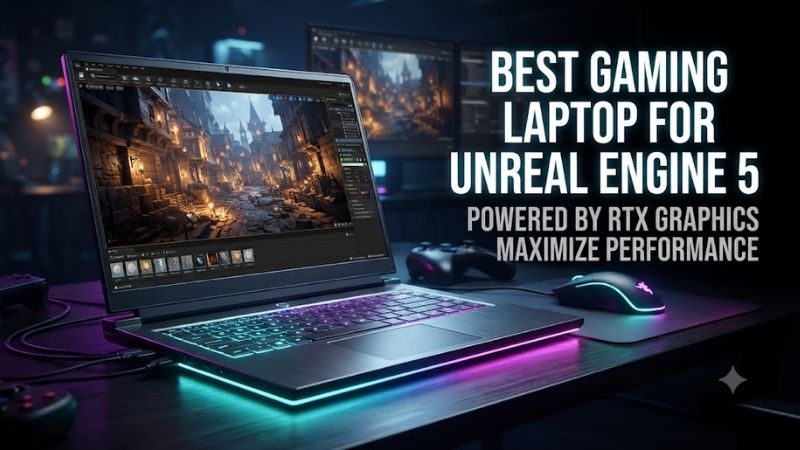
Best Gaming Laptops for Unreal Engine 5 Compared
| Laptop | Best For | GPU Option | Maximum RAM | Display |
|---|---|---|---|---|
| MSI Titan 18 HX A2WJ | Maximum expansion | RTX 5090 Laptop GPU, 24GB | 128GB | 18-inch UHD+ Mini LED |
| ASUS ROG Strix SCAR 18 (2025) | Balanced desktop replacement | RTX 5090 Laptop GPU, 24GB | 64GB | 18-inch 2560 x 1600 |
| AORUS MASTER 16 GEN 2 | Portable high-end development | RTX 5090 Laptop GPU, 24GB | 64GB | 16-inch 2560 x 1600 OLED |
| Acer Predator Helios 18 AI | Large display and RAM expansion | RTX 5090 Laptop GPU, 24GB | 192GB | 18-inch 3840 x 2400 Mini LED |
MSI Titan 18 HX A2WJ — Best for Maximum Expansion
The MSI Titan 18 HX A2WJ is the heavyweight option for developers who want workstation-like headroom in a gaming notebook. Its RTX 5090 Laptop GPU carries 24GB of GDDR7 and can run at up to 175W, while the platform supports very large memory and storage configurations for complex Unreal Engine projects.
Best For: Large UE5 environments, cinematic projects, heavy multitasking
Key Features:
- NVIDIA GeForce RTX 5090 Laptop GPU with 24GB GDDR7
- Up to 175W Maximum Graphics Power
- Up to 128GB DDR5 memory
- Three PCIe Gen4 M.2 slots plus one PCIe Gen5 M.2 slot
- 18-inch UHD+ Mini LED display
- Two Thunderbolt 5 ports
- 400W power adapter
What separates the Titan is expansion capacity rather than portability. MSI lists up to 128GB of DDR5 memory and four M.2 slots, including one PCIe Gen5 slot. That gives teams room for source assets, cached data, multiple engine versions, and large project libraries without relying immediately on external storage.
What Makes It Different: Exceptional internal storage expansion and a much higher RAM ceiling than most gaming laptops.
Pros:
- 24GB VRAM suits demanding scene workloads
- Up to 128GB RAM
- Four M.2 storage slots
- High-power GPU configuration
- Large 18-inch workspace
Cons:
- 3.6 kg chassis
- Large 400W adapter
- Poor choice for frequent commuting
Choose the Titan if your workflow includes dense environments, high-resolution assets, cinematic rendering, frequent shader compilation, or several creative tools beside UE5. Its 18-inch chassis and 400W adapter make it a poor fit for light travel, but the trade-off is unusually high sustained hardware capacity for a laptop.
Use Case: Large Nanite worlds, cinematics, virtual production, shader-heavy projects
Who It’s For: Professional developers who need maximum laptop expansion and rarely work far from a desk.
ASUS ROG Strix SCAR 18 (2025) — Best Balanced Choice
The ROG Strix SCAR 18 (2025) is a strong fit for UE5 developers who want top-tier graphics without the Titan’s extreme expansion focus. ASUS offers configurations up to an RTX 5090 Laptop GPU with 24GB GDDR7 at 175W, paired with Intel’s Core Ultra 9 275HX and up to 64GB of DDR5 memory for demanding projects.
Best For: Game developers balancing UE5 production, gaming, and creative work
Key Features:
- Intel Core Ultra 9 275HX
- Up to GeForce RTX 5090 Laptop GPU with 24GB GDDR7
- 175W GPU configuration
- Up to 64GB DDR5
- Two M.2 PCIe slots
- 18-inch 2560 x 1600 16:10 display
- Two Thunderbolt 5 ports
Its 18-inch 2560 x 1600 Mini LED display gives the editor more usable workspace than a typical 16-inch panel while avoiding the heavier rendering load of a native 4K screen. The system also provides two memory slots and two M.2 slots, so developers can replace or expand storage as projects and asset libraries grow.
What Makes It Different: A large 1600p development workspace paired with full-power RTX 5080 and RTX 5090 options.
Pros:
- Up to 24GB GPU memory
- 175W RTX 5090 configuration
- Large 16:10 display
- Replaceable memory
- Dual M.2 storage support
Cons:
- 64GB maximum RAM is lower than the Titan or Helios
- Large chassis limits portability
The SCAR 18 makes sense for creators who split time between Unreal development, gaming, and visual work on one machine. Its high-power RTX options suit Lumen and Nanite workloads, while the large color-focused display helps with scene inspection. The main compromise is size: this is still a desktop-replacement notebook.
Use Case: Full game projects, level design, environment art, lighting, gameplay development
Who It’s For: Developers who want high-end UE5 performance without prioritizing extreme RAM and storage expansion.
AORUS MASTER 16 GEN 2 — Best for Portable UE5 Development
The AORUS MASTER 16 GEN 2 is the portable-performance choice in this group. Its AMD Ryzen 9 9955HX3D combines 16 cores and 32 threads with RTX 5090 or RTX 5080 Laptop GPU options, while the chassis weighs about 2.3 kg. That balance makes it easier to carry between home, studio, school, and client sites.
Best For: Developers who regularly move between work locations
Key Features:
- AMD Ryzen 9 9955HX3D
- RTX 5090 Laptop GPU option with 24GB GDDR7
- Up to 175W Maximum Graphics Power
- Up to 64GB DDR5
- PCIe Gen5 plus PCIe Gen4 M.2 slots
- 16-inch 2560 x 1600 OLED
- Approximately 2.3 kg
For Unreal Engine 5, the 16-inch AORUS keeps the essentials strong: up to 64GB DDR5 memory, two M.2 storage slots, and a 2560 x 1600 OLED display. The RTX 5090 version provides 24GB GDDR7 at up to 175W, giving large scenes more VRAM headroom than many slimmer creator-focused laptops during local UE5 work.
What Makes It Different: High-end RTX 5090 hardware in a roughly 2.3 kg 16-inch chassis.
Pros:
- 24GB RTX 5090 option
- 16-core, 32-thread CPU
- Lighter than the 18-inch alternatives
- Two M.2 slots
- 2560 x 1600 OLED display
Cons:
- Maximum 64GB system memory
- Less storage expansion than the MSI Titan
Pick this model when mobility matters but you still need serious local rendering and editor performance. The smaller chassis is easier to transport than 18-inch alternatives, yet it retains high-end CPU and GPU options. The trade-off is less maximum memory and storage expansion than the MSI Titan, which suits heavier fixed-desk workflows.
Use Case: Mobile game development, studio work, university projects, client presentations
Who It’s For: Developers who need RTX 5090-class hardware but cannot justify carrying a large 18-inch desktop replacement.
Acer Predator Helios 18 AI — Best for a Large 4K Workspace
The Predator Helios 18 AI PH18-I71-90WJ is built for developers who want a very large, high-resolution workspace. Acer pairs a Core Ultra 9 290HX Plus with an RTX 5090 Laptop GPU carrying 24GB GDDR7 at up to 175W, plus an 18-inch 3840 x 2400 Mini LED display with a 16:10 aspect ratio for detailed editor work.
Best For: Detailed environment work, large editor layouts, memory-heavy workflows
Key Features:
- Intel Core Ultra 9 290HX Plus
- GeForce RTX 5090 Laptop GPU
- 24GB GDDR7
- Up to 175W Maximum Graphics Power
- 32GB installed RAM
- Up to 192GB supported system memory
- 18-inch 3840 x 2400 Mini LED display
- 1TB PCIe Gen5 NVMe SSD on the cited configuration
Its unusual advantage is memory ceiling: Acer lists 32GB installed on this configuration but support for up to 192GB. That can matter for developers who keep Unreal Editor, source-control tools, DCC applications, large reference sets, and other memory-heavy software open together during production work.
What Makes It Different: A 192GB supported memory ceiling combined with an 18-inch 3840 x 2400 Mini LED panel.
Pros:
- Very high maximum RAM capacity
- 24GB RTX 5090 GPU
- 175W Maximum Graphics Power
- Large high-resolution display
- PCIe Gen5 SSD on the referenced model
Cons:
- Approximately 7.72 pounds
- Native 3840 x 2400 resolution increases GPU workload
- Large chassis is difficult to commute with
Choose the Helios 18 AI if screen space and future RAM expansion matter more than portability. The 4K-class panel is useful for detailed scene work, but it also increases pixel load compared with 1600p displays. At roughly 7.72 pounds, this model is better suited to a desk-centered setup than frequent commuting.
Use Case: Environment art, cinematic scenes, DCC-heavy pipelines, large multitasking workflows
Who It’s For: Developers who value high memory capacity and maximum on-screen workspace over portability.
How to Choose a Gaming Laptop for Unreal Engine 5
GPU Performance
GPU choice affects viewport responsiveness, hardware ray tracing, Lumen, path tracing, and other graphics-heavy work. For serious UE5 use, an RTX 5080 Laptop GPU is a strong high-end baseline, while an RTX 5090 Laptop GPU adds more VRAM headroom. Higher wattage also matters because the same GPU name can perform differently across laptops.
VRAM Capacity
VRAM is often the first limit developers feel when scenes become dense with high-resolution textures, Nanite geometry, virtual shadow maps, and ray-traced effects. Epic recommends at least 8GB, while heavier sample content can call for 10GB or more. For ambitious projects, 16GB to 24GB offers more practical breathing room.
CPU Cores
CPU performance matters for shader compilation, C++ builds, asset processing, cooking, and packaging. High-core-count HX processors are preferable when Unreal shares the machine with Visual Studio, Blender, Houdini, or source-control tools. More cores help parallel workloads, but strong cooling is needed to sustain that speed under long builds.
System RAM
System memory determines how comfortably UE5 can coexist with large levels, browsers, DCC tools, IDEs, and background services. Thirty-two gigabytes meets Epic’s general recommendation, but 64GB is a more comfortable target for large productions. Above 64GB becomes useful when workflows involve very large datasets or many heavy apps.
NVMe Storage
A fast NVMe SSD improves project loading, asset access, cache operations, and iteration with data-heavy scenes. Epic specifically recommends SSD storage for demanding Nanite and Virtual Texture samples. Look beyond headline capacity: two or more M.2 slots make it easier to separate the OS, active projects, caches, and archived assets.
Display Resolution and Size
Display choice is a workflow decision, not just a gaming feature. A 1600p 16:10 panel gives useful vertical space with a moderate GPU load, while 3840 x 2400 offers a denser workspace for detailed visual work. Larger 18-inch panels improve editor comfort, but 16-inch systems are easier to carry between locations.
Cooling and GPU Power
Unreal Engine workloads can hold the CPU and GPU under load for much longer than a short gaming burst, so cooling and power limits deserve attention. A high-end GPU running at 175W has more sustained headroom than a lower-power version, but large cooling systems add weight, fan noise, and bulk. Portability is the trade-off.
FAQ
Can a Gaming Laptop Run Unreal Engine 5 Well?
Yes. A gaming laptop can run Unreal Engine 5 well if it has enough GPU power, VRAM, RAM, CPU performance, and cooling. For general development, Epic recommends 32GB RAM and at least 8GB of graphics memory. Large Nanite, Lumen, cinematic, or multi-app workflows benefit from substantially more headroom.
Is 32GB or 64GB RAM Better for Unreal Engine 5?
For most serious UE5 work, 64GB is the practical sweet spot because it leaves room for the editor, IDE, browser tabs, DCC software, source control, and large assets. Thirty-two gigabytes is workable for lighter projects. Very large production scenes or heavy multitasking can justify 96GB, 128GB, or more.
Do I Need an RTX 5090 Laptop for Unreal Engine 5?
An RTX 5090 Laptop GPU is not required for Unreal Engine 5, but its 24GB of VRAM can help with large scenes, high-resolution textures, path tracing, and demanding editor workloads. An RTX 5080 Laptop GPU with 16GB can still be a strong choice. The better fit depends on project scale, portability, and budget.
Is 1600p or 4K Better for Unreal Engine Development?
For most developers, 2560 x 1600 is a balanced laptop resolution because it provides sharp editor space without pushing as many pixels as a 4K-class panel. A 3840 x 2400 display is useful for detailed visual work and a larger desktop area, but it can increase GPU load when the editor runs at native resolution.
Should I Buy a Laptop or Desktop for Unreal Engine 5?
A desktop usually offers better upgrade flexibility, cooling, and performance per dollar, but a laptop is valuable when development must move between home, office, school, studio, or client locations. High-end 16-inch and 18-inch systems can handle serious UE5 work, though they remain less modular than desktop workstations.
Conclusion
The best gaming laptop for Unreal Engine 5 should match your project scale, not just the highest gaming spec. Prioritize VRAM, sustained GPU power, a strong multicore CPU, 64GB-class memory, fast NVMe storage, and adequate cooling. Choose the Titan for expansion, SCAR for balance, AORUS for mobility, or Helios for screen space.
Ready to decide? Our #1 pick for 2026 is the MSI Titan 18 HX A2WJ.
Live price & availability on Amazon.