Table of Contents
- 0.1 🛒 Best Price Today on Amazon
- 1 The Picks at a Glance
- 2 ASUS TUF Gaming A14 (2025): Best for Teachers on the Move
- 3 Lenovo Legion 5 Gen 10 (AMD): Best for Desk-Based Planning
- 4 Acer Nitro V 15 ANV15-52-73JA: Best for Occasional Gaming
- 5 How to Choose a Gaming Laptop for Teaching
- 5.1 Start with Your Classroom Connections
- 5.2 Match the Screen to Your Workday
- 5.3 Treat Battery Claims as a Check, Not a Promise
- 6 FAQ
- 6.1 Do teachers need a dedicated GPU?
- 6.2 Is a 14-inch gaming laptop too small for lesson planning?
- 6.3 Can I game on a laptop I use at school?
- 6.4 Which of these laptops is easiest to carry?
- 7 Conclusion
🛒 Best Price Today on Amazon
Prime members get fast, free shipping on everything above, plus member-only deals. New members get a 30-day free trial — cancel anytime.
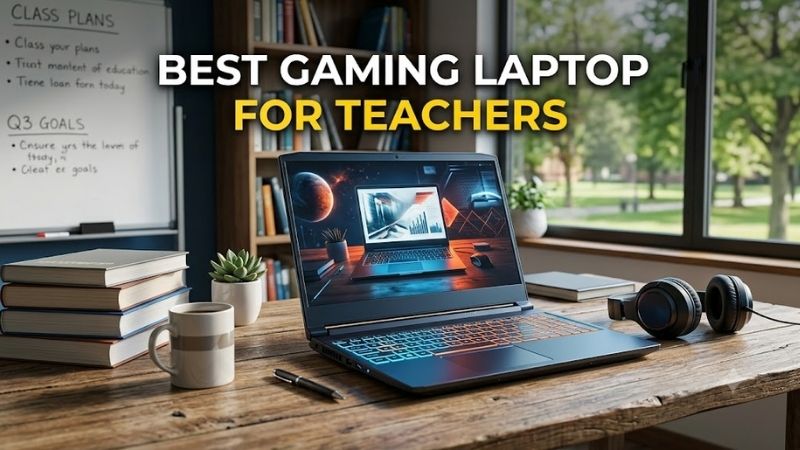
The best gaming laptop for teachers needs to handle presentations, video calls, and long planning sessions before it ever launches a game. The ASUS TUF Gaming A14 is the most portable pick here; the Lenovo Legion 5 offers more screen space; and the Acer Nitro V 15 is worth considering when you want a simpler gaming setup.
Quick answer: For most people in 2026, the best gaming laptop for teachers is the ASUS TUF Gaming A14 (2025) — our #1 rated choice. See the full ranked comparison, alternatives and buying advice below.
The Picks at a Glance
| Laptop | Best for | Classroom advantage | Main trade-off |
|---|---|---|---|
| ASUS TUF Gaming A14 (2025) | Moving between rooms | Compact 14-inch format | Less screen space for side-by-side work |
| Lenovo Legion 5 Gen 10 (AMD) | Planning at one desk | Larger display for documents and slides | Bigger laptop to carry |
| Acer Nitro V 15 ANV15-52-73JA | Occasional gaming | 15-inch screen and dedicated graphics | Check its battery fit for your school day |
Specifications vary by configuration and region. Check the exact listing before buying, especially its GPU, memory, display, ports, and included power adapter.
ASUS TUF Gaming A14 (2025): Best for Teachers on the Move
Best for: Teachers who carry one laptop between classrooms and home.
Key features: A 14-inch form factor and, in listed configurations, an NVIDIA GeForce RTX 5060 Laptop GPU.
The A14’s smaller footprint makes it easier to use on a crowded classroom desk or pack alongside papers and teaching materials. Its dedicated GPU also gives teachers room for gaming after work. The limitation is the compact display: comparing a lesson plan, gradebook, and browser side by side may feel cramped without an external monitor.
What makes it different: It puts gaming hardware in the smallest format of these three picks.
Pros
- Easier to carry between rooms than the larger picks.
- Dedicated graphics for gaming beyond basic integrated graphics.
Cons
- Less space for multiple teaching windows.
- Exact ports, memory, and GPU depend on the configuration.
Use case: Teach in different rooms during the day, then connect to a larger screen for planning or gaming at home.
Who it’s for: A teacher who values portability and is willing to verify that a particular A14 configuration has the connections their classroom requires.
Lenovo Legion 5 Gen 10 (AMD): Best for Desk-Based Planning
Best for: Teachers who spend long sessions writing lessons, building slides, or reviewing student work.
Key features: The Legion 5 Gen 10 is offered with an RTX 5060 Laptop GPU; Lenovo lists an 80Wh battery for a specific Legion 5 15AHP10 configuration. Those details should be checked against the unit you buy.
A larger display gives documents and teaching tools more room than a 14-inch laptop can offer. That matters when you keep reference material open beside a worksheet or presentation. The RTX 5060 also makes this a more purposeful gaming purchase, though the larger chassis is less convenient if you carry your laptop throughout the school day.
What makes it different: It prioritizes working space and gaming hardware over the A14’s compact size.
Pros
- More comfortable screen size for side-by-side tasks.
- Dedicated RTX graphics in listed configurations.
Cons
- Takes more bag and desk space.
- Battery and display details vary by configuration.
Use case: Plan lessons at a desk, connect classroom equipment as needed, and game mainly where power is available.
Who it’s for: A teacher whose laptop usually stays in one classroom or office and who wants a larger screen without relying on an external monitor.
Acer Nitro V 15 ANV15-52-73JA: Best for Occasional Gaming
Best for: Teachers who want a 15-inch work laptop that can also play games.
Key features: Acer lists an NVIDIA GeForce RTX 5050 and an approximate weight of 4.66 lb for the ANV15-52-73JA.
The Nitro V 15 gives you a larger workspace than the A14 and dedicated graphics for gaming outside school hours. Its RTX 5050 makes the most sense if gaming is a secondary use and you do not need to buy for the most demanding settings. At about 4.66 lb, it also deserves a careful look if you walk between buildings every day.
What makes it different: This specific configuration offers a straightforward mix of a 15-inch display and dedicated graphics.
Pros
- Larger display for everyday teaching tasks.
- Clearly identified RTX 5050 configuration.
Cons
- Less convenient to carry than a compact 14-inch laptop.
- Battery suitability needs checking against your workday.
Use case: Prepare lessons and run presentations during the week, then play games at home with the charger nearby.
Who it’s for: A teacher who wants gaming capability but puts ordinary classroom work ahead of maximum graphics performance.
How to Choose a Gaming Laptop for Teaching
Start with Your Classroom Connections
Check what your school actually uses before choosing a GPU. An external display, projector, wired accessories, or USB drive may determine which ports you need each day. Compare the exact laptop configuration with your classroom equipment, including any required adapters. A powerful graphics card cannot fix an inconvenient connection setup.
Match the Screen to Your Workday
A 14-inch laptop is easier to move between rooms, while a 15-inch screen leaves more room for grading, research, and slide editing. If you already use a monitor at your main desk, portability may matter more. If the laptop screen is your only workspace, consider how often you place two documents beside each other before choosing the smaller model.
Treat Battery Claims as a Check, Not a Promise
Gaming laptops can draw substantially more power when playing games than when editing documents. For teaching, check battery information for the exact configuration and plan around the length of time you work away from an outlet. Also consider whether you are willing to carry its charger; classroom power access matters as much as the battery specification.
FAQ
Do teachers need a dedicated GPU?
Teachers do not generally need a dedicated GPU for slides, documents, grading, or video calls. It becomes relevant here because the same laptop will also be used for gaming. Choose the GPU according to the games you play, then check that the laptop still meets your everyday needs for portability, screen space, connections, and battery use.
Is a 14-inch gaming laptop too small for lesson planning?
A 14-inch screen can work well for lesson planning if you usually focus on one document at a time or connect a monitor at your desk. It is less comfortable when you regularly compare sources, spreadsheets, and slides side by side. The A14 is the stronger fit for frequent travel; a 15-inch model gives those windows more room.
Can I game on a laptop I use at school?
Yes, provided the laptop is personally owned and its use follows your school’s device policies. Keep work accounts and files organized, and check whether any required teaching software works with the configuration you select. For the best purchasing decision, judge classroom compatibility first and gaming capability second.
Which of these laptops is easiest to carry?
The ASUS TUF Gaming A14 is the portability pick because its 14-inch format takes up less space than the two 15-inch options. Size alone does not tell you whether it will last through your workday, however. Check the weight, charger, and battery details on the exact listing before deciding what you want to carry.
Conclusion
Choose the ASUS TUF Gaming A14 if you move between rooms, the Lenovo Legion 5 if screen space drives your planning work, or the Acer Nitro V 15 if gaming is an occasional extra. Before ordering, confirm the exact configuration’s ports, memory, display, battery details, and charger against your classroom routine and the games you play.
Ready to decide? Our #1 pick for 2026 is the ASUS TUF Gaming A14 (2025).
Live price & availability on Amazon.