🛒 Best Price Today on Amazon
Prime members get fast, free shipping on everything above, plus member-only deals. New members get a 30-day free trial — cancel anytime.
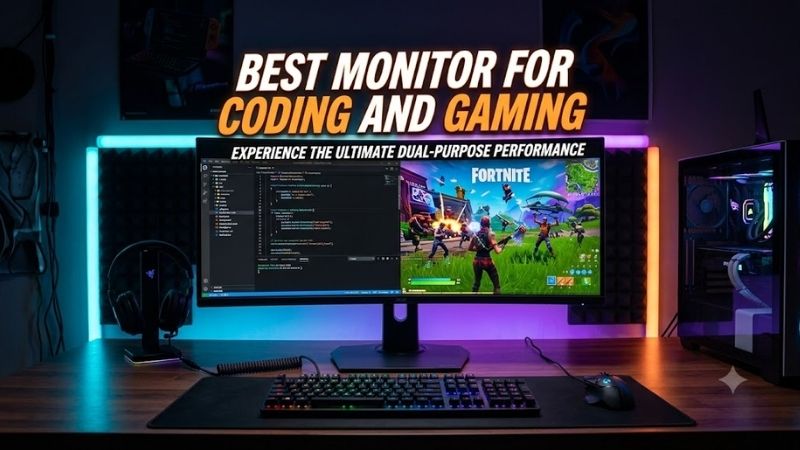
The best monitor for coding and gaming needs sharp text, enough screen space for IDEs, smooth motion for games, and connectivity that fits a modern desk. This roundup focuses on models that balance productivity and play, from 27-inch QHD options to 32-inch 4K displays with high refresh rates and useful USB features.
Quick answer: For most people in 2026, the best monitor for coding and gaming is the ASUS ProArt PA278CGV — our #1 rated choice. See the full ranked comparison, alternatives and buying advice below.
Quick Comparison
| Monitor | Resolution / Refresh | Best For | Key Work Feature | Key Gaming Feature |
|---|---|---|---|---|
| ASUS ProArt PA278CGV | 2560 x 1440 / 144Hz | Balanced coding and gaming | USB-C with 90W PD | Adaptive-Sync |
| Dell UltraSharp U2724DE | 2560 x 1440 / 120Hz | Laptop-heavy coding desks | Thunderbolt 4 and 2.5GbE | 120Hz refresh |
| Gigabyte M32U | 3840 x 2160 / 144Hz | Dual-system 4K setups | KVM | HDMI 2.1 and 144Hz |
| LG UltraGear 32GR93U-B | 3840 x 2160 / 144Hz | Gaming-first 4K users | Large 31.5-inch workspace | G-SYNC Compatible and FreeSync Premium |
ASUS ProArt PA278CGV — Best Balanced Pick
ASUS ProArt PA278CGV is a strong fit for developers who also game because its 27-inch QHD IPS panel combines crisp workspace density with a 144Hz refresh rate. USB-C supports DisplayPort Alt Mode and 90W power delivery, while the ergonomic stand helps with long coding sessions and portrait layouts on demand.
Best For: Developers who want one monitor for coding, creative work, and fast gaming.
Key Features
- 27-inch IPS panel
- 2560 x 1440 resolution
- 144Hz maximum refresh rate
- USB-C with DisplayPort Alt Mode and 90W power delivery
- 100% sRGB and 95% DCI-P3
- Height, swivel, tilt, and pivot adjustment
The useful difference is its balance rather than a single extreme specification. QHD at 27 inches keeps text comfortably sharp without the GPU load of 4K, while 144Hz is fast enough for shooters and general gaming. Its USB-C connection also reduces cable clutter when a compatible laptop handles both work and play.
What Makes It Different: It combines creator-focused connectivity and color features with a gaming-friendly 144Hz refresh rate instead of forcing you to choose between a conventional office display and a gaming monitor.
Pros
- 144Hz is notably smoother than 60Hz office displays
- USB-C can carry video, data, and laptop power
- Fully adjustable stand supports ergonomic coding setups
- Factory-focused color features suit design work too
Cons
- QHD provides less workspace than 4K at the same scaling
- It is not aimed at users seeking very high esports refresh rates
Use Case: A single-monitor desk shared between a USB-C laptop and a gaming PC.
Who It’s For: Programmers, designers, and mixed-use users who want balanced specifications without moving to a large 32-inch screen.
Dell UltraSharp U2724DE — Best for Laptop Coding Setups
Dell UltraSharp U2724DE targets productivity first, but its 120Hz QHD panel makes desktop motion and casual gaming noticeably smoother than a standard 60Hz office monitor. Thunderbolt 4, a broad USB hub, 2.5GbE, and full stand adjustment make it especially useful for laptop-based coding setups every day.
Best For: Developers who want a dock-like monitor with smoother-than-office refresh.
Key Features
- 27-inch IPS Black panel
- 2560 x 1440 at up to 120Hz
- Thunderbolt 4
- 2.5GbE Ethernet
- 2000:1 typical contrast ratio
- Height, tilt, swivel, and pivot adjustment
Its main advantage is desk consolidation. A compatible laptop can use the monitor as a display and connectivity hub, reducing the need for a separate dock. The 120Hz refresh rate helps scrolling and gaming feel fluid, but the monitor remains productivity-led, with no HDR support and a slower response profile than gaming-first models.
What Makes It Different: The U2724DE concentrates on workstation connectivity more than gaming extras, making it particularly useful when the same desk must handle coding, networking, peripherals, and occasional gaming.
Pros
- Strong hub connectivity for workstations
- 120Hz refresh improves motion clarity and desktop feel
- IPS Black panel offers higher native contrast than typical IPS
- Excellent stand flexibility for long work sessions
Cons
- QHD offers less coding space than 4K
- No HDR support
- Not designed for competitive high-refresh gaming
Use Case: A Thunderbolt laptop workstation that also handles strategy, RPG, indie, and casual PC gaming.
Who It’s For: Developers who prioritize connectivity, ergonomics, and workday convenience more than maximum gaming speed.
Gigabyte M32U — Best 4K Monitor for Coding and Gaming
Gigabyte M32U gives programmers a large 31.5-inch 4K workspace while retaining a 144Hz refresh rate for gaming. Its KVM feature can simplify switching one keyboard and mouse between two systems, and HDMI 2.1 plus DisplayPort 1.4 make it flexible for a gaming PC, console, and work machine on one desk.
Best For: Users who want 4K text clarity, a large desktop, and easy switching between systems.
Key Features
- 31.5-inch SS IPS panel
- 3840 x 2160 resolution
- 144Hz maximum refresh rate
- Built-in KVM
- Two HDMI 2.1 ports
- DisplayPort 1.4 with DSC
- USB-C input
For coding, the M32U’s 4K canvas gives more room for a code editor, terminal, documentation, and browser without relying on a second display. For gaming, 144Hz and adaptive gaming features suit modern GPUs well. The trade-off is that native 4K gaming demands considerably more graphics performance than QHD.
What Makes It Different: Its combination of 4K, 144Hz, multiple modern display inputs, and KVM functionality is particularly useful when a work computer and gaming system must share the same peripherals and screen.
Pros
- Large 4K workspace supports dense multitasking
- 144Hz refresh works well for fast games
- KVM is valuable for work-PC and gaming-PC setups
- HDMI 2.1 improves compatibility with current consoles
Cons
- 4K gaming requires a stronger GPU
- 31.5 inches needs more desk depth than a 27-inch display
- USB-C is less dock-focused than productivity-first monitors
Use Case: A dual-computer workstation where one monitor serves a work laptop or desktop plus a gaming system.
Who It’s For: Developers who value screen space and device switching as much as gaming performance.
LG UltraGear 32GR93U-B — Best Gaming-First 4K Option
LG UltraGear 32GR93U-B is built more heavily around gaming, pairing a 31.5-inch 4K IPS panel with 144Hz refresh, 1ms GtG response time, G-SYNC Compatible support, and FreeSync Premium. For coding, the 4K resolution gives ample room for editors, terminals, documentation, and browser windows at once.
Best For: Developers who spend substantial time gaming and want a fast 4K IPS panel.
Key Features
- 31.5-inch IPS panel
- 3840 x 2160 resolution
- 144Hz maximum refresh rate
- 1ms GtG response time
- G-SYNC Compatible
- AMD FreeSync Premium
- VESA DisplayHDR 400
- Height, tilt, and pivot adjustment
The difference from productivity-oriented alternatives is its gaming emphasis. Variable refresh support and fast pixel response suit action games better, while the 4K panel still provides detailed text and a spacious desktop. Its limitation is weaker workstation connectivity, so laptop users may still need a separate dock for a one-cable desk.
What Makes It Different: It prioritizes gaming responsiveness and variable refresh technology while retaining the resolution and physical screen area needed for serious development work.
Pros
- 4K resolution provides detailed text and workspace
- 144Hz plus VRR suits modern PC gaming
- Fast IPS response specification favors motion clarity
- Adjustable stand supports workday positioning
Cons
- Lacks the dock-style connectivity of the Dell
- 4K at 144Hz places heavy demand on the GPU
- 32-inch size may feel oversized on shallow desks
Use Case: A desktop gaming PC that doubles as a coding workstation, especially for users who prefer one large display.
Who It’s For: Programmers who place gaming response and VRR ahead of laptop docking features.
How to Choose the Best Monitor for Coding and Gaming
Resolution and Screen Size
For most people, 27-inch QHD is the easiest balance because text remains sharp, UI scaling is simple, and games are less demanding to render than at 4K. A 31.5-inch 4K monitor gives more usable workspace and finer text, but it costs more GPU performance if you want to game at native resolution and high refresh.
Refresh Rate
A 120Hz or 144Hz monitor is useful even outside games because cursor movement, scrolling, window animations, and code navigation feel smoother. For mixed coding and gaming, this range offers a practical step up from 60Hz without pushing toward specialized 240Hz or faster panels that may trade away resolution or work features.
Connectivity
USB-C or Thunderbolt matters when coding on a laptop because one cable can simplify video, data, peripherals, and charging when the monitor supports those functions. A KVM is useful when you switch between separate work and gaming systems. Desktop-only users may care more about DisplayPort and HDMI bandwidth than docking features.
Panel Type and Text Use
IPS remains a safe fit for coding because it offers stable viewing angles and consistent color across the screen. OLED can deliver deeper blacks and faster response, but static IDE elements, taskbars, and browser chrome make long-term burn-in considerations more relevant for heavy productivity use, so this roundup focuses on IPS-based choices.
Ergonomics
Height adjustment matters more than many gaming specifications during an eight-hour coding day. Your eyes should sit near the upper portion of the screen without forcing your neck upward or downward. Pivot is useful for logs or long files, while swivel helps shared desks. A VESA arm can improve positioning when desk space is limited.
FAQ
Is 4K better than QHD for coding and gaming?
4K gives you finer text and more workspace, which is valuable for split editors, terminals, documentation, and browser windows. The trade-off is gaming load: rendering at 3840 x 2160 requires substantially more GPU power than 2560 x 1440. QHD is often easier to drive at high frame rates on midrange hardware.
Is 144Hz useful for coding?
Yes. A 144Hz display does not make code compile faster, but scrolling, cursor movement, window dragging, and UI animations appear smoother than on a 60Hz screen. That can make the desktop feel more responsive during long sessions. It also gives you a strong refresh rate for gaming without requiring an esports-focused monitor.
Is 27 inches or 32 inches better for programming?
A 27-inch monitor is easier to fit on smaller desks and pairs naturally with QHD, while 32 inches gives 4K more physical room and can reduce the need for a second display. The right choice depends on viewing distance and scaling preference. If you sit close to the screen, 27 inches can feel more comfortable for full-day use.
Should I choose USB-C or Thunderbolt for a coding monitor?
Choose USB-C when you mainly need video, charging, and a basic USB hub from one laptop cable. Thunderbolt is more useful when you want higher-bandwidth peripherals, richer hub functions, or advanced multi-device workflows. Desktop gaming PCs do not benefit as much unless the same monitor also serves a work laptop.
Is OLED a good choice for coding and gaming?
OLED is excellent for gaming motion, contrast, and dark-scene performance, but coding keeps static interface elements on screen for long periods. Modern OLED monitors use protection features, yet burn-in remains a consideration for heavy productivity use. IPS is the more conservative choice when coding occupies most of the workday.
Conclusion
The best monitor for coding and gaming depends on how you split work and play. ASUS PA278CGV offers the most balanced 27-inch setup, Dell U2724DE favors laptop productivity, Gigabyte M32U combines 4K with a useful KVM, and LG 32GR93U-B puts gaming performance first while keeping a spacious 4K coding desktop.
Ready to decide? Our #1 pick for 2026 is the ASUS ProArt PA278CGV.
Live price & availability on Amazon.