🛒 Best Price Today on Amazon
Prime members get fast, free shipping on everything above, plus member-only deals. New members get a 30-day free trial — cancel anytime.
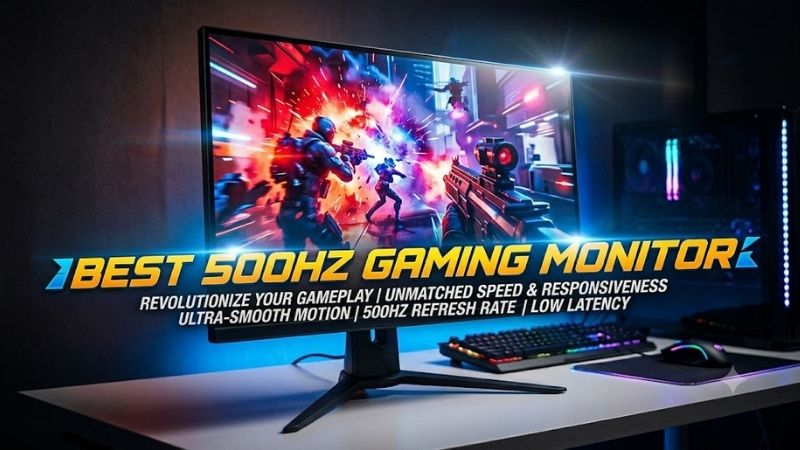
Looking for the best 500Hz gaming monitor means prioritizing motion clarity, input responsiveness, and a GPU fast enough to feed extremely high frame rates. This roundup compares verified 500Hz models for competitive FPS players, while also weighing QHD OLED image quality, Full HD speed, connectivity, and practical trade-offs.
Quick answer: For most people in 2026, the best 500hz gaming monitor is the Samsung Odyssey OLED G6 G60SF — our #1 rated choice. See the full ranked comparison, alternatives and buying advice below.
Best 500Hz Gaming Monitors Compared
The current 500Hz market splits into two clear camps: 27-inch QHD QD-OLED models that combine elite refresh rates with richer image quality, and 24.5-inch Full HD IPS designs built around esports practicality. Your best fit depends on frame rate, desk distance, game type, GPU output, and whether OLED care matters to you.
| Monitor | Panel | Resolution | Maximum Refresh Rate | Response Time | Best For |
|---|---|---|---|---|---|
| Samsung Odyssey OLED G6 G60SF | QD-OLED | 2560 × 1440 | 500Hz | 0.03ms GtG | Balanced QHD esports gaming |
| MSI MPG 271QR QD-OLED X50 | QD-OLED | 2560 × 1440 | 500Hz | 0.03ms GtG | High-end connectivity and PC setups |
| AORUS FO27Q5P | QD-OLED | 2560 × 1440 | 500Hz | 0.03ms GtG | Tactical gaming features |
| ASUS ROG Swift OLED PG27AQDPR | Tandem QD-OLED | 2560 × 1440 | 500Hz | — | Premium QHD competitive gaming |
| Alienware AW2524HF | Fast IPS | 1920 × 1080 | 500Hz OC | 0.5ms minimum GtG | Focused Full HD esports setups |
Samsung Odyssey OLED G6 G60SF
Best For: QHD esports gaming with strong image quality
Samsung’s Odyssey OLED G6 G60SF pairs a 27-inch QHD QD-OLED panel with a maximum 500Hz refresh rate and a rated 0.03ms GtG response time. That combination targets players who want esports-class motion clarity without giving up the sharper 2560×1440 image, deep OLED blacks, or wide color performance expected from a premium gaming display.
Its practical appeal is the balance between speed and everyday image quality. G-SYNC Compatible support, FreeSync Premium Pro, DisplayHDR True Black 500, HDMI 2.1, and a height-adjustable pivot stand make it flexible beyond pure FPS play. The main trade-off is OLED ownership: static desktop content still rewards sensible panel-care habits.
Key Features
- 27-inch QD-OLED panel
- 2560 × 1440 QHD resolution
- Maximum 500Hz refresh rate
- 0.03ms GtG rated response time
- VESA DisplayHDR True Black 500
- G-SYNC Compatible
- AMD FreeSync Premium Pro
- 2 × HDMI 2.1
- 1 × DisplayPort 1.4
- Height, swivel, tilt, and pivot adjustments
What Makes It Different
Samsung launched the G60SF as the first 500Hz OLED gaming monitor, combining an extreme esports refresh rate with QHD QD-OLED rather than using the lower-resolution TN or IPS formats traditionally associated with ultra-high refresh displays. That makes it particularly relevant for gamers who divide their time between competitive shooters and visually richer PC games.
Pros
- QHD resolution with a true 500Hz maximum refresh rate
- Extremely fast OLED pixel response
- Strong black levels and HDR capability
- FreeSync Premium Pro and G-SYNC Compatible support
- Fully adjustable stand
- HDMI 2.1 connectivity
Cons
- No USB-C video input
- OLED requires more attention to persistent static content
- QHD at extremely high frame rates demands powerful hardware
Use Case
Choose the Odyssey OLED G6 when your gaming library includes competitive shooters but you also want a premium display for racing games, RPGs, media, and general PC use. Its QHD resolution gives a 27-inch desktop substantially more usable detail than 1080p, while 500Hz leaves enough refresh headroom for exceptionally fast esports titles.
Who It’s For
The G60SF fits high-end PC gamers who want one monitor rather than separate esports and general-purpose displays. It is especially relevant if you can push Counter-Strike 2, Valorant, Overwatch 2, or similar games to very high frame rates but still care about OLED contrast, HDR presentation, QHD sharpness, and adaptive-sync support.
MSI MPG 271QR QD-OLED X50
Best For: DisplayPort 2.1 connectivity and multi-device setups
The MSI MPG 271QR QD-OLED X50 is a 26.5-inch QHD QD-OLED monitor rated for 500Hz and 0.03ms GtG. Its standout connectivity is DisplayPort 2.1a UHBR20, which gives PC builders a high-bandwidth path to 2560×1440 at 500Hz, while two HDMI 2.1 ports and USB-C with DisplayPort Alt Mode add broader device flexibility.
MSI also layers in OLED Care 3.0, an AI Care Sensor, G-SYNC Compatible support, FreeSync Premium Pro, and DisplayHDR True Black 500. This makes the X50 especially attractive for a high-end PC that doubles as a gaming and productivity station. Its extra features matter most if you will actually use USB-C, KVM-style switching, or advanced I/O.
Key Features
- 26.5-inch QD-OLED panel
- 2560 × 1440 resolution
- 500Hz refresh rate
- 0.03ms GtG response time
- DisplayPort 2.1a UHBR20
- 2 × HDMI 2.1
- USB-C with DisplayPort Alt Mode and up to 98W Power Delivery
- G-SYNC Compatible
- FreeSync Premium Pro
- DisplayHDR True Black 500
- OLED Care 3.0
What Makes It Different
The X50 places more emphasis on high-bandwidth connectivity than many competing 500Hz displays. DisplayPort 2.1a UHBR20 supports up to 80Gbps of bandwidth, while USB-C video and power delivery make the monitor easier to integrate into a mixed desktop containing a gaming PC, laptop, peripherals, and other devices.
Pros
- Native QHD 500Hz QD-OLED panel
- DisplayPort 2.1a UHBR20
- Full-bandwidth HDMI 2.1
- USB-C with 98W Power Delivery
- OLED protection features
- Adaptive-sync support
- Three-year burn-in warranty stated by MSI
Cons
- Connectivity advantages may be unnecessary for simple single-PC setups
- OLED still requires appropriate long-term care
- Extreme QHD frame rates require premium CPU and GPU performance
Use Case
The MSI is particularly useful in a modern battlestation where one display handles competitive PC gaming, console input, and a USB-C laptop. Players can pursue 500Hz on the gaming system while retaining HDMI 2.1 and USB-C options, making the monitor more versatile than models designed almost exclusively around one DisplayPort-connected desktop PC.
Who It’s For
Consider the X50 if your system is already built around current high-end hardware and you want connectivity that will not become an obvious bottleneck. Its combination of DP 2.1a, HDMI 2.1, USB-C, QD-OLED, QHD, and 500Hz makes the most sense for enthusiasts who will genuinely use both its competitive speed and its broader workstation features.
AORUS FO27Q5P
Best For: Competitive features and DisplayPort 2.1
The AORUS FO27Q5P combines a 27-inch QHD QD-OLED panel, 500Hz refresh rate, and 0.03ms GtG response time with DisplayPort 2.1 UHBR20. It also supports 99% DCI-P3 coverage, VESA DisplayHDR True Black 500, and ClearMR 21000, so it is aimed at buyers who want competitive speed without reducing the monitor to a single-purpose esports screen.
What separates the AORUS is its gaming-focused control set. Tactical Switch 2.0 can quickly change display behavior, including a smaller competitive viewing format, while KVM support, multiple DisplayPort options, and OLED Care broaden its desktop role. The trade-off is complexity: buyers who only need 500Hz may not use many of these extras.
Key Features
- 27-inch QD-OLED
- 2560 × 1440 QHD
- Maximum 500Hz refresh rate
- 0.03ms GtG
- DisplayPort 2.1 UHBR20
- Mini DisplayPort 2.1 UHBR20
- 2 × HDMI 2.1
- USB-C DisplayPort Alt Mode
- KVM
- Tactical Switch 2.0
- ClearMR 21000
- DisplayHDR True Black 500
- 99% DCI-P3
What Makes It Different
Gigabyte adds unusually extensive gaming controls around the 500Hz panel rather than relying on refresh rate alone. Tactical Switch 2.0 can rapidly alter the viewing format for competitive play, while the monitor also provides Night Vision, Game Assist, OLED VRR Anti-Flicker, KVM functionality, and multiple high-bandwidth DisplayPort connections.
Pros
- QHD 500Hz QD-OLED
- DisplayPort 2.1 UHBR20
- Broad selection of video inputs
- Tactical competitive features
- KVM support
- Strong OLED color and contrast
- Three-year warranty including burn-in according to Gigabyte
Cons
- Large feature set may be excessive for minimalist esports setups
- USB-C Power Delivery is more limited than MSI’s implementation
- OLED care remains relevant for static desktop usage
Use Case
The FO27Q5P suits players who frequently change between competitive and conventional gaming configurations. A smaller competitive viewing format can help users accustomed to compact esports screens, while native QHD remains available for everyday gaming. Its extra ports and KVM functionality also make it useful when multiple computers share one desk.
Who It’s For
This AORUS model is aimed at enthusiasts who enjoy tuning their monitor rather than leaving every setting untouched. It makes particular sense for gamers who want DP 2.1 bandwidth, QD-OLED image quality, 500Hz speed, configurable competitive features, and enough connectivity to manage several display sources without constantly swapping cables.
ASUS ROG Swift OLED PG27AQDPR
Best For: Premium OLED esports setups
The ROG Swift OLED PG27AQDPR uses a 27-inch-class Tandem QD-OLED panel at 2560×1440 with a maximum 500Hz refresh rate. ASUS lists Adaptive-Sync, G-SYNC Compatible certification, two HDMI 2.1 ports, DisplayPort 1.4 with DSC, and a three-year warranty including panel burn-in, giving it a strong mix of speed and OLED safeguards.
This model makes sense for competitive players who also care about premium HDR, color, and daily desktop use. The 500Hz ceiling is available over both HDMI and DisplayPort according to ASUS specifications, while DisplayWidget Center and aspect controls add tuning convenience. Unlike newer DP 2.1 models, however, it relies on DP 1.4 with DSC.
Key Features
- 27-inch-class Tandem QD-OLED
- 2560 × 1440 resolution
- Maximum 500Hz refresh rate
- 2 × HDMI 2.1
- DisplayPort 1.4 with DSC
- G-SYNC Compatible
- Adaptive-Sync
- Aspect Control
- DisplayWidget Center
- 100 × 100mm VESA support
- Three-year warranty including burn-in
What Makes It Different
ASUS focuses on the display experience and software controls rather than making DP 2.1 the headline feature. The Tandem QD-OLED panel, aspect controls, DisplayWidget Center, Adaptive-Sync implementation, and stated burn-in warranty position the PG27AQDPR as a premium gaming display that happens to reach an exceptionally high refresh rate.
Pros
- QHD resolution with 500Hz maximum refresh
- Tandem QD-OLED panel
- G-SYNC Compatible
- HDMI 2.1
- Useful aspect-ratio controls
- Three-year warranty including panel burn-in
Cons
- DisplayPort 1.4 uses DSC instead of DP 2.1 UHBR20
- Fewer workstation-style connectivity features than the MSI
- OLED requires appropriate care with persistent static content
Use Case
The ASUS is a logical match for players already invested in a premium ROG gaming setup who want 500Hz performance without dropping to Full HD. Its aspect controls also matter to competitive users who prefer a smaller or differently scaled playing area, while QHD keeps text, desktop work, and graphically detailed games noticeably sharper than 1080p.
Who It’s For
Choose the PG27AQDPR when display technology, gaming controls, adaptive sync, and premium QHD presentation matter more to you than having DisplayPort 2.1. It is particularly relevant for high-end gaming PCs capable of very high frame rates and for players who want one screen that can cover both esports and visually demanding games.
Alienware AW2524HF
Best For: High-fps Full HD competitive gaming
Alienware’s AW2524HF takes a different route: a 24.5-inch Fast IPS panel at 1920×1080, with DisplayPort supporting up to 500Hz in overclocked mode and 480Hz otherwise. The lower resolution is easier for a powerful esports PC to drive at extreme frame rates, which can be more useful in Counter-Strike 2 or Valorant than QHD eye candy.
Its IPS panel avoids OLED burn-in concerns and the compact 24.5-inch size keeps more of the battlefield inside central vision at close desk distances. Dell also provides height, swivel, pivot, and tilt adjustment plus FreeSync Premium. The trade-off is obvious: Full HD looks less detailed than QHD, and HDMI is limited to 255Hz on this model.
Key Features
- 24.5-inch Fast IPS
- 1920 × 1080 Full HD
- 480Hz native DisplayPort operation
- Up to 500Hz DisplayPort overclock
- HDMI up to 255Hz
- 0.5ms minimum GtG specification
- AMD FreeSync Premium
- VESA Adaptive-Sync
- Height adjustment
- Tilt, swivel, and pivot support
What Makes It Different
The AW2524HF prioritizes achievable esports frame rates rather than combining 500Hz with a higher-resolution OLED panel. Running at 1920×1080 reduces GPU workload compared with QHD, while its 24.5-inch format mirrors the compact screen dimensions widely used for competitive shooters where rapid scanning and consistent frame delivery matter.
Pros
- Full HD is easier to drive at extreme frame rates
- Compact 24.5-inch esports-friendly format
- No OLED burn-in concern
- Highly adjustable stand
- FreeSync Premium and Adaptive-Sync
- Multiple DisplayPort inputs
Cons
- 500Hz requires DisplayPort overclock mode
- HDMI is limited to 255Hz
- Full HD is noticeably less detailed than QHD on the desktop
- IPS contrast cannot match QD-OLED
Use Case
The AW2524HF is built for players who reduce graphics settings intentionally and care more about frame delivery, latency, and visibility than HDR or maximum image detail. It pairs naturally with esports games where modern processors and graphics cards can generate several hundred frames per second, especially at competitive 1080p settings.
Who It’s For
Pick the Alienware if competitive shooters dominate your gaming time, you prefer the familiar 24.5-inch tournament-style format, or you do not want OLED maintenance considerations. It is also the more straightforward choice when sustaining high frame rates at 2560×1440 would place too much load on your existing GPU or processor.
Which 500Hz Gaming Monitor Should You Choose?
For most high-end gaming PCs, the first decision is not brand but panel strategy. Choose QHD QD-OLED if you want 500Hz plus stronger contrast, HDR, color, and sharper general use. Choose the AW2524HF if your priority is maximizing achievable frame rate at 1080p, avoiding OLED care, and keeping the compact screen format common in esports setups.
| Priority | Monitor to Consider |
|---|---|
| QHD OLED with straightforward gaming features | Samsung Odyssey OLED G6 G60SF |
| DP 2.1 plus USB-C and strong connectivity | MSI MPG 271QR QD-OLED X50 |
| Tactical controls and extensive DisplayPort options | AORUS FO27Q5P |
| Premium ROG QHD OLED experience | ASUS ROG Swift OLED PG27AQDPR |
| Compact Full HD esports setup | Alienware AW2524HF |
500Hz Gaming Monitor Buying Guide
Can Your PC Actually Use 500Hz?
A 500Hz monitor is only fully useful when the PC can render very high frame rates in the games you actually play. Lightweight esports titles are the realistic target; demanding single-player games usually run far below 500 fps. Lowering resolution, visual settings, and CPU bottlenecks often matters more than buying a faster graphics card alone.
QHD vs Full HD at 500Hz
At 500Hz, QHD creates a much heavier data and rendering load than Full HD, but it also produces a noticeably denser image on a 27-inch screen. Players who mix competitive shooters with RPGs, racing games, browsing, or content work gain more from QHD. Pure esports users may prefer 1080p because sustaining higher fps is simpler.
QD-OLED vs IPS
QD-OLED panels offer near-instant pixel response, deep blacks, strong viewing angles, and vivid color, which pairs naturally with very high refresh rates. Their limitation is long-term sensitivity to persistent static elements, so taskbars, HUDs, and fixed desktop windows need attention. Built-in protection helps, but sensible usage still matters.
Check How 500Hz Is Connected
Check how the monitor reaches 500Hz before buying. Some models use DisplayPort 2.1 UHBR20, others use HDMI 2.1 or DisplayPort 1.4 with DSC, while the Alienware reaches 500Hz only through DisplayPort overclocking. Your GPU output, cable, selected resolution, and monitor settings must all support the intended refresh mode.
FAQ
Is 500Hz Noticeably Better Than 240Hz or 360Hz?
For competitive gaming, 500Hz can improve motion sampling and reduce the time between displayed frames compared with 240Hz or 360Hz, but the gain becomes increasingly subtle. It matters most when your PC sustains very high fps, your game benefits from rapid visual updates, and you already have strong aim, positioning, and low-latency peripherals.
Do You Need 500 FPS for a 500Hz Monitor?
No. A 500Hz monitor can refresh up to 500 times per second, but the GPU does not need to produce exactly 500 fps for the display to function. You still benefit from low-latency output below that ceiling, especially with variable refresh support. The closer your sustained frame rate gets to the refresh limit, the more fully you use the panel.
Is QHD Worth It on a 500Hz Gaming Monitor?
For 500Hz esports gaming, QHD is worthwhile when your system can deliver very high frame rates and you also value sharper desktop text, richer single-player visuals, and a larger 27-inch workspace. Full HD remains easier to drive and can be more practical for tournament-style shooters where frame rate consistency matters more than image detail.
Is OLED Better Than IPS for 500Hz Gaming?
OLED is not automatically better for every 500Hz buyer. QD-OLED delivers faster pixel transitions, stronger contrast, and better HDR than typical IPS, but IPS avoids burn-in concerns and can fit a simpler esports workflow. Your decision should reflect game mix, static desktop use, preferred screen size, and willingness to follow OLED care routines.
What Games Benefit Most From a 500Hz Monitor?
A 500Hz monitor makes the most sense for players focused on Counter-Strike 2, Valorant, Overwatch 2, Rainbow Six Siege, and other games that can reach very high frame rates on strong hardware. For cinematic titles or graphically heavy games, a slower high-resolution display may use your budget more effectively because 500 fps is rarely realistic.
Conclusion
The best 500Hz gaming monitor depends on whether you value QHD OLED image quality or a focused Full HD esports setup. Samsung, MSI, Gigabyte, and ASUS now offer 500Hz QD-OLED options with different connectivity and gaming features, while Alienware’s AW2524HF remains a practical IPS route for high-fps competitive play.
Ready to decide? Our #1 pick for 2026 is the Samsung Odyssey OLED G6 G60SF.
Live price & availability on Amazon.