
🛒 Best Price Today on Amazon
Prime members get fast, free shipping on everything above, plus member-only deals. New members get a 30-day free trial — cancel anytime.
- Charging is not the same as TV mode
- Does the Nintendo Switch 2 come with the dock?
- What comes in the official Nintendo Switch 2 Dock Set?
- Switch 2 dock ports and features at a glance
- Can you reuse the original dock, adapter, or HDMI cable?
- Controllers and USB accessories
- Wired internet, cameras, and other dock connections
- Best way to set up a second TV
- Placement, ventilation, and TV settings
- Third-party dock risk: what is and is not known
- How system updates have affected third-party docks
- Troubleshooting boundaries
- Compact decision matrix
- Official replacement parts if you only lost one piece
- Who should buy the official Dock Set?
- FAQ
- Sources
- Related Guides
| Item | Compatibility verdict | What it actually means |
|---|---|---|
| Official Nintendo Switch 2 dock | Compatible | The correct dock for Switch 2 TV mode. |
| Official Nintendo Switch 2 Dock Set | Compatible | Complete second-TV or replacement setup. |
| Original Nintendo Switch dock | Not compatible | Do not use it to dock a Switch 2. |
| Original Nintendo Switch AC adapter | Charging only, with limits | It can charge Switch 2 when connected directly, but it cannot power Switch 2 TV mode. |
| HDMI cable included with original Switch | Not compatible | Nintendo says the cable standards differ; use the Ultra High-Speed HDMI cable supplied with Switch 2. |
| Original Switch Pro Controller | Compatible | Pairs wirelessly and can charge from a Switch 2 dock by USB cable. |
| Original Joy-Con | Partly compatible | Works wirelessly, but cannot attach to or charge from Switch 2. |
| Nintendo GameCube Controller Adapter | Compatible | Connects to a USB port on the Switch 2 dock in TV mode. |
| Unverified third-party dock | Not established | Check exact Switch 2 support, region, firmware notes, and warranty terms before buying. |
Does the Nintendo Switch 2 come with the dock? Yes, every console includes one Switch 2 dock, and it is the only kind of dock Nintendo lists for TV mode. The short answer on compatibility is simple: Nintendo Switch 2 needs a Switch 2 dock for TV mode. An original Switch dock is not a substitute, even if some older controllers and USB accessories still work. Nintendo’s official compatibility page draws an especially important line between charging the console and running it in TV mode.
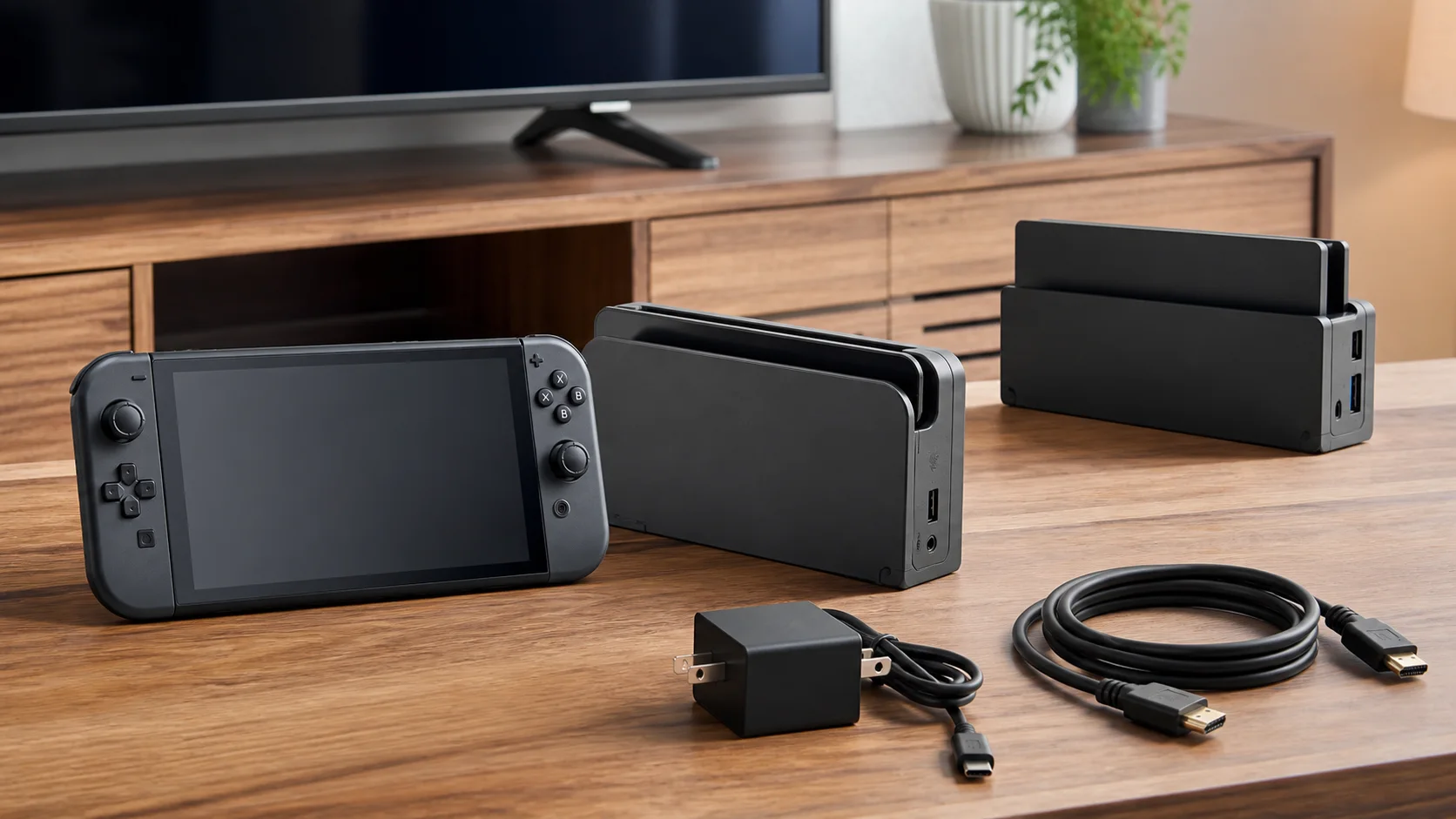
Dock-compatibility illustration; not product photography or proof that accessories were tested.
The two dock cards below are third-party products, not Nintendo accessories, and Nintendo does not list them as compatible with Switch 2. Nintendo’s own Dock Set is not linked in this guide. If you consider either one, confirm four things on the listing first: the exact model name states Nintendo Switch 2 support; the listing names its power adapter (accessory makers say TV mode needs a 20V power input); the maker publishes firmware or compatibility notes for system updates; and the return policy covers a dock that gives no picture. Be skeptical of any listing that promises 4K at 120Hz, because Nintendo lists Switch 2 TV output up to 4K at 60 fps, with 120 fps at 1080p and 1440p. Keep the dock from your console box as your fallback.

SIWIQU for Nintendo Switch 2 Dock, Portable Switch 2 TV Docking Station | 4K@120Hz HDMI, 100W PD Fast Charging, 2 USB-A Ports, Charge While Playing, TV/Tabletop Mode Button
Included for 'Nintendo Switch 2 Dock Compatibility Guide' as a representative gaming product in this roundup; selection reflects the product set returned for this topic.
View on Amazon
TV Dock Station for Switch 2,Replacement for Official Switch 2 Dock.Switch 2 Docking Station Supports 4K@120Hz HD Output with 20V/3A Power Adapter and Cable
Included for 'Nintendo Switch 2 Dock Compatibility Guide' as a representative gaming product in this roundup; selection reflects the product set returned for this topic.
View on AmazonUpdated October 2026 – Nintendo’s compatibility guidance rechecked, outdated dock cards replaced, and answers added for the most common reader questions.
Charging is not the same as TV mode
This distinction prevents most buying mistakes. A USB-C power source can sometimes charge a console without meeting the dock’s requirements for video output. Nintendo says the original Nintendo Switch AC adapter can charge a Switch 2 only when plugged directly into the console. Because its power output differs, that adapter cannot be used for Switch 2 TV mode.
That limited charging support does not make the old dock compatible. Nintendo separately lists the original Nintendo Switch dock as not compatible with Switch 2. For a TV setup, treat the dock, power supply, cable, and console as a matched chain: Switch 2 dock, Switch 2 AC adapter and USB-C charging cable, and the supplied Ultra High-Speed HDMI cable.
Does the Nintendo Switch 2 come with the dock?
Yes. Every Nintendo Switch 2 console includes one Switch 2 dock, so you only need a separate Dock Set to replace a missing setup or to leave a second complete connection at another TV.
The dock in the box is the one that runs TV mode. The original Switch dock is not a substitute, and a Switch 2 dock is not meant to be shared with an original Switch. Check your regional box contents for the AC adapter and HDMI cable, because packaging and bundles can differ by market.
What comes in the official Nintendo Switch 2 Dock Set?
Nintendo positions the official Dock Set as either a replacement or an easy way to add a second TV. According to Nintendo’s Switch 2 accessories listing, the set includes:
- Nintendo Switch 2 dock
- Nintendo Switch 2 AC adapter
- USB-C charging cable
- Ultra High-Speed HDMI cable
The Switch 2 console package already includes one Switch 2 dock, so the separate set is mainly for replacing a missing setup or leaving another complete connection at a second display. It is not an extra console, controller, or LAN cable bundle.
The Switch 2 technical specifications list two USB 2.0-compatible ports on the dock’s side, plus the system connector, AC adapter port, HDMI port, and LAN port. TV mode supports HDMI output up to 4K at 60 fps, while 1080p and 1440p selections can support 120 fps. Actual options still depend on the game, display, cable path, and selected system settings.
Switch 2 dock ports and features at a glance
Knowing what each connection does makes it easier to tell which accessories belong where, and which ones a Switch 2 dock simply doesn’t need. This summary follows Nintendo’s published Switch 2 specifications and announcements.
| Port or feature | What it does | What to connect |
|---|---|---|
| System connector (inside the slot) | Links the dock to the console’s bottom USB-C port | Nintendo Switch 2 only |
| AC adapter port | Powers the dock and the console in TV mode | Switch 2 AC adapter and its USB-C charging cable |
| HDMI port | Sends video and audio to the TV | The Ultra High-Speed HDMI cable supplied with Switch 2 |
| LAN port | Wired internet while docked | A standard Ethernet cable; no USB LAN adapter required |
| Two USB ports (side) | USB 2.0-compatible connections for accessories | Controller charging cables, the GameCube Controller Adapter and other supported USB accessories |
| Built-in cooling fan | Announced by Nintendo in April 2025; reported to cool the dock itself rather than the console | Nothing; just keep the dock’s vents clear |
Two of those rows mark real changes from the original dock. The launch-model Nintendo Switch dock had no Ethernet port and relied on a USB LAN adapter, while the Switch 2 dock builds wired networking in. Nintendo also added a cooling fan to the Switch 2 dock, which is why placement matters more than it used to.
Can you reuse the original dock, adapter, or HDMI cable?
Original Nintendo Switch dock
No. Nintendo explicitly marks the Nintendo Switch dock as not compatible with Nintendo Switch 2. Physical fit, USB-C appearance, or successful use with the older console does not override that verdict.
Original Nintendo Switch AC adapter
Only for direct console charging. It cannot provide Switch 2 TV mode because of the different power output. This is a narrow fallback, not a way to assemble a second dock setup cheaply.
HDMI cable included with original Switch
No. Nintendo marks that bundled cable as not compatible because the HDMI cable standards differ and recommends the cable included with Switch 2 to maximize performance. A different certified Ultra High-Speed HDMI cable may be marketed for equivalent bandwidth, but Nintendo’s cited compatibility guidance specifically endorses the included Switch 2 cable.
Controllers and USB accessories
Compatibility is broader for input devices than for docks. The original Nintendo Switch Pro Controller can pair wirelessly with Switch 2 and charge through a Switch 2 dock’s USB port. Original Joy-Con can also pair wirelessly, but they cannot attach to Switch 2. Charging them still requires an original Switch console or a compatible Joy-Con charging accessory.
Several classic Nintendo Switch Online controllers work wirelessly with compatible games. Nintendo lists the Super NES, Nintendo 64, and SEGA Genesis controllers as chargeable by USB through the Switch 2 dock; the NES controllers need their supported charging arrangement. The Nintendo GameCube Controller Adapter works through the dock in TV mode.
Old Joy-Con straps, grips, charging grips, wheels, and similar rail-based accessories do not fit Joy-Con 2. They remain accessories for original Joy-Con, which may still be used wirelessly. For a wider shopping shortlist, compare our best Nintendo Switch 2 accessories for 2026 and verify the exact model name rather than relying on “Switch compatible” wording.
Nintendo Switch 2 Pro Controller — Best Official Controller for TV Mode

Nintendo Switch™ 2 Pro Controller
Included for 'Nintendo Switch 2 Dock Compatibility Guide' as a representative gaming product in this roundup; selection reflects the product set returned for this topic.
View on AmazonIf you are replacing a lost controller or adding a second player for TV mode, the Nintendo Switch 2 Pro Controller is the lowest-risk choice because it is Nintendo’s own accessory for Switch 2. It pairs wirelessly with the console and charges over USB-C. Third-party controllers that list Switch 2 support also exist, but Nintendo’s compatibility guidance only covers its own products and selected legacy controllers.
Key specs: official Nintendo accessory · wireless pairing · USB-C charging
Pros
- Official accessory with guaranteed Switch 2 support
- Pairs wirelessly, so it works from the couch in TV mode
- Charges over USB-C
Cons
- Costs more than third-party controllers
- One more device to keep charged
Skip it if: you already own an original Switch Pro Controller. Nintendo lists it as compatible with Switch 2, and it can charge through the Switch 2 dock.
Wired internet, cameras, and other dock connections
Ethernet through the dock
Plug a standard Ethernet cable into the dock’s LAN port and the console can use a wired connection whenever it sits in the dock. Run the connection test in the console’s Internet settings once to confirm it is using the wired link. A wired connection is the most stable option for online matches and large game downloads, especially if the TV sits far from the router. It only applies in TV mode; the moment you lift the console out, it switches back to Wi-Fi.
If you previously used a USB LAN adapter with an original Switch, you don’t need it with the Switch 2 dock. Keep the dock’s two USB ports free for controllers and accessories instead.
Cameras for GameChat
GameChat video and camera-enabled games need a compatible USB camera. Nintendo sells its own Nintendo Switch 2 Camera, and licensed options such as HORI’s camera models are also available. Some other USB cameras may work too, but the same rule as docks applies: buy one that names Nintendo Switch 2 compatibility explicitly. Nintendo’s camera uses a USB-C connection, and in TV mode it is typically plugged into the USB-C port on top of the console so the dock’s side ports stay free.
Nintendo Switch 2 Camera — Best for GameChat in TV Mode

Nintendo Switch 2 Camera
Included for 'Nintendo Switch 2 Dock Compatibility Guide' as a representative gaming product in this roundup; selection reflects the product set returned for this topic.
View on AmazonThe official camera is the lowest-risk way to add video to GameChat and to play games that use a camera. Because it is Nintendo’s own accessory, there is no question about compatibility with current or future system updates, which is a real advantage given the history of third-party accessories breaking after firmware changes. It works in TV mode and handheld mode, and it can be positioned near the TV so players are framed from the couch.
Keep the subscription side in mind. Nintendo offered GameChat free during an introductory period that ran until March 31, 2026, after which it requires a Nintendo Switch Online membership. If you don’t plan to use GameChat or camera-enabled games, you don’t need a camera at all; the dock works fully without one.
Pros
- Official accessory with guaranteed Switch 2 support
- Works in both TV and handheld modes
- Leaves the dock’s side USB ports free when connected to the console
Cons
- Costs more than licensed alternatives
- GameChat now requires a Nintendo Switch Online membership
Best way to set up a second TV
The lowest-ambiguity setup is the official Nintendo Switch 2 Dock Set. Leave its dock, Switch 2 power equipment, and Ultra High-Speed HDMI cable connected to TV two, then move only the console. A wired network connection is available through the dock’s LAN port if the room has Ethernet access.
Buying only a loose dock can create hidden gaps: you still need a suitable Switch 2 power chain and HDMI cable. Reusing the original Switch charger or its bundled HDMI lead does not create a supported TV-mode setup. If you are still deciding which handheld platform suits the room, our Steam Deck vs Nintendo Switch 2 comparison covers the broader trade-off.
Placement, ventilation, and TV settings
A correct component chain is only half of a good TV setup. Where the dock sits and how the TV is configured decide whether you get the picture quality the console can deliver.
Give the dock room to breathe
The Switch 2 dock contains a built-in cooling fan, so treat it like any other piece of ventilated electronics. Place it on a hard, flat surface with open space around it, and avoid closed cabinets, soft surfaces or tight shelves where warm air has nowhere to go. A steady, quiet fan sound during demanding games is normal; a dock pushed against the back of a cabinet will run warmer and louder.
Getting 120 fps and HDR on the TV
- Use the right HDMI input. Many TVs accept 120Hz signals only on specific HDMI 2.1 inputs, often labeled for gaming or 4K at 120Hz. Check the TV’s manual if 120 fps options don’t appear.
- Pick the mode that matches the game. Nintendo lists TV output up to 4K at 60 fps, with 120 fps available at 1080p and 1440p. Only games that support 120 fps will run at that rate.
- Set up HDR once. Switch 2 supports HDR in TV mode on compatible displays. Enable it in the console’s TV output settings and run the HDR brightness adjustment so highlights aren’t clipped.
- Turn on the TV’s game mode. It cuts input lag noticeably on most TVs.
A note on VRR
At launch, Nintendo’s specifications described variable refresh rate for the console’s built-in screen rather than for TV mode. If docked VRR matters to you, check Nintendo’s current specification page rather than relying on dock or TV marketing before you buy.
AV receivers, soundbars, and HDMI switches
Devices placed between the dock and the TV must pass through the full signal, including 4K, 120Hz and HDR where you plan to use them. If the picture drops out or modes disappear, connect the dock straight to the TV to confirm the receiver or switch is the bottleneck before blaming the console.
Third-party dock risk: what is and is not known
Nintendo’s official pages establish compatibility for Nintendo’s own Dock Set and selected legacy accessories; they do not provide a blanket approval for every third-party USB-C hub or dock. Avoid assuming that a device is Switch 2-ready because it supported the original Switch. The two third-party dock cards near the top of this guide fall under that caution.
Before buying, require the manufacturer to name Nintendo Switch 2 explicitly, identify TV-mode support, list the required power adapter and HDMI specification, and publish firmware or compatibility updates for the exact model. Licensed-product labeling is useful context, but check the current regional listing and documentation. Claims, included components, warranties, and firmware can vary by market and revision. This guide does not infer bricking, safety, or output-performance results where Nintendo’s sources provide none.
How system updates have affected third-party docks
The caution above isn’t theoretical. Third-party dock support has shifted more than once since launch, and knowing that history explains why exact-model confirmation matters.
- At launch in June 2025, reports found that some third-party docks that worked with the original Switch did not trigger Switch 2 TV mode. Accessory maker JSAUX said the console requires a 20V power input to activate TV mode.
- In November 2025, a Switch 2 system software update was reported to remove the video output signal for some third-party docks, leaving them unusable. Not every dock was affected, so check your exact model.
- Nintendo’s position: Nintendo said it has no intention of hindering or invalidating legal third-party dock compatibility.
The practical lessons are straightforward. Keep the official dock as your fallback, especially for a main TV. Before installing a system update on a console you use with a third-party dock, check the dock maker’s support page for compatibility notes. Favor docks from makers that publish firmware tools and changelogs for Switch 2, and remember that a listing’s charging wattage or “4K at 120Hz” HDMI claim describes the dock’s hardware, not whether the console will accept it.
Troubleshooting boundaries
If an official setup will charge but shows no TV picture, first confirm that every link is the Switch 2 version: dock, AC adapter and USB-C cable, and Ultra High-Speed HDMI cable. Then verify the TV’s selected HDMI input, fully seat each connection, restart the console, and install available system updates. Test directly through the TV rather than through an unverified hub, receiver, switch, or adapter to isolate the connection path.
Stop treating it as a compatibility puzzle if the complete official chain still fails. Nintendo Support should handle persistent no-output, intermittent connection, damaged-port, or power faults. Do not open the dock or console. Region-specific plug types, local electrical ratings, display capabilities, and later system firmware can also affect setup details, so consult Nintendo support for the console’s sales region.
Compact decision matrix
| Your situation | Best choice | Avoid |
|---|---|---|
| Need a reliable second-TV setup | Official Switch 2 Dock Set | Mixing in the old Switch dock or charger |
| Need only occasional direct charging | Switch 2 AC adapter; old adapter only within Nintendo’s stated direct-charge limit | Assuming charge support means TV mode |
| Already own a Switch Pro Controller | Keep and pair it | Replacing it solely for basic compatibility |
| Want to reuse original Joy-Con | Pair wirelessly and keep a separate charging method | Trying to attach them to Switch 2 |
| Considering a compact travel dock | Buy only after exact-model Switch 2 confirmation | Generic “Switch” listings with no Switch 2 documentation |
Official replacement parts if you only lost one piece
Not everyone needs the full Dock Set. If the dock itself is fine and only one link in the chain is missing, replacing just that piece is cheaper and keeps the setup inside Nintendo’s documented configuration.
Nintendo Switch 2 AC Adapter — Best Single Replacement

Nintendo Switch™ 2 AC Adapter
Included for 'Nintendo Switch 2 Dock Compatibility Guide' as a representative gaming product in this roundup; selection reflects the product set returned for this topic.
View on AmazonThis is Nintendo’s own Switch 2 power adapter, the component the dock is designed around. It is the right replacement if the adapter from your console box has been lost, damaged or moved to a different room, and it also covers direct console charging for travel or a second charging spot. Unlike the original Switch adapter, which Nintendo limits to direct console charging only, this adapter provides the power profile Switch 2 needs for TV mode.
Third-party chargers advertising Switch 2 support are widely available, but the official adapter removes any doubt about TV-mode compatibility after future system updates. Note that it replaces only the power link; a complete second-TV setup still needs a dock and an Ultra High-Speed HDMI cable.
Pros
- Official power source for Switch 2 TV mode
- Also charges the console directly
- No compatibility guesswork after updates
Cons
- Costs more than generic USB-C chargers
- Doesn’t include a dock or HDMI cable
UGREEN Certified Ultra High Speed HDMI Cable — Best Spare or Second-TV Cable

UGREEN 8K HDMI 2.1 Cable 48Gbps 6.6FT, Certified Ultra High Speed HDMI Cord | Aluminum, 4K@240Hz 120Hz 10K 8K@60Hz, HDCP 2.2&2.3, eARC HDR 10 Dolby Compatible with PS5/Blu-ray/Roku TV/Switch 2/Mac mini
Included for 'Nintendo Switch 2 Dock Compatibility Guide' as a representative gaming product in this roundup; selection reflects the product set returned for this topic.
View on AmazonNintendo’s guidance recommends the Ultra High-Speed HDMI cable included with Switch 2, so that cable is always the first choice. If it is lost, too short for your room, or already in use at a second TV, the cable class to look for is a certified Ultra High Speed HDMI cable rated for 48Gbps. This UGREEN cable carries that certification and is about 6.6 feet long, which is enough bandwidth for every output mode Switch 2 offers, including 4K at 60 fps and 120 fps at 1080p and 1440p.
Because Nintendo’s compatibility guidance names its own included cable, treat any third-party cable as your call. If you see flickering or a missing picture, swap back to the original cable first to rule the cable out. Avoid reusing older HDMI cables; Nintendo specifically lists the cable bundled with the original Switch as not compatible.
Pros
- Certified Ultra High Speed 48Gbps rating
- Inexpensive spare for a second TV or a longer run
Cons
- Not the cable Nintendo specifically recommends
- Longer cable runs make signal problems more likely
Who should buy the official Dock Set?
Buy it if you regularly move Switch 2 between two TVs, need a complete replacement, or want the clearest supported component chain. It is also the sensible choice for households where several people will connect the console and should not have to distinguish nearly identical chargers and cables.
Skip it if the included dock already serves your only TV and direct console charging covers travel. If storage is the more urgent upgrade, Switch 2 requires microSD Express for game storage; see our Switch 2 microSD Express guide before reusing an older card.
FAQ
Can Nintendo Switch 2 use the original Switch dock?
No. Nintendo lists the original Nintendo Switch dock as not compatible with Nintendo Switch 2.
Can the original Switch charger charge Switch 2?
Yes, when connected directly to the Switch 2 console. It cannot power Switch 2 TV mode because its power output differs.
Can I use the HDMI cable that came with my original Switch?
Nintendo says no: the standards differ. Use the Ultra High-Speed HDMI cable included with Switch 2 or the official Dock Set.
Do original Switch controllers work on Switch 2?
The Switch Pro Controller and original Joy-Con work wirelessly. Original Joy-Con cannot attach to Switch 2 and need a separate compatible charging method. Some game-specific accessories also require original Joy-Con and compatible software.
Does the Dock Set include everything for a second TV?
It includes the dock, AC adapter, USB-C charging cable, and Ultra High-Speed HDMI cable. The console, controllers, TV, and Ethernet cable are separate.
Are compatibility rules identical worldwide?
Core hardware guidance is broadly applicable, but plugs, electrical ratings, packaging, availability, support policies, and firmware timing can vary. Confirm the exact product and Nintendo support page for your region.
Does the Switch 2 dock have a fan?
Yes. Nintendo announced a built-in cooling fan for the Switch 2 dock in April 2025, and it is reported to cool the dock itself rather than the console. Keep its vents clear and avoid enclosed cabinets.
Can an original Nintendo Switch use the Switch 2 dock?
Nintendo lists the Switch 2 Dock Set as a Switch 2 accessory, so don’t plan to share one dock between an original Switch and a Switch 2. Keep each console with its own dock.
Can I use a wired Ethernet connection with Switch 2?
Yes, through the LAN port on the Switch 2 dock. The wired connection is active only while the console is docked; in handheld mode it uses Wi-Fi.
Can Switch 2 output 4K at 120 fps?
No. Nintendo lists TV output up to 4K at 60 fps, with 120 fps supported at 1080p and 1440p in compatible games. Dock listings that advertise 4K at 120Hz describe the dock’s HDMI hardware, not what the console sends.
Can a system update stop a third-party dock from working?
It has happened. After a system update in November 2025, owners reported that some third-party docks stopped outputting video, and Nintendo said it does not intend to block legal third-party docks. Check the dock maker’s support notes before updating, and keep the official dock as a fallback.
Can you use the Switch 1 dock with Switch 2?
No. Nintendo lists the original Nintendo Switch dock as not compatible with Switch 2. A Switch 1 dock may look similar, but it will not run Switch 2 TV mode, so use the Switch 2 dock from your console box or the official Dock Set.
Can you use an off-brand charger with the Switch 2 dock?
Possibly, but Nintendo only documents its own Switch 2 AC adapter, and the original Switch adapter cannot power TV mode because its output differs. A charger from another brand must supply the power profile the dock expects (accessory makers have cited a 20V input) and should name Switch 2 explicitly. The same goes for using the original Nintendo cable with a different power block: the cable alone does not decide compatibility, the power output does. If TV mode shows no picture, switch back to the official adapter to rule the charger out.
Can you dock a Switch 2 to a laptop?
Not directly. The Switch 2 dock sends video out over HDMI, and most laptop HDMI ports are outputs rather than inputs, so a laptop screen cannot display it. Use a TV or monitor, or an HDMI capture card plugged into the laptop’s USB port. Capture adds some delay, so it suits streaming and recording better than fast-paced play.
Is there a Nintendo Entertainment System adapter for Switch 2?
Nintendo’s compatibility guidance covers the wireless Nintendo Switch Online NES controllers, not original NES hardware. Those controllers pair wirelessly with compatible games; Nintendo lists them as the exception to dock charging, while the Super NES, Nintendo 64 and SEGA Genesis controllers can charge through the dock. Original NES pads would need a third-party adapter that names Switch 2 explicitly.
Do third-party Joy-Con fit the Switch 2 dock?
Joy-Con attach to the sides of the console, not to the dock, so a Joy-Con-style set that stays attached must also clear the dock slot with the console. Nintendo’s compatibility guidance covers only its own controllers, and original Joy-Con cannot attach to Switch 2 at all. Confirm with the maker that the exact set works with Switch 2 while docked before you buy.
Sources
- Nintendo Switch 2 Accessories — Nintendo US
- Compatibility of Nintendo Switch with Nintendo Switch 2 — Nintendo Support
- Nintendo Switch 2 Technical Specifications — Nintendo US
- Nintendo Switch 2 Direct, April 2025 — announcement of the dock’s built-in cooling fan
- Eurogamer and GameSpot — reporting on the November 2025 system update and Nintendo’s statement on third-party docks
- Launch-period coverage of JSAUX’s explanation of Switch 2 TV-mode power requirements, June 2025









