
🛒 Best Price Today on Amazon
Prime members get fast, free shipping on everything above, plus member-only deals. New members get a 30-day free trial — cancel anytime.
- Top Pick: Razer DeathAdder V4 Pro Wireless Gaming Mouse, 8K Polling Rate, 56g, Black
- Best Value: Razer DeathAdder V4 Pro Wireless Gaming Mouse, 8Khz, 57g, Niko Edition
- Premium Choice: HOTLINEGAMES 2Sets 3.0 Plus Rounded Curved Edges Mouse Feet Skates Compatible with Razer DeathAdder V4 Pro Wireless Gaming Mouse feet Replacement (0.8mm,Smooth,PTFE) Pro Performance Upgrade
Razer DeathAdder V4 Pro vs Logitech G PRO X2 SUPERSTRIKE
The Razer DeathAdder V4 Pro and Logitech G PRO X2 SUPERSTRIKE approach a flagship wireless gaming mouse from different directions. Razer keeps the DeathAdder’s right-handed ergonomic identity and updates the wireless, sensor, scroll wheel, and optical switches. Logitech uses a broadly symmetrical competitive shape, but makes its click system the headline: the PRO X2 SUPERSTRIKE replaces a conventional switch mechanism with its Haptic Inductive Trigger System (HITS).
That difference matters more than a small specification lead. Choose the DeathAdder first if its raised, right-handed shell suits your grip. Consider the PRO X2 SUPERSTRIKE if you prefer a centered shape and genuinely want configurable click actuation and reset behavior. Neither product becomes the universal winner merely by advertising an 8,000Hz report rate.
As an Amazon Associate we earn from qualifying purchases at no extra cost to you.




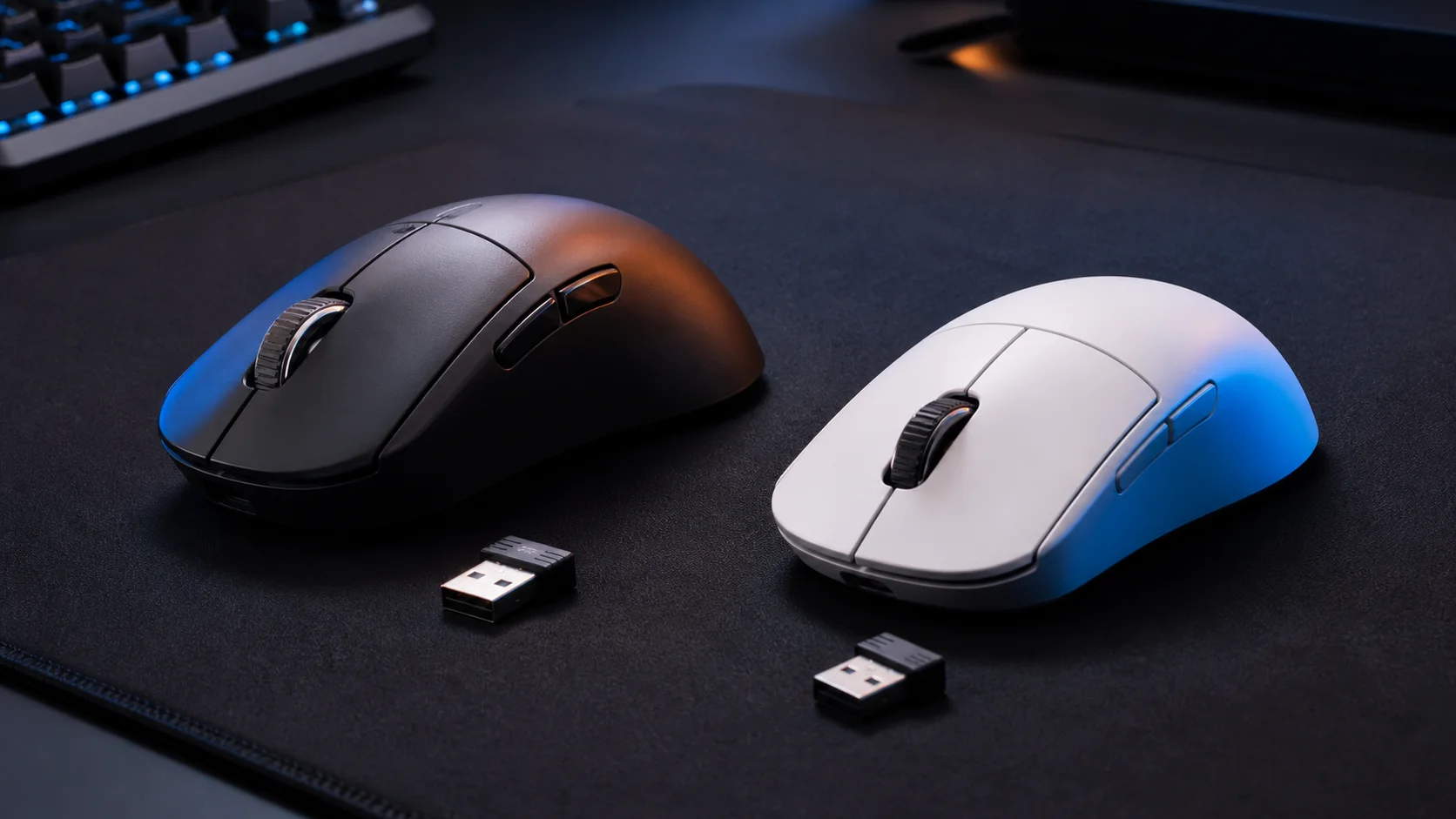
Editorial mouse comparison artwork—not photography, latency testing, or performance proof.
Shape comes first
The DeathAdder V4 Pro is explicitly a right-handed ergonomic mouse. Its shell rises toward the palm and slopes into the main buttons, with a pronounced thumb side. Razer lists black and white versions at 56g and 57g respectively. Color is therefore not purely cosmetic in the published specification, although a one-gram listed difference should not override shape preference.
The PRO X2 SUPERSTRIKE follows Logitech G’s familiar symmetrical PRO outline. That gives the two mice distinctly different starting points: the DeathAdder is designed around right-hand support, while the Logitech keeps its mass and button surfaces visually centered. “Symmetrical” should not be confused with fully ambidextrous controls; buyers should verify the side-button arrangement on the exact regional product page.
Grip labels are only a rough filter. Hand dimensions, finger placement, wrist angle, and where the palm contacts the shell can change the result. Readers comparing the older families can use our DeathAdder V3 vs Superlight 2 comparison for more context, but should not assume the V4 Pro and SUPERSTRIKE are dimensionally identical to those predecessors.
Optical switches versus HITS click technology
Razer equips the DeathAdder V4 Pro with fourth-generation optical mouse switches. Its official product page claims a 100-million-click lifecycle and describes a revised click feel. The useful technical distinction is that an optical switch registers through light rather than the electrical contacts used in a traditional mechanical mouse switch. Actuation remains a discrete click event; Razer does not present it as a user-adjustable analog trigger.
Logitech’s HITS design is more unusual. The official PRO X2 SUPERSTRIKE page describes inductive analog sensing, configurable actuation, Rapid Trigger behavior, and haptic feedback. In practical buying terms, its appeal is not a blanket promise that every click is “faster.” It is the option to change where a press actuates and how it resets, subject to the supported settings, firmware, and game rules.
This is also why switch lifecycle figures are not directly comparable. Razer publishes an optical-switch click rating. Logitech is presenting a different sensing and haptic architecture, so treating the two systems as if they share one mechanical durability test would be misleading.
Sensor and polling claims
The DeathAdder V4 Pro uses Razer’s Focus Pro 45K Optical Sensor Gen-2. Razer lists up to 45,000 DPI, 900 IPS, 85G acceleration, and up to an 8,000Hz wireless polling rate. The bundled HyperPolling Wireless Dongle is part of the product proposition; shoppers should still check the exact box contents in their market. Razer also advertises a second-generation HyperSpeed Wireless connection.
Logitech specifies its HERO 2 sensor and up to 8kHz reporting for the PRO X2 SUPERSTRIKE. Its official regional page should be the authority for the exact sensitivity, tracking, acceleration, and included-receiver claims available to a buyer. Published ceilings do not establish an in-game advantage by themselves. High polling demands more frequent reports from the mouse, while actual behavior depends on the selected mode, firmware, receiver placement, USB connection, system load, display, and game support.
An 8,000Hz option also does not mean the mouse stays at 8,000 reports every second during every movement. It is a maximum configured report rate, not a guaranteed constant workload or an FPS result. For a related generation comparison, see Logitech G PRO X SUPERLIGHT 2 vs Razer DeathAdder V3 Pro.
Controls and scroll wheel
The DeathAdder V4 Pro retains the expected main buttons, clickable wheel, and two left-side thumb buttons. Razer highlights a new optical scroll-wheel encoder, which is a separate component from the Gen-4 optical main-button switches. Profile, DPI, and power functions may involve underside controls or software-defined combinations; consult the Razer support specification for the current control map rather than assuming an older DeathAdder layout.
The PRO X2 SUPERSTRIKE keeps the restrained control approach associated with Logitech’s PRO mice while concentrating its configurability in the two main triggers. Buyers who require numerous thumb commands, a tilt wheel, or productivity shortcuts should check the exact button list before ordering. Neither design is positioned as a multi-button MMO mouse.
Software and onboard behavior
Razer Synapse is the configuration route for sensitivity, polling, button assignments, profiles, and supported calibration features. Logitech G HUB handles the SUPERSTRIKE’s sensor and button configuration, including the settings exposed for HITS. The Logitech’s adjustable actuation concept makes software support especially relevant: a feature shown in launch material may require a current device firmware and G HUB release.
Before relying on a setting at a tournament, shared PC, or locked-down work machine, confirm what the mouse saves to onboard memory and what still requires background software. Also confirm whether a game or competition permits Rapid Trigger-style mouse behavior. Software availability and feature names can differ by operating system and may change after firmware updates.
Battery claims need context
Razer publishes mode-specific battery estimates: up to 150 hours at 1,000Hz and up to 22 hours at 8,000Hz. Those figures are manufacturer claims, not independent measurements, and they demonstrate the central caveat: maximum polling can sharply reduce the stated runtime. The official DeathAdder V4 Pro page should be checked for the latest conditions and footnotes.
Apply the same standard to Logitech’s regional battery claim. Compare like with like—polling rate, lighting or haptic settings, power mode, firmware, and usage conditions—rather than placing one headline number beside Razer’s 8kHz estimate. Battery capacity also ages, and wireless environment and configuration can alter real-world results. Availability, warranty terms, packaging, charging accessories, and even published specifications may vary between the South Africa page linked here and other regions.
Compact decision matrix
| Scenario | Better starting point | Reason |
|---|---|---|
| You want a right-handed ergonomic shell | DeathAdder V4 Pro | Its shape is the defining design choice |
| You want a centered, symmetrical-style shell | PRO X2 SUPERSTRIKE | Its PRO-family outline is the closer match |
| You want adjustable main-click actuation and reset | PRO X2 SUPERSTRIKE | HITS is built around analog sensing and configuration |
| You prefer conventional discrete optical clicks | DeathAdder V4 Pro | Gen-4 optical switches use a familiar on/off click model |
| You need published mode-specific battery estimates | DeathAdder V4 Pro | Razer states separate 1kHz and 8kHz claims |
| You plan to use 8kHz polling | Either, after checks | Both claim it; system, firmware, receiver, and battery tradeoffs remain |
| You avoid configuration software | Neither by default | Confirm onboard retention for the exact settings you need |
Who should buy each mouse?
Buy the Razer DeathAdder V4 Pro if the right-handed DeathAdder shape is already your priority, you want optical main switches and an optical scroll encoder, and you value Razer’s clearly published polling-dependent battery estimates. It is also the easier conceptual choice for someone who wants a high-end wireless mouse without tuning an analog click threshold.
Buy the Logitech G PRO X2 SUPERSTRIKE if a symmetrical-style PRO shell suits you and configurable click actuation is a feature you will deliberately use. HITS—not a marginal sensor-spec difference—is the strongest reason to choose it. Check local availability, exact contents, supported G HUB version, firmware requirements, and competition rules before paying for that capability.
Buy neither until trying an equivalent shape if you are uncertain about ergonomics. The closest specification sheet cannot tell you where your palm or fingers will land. If you are also considering a less exotic lightweight alternative, our Glorious Model O 2 vs Logitech G PRO X SUPERLIGHT comparison broadens the shape discussion.
FAQ
Is the PRO X2 SUPERSTRIKE simply a SUPERLIGHT 2 with different switches?
No. The exact product name is Logitech G PRO X2 SUPERSTRIKE, and HITS is central to its design and configuration. Do not transfer the weight, battery, controls, receiver contents, or firmware behavior of a PRO X SUPERLIGHT 2 listing to this model.
Does 8,000Hz make either mouse automatically better?
No. Both brands advertise up to 8kHz reporting, but the usable result depends on configuration and the rest of the system. It also increases power demand. Shape and reliable settings are more defensible first-stage buying criteria.
Are the click technologies directly comparable?
Only at a functional level. Razer’s Gen-4 optical switches produce discrete click events. Logitech’s HITS uses inductive analog sensing with configurable actuation and haptic feedback. Manufacturer lifecycle claims and terminology should remain attached to their respective systems.
Which exact variants are compared here?
This article compares the wireless Razer DeathAdder V4 Pro in its black and white listed variants with the wireless Logitech G PRO X2 SUPERSTRIKE shown on Logitech’s regional Future Is Now page. It does not compare the DeathAdder V3 Pro, wired DeathAdder V4, PRO X SUPERLIGHT 2, DEX, or another PRO mouse. Regional SKUs, colors, bundles, and release timing may differ.
Sources
- Razer DeathAdder V4 Pro official product page
- Razer DeathAdder V4 Pro technical specifications and support
- Logitech G PRO X2 SUPERSTRIKE official regional product page









