We research everything we recommend. When you buy through our links, we may earn a commission. As an Amazon Associate we earn from qualifying purchases.
8 Best Prebuilt Gaming PCs with RTX 5080 (2026)
The RTX 5080 represents the cutting edge of gaming GPU technology, promising unparalleled performance for the most demanding titles and
The RTX 5080 represents the cutting edge of gaming GPU technology, promising unparalleled performance for the most demanding titles and future-proofing your rig for years to come. However, navigating the market for a prebuilt system equipped with this powerhouse can be a daunting task. With numerous manufacturers and configurations, discerning the best value and optimal build for your needs requires careful consideration.
This guide cuts through the noise, presenting a curated selection of the best prebuilt gaming PCs featuring the RTX 5080 for 2026. We’ll highlight top-tier options, discuss key considerations for choosing the right system, and provide concise reviews to help you make an informed decision and elevate your gaming experience.
As an Amazon Associate we earn from qualifying purchases at no extra cost to you.
Prime Gaming gives you free PC games every month, in-game loot, and a free Twitch sub — plus fast free shipping on the rigs above. New members get a 30-day free trial.
Watch: Best Prebuilt Gaming PC with RTX 5080 — Video Review
How to Choose a Prebuilt Gaming PC with RTX 5080 (2026)
CPU: Ensure the processor complements the RTX 5080 without bottlenecking its performance. High-end Intel Core Ultra or AMD Ryzen processors are ideal.
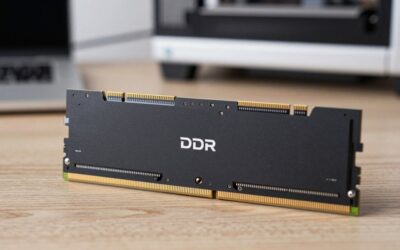
RAM: Aim for at least 32GB of DDR5 RAM for smooth multitasking and to handle memory-intensive games.
Storage: A fast NVMe SSD is crucial for quick game loading times. Look for at least 2TB to accommodate a growing game library.
Cooling: Powerful components generate heat. A robust cooling solution, whether air or liquid, is essential for sustained performance and longevity.
Power Supply: The RTX 5080 is power-hungry. Verify that the prebuilt system includes a high-quality power supply unit (PSU) with sufficient wattage and efficiency rating (e.g., Gold or Platinum).
The Best Prebuilt Gaming PC with RTX 5080 (2026)s Reviewed
Alienware Aurora Gaming Desktop
The Alienware Aurora offers a premium, no-compromise experience with its RTX 5080 and Intel Core Ultra 9 285 processor, delivering exceptional performance in a sleek and well-built chassis.
STORMCRAFT Phantom RTX 5080 Gaming PC
This STORMCRAFT build pairs the potent RTX 5080 with the highly regarded AMD Ryzen 7 9800X3D, creating a formidable gaming machine optimized for high frame rates and immersive gameplay.
ZOTAC MEK Gaming PC Desktop
The ZOTAC MEK is a compact yet powerful option, combining the RTX 5080 with the Ryzen 7 9800X3D for excellent gaming performance in a smaller footprint.
Skytech Gaming PC Azure 3
The Skytech Azure 3 provides a balanced and compelling package with its RTX 5080, Ryzen 7 processor, and ample RAM and SSD storage, making it a strong contender for most gamers.
Skytech Gaming PC King 95
The King 95 from Skytech builds on the Azure 3’s strengths, offering a high-performance RTX 5080 system with a Ryzen 7 CPU and generous storage for an exceptional gaming experience.
Judging an RTX 5080 Prebuilt Beyond the Graphics Card
The GeForce RTX 5080 ships with 16GB of GDDR7 on a 256-bit bus, and NVIDIA lists a 360W total graphics power with an 850W recommended system power supply. Every prebuilt in this category shares that headline part, so the differences that decide long-term satisfaction sit in everything around it.
Power Supply and Cabling
Since the card draws up to 360W, the power supply needs real headroom for spikes. An 850W unit is the figure NVIDIA recommends, and builders often go higher for CPUs with big power limits. Beyond wattage, look for an 80 PLUS Gold rating and a fully seated 12V-2×6 connector. Listings that do not name the PSU wattage or brand deserve a question before purchase.
Processor and Memory Pairing
An RTX 5080 can be held back by a weak processor at 1080p and 1440p. A modern 8-core or better chip prevents that bottleneck. For memory, 32GB of DDR5 in two sticks is the practical standard for this tier. A listing with one 32GB stick would run in single-channel mode, which can reduce frame rates in CPU-heavy games.
Cooling and Airflow
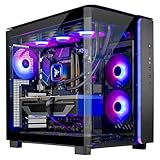
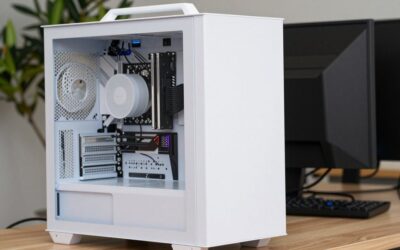
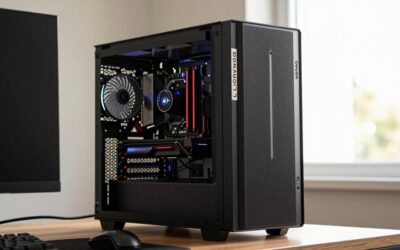
High-end graphics cards dump heat into the case. Look for a mesh front panel, at least two intake fans, one exhaust fan, and a liquid or large air cooler on the CPU. Glass-fronted cases with solid panels can look striking but may run hotter. Owners commonly report that a dust filter on the intake simplifies upkeep.
Storage and Upgradeability
A 1TB NVMe drive fills quickly with modern games that often exceed 100GB each. Check that the system has a second M.2 slot or a free drive bay. Some prebuilts use proprietary motherboards or power supplies, which limit future part swaps, so ask whether standard ATX components are used.
Which Prebuilt Fits Which Buyer?
If you…
Choose…
Want a long-established brand with a distinctive chassis and are comfortable with some proprietary parts
Alienware Aurora Gaming Desktop
Want a system named around the RTX 5080 from a boutique-style builder
STORMCRAFT Phantom RTX 5080 Gaming PC
Prefer a compact-minded design from a graphics-card brand
ZOTAC MEK Gaming PC Desktop
Want a mainstream tower from a retailer-focused builder
Skytech Gaming PC Azure 3
Want a step-up configuration in the same maker’s lineup
Skytech Gaming PC King 95
These rows reflect typical brand positioning, so compare the processor, memory, and PSU on each listing instead of relying on the name alone.
Common Mistakes When Buying an RTX 5080 Prebuilt
Overlooking the monitor. A 1080p 60Hz screen leaves most of this card’s capability unused. Pair it with a 1440p high-refresh or 4K display.
Accepting vague component lists. Phrases such as “high-performance PSU” without a wattage are a warning sign.
Ignoring the warranty terms. Compare how long parts and labor are covered and whether opening the case voids it.
Paying for RGB over cooling. Fans with lighting do not make up for poor airflow.
Forgetting the desk. Many towers are large and heavy, so measure the space and check the clearance for cables and vents.
Skipping software cleanup. Prebuilts sometimes include trial software. Remove what you do not use.
Setting Up Your New Desktop
Inspect the case for shipping damage and make sure the graphics card is seated and any support bracket is installed.
Connect the monitor to the graphics card ports, not the motherboard video outputs.
Run Windows updates and install the latest graphics driver.
Enable the memory’s EXPO or XMP profile in the BIOS if it is not already on.
Confirm the monitor’s refresh rate is set to its maximum in display settings.
Matching a Monitor to the RTX 5080
A powerful graphics card needs a display that can show what it produces. The table gives the general logic for pairing resolution and refresh rate, without promising frame rates for any particular game.
Display
Fit with an RTX 5080
Notes
1080p, 144Hz or 240Hz
Plenty of headroom
Useful for competitive play but leaves much of the GPU idle
1440p, 165Hz to 240Hz
Strong balance
A popular choice for high frame rates with maximum detail
4K, 120Hz or 144Hz
Well suited
Upscaling and frame generation features in supported games can help in the heaviest titles
Ultrawide 1440p
Good match
Pixel count sits between 1440p and 4K
DLSS 4, which includes multi-frame generation on the 50-series, is supported only in selected games, so treat it as a bonus rather than a baseline.
Warranty and Support Checklist
Find out how long parts and labor are covered, and whether the first year differs from later years.
Ask whether you must ship the whole tower for repairs or whether parts can be replaced individually.
Confirm whether upgrading RAM or storage voids the warranty.
Look for clear support contact options before you buy.
Keep the original packaging in case of a return or shipping repair.
A system built from standard parts is easier to service years later, so ask whether the motherboard and power supply are standard sizes rather than proprietary designs.
Understanding Airflow in a Prebuilt Tower
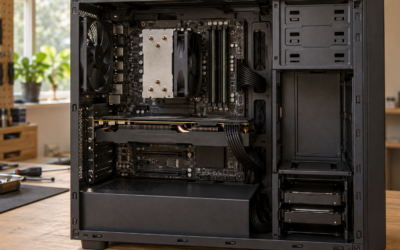
Heat is the quiet limiter of high-end desktops. Hot air that cannot leave the case raises component temperatures and fan noise. Look for a layout with intake on the front or side, exhaust at the rear and top, and enough space between the graphics card and the glass panel. Owners commonly report that a tower with a tightly sealed front panel runs louder under load than one with a mesh front. If the listing shows internal photos, count the fans and see whether cables are tidy enough to leave air paths clear.
What kind of performance can I expect from an RTX 5080?
The RTX 5080 is designed for ultra-high settings at 4K resolution with high refresh rates, and it excels in ray tracing and demanding AAA titles.
Do I need a specific monitor for an RTX 5080?
While not strictly necessary, a high-refresh-rate 1440p or 4K monitor will best showcase the capabilities of an RTX 5080.
Are prebuilt PCs with RTX 5080 worth the cost?
For those seeking immediate high-end performance without the hassle of building, and with warranty support, prebuilt systems with the RTX 5080 can offer excellent value.
What is the lifespan of a gaming PC with an RTX 5080?
A properly maintained gaming PC with an RTX 5080 should remain a top-tier performer for at least 3-5 years for most gaming needs.
Final Thoughts
For an elite gaming experience, the Alienware Aurora Gaming Desktop stands out for its premium build and performance. If you prioritize raw gaming power and value the Ryzen 7 9800X3D, both the STORMCRAFT Phantom and the Skytech Gaming PC King 95 are exceptional choices.