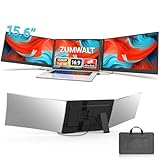
A stereoscopic monitor delivers true depth perception without the bulk of a VR headset, using eye-tracking and clever optics to present a genuine 3D image to the naked eye. It’s a niche but fascinating category, most compellingly realized in displays like Acer’s Predator SpatialLabs, which render glasses-free 3D for compatible games and creative software. For enthusiasts and 3D content creators, it offers an experience nothing else on a desk can match.
This review looks at the stereoscopic monitor landscape and the standard displays that surround it, helping you understand what glasses-free 3D actually delivers and where a conventional high-quality monitor makes more sense. We reference Acer’s SpatialLabs View alongside solid everyday panels to set clear expectations before you spend.
As an Amazon Associate we earn from qualifying purchases.





Design & Build
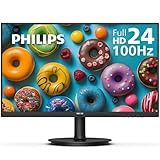
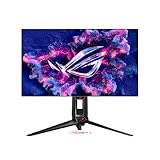
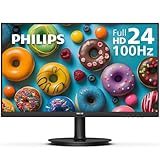
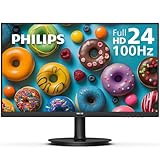
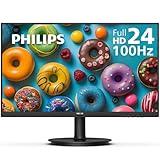
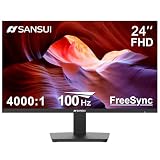
The Acer Predator SpatialLabs View 27 is the centerpiece of this category, a 27-inch 4K panel with integrated eye-tracking cameras above the screen that follow your head position to maintain the 3D effect. Its build is premium, as befits its specialist price, with a sturdy stand and a clean bezel that houses the tracking hardware discreetly. The surrounding conventional monitors here, such as the Acer KB220Q and SH243Y, are far simpler zero-frame office and gaming panels with basic tilt stands, reminding us that stereoscopic tech commands a significant hardware premium.
Performance
In stereoscopic mode, the SpatialLabs View is genuinely impressive: real-time rendering and AI technologies convert compatible 3D content into convincing glasses-free depth, running at up to 160Hz with FreeSync Premium and G-Sync compatibility for smooth motion. The effect is best in supported titles and professional 3D applications; outside those, it functions as a sharp Ultra HD 2D display. The conventional monitors in this comparison, like the 100Hz KB220Q and 144Hz SH243Y, perform capably for everyday work and casual gaming but offer none of the depth wizardry. Your choice hinges entirely on whether 3D content is central to your use.
Pros & Cons
- Glasses-free 3D with head-tracked depth on the SpatialLabs View.
- High refresh and adaptive sync for smooth stereoscopic gaming.
- Sharp 4K panel that doubles as a capable 2D display.
- No headset required, unlike VR alternatives.
- Very high price compared to standard monitors.
- Limited 3D content, so the effect shines only in supported apps.
- Niche appeal that most gamers won’t need.
Alternatives to Consider
If depth perception isn’t essential, a high-quality 4K or high-refresh gaming monitor delivers a superb 2D experience for a fraction of the cost. Those curious about immersive 3D on a budget might explore a VR headset instead, which offers full stereoscopic gaming at lower prices. And for pure productivity, a simple zero-frame IPS panel like the Acer KB220Q covers everyday needs affordably.
Frequently Asked Questions
Do stereoscopic monitors require glasses?
No. Displays like the Acer SpatialLabs View use eye-tracking and lenticular optics to produce glasses-free 3D, following your head position to keep the effect stable.
Does every game work in 3D?
No. The 3D effect works with supported titles and creative software. Outside those, the monitor operates as a standard high-resolution 2D display.
Is a stereoscopic monitor better than VR?
They serve different needs. Stereoscopic monitors offer glasses-free depth at your desk without a headset, while VR provides fully immersive, room-scale 3D. VR is generally cheaper for pure 3D gaming.
Who should buy a stereoscopic monitor?
It’s best for 3D content creators, designers, and enthusiasts who value glasses-free depth. Mainstream gamers are usually better served by a conventional high-quality monitor.
Verdict
The stereoscopic monitor is a remarkable piece of technology, and the Acer Predator SpatialLabs View 27 delivers its glasses-free 3D promise convincingly for the right user. But it remains a specialist purchase: unless 3D content is central to your work or play, a standard 4K or high-refresh panel offers far better value. Decide how much you’ll use the depth effect, and choose accordingly.