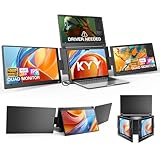
- Top Pick: Triple Screen Laptop, 16" Main + Dual 10.5" Monitors, Core i7-12700H
- Best Value: Laptop Screen Extender, 15.6'' 1080P FHD Laptop Monitor Extender with 235°Rotation Detachable Dual Monitor, Plug & Play, Triple Screen for 13"-17.3" Laptops Compatible with Mac/Wins/Android/Dex
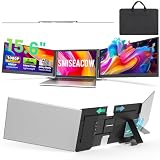
- Premium Choice: 15.6" Laptop Screen Extender, 1080P FHD Triple Portable Monitor for Laptops, Ultra-Slim Travel Dual Monitor Fit for 12"-17.3" Laptops, USB-C Plug&Play Extended Screen Compatible with Win/Mac/Android
A “three screen laptop” can mean one of two things: a rare all-in-one laptop with three built-in displays, or the far more common route of adding a triple-panel extender to a standard laptop. Both give you a genuine multi-monitor workspace on the go, but they differ enormously in price, portability, and flexibility.
This review clears up which path makes sense for you, comparing true triple-screen laptops against the popular clip-on extenders that turn any capable laptop into a three-display workstation, so you can decide where to spend your money.
As an Amazon Associate we earn from qualifying purchases at no extra cost to you.





🎮 Get More From Your Setup — Free
Prime Gaming gives you free PC games every month, in-game loot, and a free Twitch channel sub — plus fast free shipping on all the gear above. New members get a 30-day free trial.
Watch: Three Screen Laptop — Video Review
Design & Build
The integrated route is represented by the Triple Screen Laptop with a 16″ main display flanked by dual 10.5″ monitors and a Core i7-12700H inside, an all-in-one unit that unfolds into a wide workstation with everything built in. The extender route uses attachments like the 15.6″ detachable dual-monitor with 235° rotation, the ultra-slim 15.6″ USB-C triple, and the Venraty and SMISEACOW detachable panels that clamp to your existing laptop’s lid. The built-in machine is a self-contained appliance; the extenders are lightweight add-ons that let you keep the laptop you already own.
Performance
The integrated triple-screen laptop is the more powerful, cohesive experience, its Core i7-12700H, generous RAM, and SSD drive all three panels natively with no drivers or extra cables, ideal for traders, developers, and creators who want a permanent portable command center. The extenders, by contrast, are about flexibility and value: FHD IPS panels deliver crisp 1080p, and USB-C plug-and-play models connect in seconds, though some (like certain detachable units) may need a driver and draw extra power from the host laptop. Choose the built-in machine for raw capability, the extenders for affordability and choice of base laptop.
Pros & Cons
- Integrated model drives all three screens natively with no extra cables.
- Extenders keep your existing laptop and cost far less.
- Crisp FHD IPS panels across the extender options.
- Portable multi-monitor productivity either way.
- Built-in triple laptops are heavy and expensive.
- Extenders add weight and can need drivers.
- Extenders draw power from the host laptop’s battery.
Alternatives to Consider
If you rarely need three screens, a single detachable portable monitor adds a second display at a fraction of the weight and cost. Buyers who want power but not the bulk of an all-in-one might pair a strong existing laptop with a lightweight extender like the Vixtan 14″. And desk-bound users are often better served by standalone monitors than any folding solution.
Related Guides
- Laptop Extender (2026)
- Best Gaming Laptops With Best Display (2026)
- Lightweight Gaming Laptop (2026 Guide)
Frequently Asked Questions
Are three-screen laptops worth it?
For traders, coders, and multitaskers who need portable multi-monitor space, yes. The integrated model offers the most seamless experience, while extenders offer flexibility and value.
Do extenders work with my current laptop?
Most fit 12″ to 17.3″ laptops via USB-C. Confirm your USB-C port supports video output for driverless plug-and-play models.
Will three screens drain my battery?
Extenders draw power from the host laptop, increasing consumption. The integrated triple laptop manages this within its own larger battery.
Which is more portable?
Extenders attached to a thin laptop are generally lighter than a bulky all-in-one triple-screen machine, though the extender adds some weight to your base laptop.
Verdict
Your best three-screen laptop depends on priorities. For a powerful, all-in-one portable command center, the integrated Core i7-12700H triple-screen laptop delivers native performance. For value and the freedom to keep your current machine, a USB-C triple extender like the ultra-slim 15.6″ or Venraty detachable is the smarter, lighter buy.