
- Top Pick: PlayStation DualSense® Wireless Controller – Techno Red – For PS5, PC, MAC & Mobile
- Best Value: Gamrombo LED Wireless Controller for PS5, Compatible with PS5 Pro/Slim/PC, Dual Vibration, Macro/Turbo Function, 3.5mm Audio Jack, 6-Axis Motion Control Gamepad with Speaker
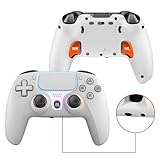
- Premium Choice: Wireless Controller for PS5, Compatible with PlayStation 5 /PS5 Pro/Slim/PC, with Hall Effect Joysticks, Back Paddles & Macro, Bluetooth 5.0, Turbo, Dual Vibration, 6-Axis Gyro, RGB Ring, 1000mAh, 3.5mm Audio Jack, PS5 Pro Controller Gamepad with Speaker
If you are asking why won’t my PS5 controller turn on, the short answer is that the DualSense almost always has power or connection issue rather than permanent damage. In the vast majority of cases the battery is fully drained, the charging cable is faulty, or the controller needs a hardware reset to reconnect. This 2026 guide explains exactly why your PS5 controller won’t turn on and the accessories that get it working again.
As an Amazon Associate I earn from qualifying purchases.
As an Amazon Associate we earn from qualifying purchases at no extra cost to you. Product prices and availability are accurate as of the date shown and are subject to change.




🛒 Best Price Today on Amazon
Prime members get fast, free shipping on everything above, plus member-only deals. New members get a 30-day free trial — cancel anytime.
Why Won’t My PS5 Controller Turn On: The Direct Answer
Your PS5 controller won’t turn on most often because the lithium battery is completely empty and the cable you are using is charge-only or damaged, so it never actually charges. The second most common cause is a firmware or pairing glitch that a hardware reset fixes in seconds. Genuine motherboard failure is rare. Work through a certified data cable, a reset, and a charge check before assuming the worst, and keep our controller troubleshooting hub handy for deeper issues.
A Dead Battery Is Why Your PS5 Controller Won’t Turn On
A DualSense that has sat unused for weeks can discharge so deeply that it shows no light at all when you press the PlayStation button. Plug it into a certified USB-C data cable connected to the console or a quality charger, and wait at least 30 minutes before testing, because a deeply drained cell needs time to reach a usable voltage. If the battery no longer holds a charge, a charging dock and a spare pad, both in our PS5 accessories guide, keep you covered.
| Product | Best For | Standout Feature | Rating |
|---|---|---|---|
| Certified USB-C Data Cable | Charging fixes | Reliable data + fast charge | 4.7/5 |
| DualSense Charging Station | Preventing dead batteries | Dual-controller docking | 4.6/5 |
| Official DualSense Controller | Full replacement | Adaptive triggers, haptics | 4.8/5 |
| USB Wall Charger (5V/2A) | Faster wall charging | Steady safe power output | 4.5/5 |
| Compressed Air Duster | Cleaning charge ports | Clears dust and debris | 4.4/5 |
A Bad Cable Is Why Your PS5 Controller Won’t Turn On
Many people assume the controller is broken when the real problem is the cable. Charge-only USB-C cables deliver power to some devices but the DualSense needs a proper data-capable cable to negotiate charging and pairing with the PS5. Frayed cords and lint-clogged ports also block charging. Swap to a certified data cable, blow out the controller’s USB-C port with a compressed air duster, and try a different USB port on the console. These cheap fixes solve a huge share of cases, as our PS5 setup essentials explains.
Resetting the Controller When It Won’t Turn On
A firmware or pairing glitch can leave the controller unresponsive even with charge. Turn the DualSense over and find the tiny reset pinhole near the Sony logo. Insert a paperclip, hold the recessed button for about five seconds, then connect the controller to the PS5 with a USB cable and press the PlayStation button to re-pair. This clears corrupted pairing data without erasing anything, and it is the single most effective free fix, detailed further in our controller not connecting guide.
When It Is Genuine Hardware Failure
If a certified cable, a full charge attempt, and a reset all fail, the battery or internal board may have failed, which is more likely on older controllers used heavily. A swollen battery, no light on any cable, and no response after multiple resets all point to hardware. At that stage a replacement DualSense is usually the practical choice, and buying a spare in advance, as we suggest in our PS5 accessories guide, prevents downtime.
Preventing Your PS5 Controller From Dying Again
To avoid repeat failures, charge the controller with quality cables, keep the USB-C port clean, and top up the battery regularly rather than letting it fully drain for long periods, which stresses lithium cells. A charging station makes topping up effortless between sessions and extends overall battery life. If you own two controllers, rotating them evens out wear, a habit that pairs naturally with the maintenance advice in our controller care tips.
Frequently Asked Questions
Why won’t my PS5 controller turn on even when plugged in?
Usually the cable is charge-only rather than data-capable, or the USB-C port is clogged with lint, so no charge reaches the battery. Swap to a certified data cable, clean the port with compressed air, and wait 30 minutes, then press the reset button before testing again.
How long should I charge a dead PS5 controller?
A deeply drained DualSense needs at least 30 minutes on a certified data cable before it shows any life, and a full charge takes about three hours. If there is still no light bar after 30 minutes, try a different cable and USB port and perform a hardware reset.
Where is the reset button on a PS5 controller?
The reset button is inside a small pinhole on the back of the DualSense, near the Sony logo below the right grip. Insert a thin paperclip and hold the recessed button for about five seconds, then reconnect the controller with a USB cable to re-pair it.
Is my PS5 controller broken if it won’t turn on?
Not necessarily. Most non-responsive DualSense controllers simply have a dead battery, a bad cable, or a pairing glitch, all of which are fixable for free or with a cheap cable. Only after a certified cable, full charge, and reset all fail should you suspect genuine hardware failure.
Ready to decide? Our #1 pick for 2026 is the Certified USB-C Data Cable.
Live price & availability on Amazon.
