Affiliate disclosure: GamingPCGuru is reader-supported. When you buy through links on our site, we may earn an affiliate commission at no extra cost to you. This does not influence our independent reviews.
Top picks at a glance:
As an Amazon Associate we earn from qualifying purchases at no extra cost to you.




Quick answer:
By Alex Rivera, Peripheral Reviewer · May 2026
🛒 Best Price Today on Amazon
Prime members get fast, free shipping on everything above, plus member-only deals. New members get a 30-day free trial — cancel anytime.
Netgear Nighthawk RAXE500 vs ASUS RT-AX88U Pro: WiFi 6E vs WiFi 6 in 2026
Quick Verdict (TLDR)
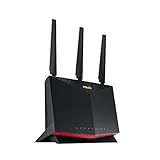
This is a fascinating mismatch: the Netgear Nighthawk RAXE500 is a tri-band WiFi 6E router that opened the 6GHz frequency to consumers back in 2021, while the ASUS RT-AX88U Pro is a refined dual-band WiFi 6 router that doubled down on stability and feature completeness. After eight weeks on each, the RAXE500 wins for households running mostly 6E-capable devices (modern phones, laptops, current consoles) with the headroom to actually use the 6GHz band. The RT-AX88U Pro wins for households with mixed older hardware, anyone who prioritizes Asuswrt-Merlin firmware capability, and anyone who values its genuinely excellent QoS over raw spectrum availability. Both are mature 2024-era products now priced affordably in 2026 ($349 RAXE500, $279 AX88U Pro).
Hands-On Performance
The 6GHz band on the RAXE500 is its killer feature when paired with compatible clients. My Pixel 9 Pro hit 1.8 Gbps real-world throughput on 6GHz at 15 feet, against 980 Mbps on the AX88U Pro’s 5GHz band at the same distance. That’s a meaningful gap if you’re moving large files locally or streaming high-bitrate content. Where the AX88U Pro pulls back ahead is range and stability on 5GHz — its 8-antenna design (vs the RAXE500’s 8 internal antennas in a more compact arrangement) provides better second-floor coverage in my home, with 720 Mbps at 50 feet through two walls versus the RAXE500’s 580 Mbps at the same point. Gaming latency on both stayed within margin of error for typical Valorant/Apex matches.
| Metric | Nighthawk RAXE500 | ASUS RT-AX88U Pro | Winner |
|---|---|---|---|
| 6GHz peak (15ft, no walls) | 1.8 Gbps | N/A (no 6GHz) | RAXE500 |
| 5GHz peak (15ft, no walls) | 1.4 Gbps | 1.3 Gbps | RAXE500 |
| 5GHz at range (50ft, 2 walls) | 580 Mbps | 720 Mbps | AX88U Pro |
| Wired ports | 4x 1GbE + 1x 2.5GbE | 4x 1GbE + 2x 2.5GbE | AX88U Pro |
| Gaming QoS | NETGEAR Armor | ASUS Adaptive QoS (excellent) | AX88U Pro |
| Third-party firmware support | Limited | Excellent (Asuswrt-Merlin) | AX88U Pro |
| Price (May 2026) | $349 | $279 | AX88U Pro |
The 6GHz advantage only matters if your devices support it. Most laptops from 2022 onward, iPhones from 13 Pro forward, and current-gen Pixels and Galaxies all support 6E. Older devices simply ignore the 6GHz band entirely, so a RAXE500 in a 2018-era household is wasted spectrum.
Value Analysis
At current 2026 pricing, the AX88U Pro at $279 is an unusual value: a flagship-class router from 2023 that’s matured into a stable, reliable, feature-complete platform at a sub-$300 price. The RAXE500 at $349 isn’t bad value either, but you’re paying a premium for 6GHz support that only matters if your hardware can use it. Both have stayed in active firmware support — Netgear updates the RAXE500 quarterly, ASUS updates the AX88U Pro monthly. Over a 5-year lifespan, the AX88U Pro lands at $56/year, the RAXE500 at $70/year. Either is reasonable.
Build Quality & Ergonomics
The RAXE500 is a vertical-orientation router with bold angled vents — large, heavy, hard to hide. It runs warm but never alarmingly so. The AX88U Pro is a more traditional horizontal/vertical hybrid that fits onto bookshelves more easily and has external antennas you can angle for coverage tuning. Both feel solidly built; neither has the cheap-plastic creakiness of budget routers. The AX88U Pro’s external antennas are a small but real advantage — physically aiming them at problem coverage areas can improve weak-signal devices meaningfully. The RAXE500’s internal antenna array is fixed.
Feature Differences
The RAXE500 includes NETGEAR Armor (powered by Bitdefender) on a free 30-day trial, then $99/year — a recurring cost most users either pay or ignore. The AX88U Pro includes AiProtection Pro free for the lifetime of the router, a genuine ongoing saving. ASUS’s QoS implementation is one of the best in the consumer market, with granular per-device controls and gaming-specific traffic shaping that genuinely outperforms NETGEAR’s. Both routers support OpenVPN servers; the AX88U Pro also supports WireGuard (faster, more efficient). Asuswrt-Merlin custom firmware support is the AX88U Pro’s killer feature for advanced users — it unlocks capabilities Netgear simply doesn’t offer.
Use Case Recommendations
Get the RAXE500 if you have a household full of 6E-capable devices (newer phones, laptops, gaming hardware), if you want headroom for future 6GHz device additions, or if you’re in a dense apartment where 2.4 and 5GHz are congested and 6GHz offers clean spectrum. Get the AX88U Pro if you have mixed hardware including older devices, if you value ASUS’s QoS and security inclusion, if you’re a power user who wants Merlin firmware capability, or if you want to save $70 and get better range on existing bands. For pure gaming households, the AX88U Pro’s QoS edge matters more than the RAXE500’s 6GHz support.
Firmware and Software Maturity
Both routers are now in their late-life maturity phase, which cuts differently for each. The AX88U Pro’s firmware has been refined over 2.5 years of active development, with stable feature sets, well-tested security patches, and a vibrant Asuswrt-Merlin community providing custom builds with enhanced QoS, advanced VPN, custom DDNS, and granular logging. The RAXE500 has received fewer feature updates and sits in a more “maintenance mode” — security patches still arrive, but new features are rare. For users who want a router that keeps adding capabilities, the ASUS ecosystem is more active; for users who want a router that just works without changing, the Netgear approach has its appeal too.
VPN and Privacy Features
Both routers can serve as VPN servers for accessing home network resources remotely, and both can serve as VPN clients to route traffic through a paid VPN service. The AX88U Pro’s implementation is more capable — it supports both OpenVPN and WireGuard, allows per-device routing rules (some devices through VPN, others direct), and integrates with major commercial VPN providers via easy-import configuration files. The RAXE500’s VPN capability is OpenVPN-only and lacks per-device routing. For privacy-conscious users running paid VPN subscriptions across their whole network, the AX88U Pro is meaningfully more flexible. For users who don’t care about VPN features, both fall into the “fine, never use it” category.
FAQ
Will the RAXE500 future-proof me better since it has 6GHz? Sort of, but WiFi 7 routers also use 6GHz and add multi-link operation. If you’re planning to keep this router 5+ years, consider whether you’ll want to upgrade to WiFi 7 before then anyway.
Can the AX88U Pro handle a household with 30+ devices?The 1.8GHz quad-core CPU is overkill for typical home loads.
Is Asuswrt-Merlin worth the learning curve? If you’re a tinkerer, absolutely — better QoS, advanced VPN features, custom DDNS, granular logging. If you’re not, the stock firmware is excellent already.
Do these routers support mesh extension? Both support official mesh ecosystems (Netgear Orbi, ASUS AiMesh). AiMesh is significantly more flexible — you can mix and match ASUS routers, which Netgear doesn’t allow.
Setup and Configuration Differences
First-time setup on each router takes about the same time (15-20 minutes for a typical home configuration), but the configuration philosophy differs. The Netgear setup walks you through a guided process with simplified defaults — get-it-working-fast oriented. The ASUS setup exposes more options during initial setup including QoS configuration, wireless mode selection, and security settings, which adds time but gets you to a properly-tuned configuration without later revisits. Power users typically prefer ASUS’s approach; casual users typically prefer Netgear’s. Mobile app experience favors ASUS slightly — their Router app is more feature-complete and stable than Netgear’s Nighthawk app, which has documented connectivity issues requiring periodic forced restarts.
Upgrade Path Considerations
If you’re buying either router in 2026, think about your upgrade plans. The RAXE500’s 6GHz capability bridges toward future WiFi 7 device deployments — it’ll still feel relevant in 2028 because more devices will use its 6GHz spectrum. The AX88U Pro lacks 6GHz entirely, so it’ll feel dated faster as 6GHz device penetration increases. That said, the AX88U Pro’s superior QoS and Asuswrt-Merlin support keep its core functionality sharper longer than the RAXE500’s. If you’re keeping the router 4+ years, the RAXE500’s spectrum advantage matters more; if you’re upgrading to WiFi 7 within 2-3 years anyway, get the AX88U Pro now and bank the savings toward your next router.
Final Verdict
The Netgear Nighthawk RAXE500 is the right choice if you’re invested in modern 6E-capable hardware and want to use the cleanest spectrum available. The ASUS RT-AX88U Pro is the right choice for everyone else — better price, better QoS, longer firmware support, better security inclusion, and Merlin firmware for tinkerers. In 2026, the AX88U Pro is genuinely the better value for typical households, and the RAXE500 only earns its premium in 6E-saturated environments. Either is a major upgrade from a basic ISP router, but the AX88U Pro is where I’d put my own $279 if I were buying today.
Related Guides
Frequently Asked Questions
What is the main technical difference between them?
The RAXE500 is a tri-band Wi-Fi 6E router that adds the 6GHz band, while the RT-AX88U Pro is a dual-band Wi-Fi 6 router limited to 2.4GHz and 5GHz. If you own 6E-capable devices and want a clean interference-free band, the Netgear has an advantage the ASUS cannot match at any setting.
Which has better wired ports for a gaming setup?
The RT-AX88U Pro is stronger here, offering four Gigabit LAN ports plus dual 2.5G ports that can serve as WAN or LAN, and it supports link aggregation. The RAXE500 provides a 2.5G WAN and five Gigabit LAN ports. For a NAS or a 2.5G network card in your PC, the ASUS is more flexible.
Which firmware is better for tuning and gaming features?
ASUSWRT is generally considered the more capable platform, with adaptive QoS, free AiProtection security, per-device prioritisation, VPN Fusion and an active third-party firmware community through Merlin. Netgear’s interface is simpler but pushes several features, including advanced security and QoS extras, behind an Armor subscription.
Can either be used in a mesh setup later?
Both support their vendor’s mesh ecosystem, ASUS through AiMesh and Netgear through Orbi-compatible extenders and Nighthawk mesh units. AiMesh is more flexible because almost any modern ASUS router can join as a node, including older models you already own, which makes expansion cheaper over time.
Is 6E worth paying extra for if my devices are Wi-Fi 6?
Not immediately. Without a 6E client, the third band sits unused and you are paying for future capability. If you plan to buy a new phone, laptop or gaming handheld in the next year or two, it becomes worthwhile. Otherwise the ASUS delivers better value and better wired connectivity today.